Skip to content
Andrew Michael Nathan

Product, Website, Branding · 2026

AI Comply HQ
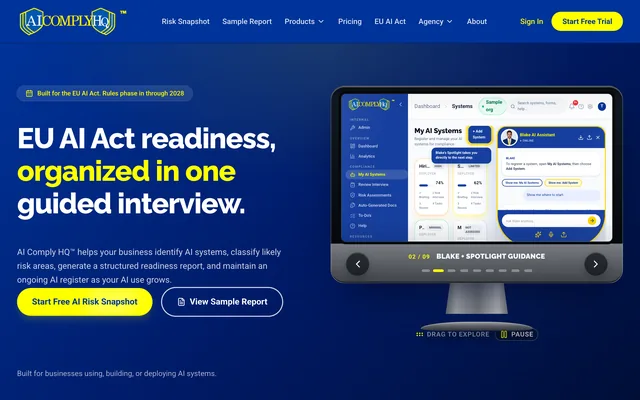
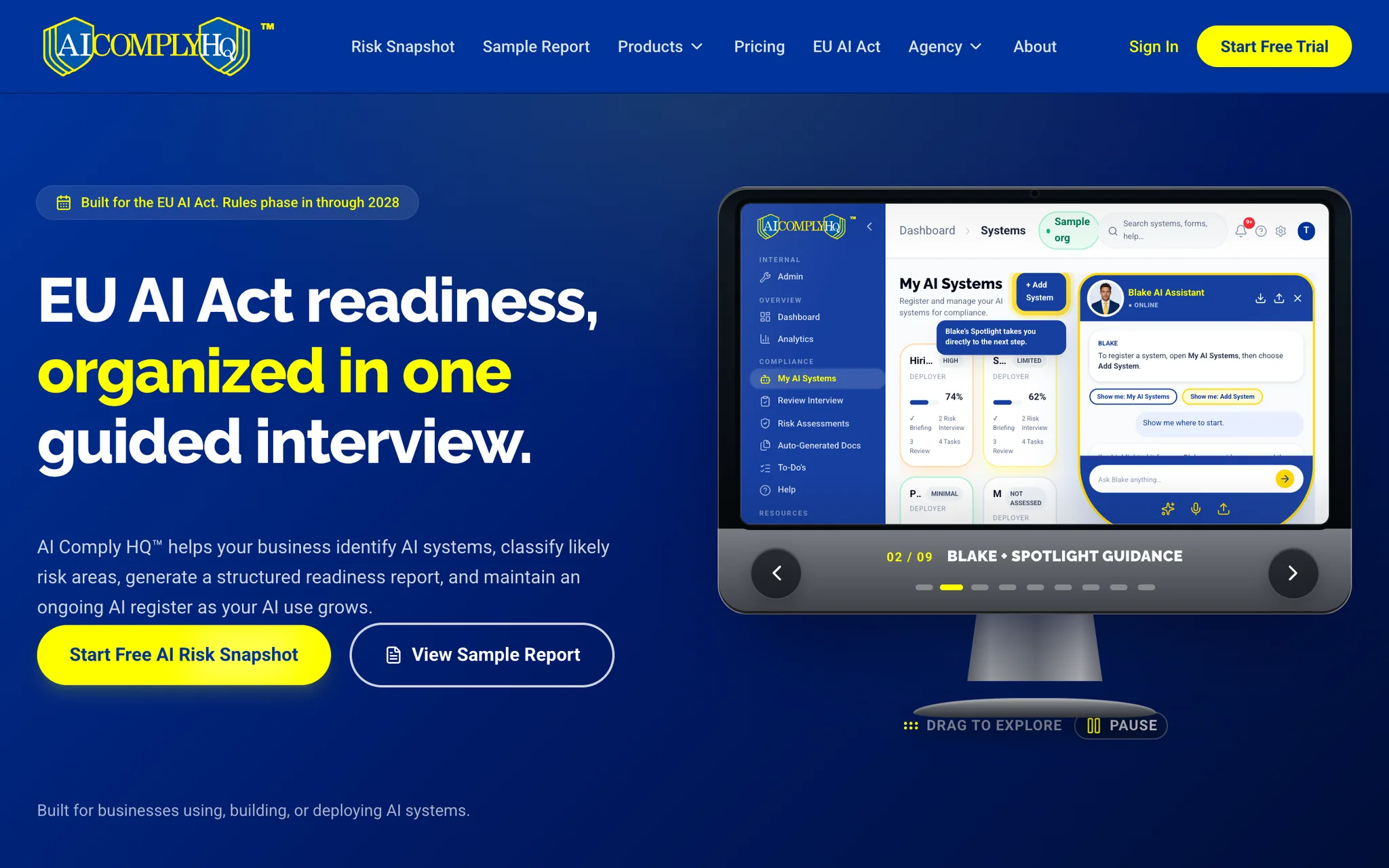
Home page

Founder · Product design, brand and AI-assisted build · 2026

Small and mid-sized businesses need to know where they stand under the EU AI Act. I researched the problem, designed the brand and interface, and built the app: a voice-guided risk interview, a rule engine for Articles 5 and 50 and Annex III, and readiness and governance documents drafted from the answers.

Project story

The product
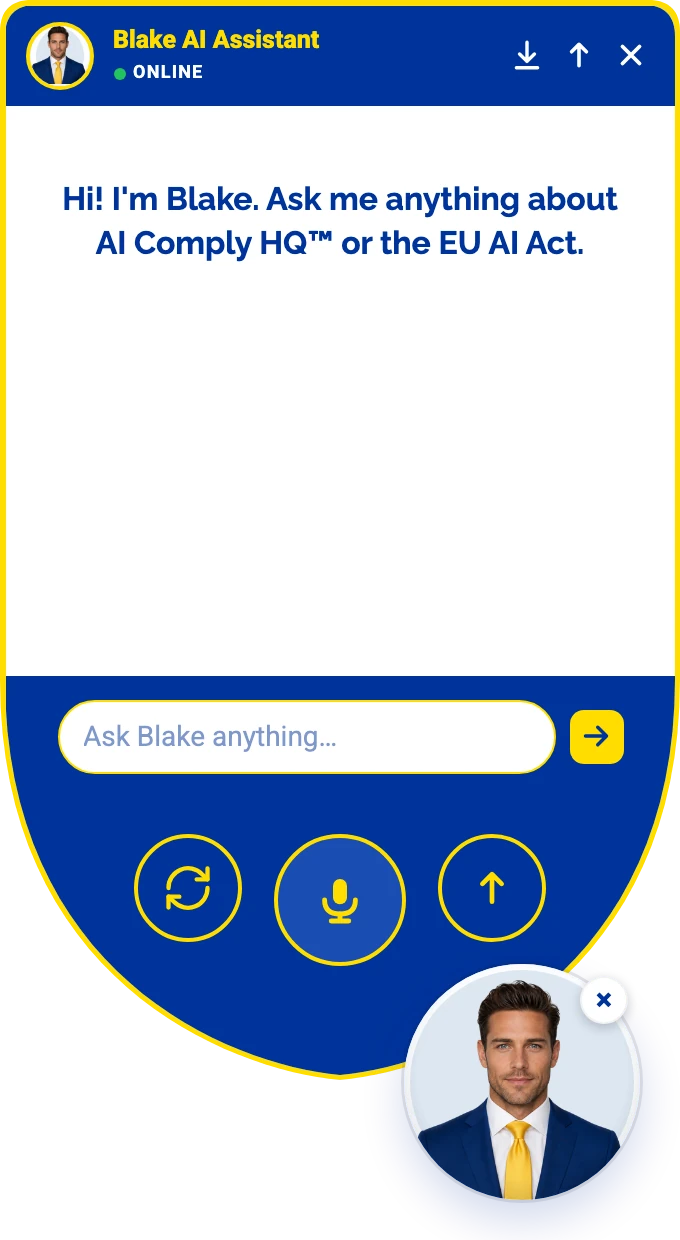
Blake's chat window in AI Comply HQ: Blake AI Assistant, online, greeting “Hi! I'm Blake. Ask me anything about AI Comply HQ™ or the EU AI Act.”, with a box to ask Blake anything, buttons to start a new conversation, talk by voice and expand the window, and Blake's portrait below.

I built AI Comply HQ from the ground up as its solo founder, under Simple Use Software, LLC. It is readiness, documentation and governance software for the EU AI Act, sold at aicomplyhq.com and used at app.aicomplyhq.com.

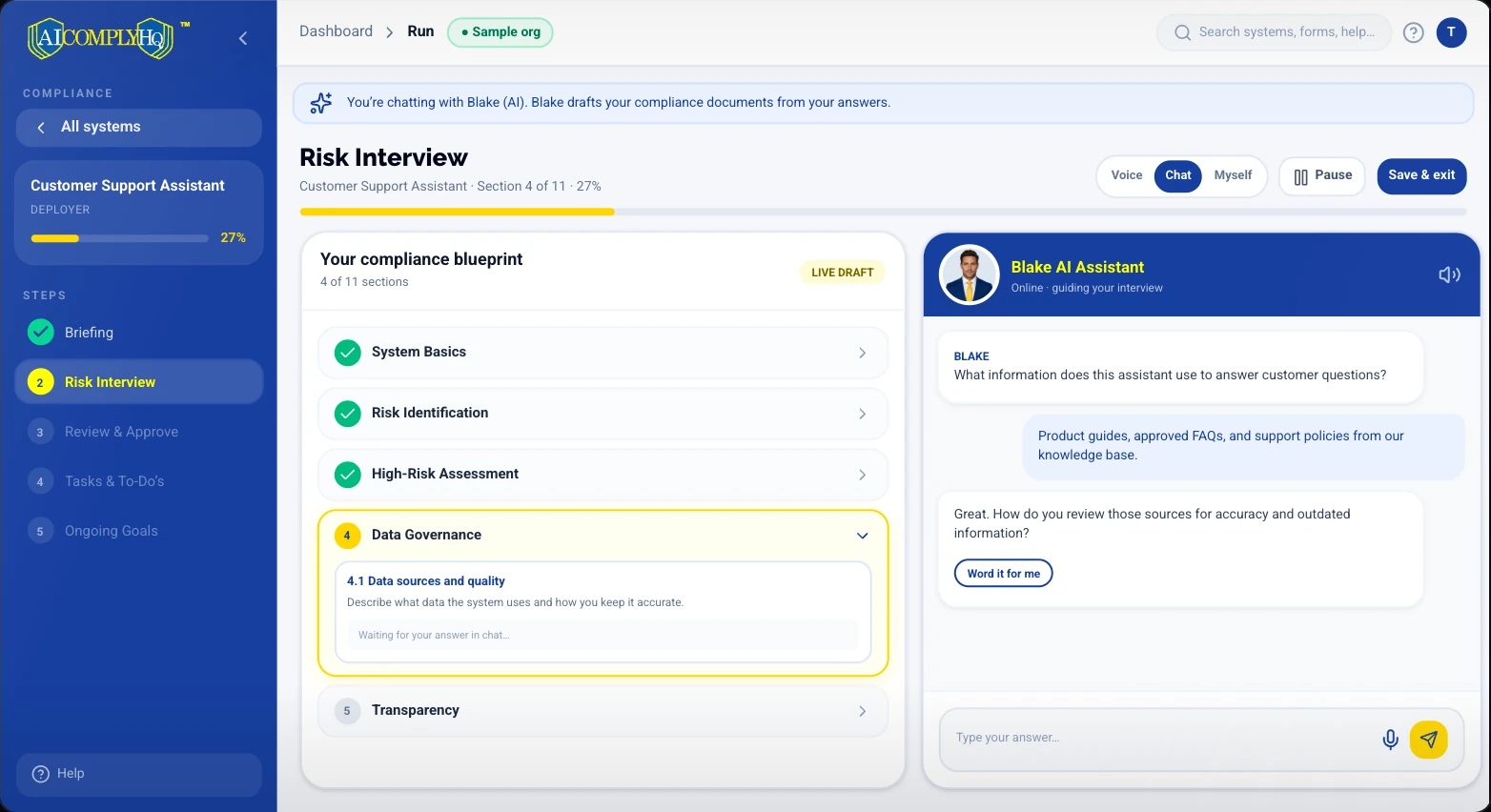
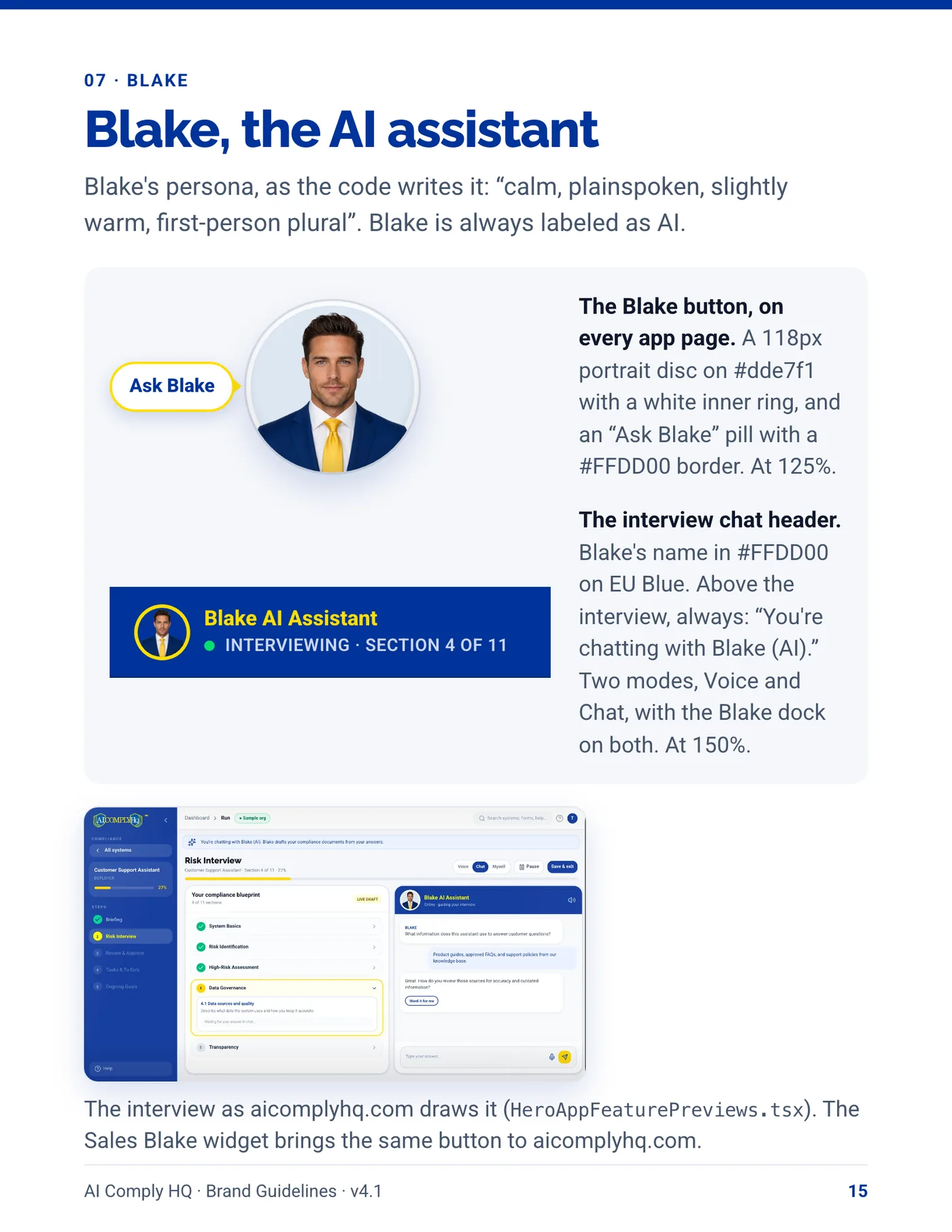
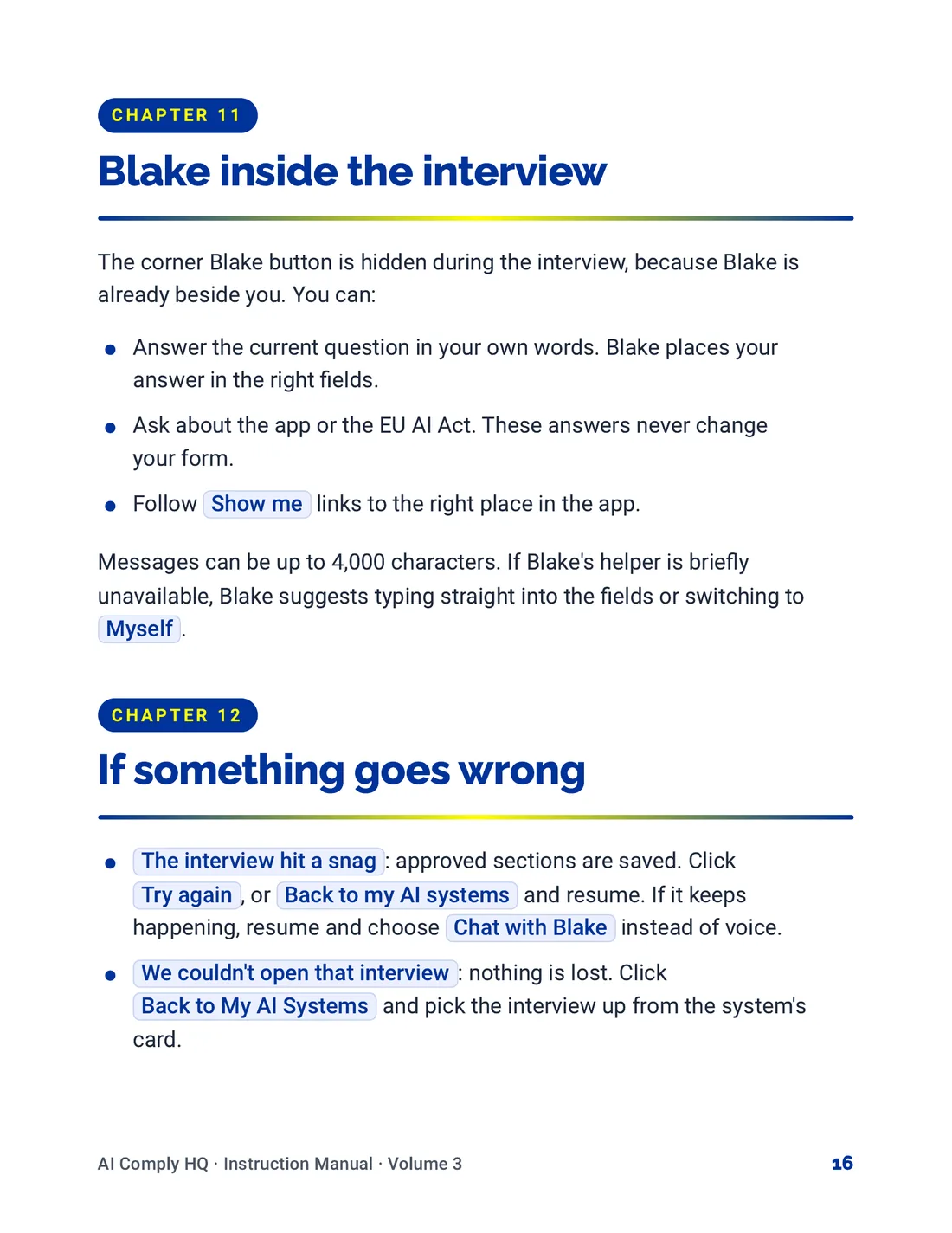
Blake is the assistant inside it. On the site, Blake answers questions about the product and the Act. In the risk interview, Blake asks the questions by voice or chat across 11 sections, skips the ones that do not apply, and drafts the answers for a person to approve. The voice runs on Cartesia.

A rule engine for Article 5, Article 50 and Annex III classifies each system; 240 automated tests cover the rules and the classification. The app then keeps the record: a register of AI systems, a risk level for each, and a to-do list of what that level asks for, with reminders to keep it current. It states plainly that it is not legal advice and does not guarantee compliance.

The identity

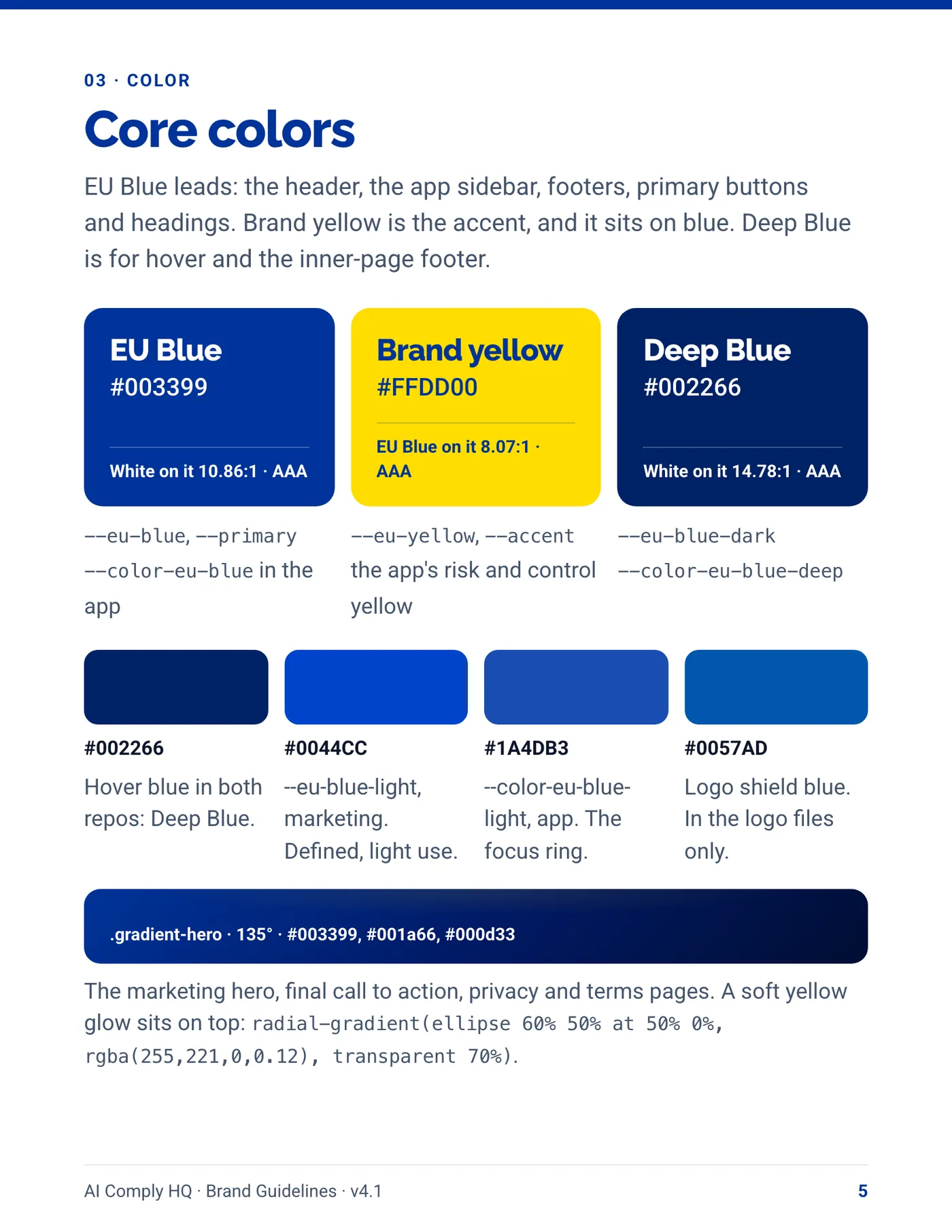
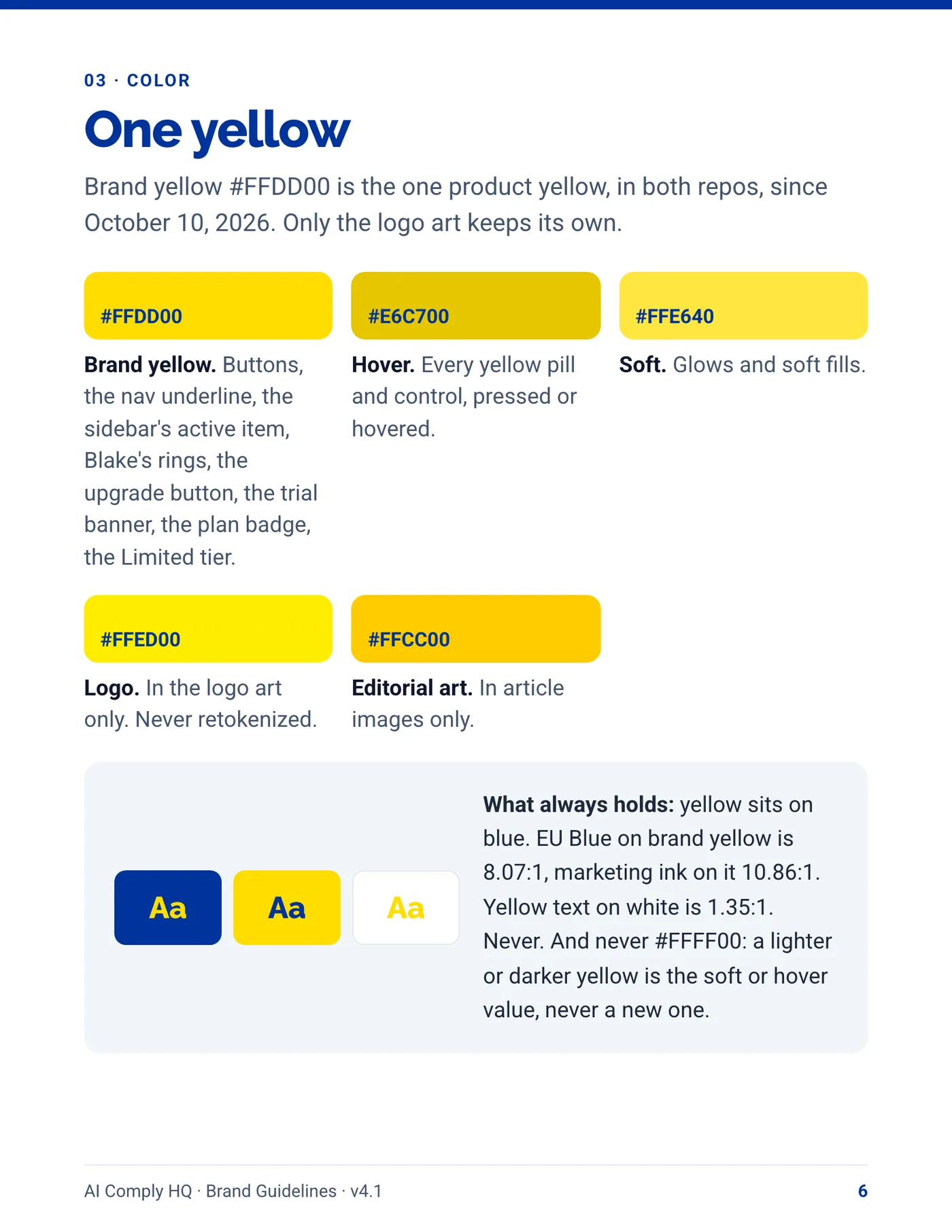
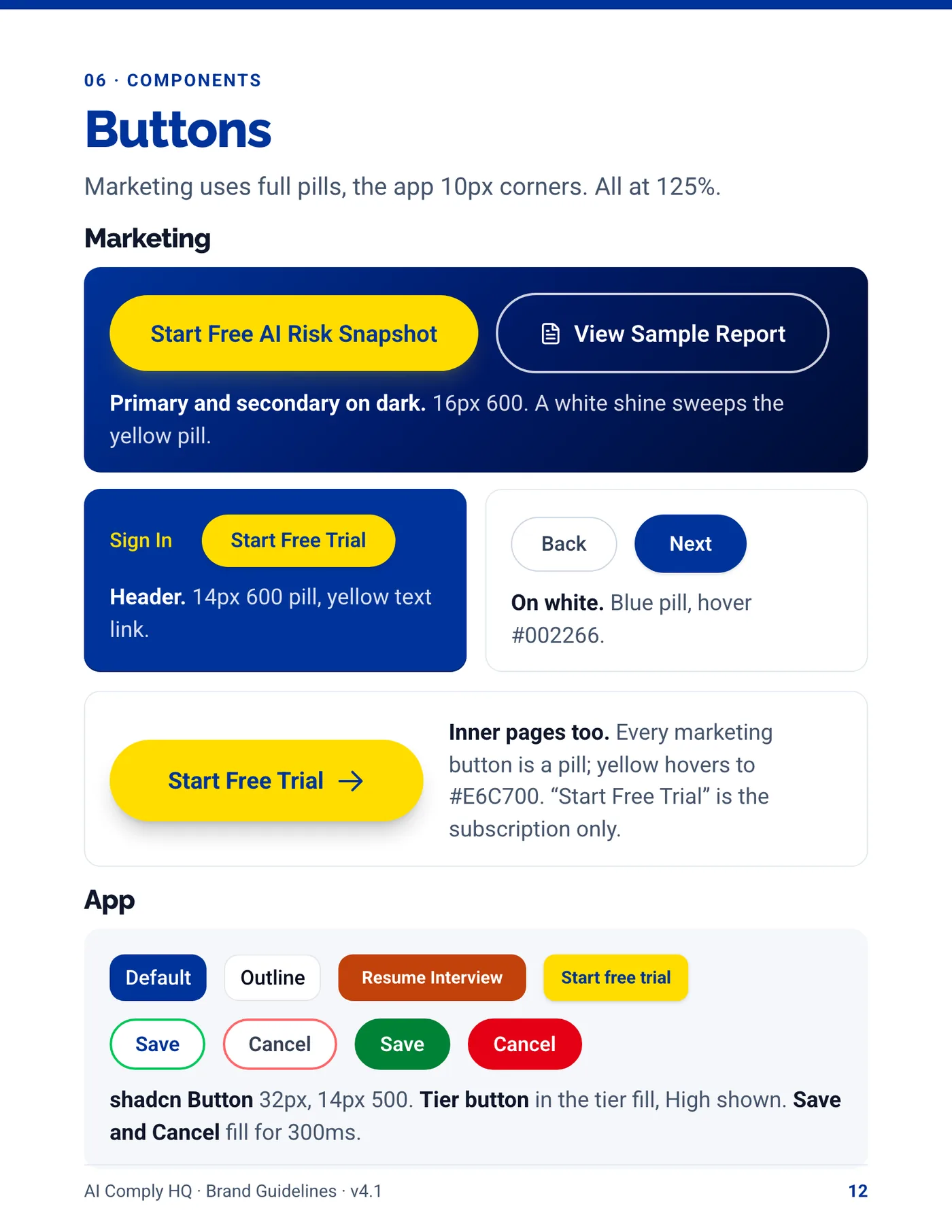
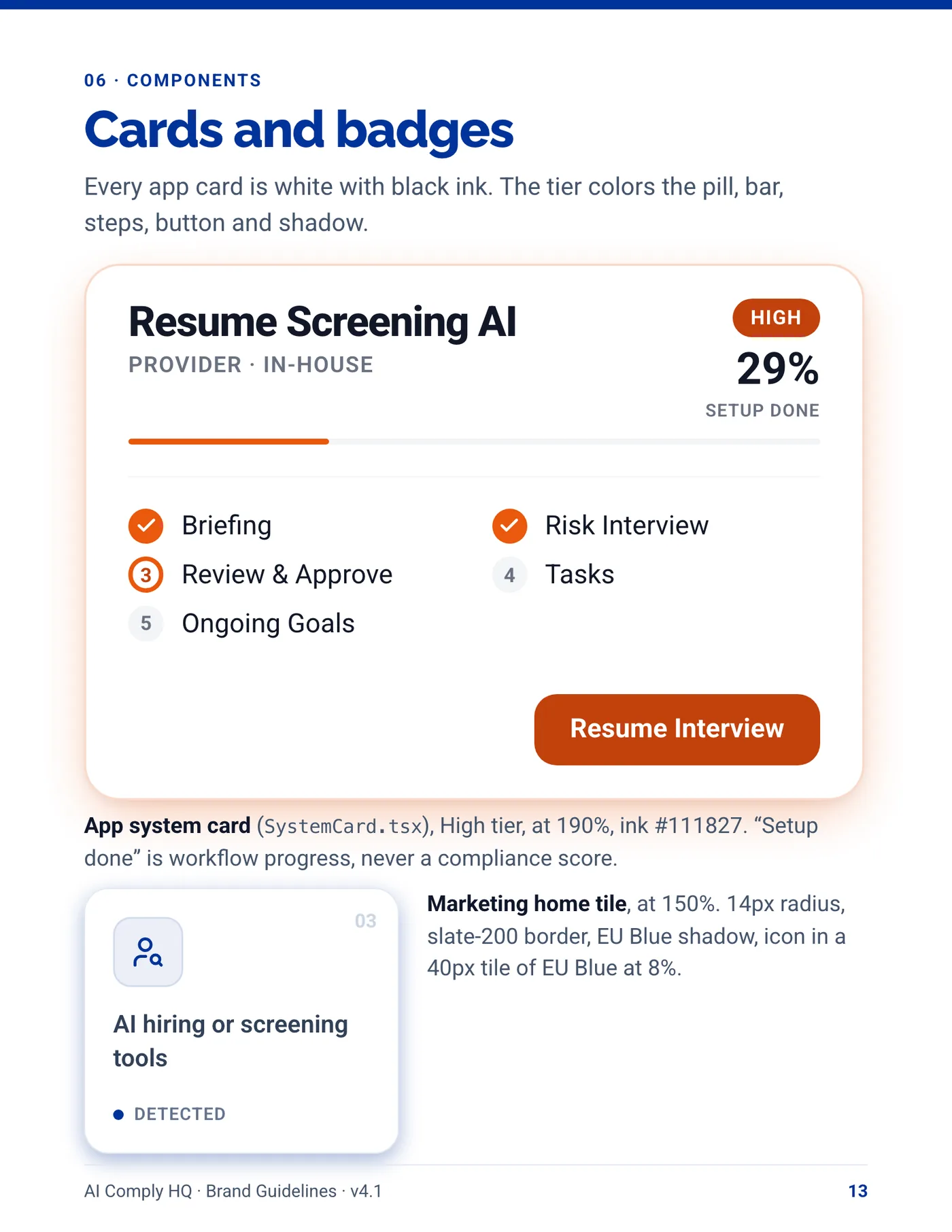
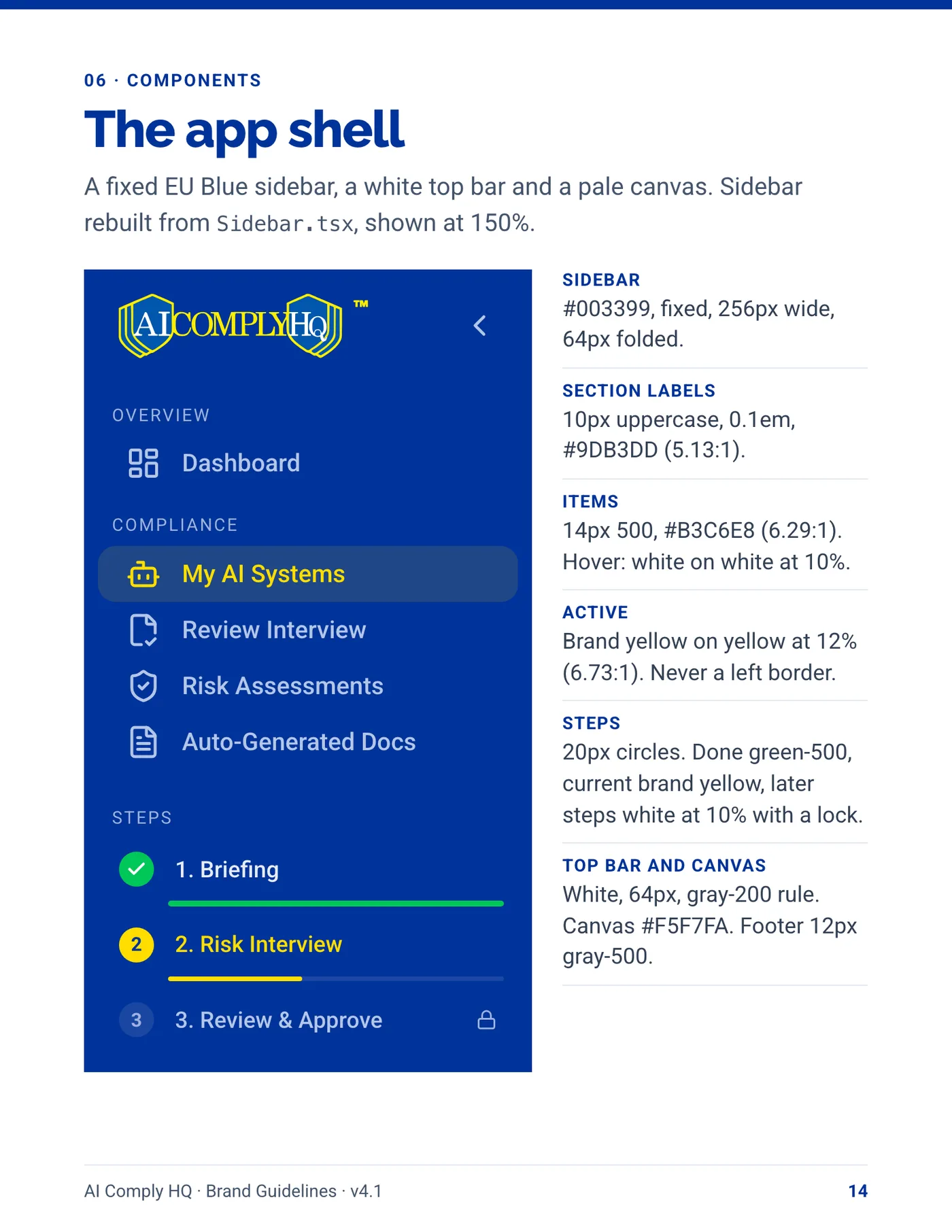
The brand started as a written identity plan. EU Blue leads and EU Yellow sits on it as the accent. Raleway sets the headings and Roboto sets everything else. The voice is calm and plain, with no alarm words. A brand guidelines booklet records the rules, checked against the live product.

Logo design

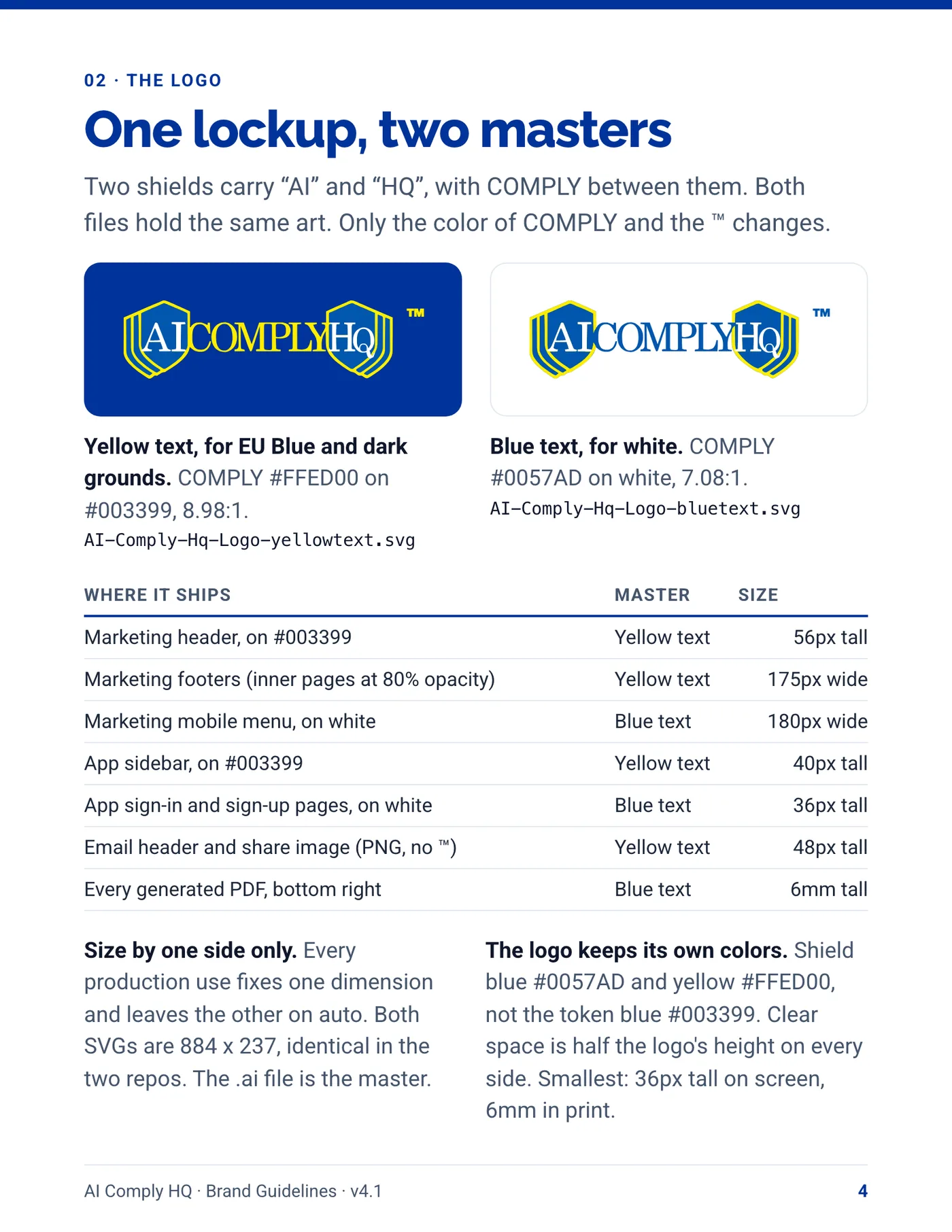
The logo is a shield lockup: two shields carry AI and HQ, with COMPLY between them. It comes in two masters, yellow text for EU Blue and dark grounds, blue text for white, and it keeps its own shield blue and yellow.

Supporting work

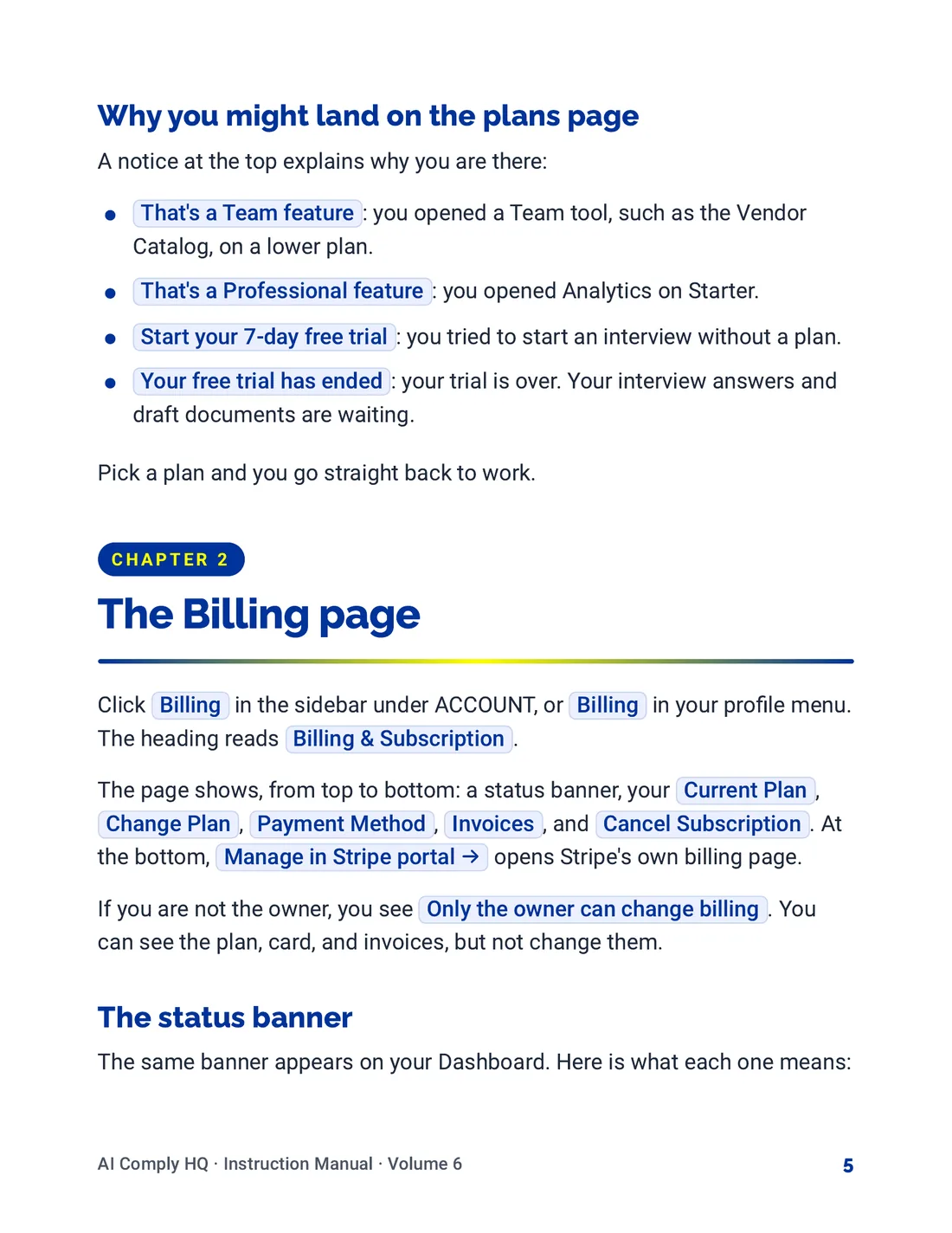
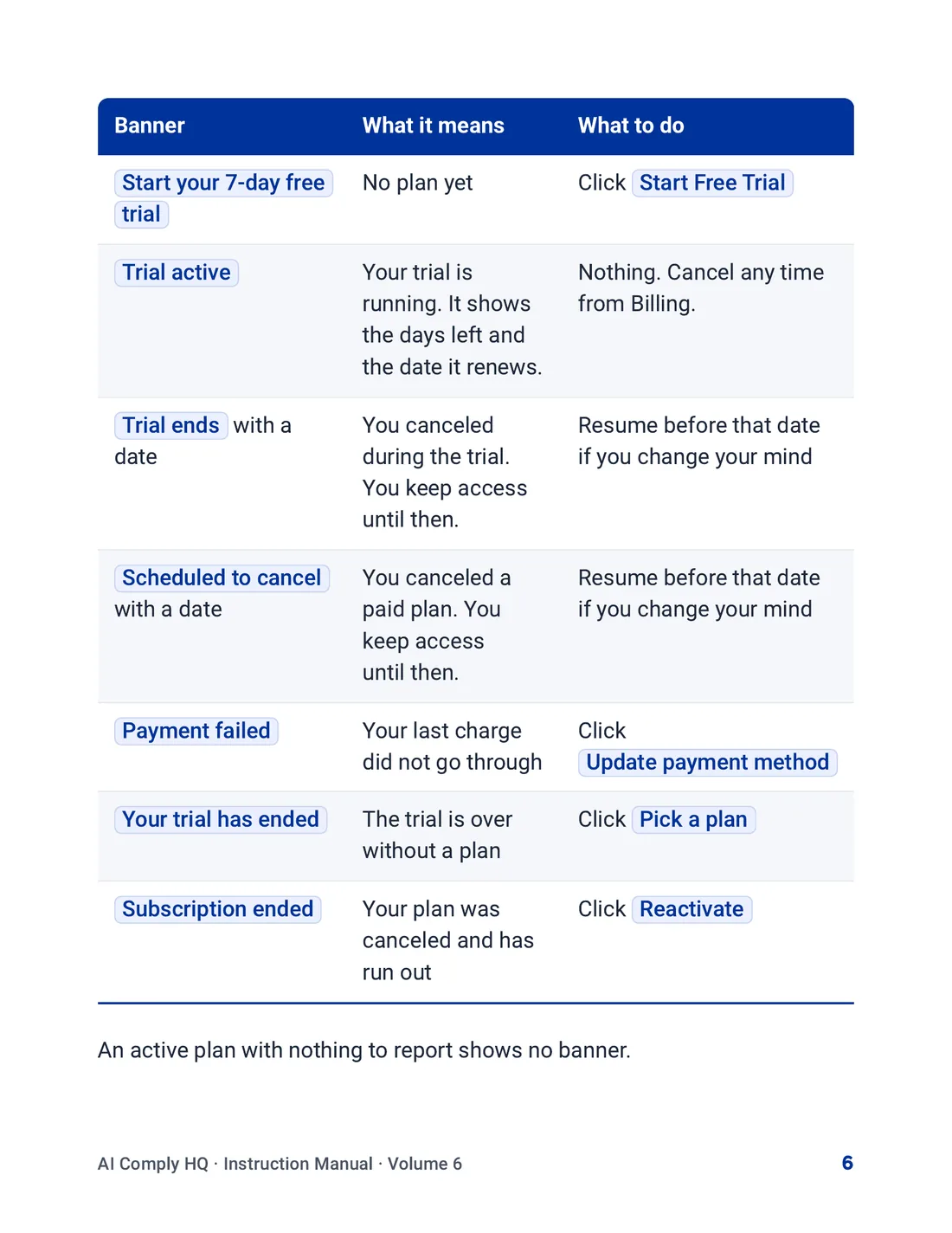
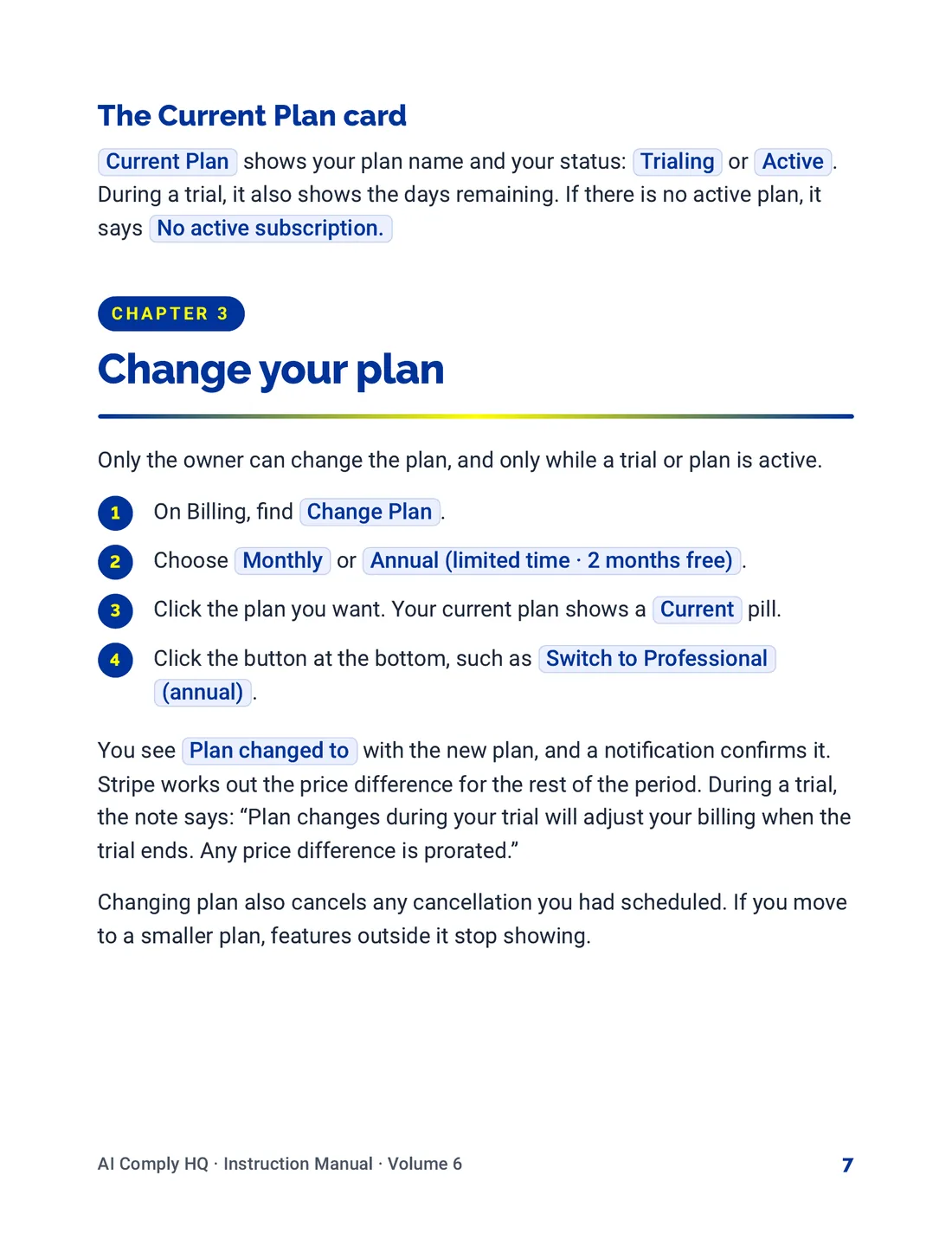
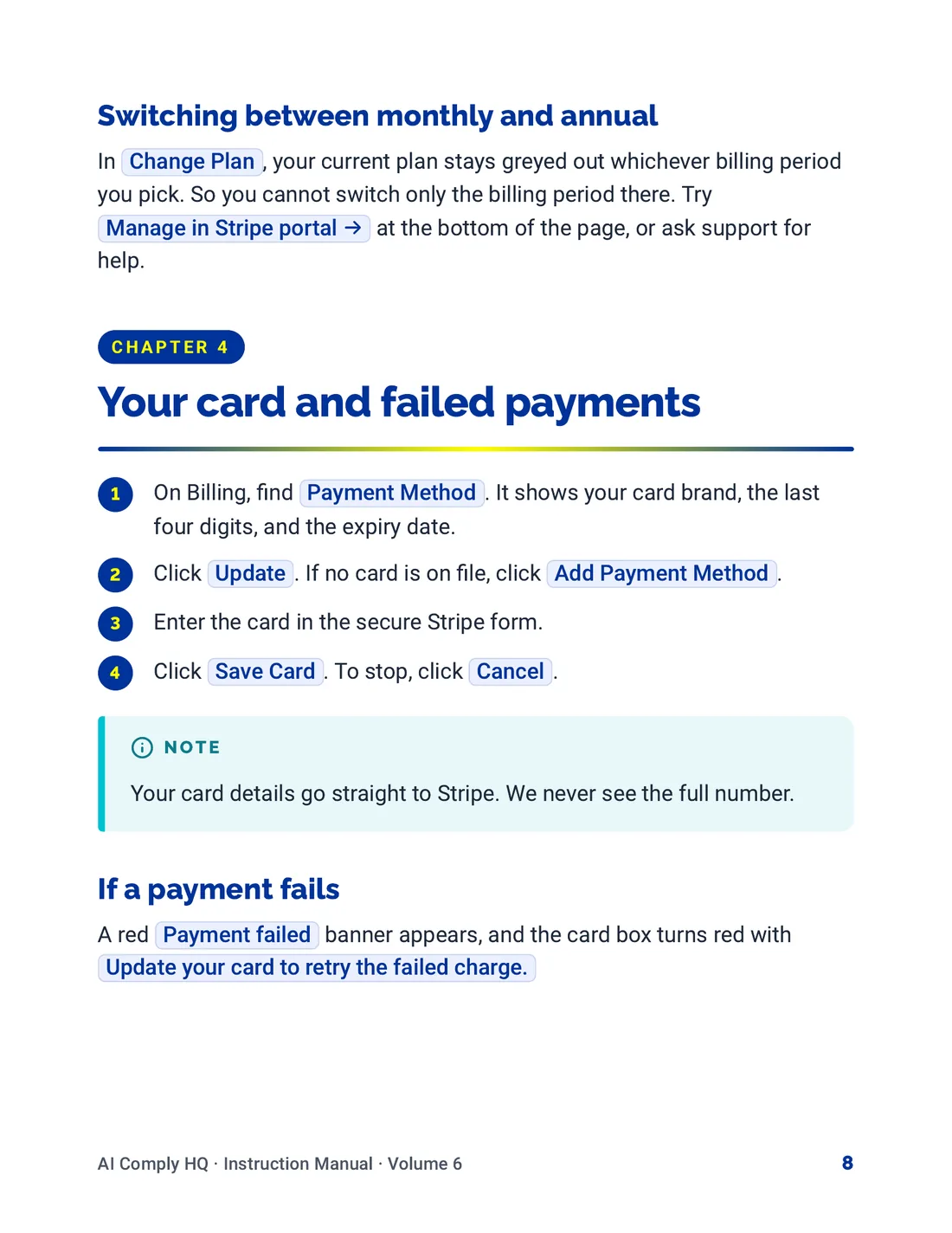
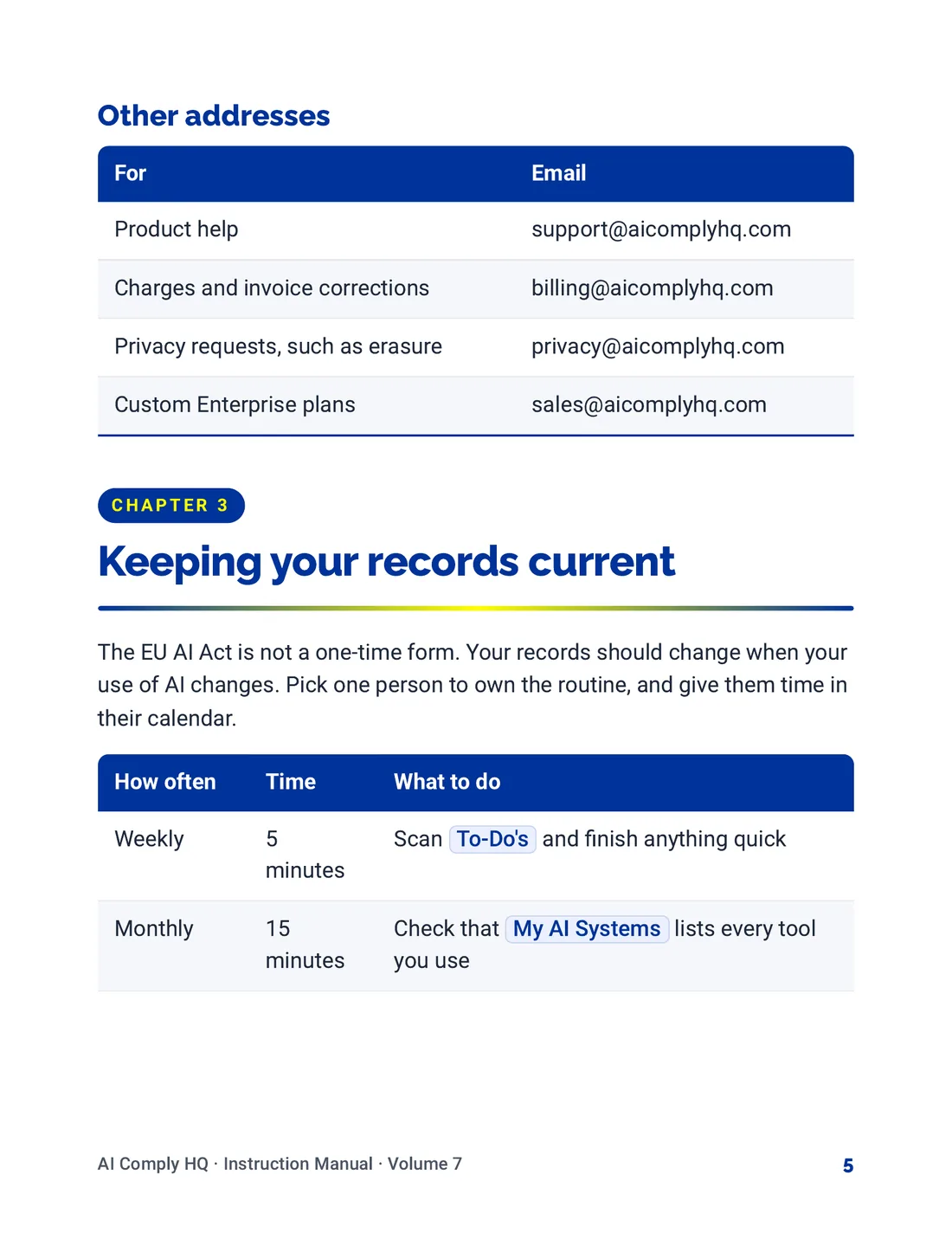
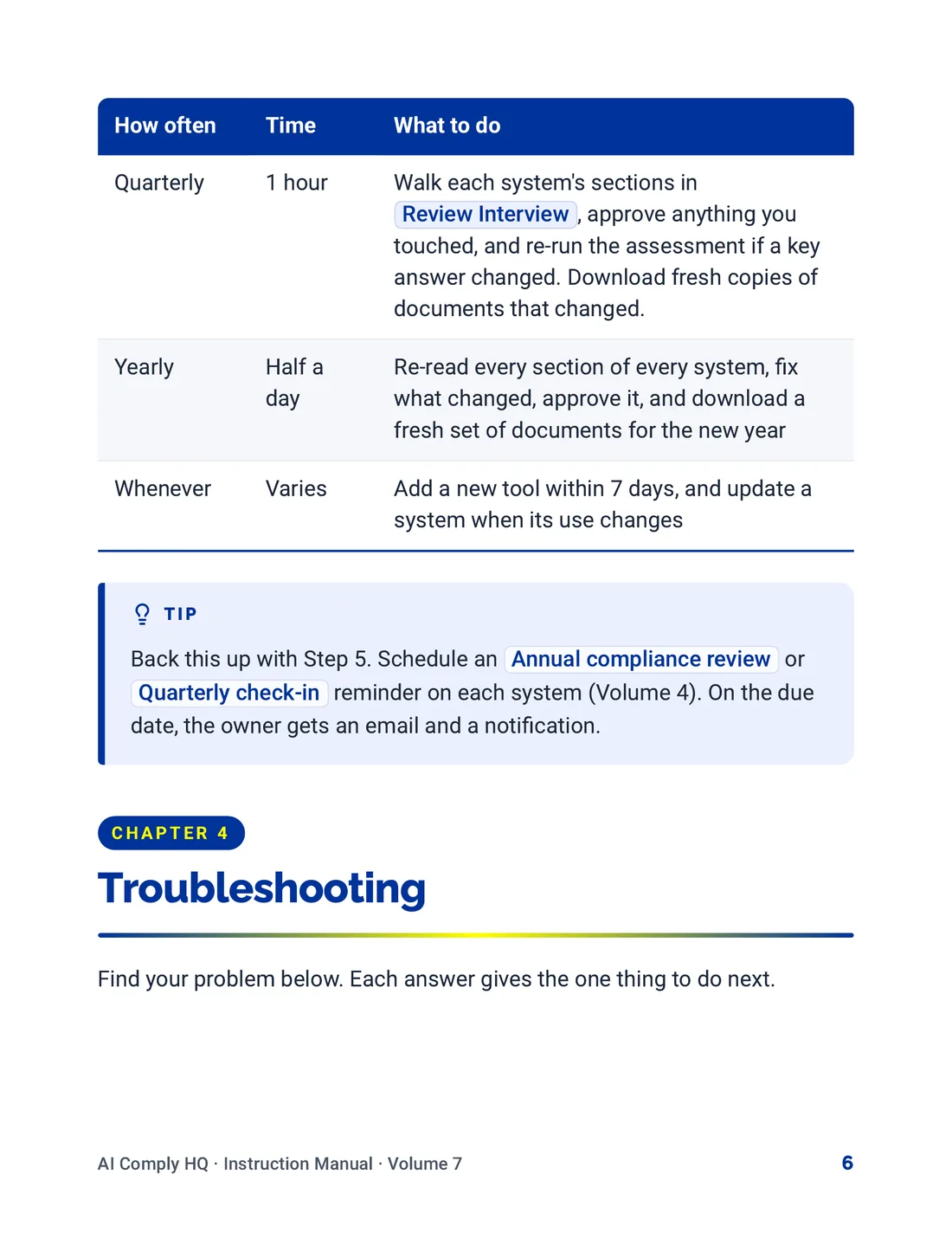
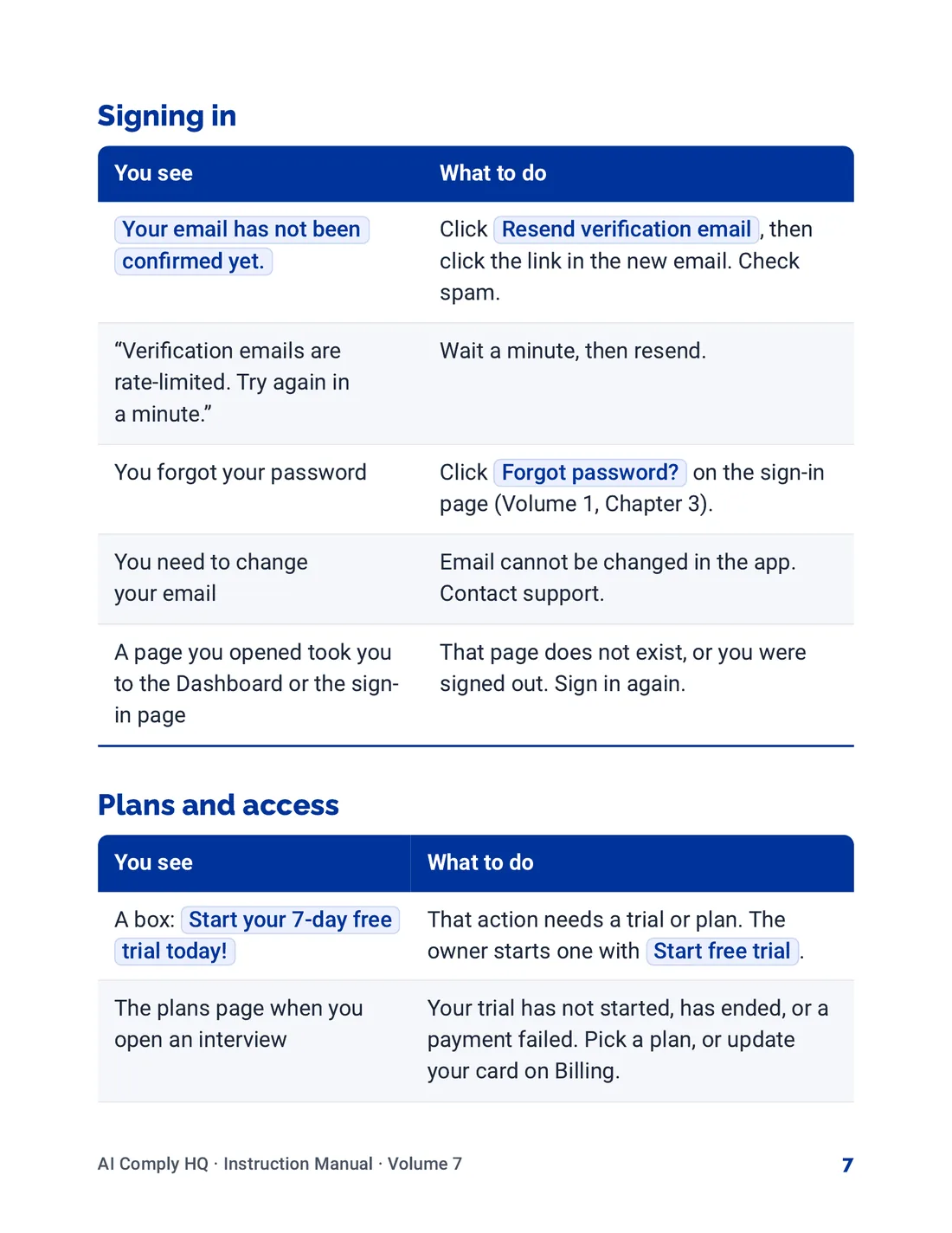
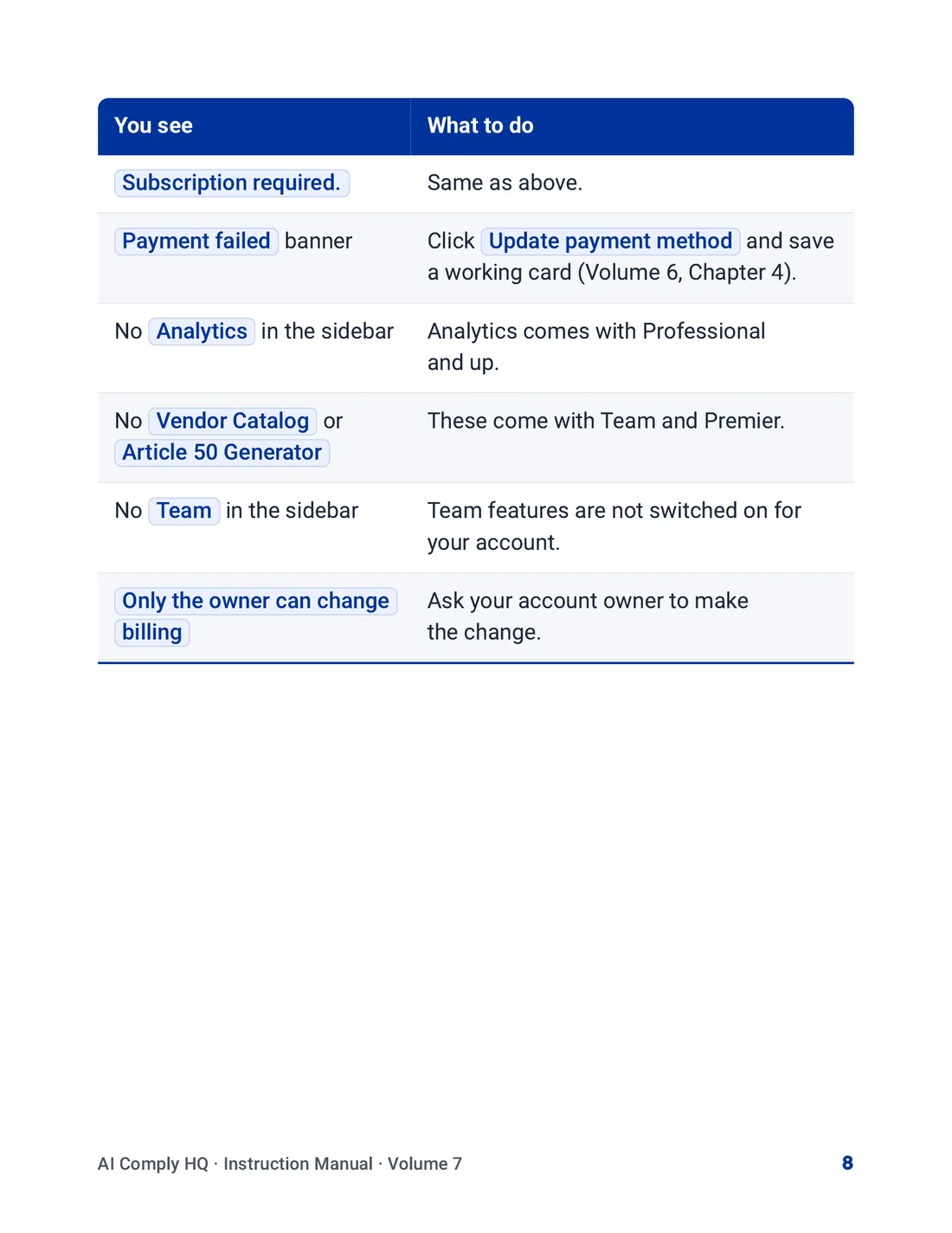
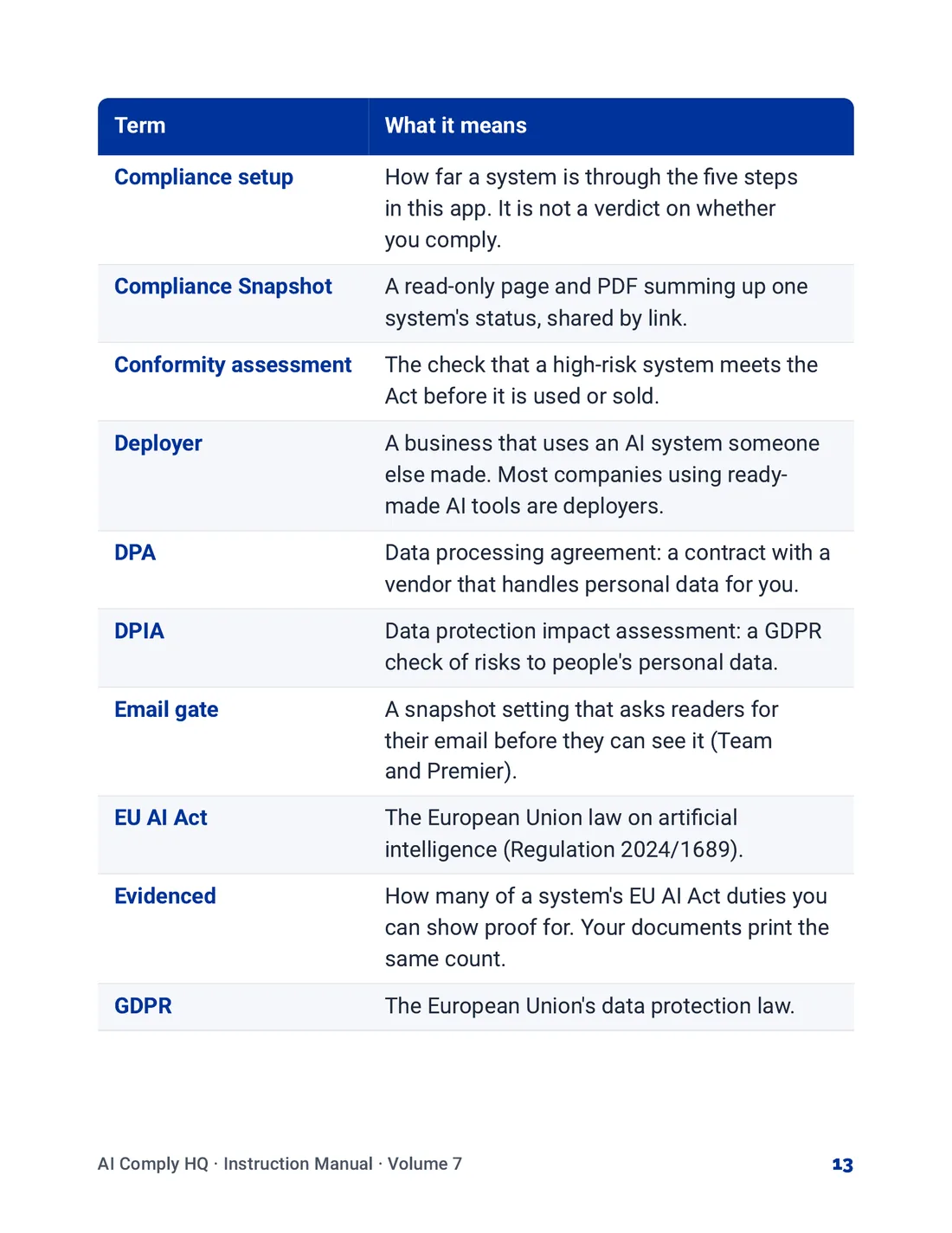
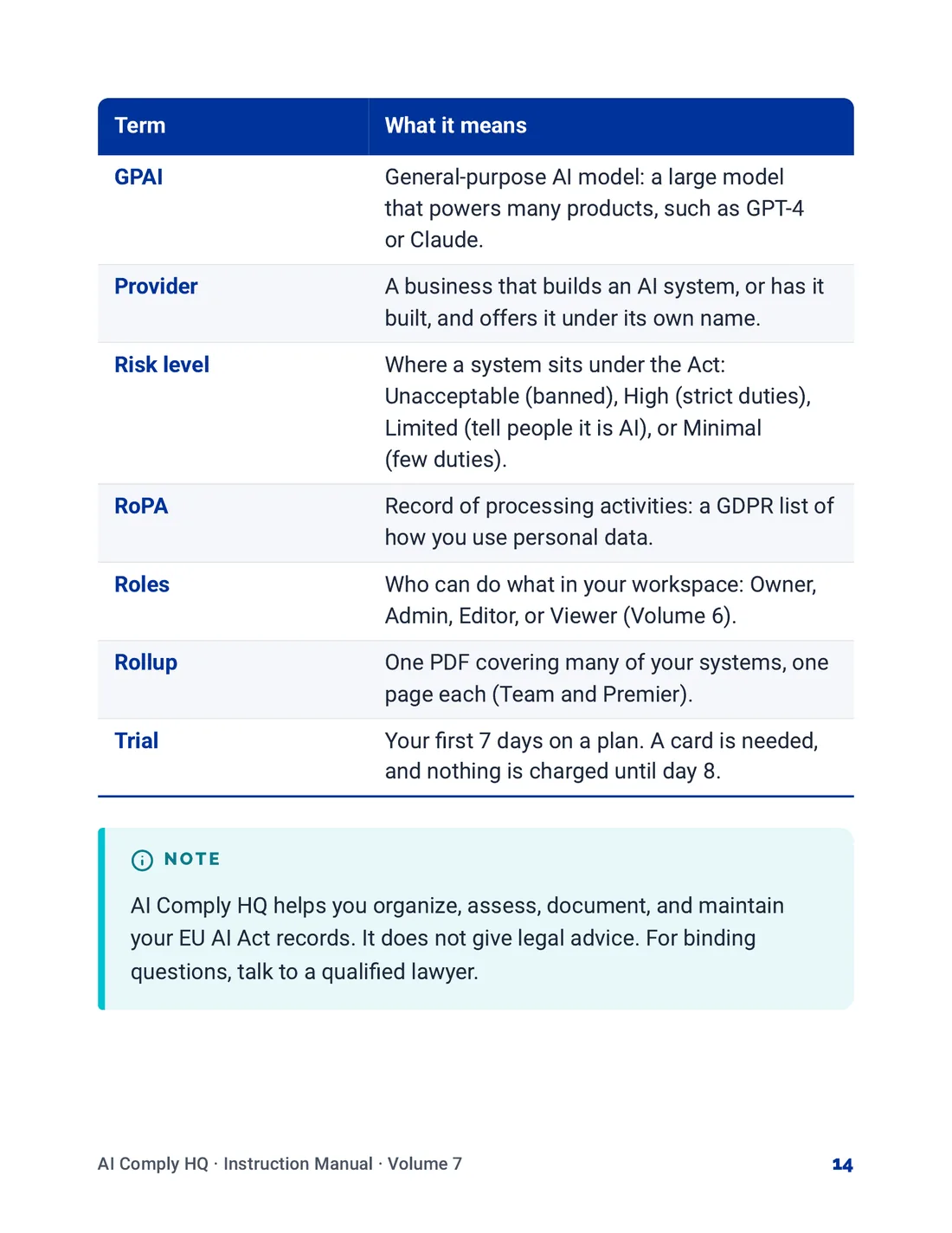
A seven-volume instruction manual for the app, from Getting Started to Help, Glossary and Troubleshooting, each volume in its own cover color. A knowledge base help center with guides in twelve categories, each guide ending with related guides and an Ask Blake link.

Tools used

TypeScript, Next.js, React, Tailwind CSS, shadcn/ui, Lucide, GSAP, Motion, Zod, Supabase, PostgreSQL, Anthropic, Jev / Typesafe, Cartesia, Resend, Stripe, Netlify, GitHub Actions

Tools listed here were used across the project.

The work

AI Comply HQ: Home page
Home page
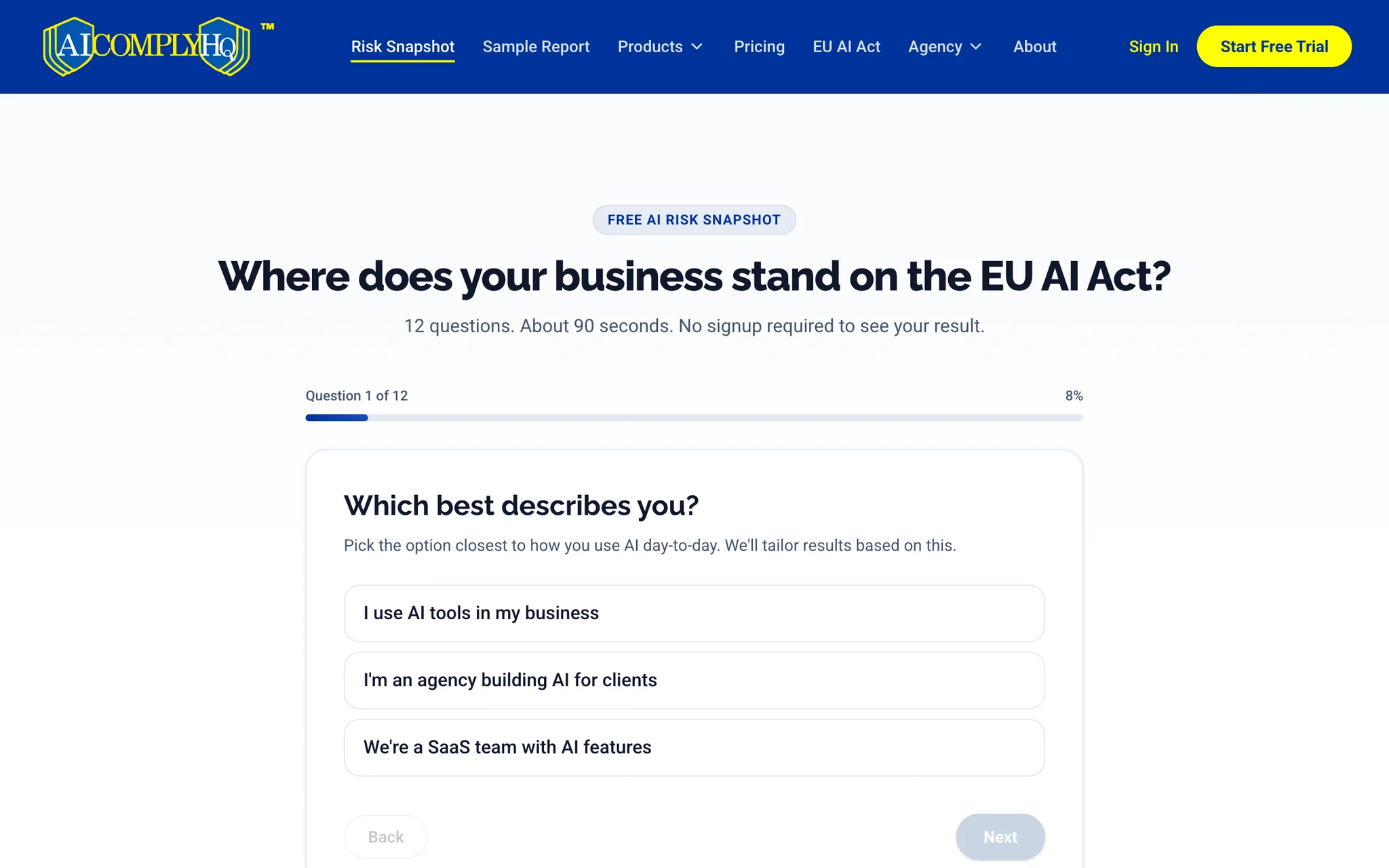
AI Comply HQ: Risk Snapshot
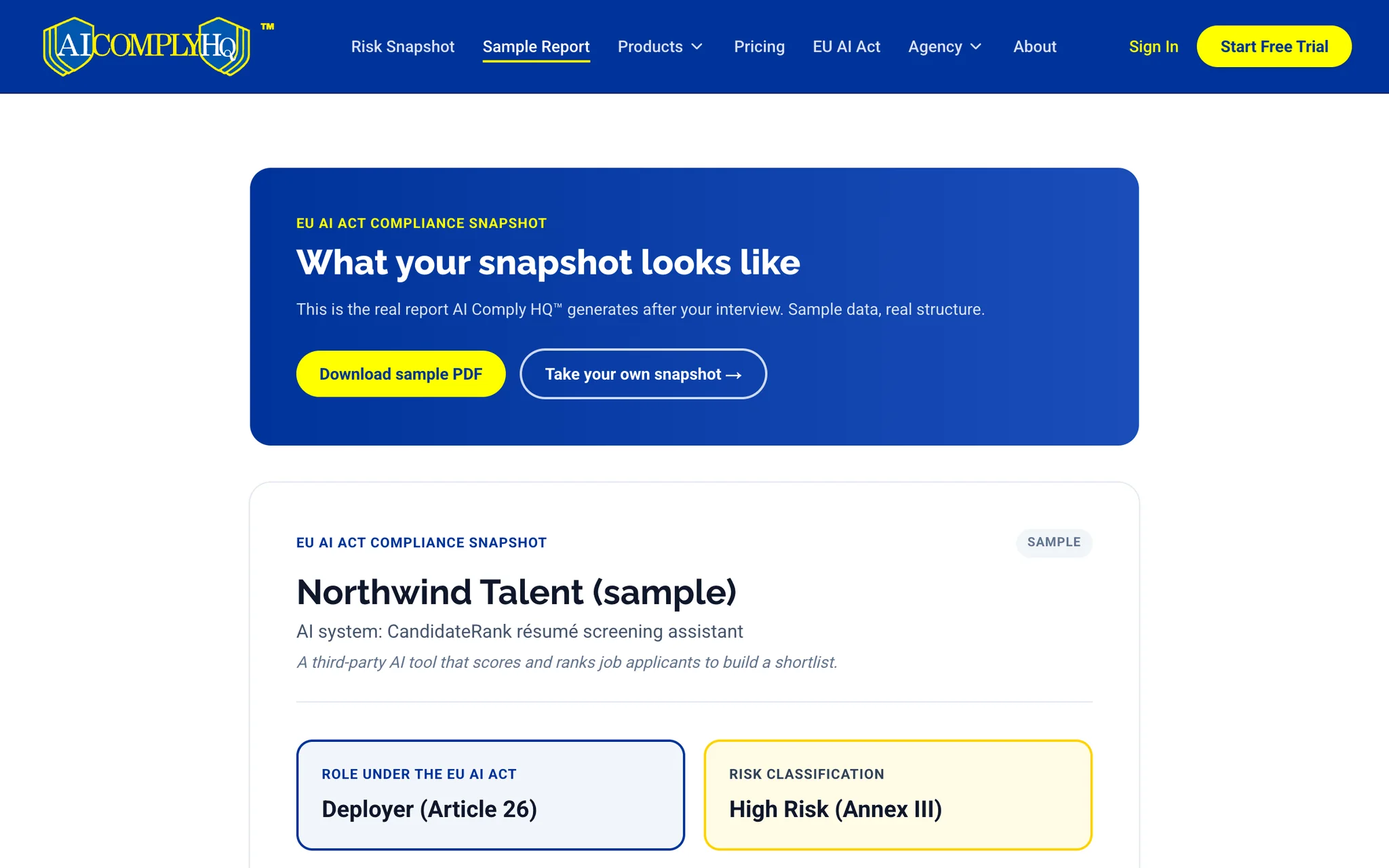
AI Comply HQ: Sample report page
Sample report page
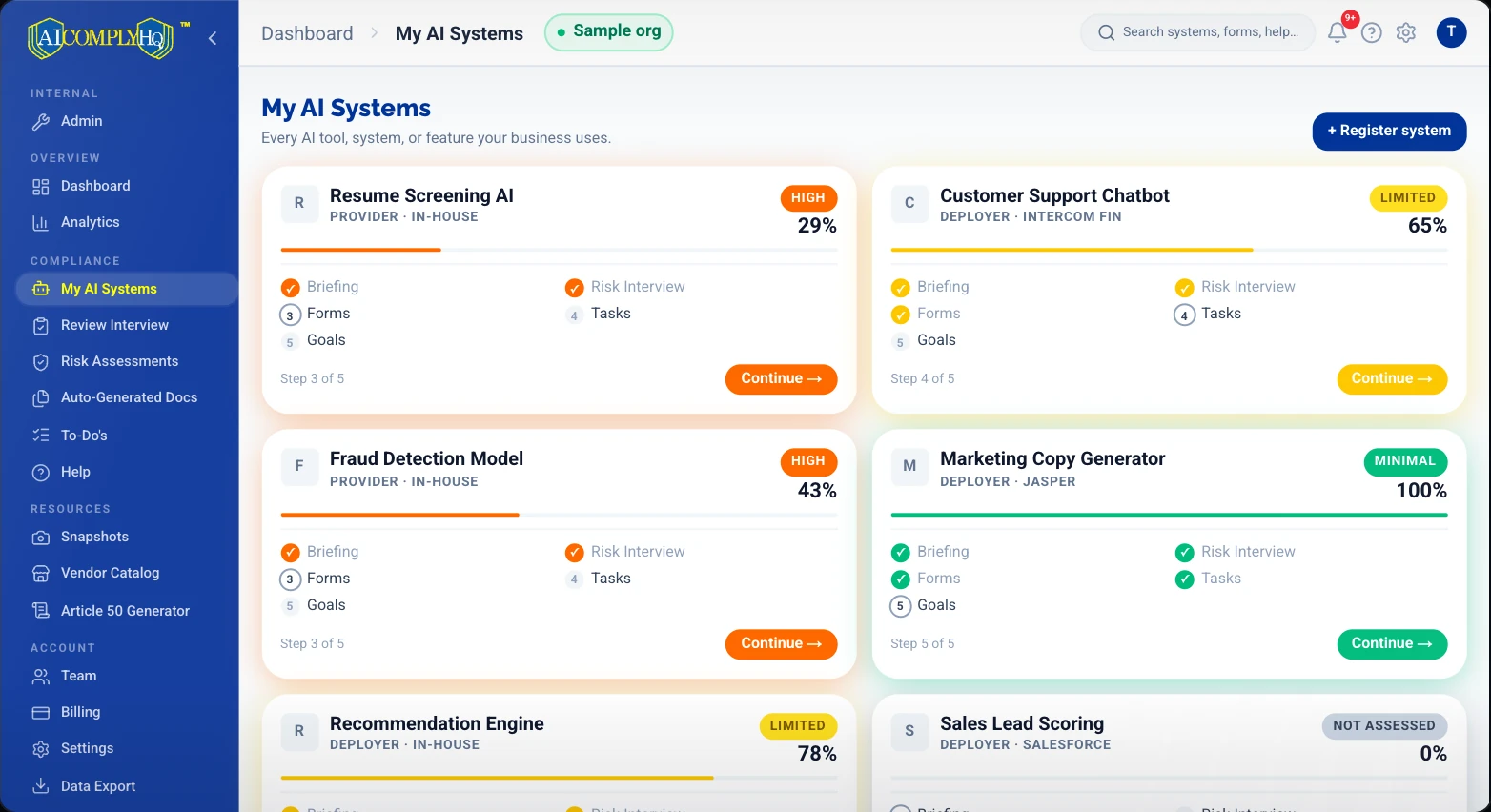
AI Comply HQ: AI System Inventory
AI Comply HQ: Guided Risk Interview
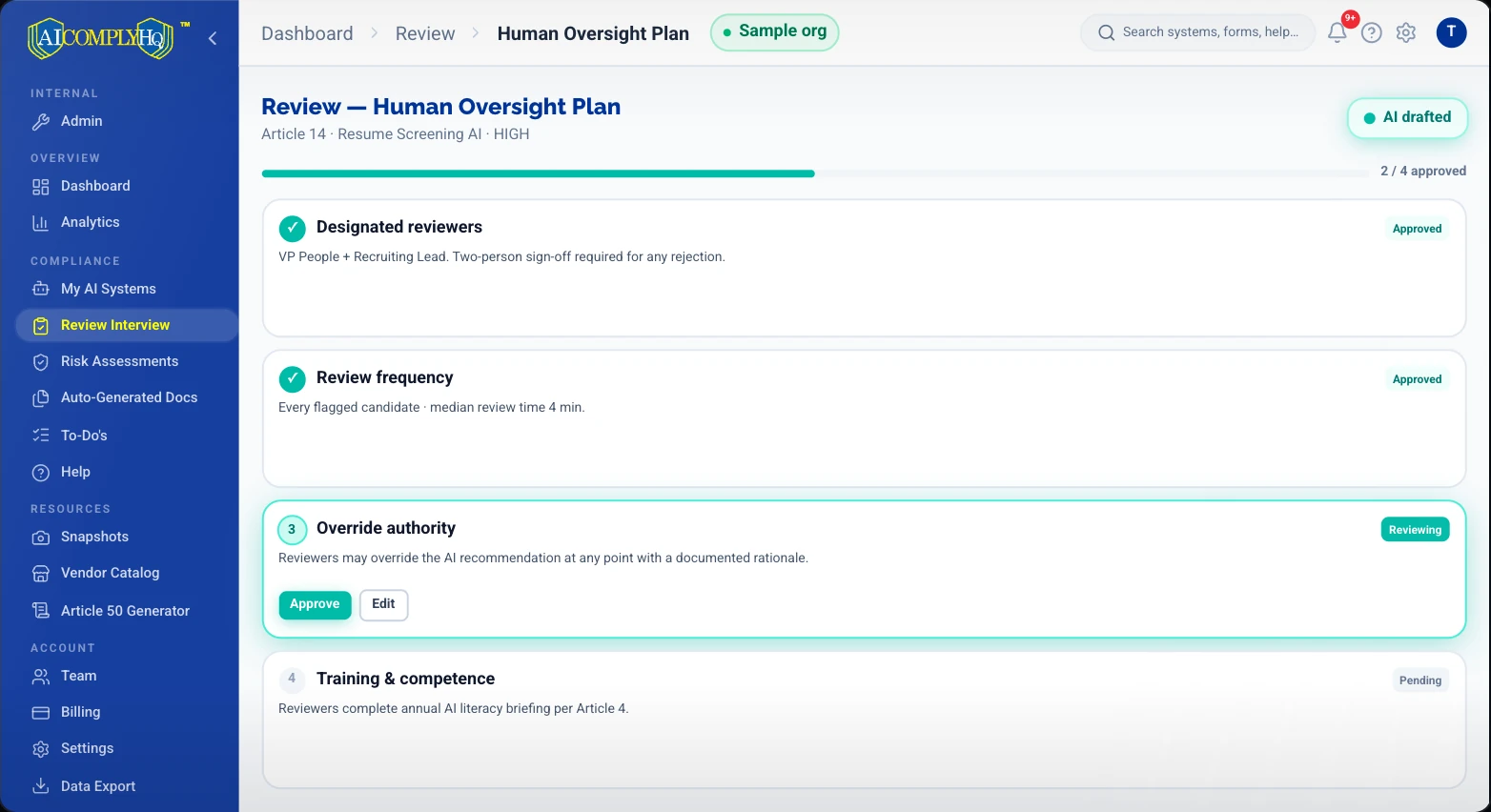
AI Comply HQ: Human Oversight Plan

Brand Guidelines

Version 4.1, October 2026. Open a volume to read every page.

AI Comply HQ: Brand Guidelines
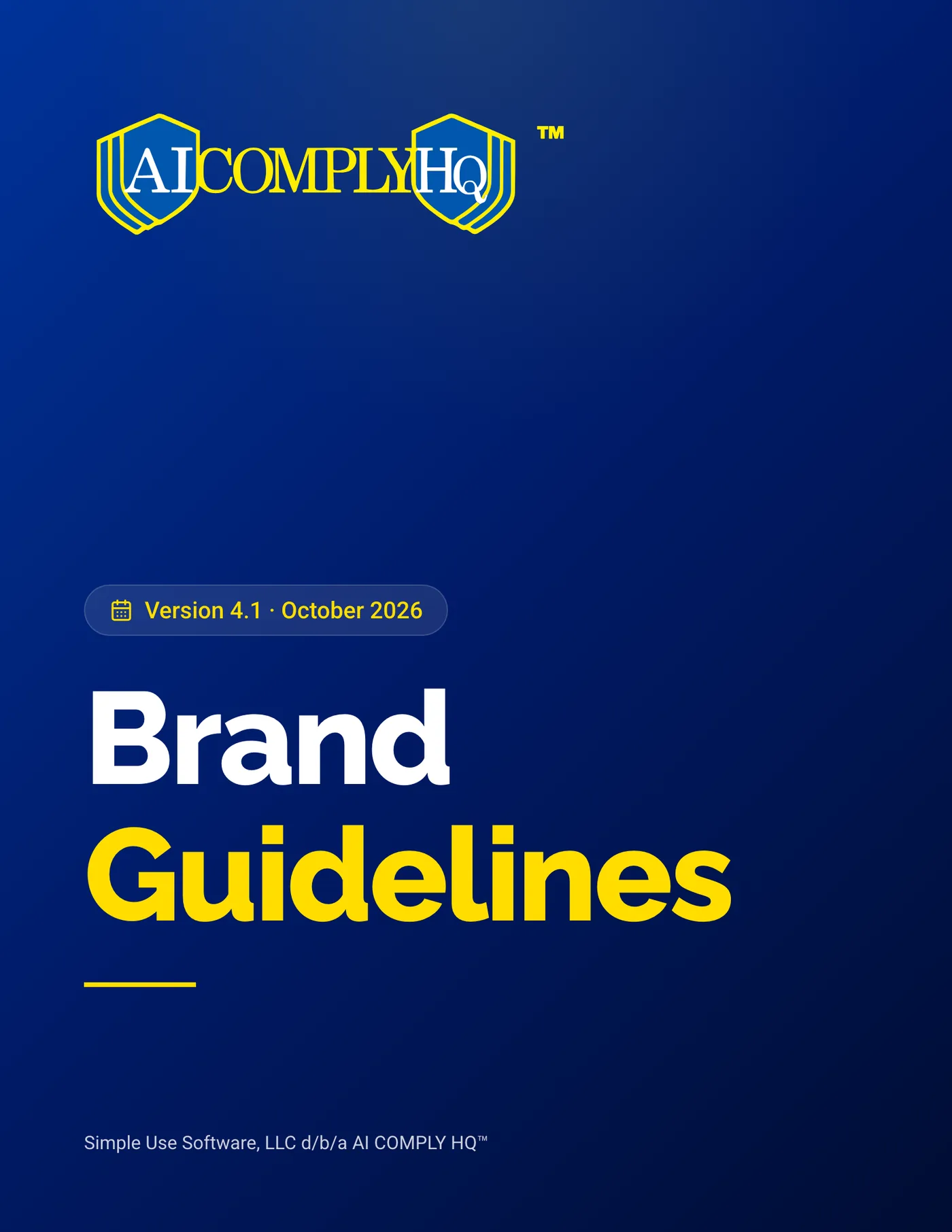
Brand Guidelines, cover
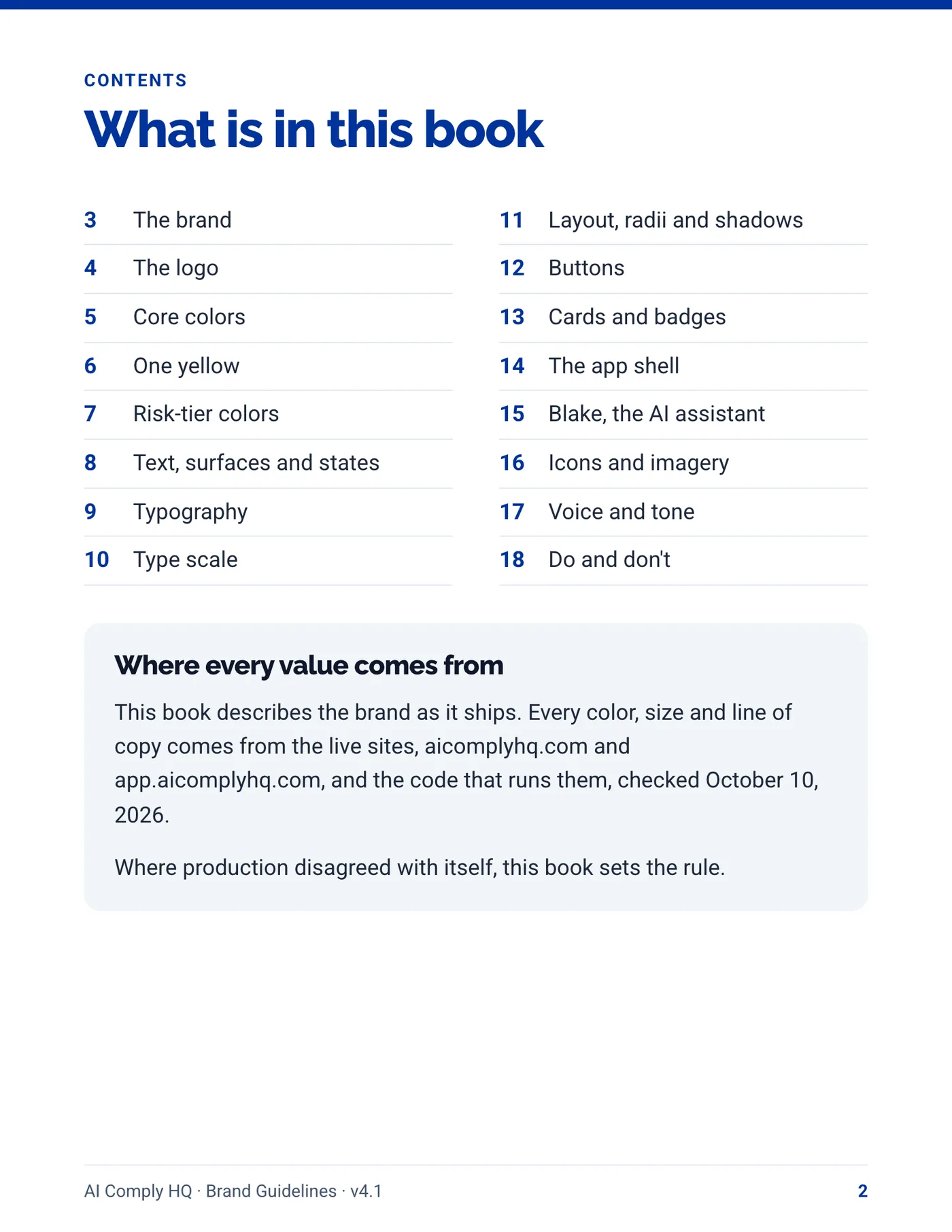
Brand Guidelines, page 2
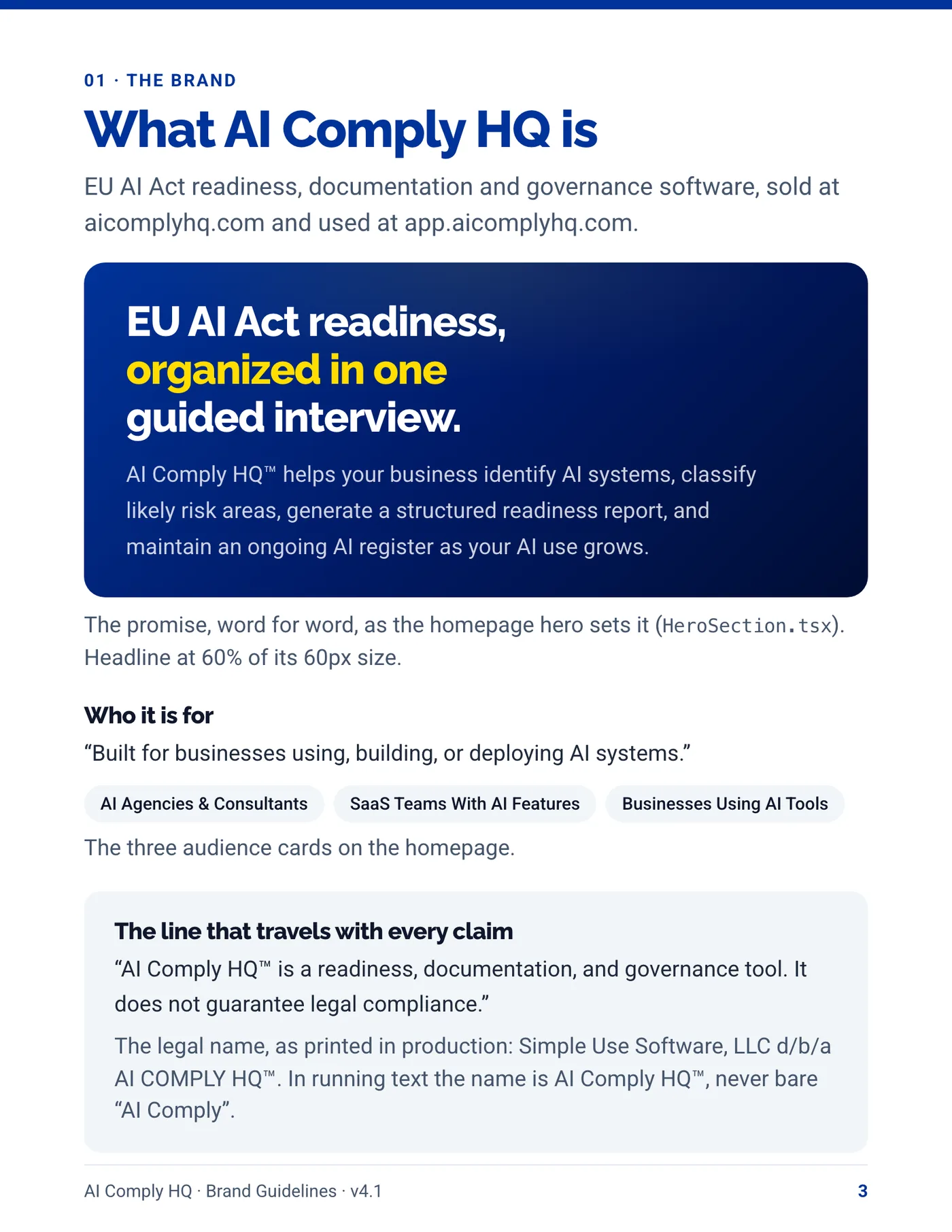
Brand Guidelines, page 3
Brand Guidelines, page 4
Brand Guidelines, page 5
Brand Guidelines, page 6
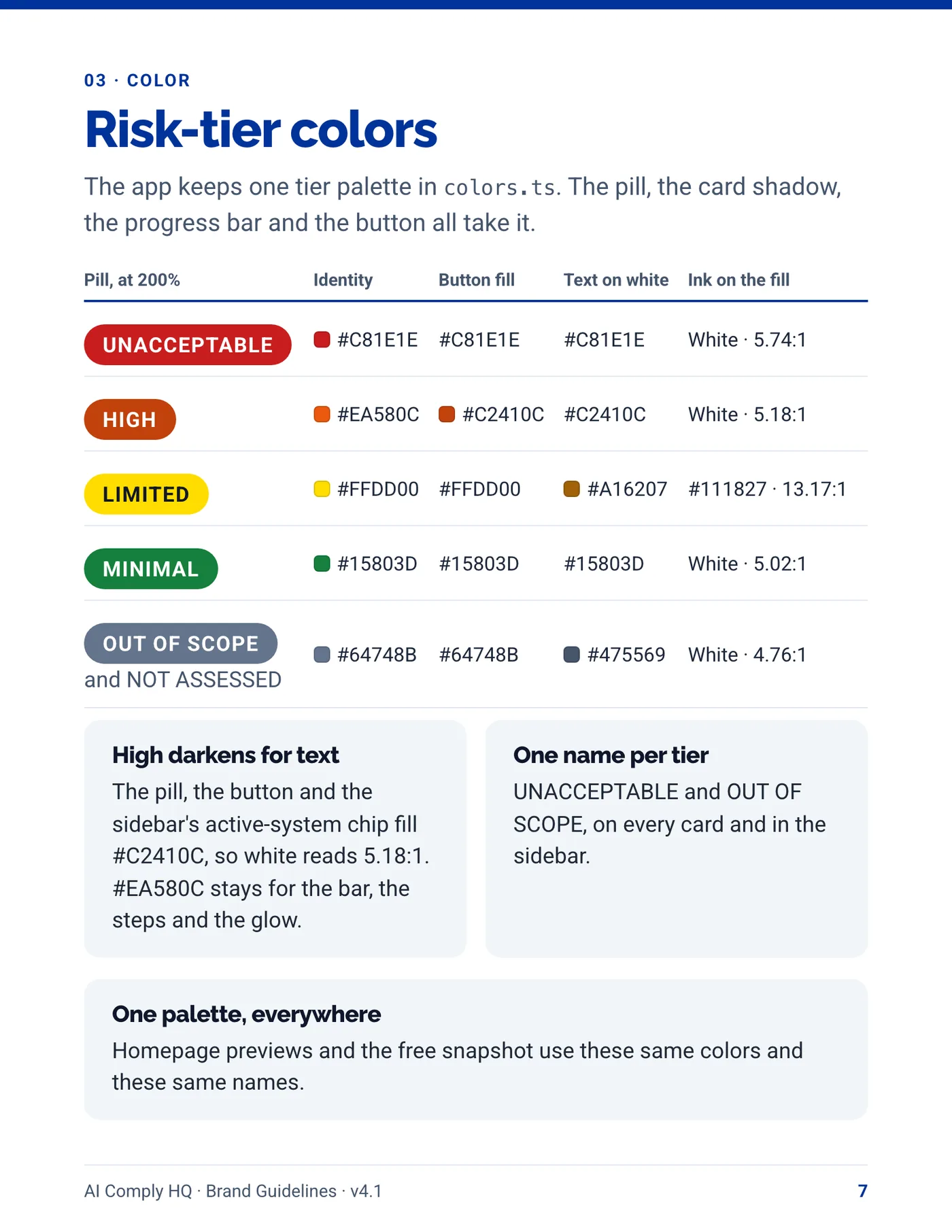
Brand Guidelines, page 7
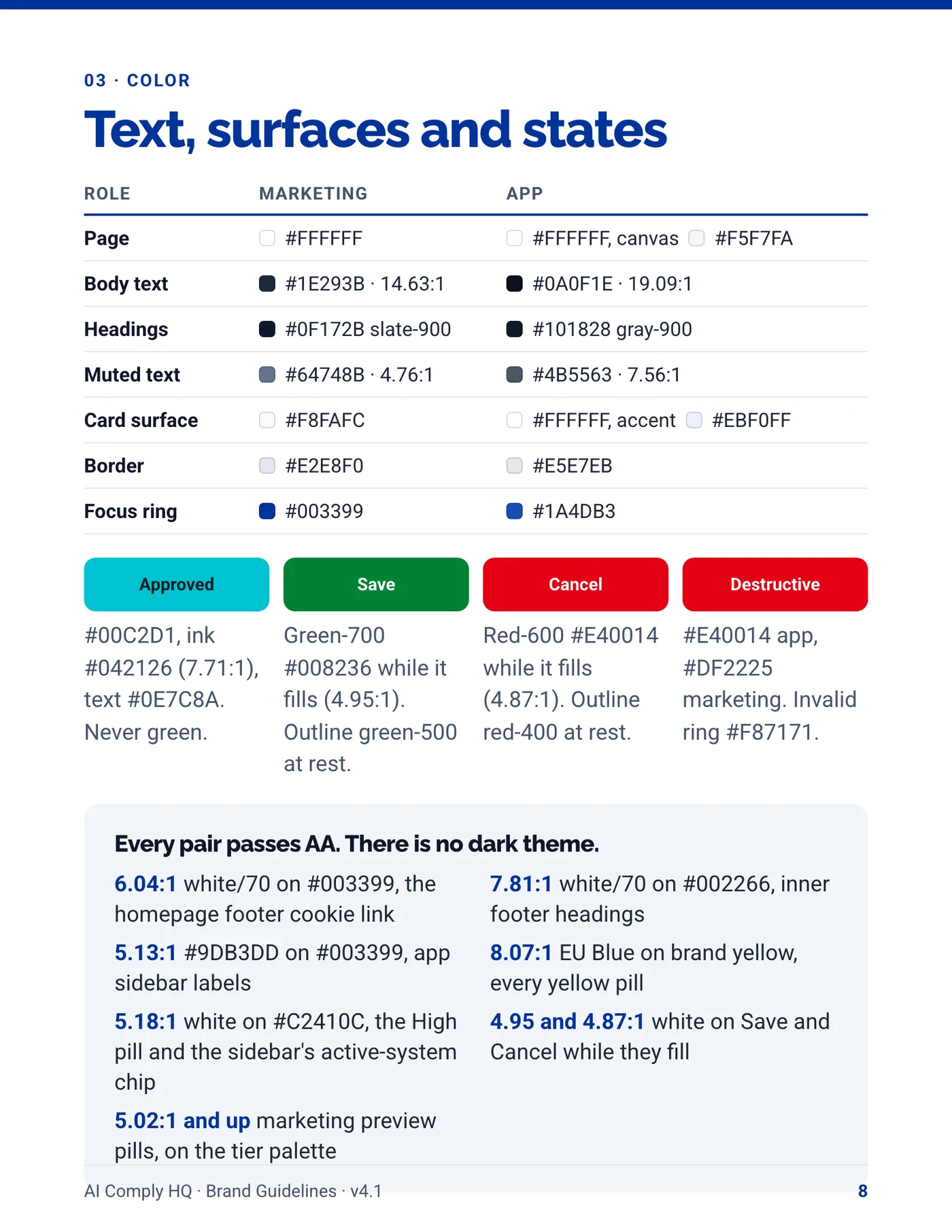
Brand Guidelines, page 8
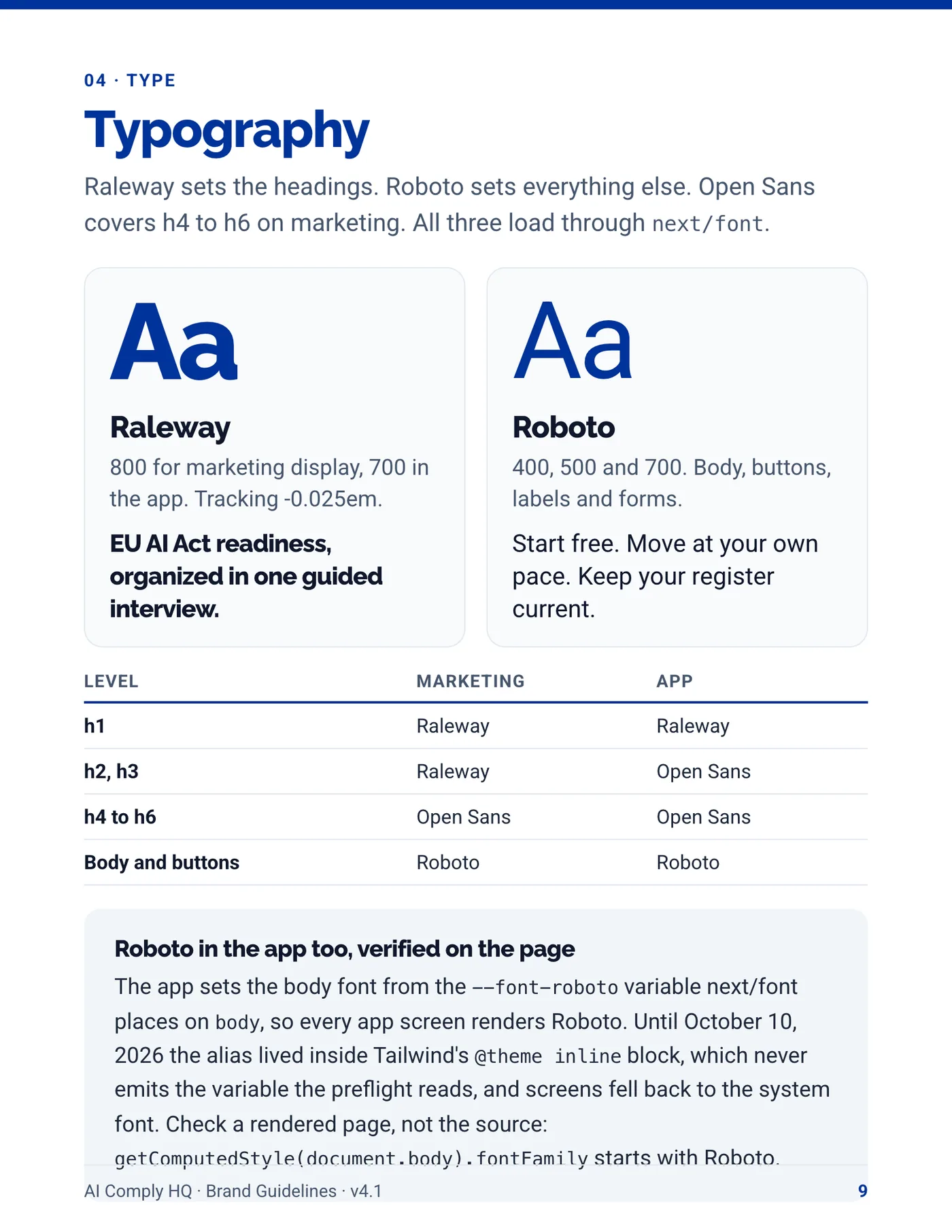
Brand Guidelines, page 9
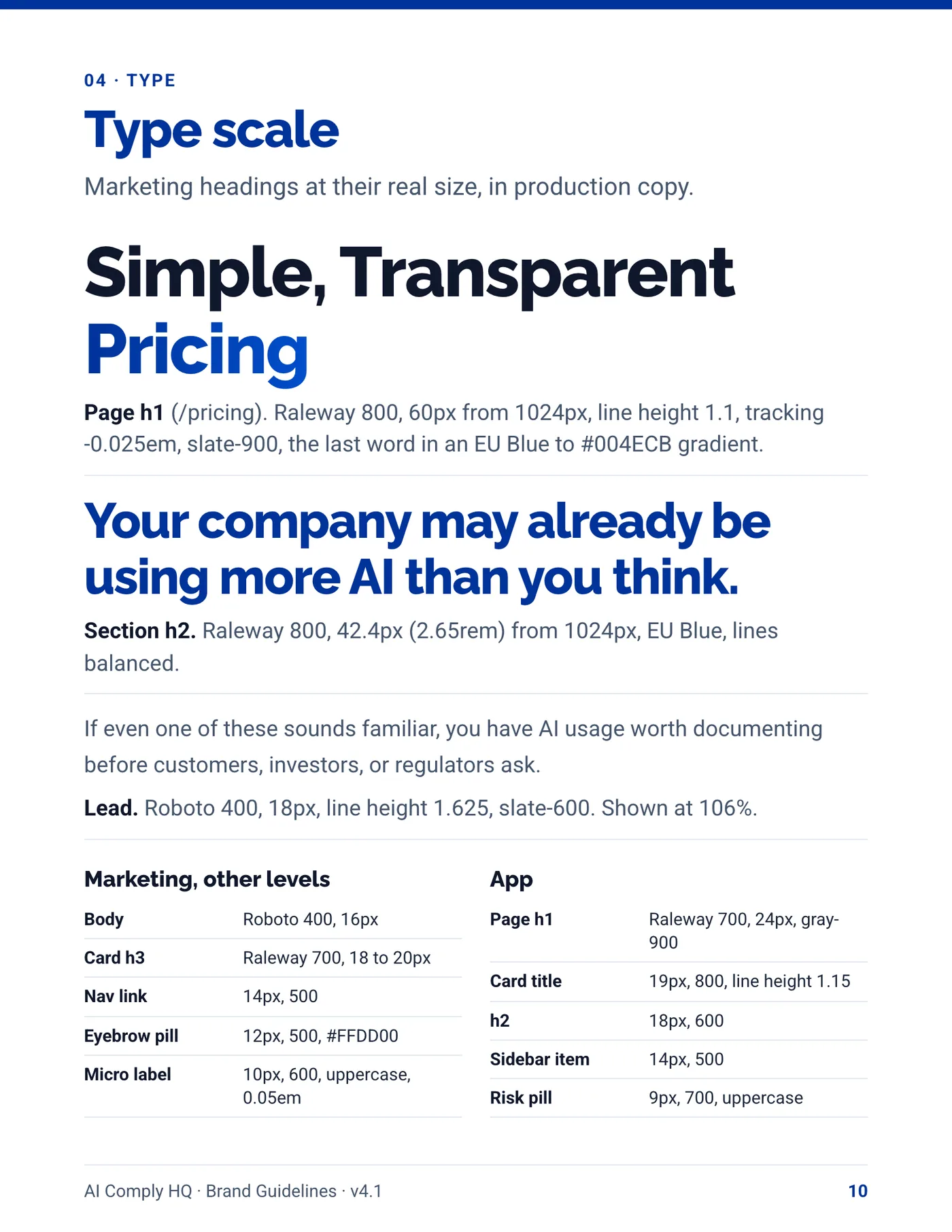
Brand Guidelines, page 10
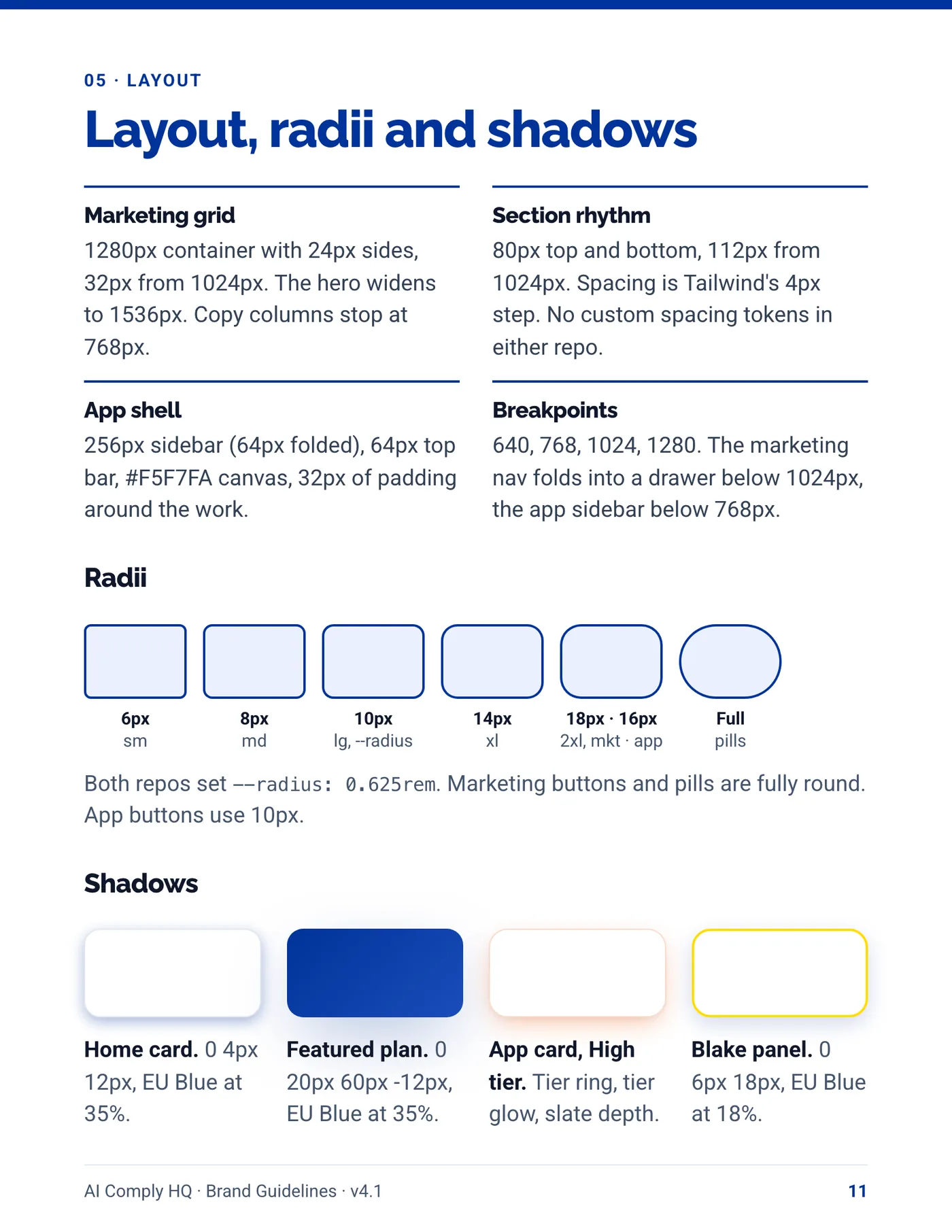
Brand Guidelines, page 11
Brand Guidelines, page 12
Brand Guidelines, page 13
Brand Guidelines, page 14
Brand Guidelines, page 15
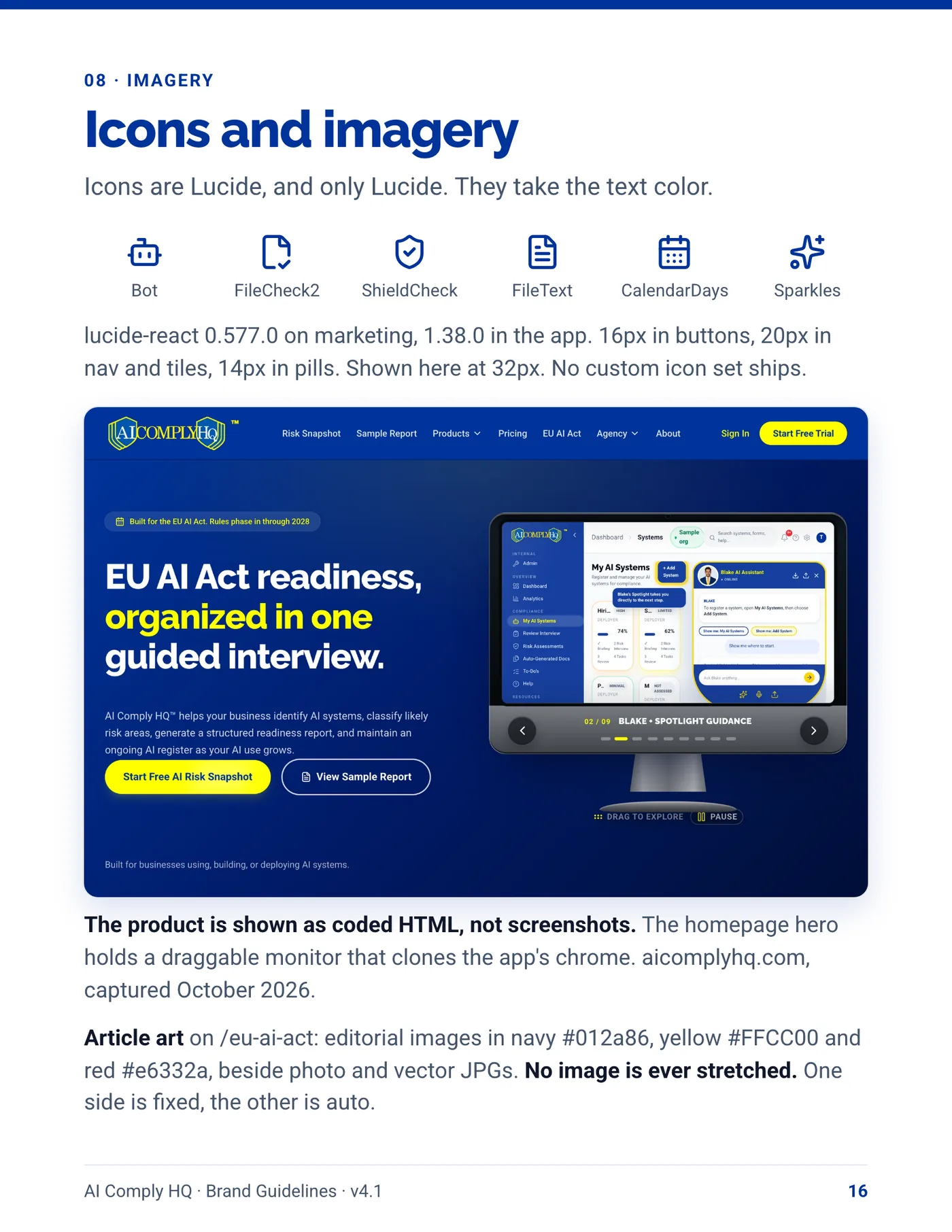
Brand Guidelines, page 16
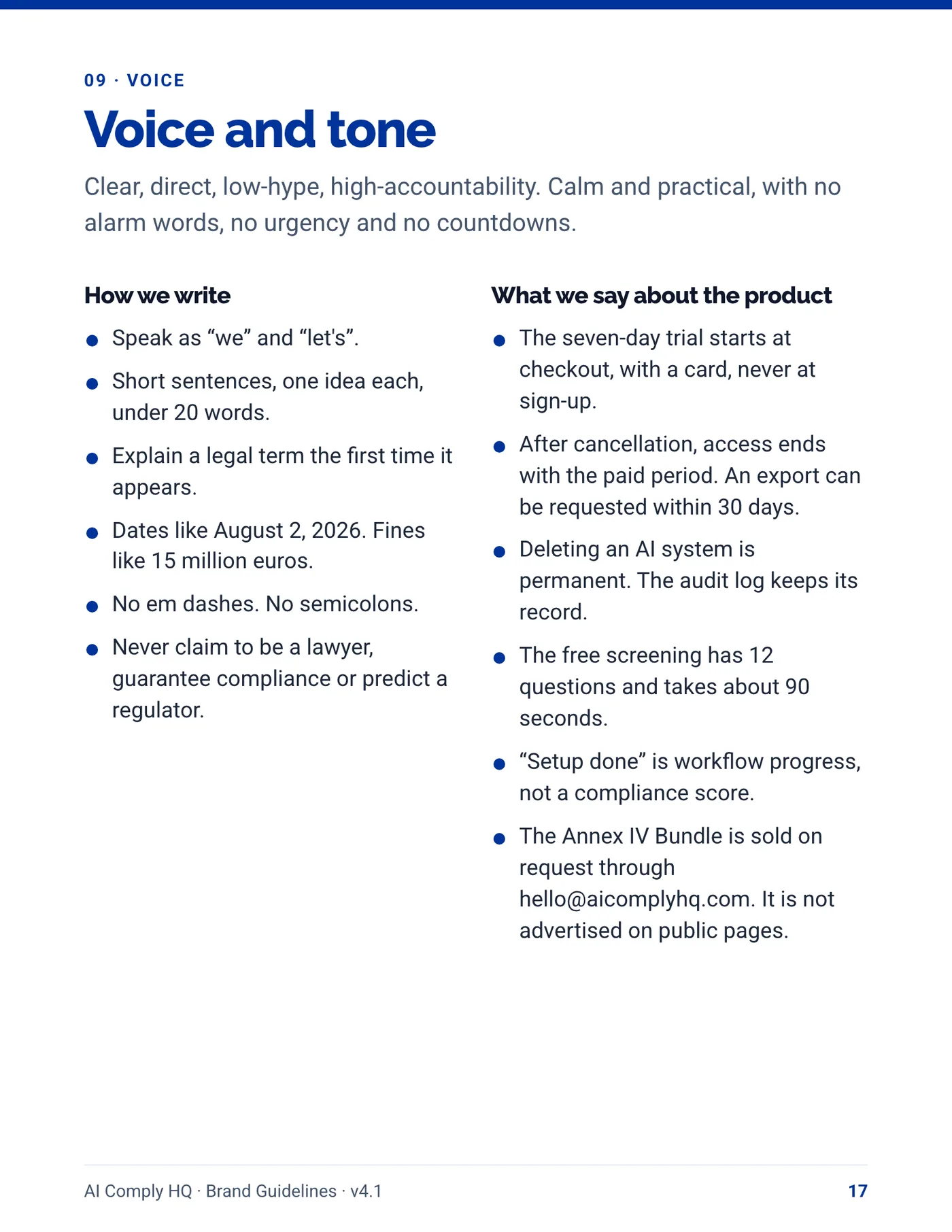
Brand Guidelines, page 17
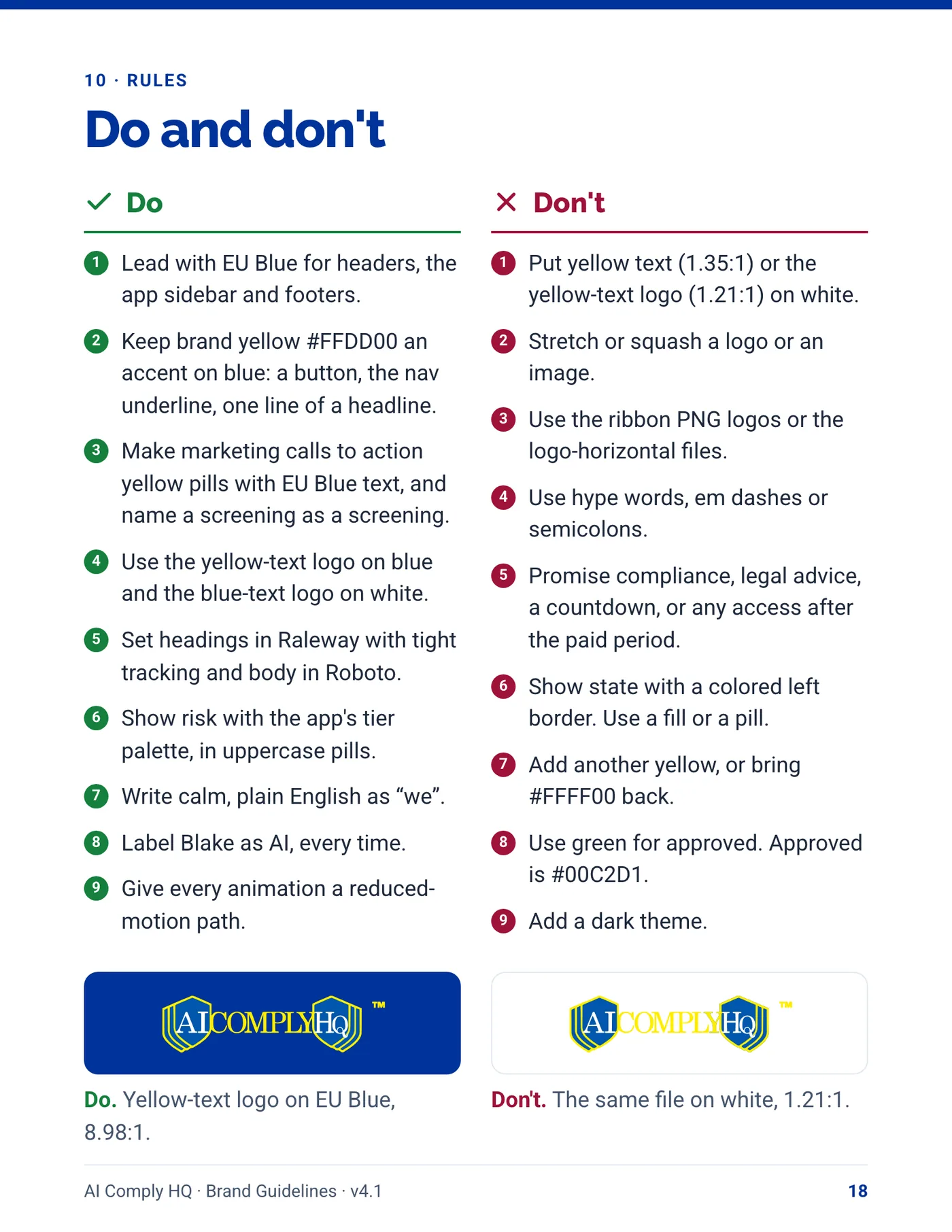
Brand Guidelines, page 18

Instruction Manual

7 volumes, October 2026. Open a volume to read every page.

Volume 1: Getting Started
Instruction Manual, Getting Started, cover
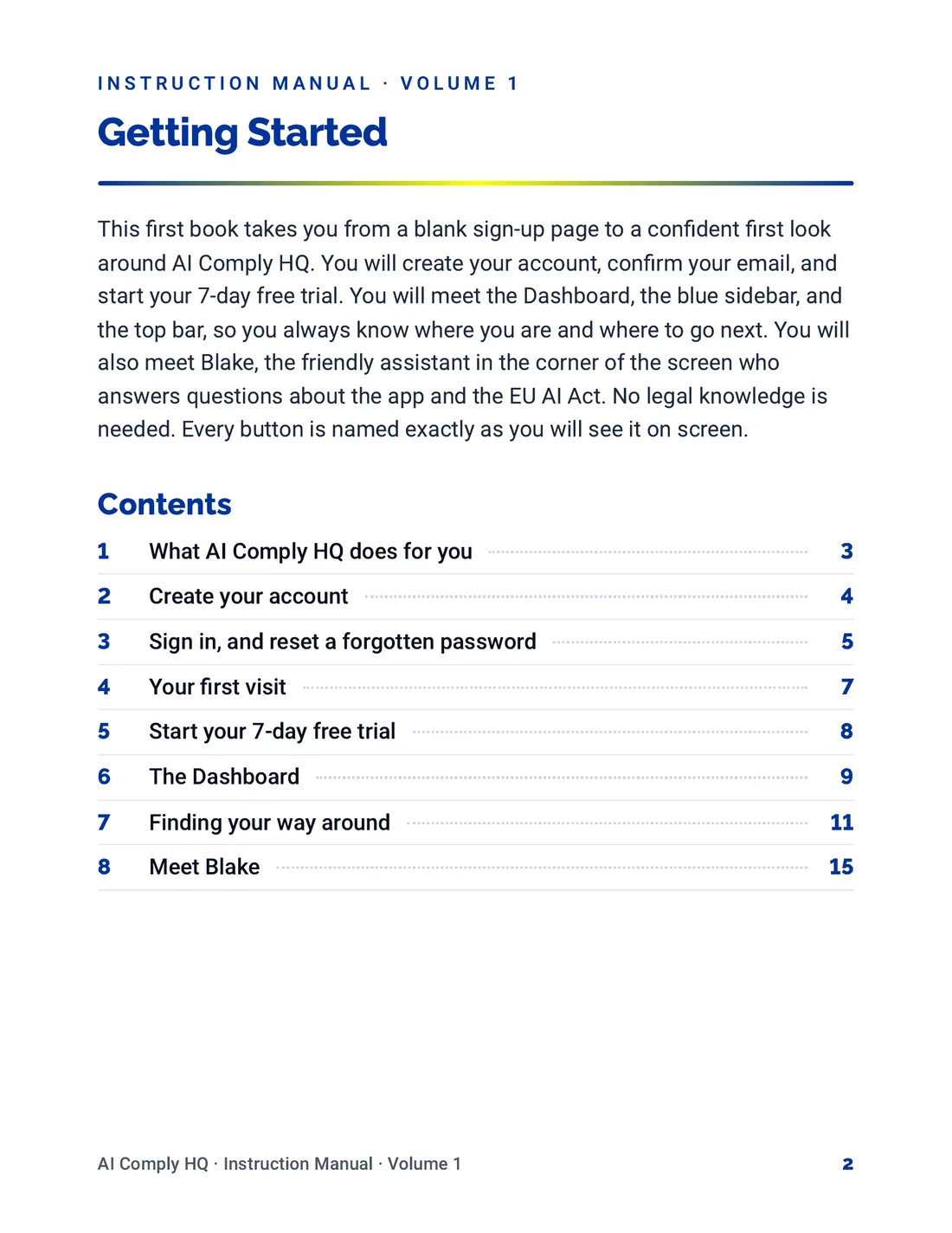
Instruction Manual, Getting Started, page 2
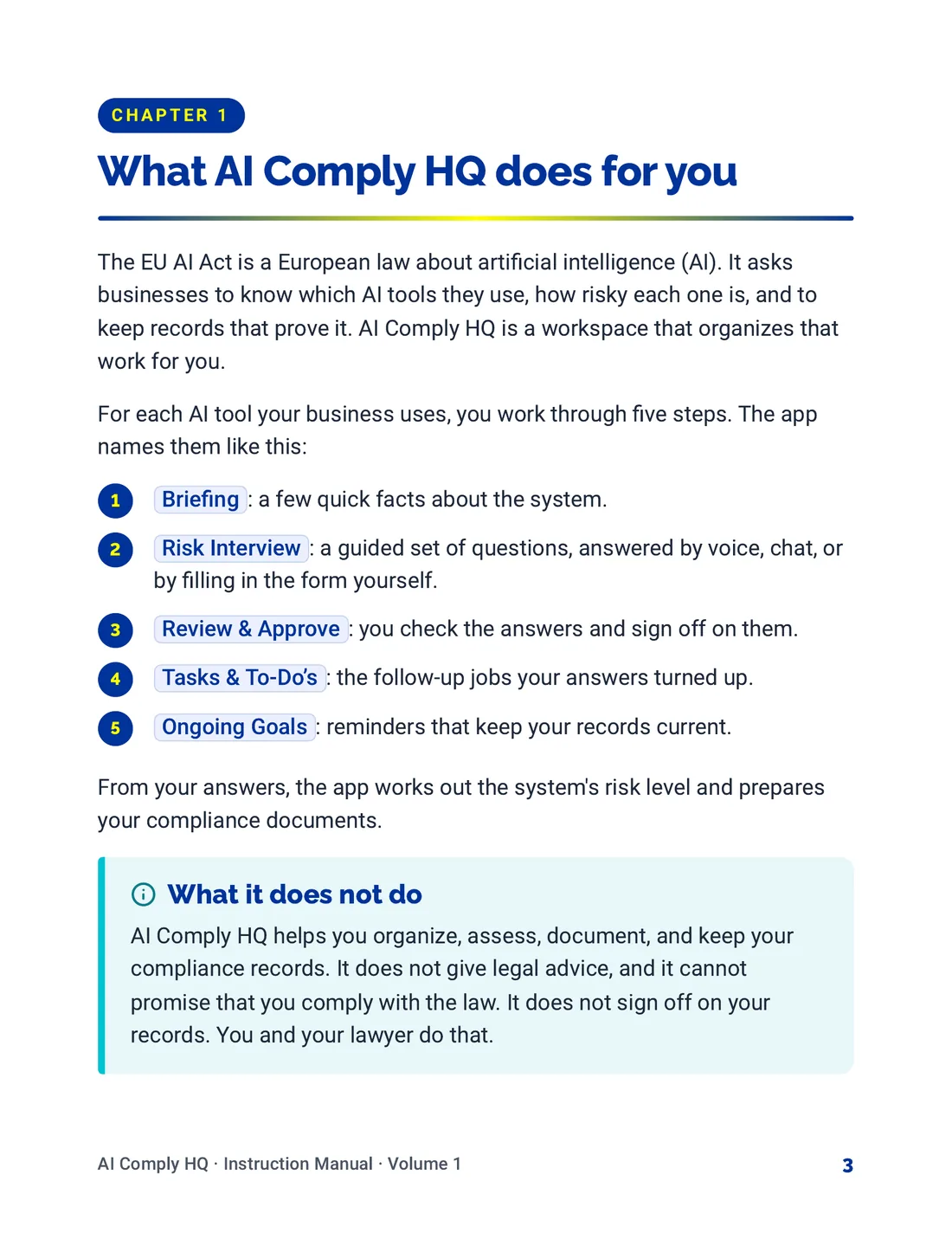
Instruction Manual, Getting Started, page 3
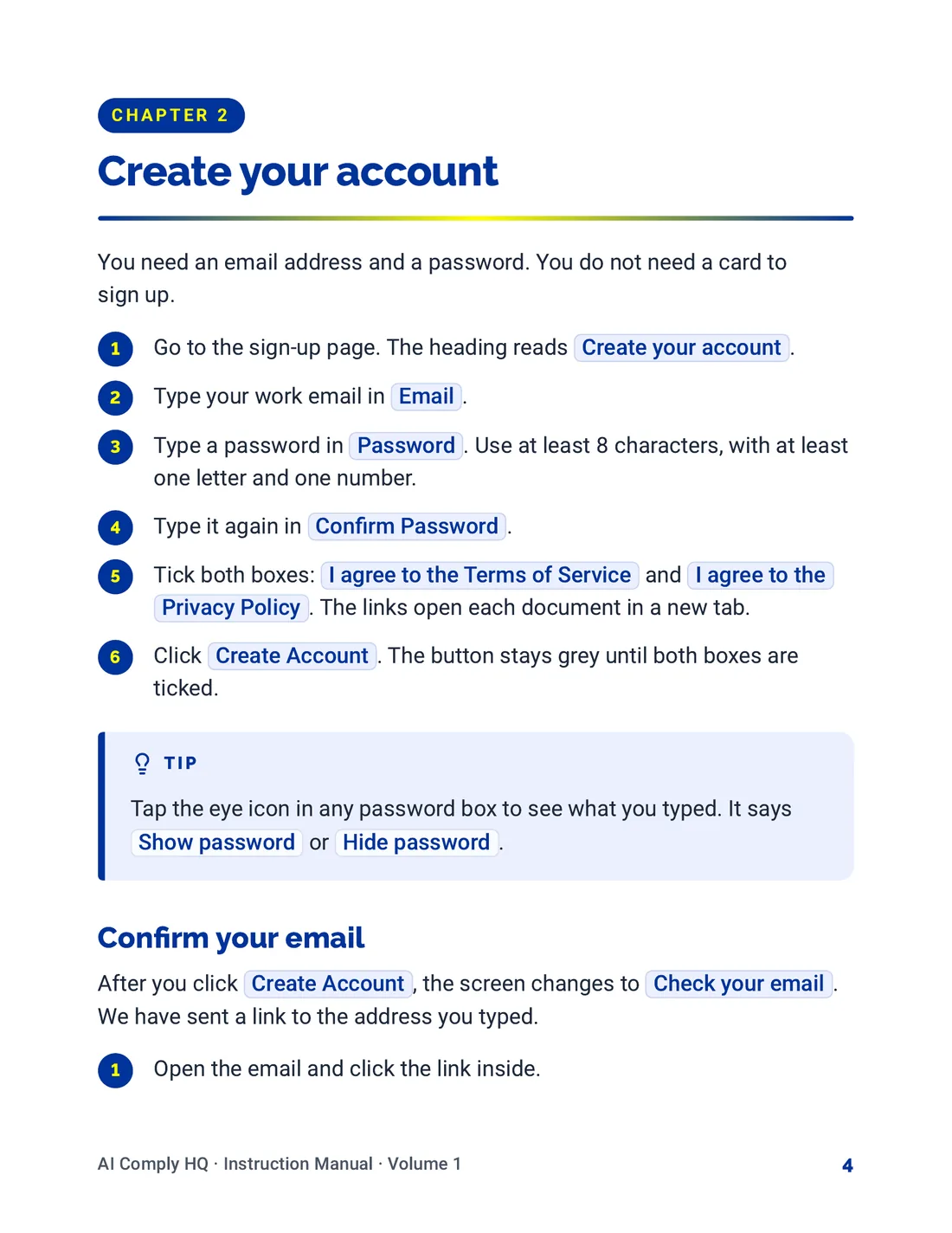
Instruction Manual, Getting Started, page 4
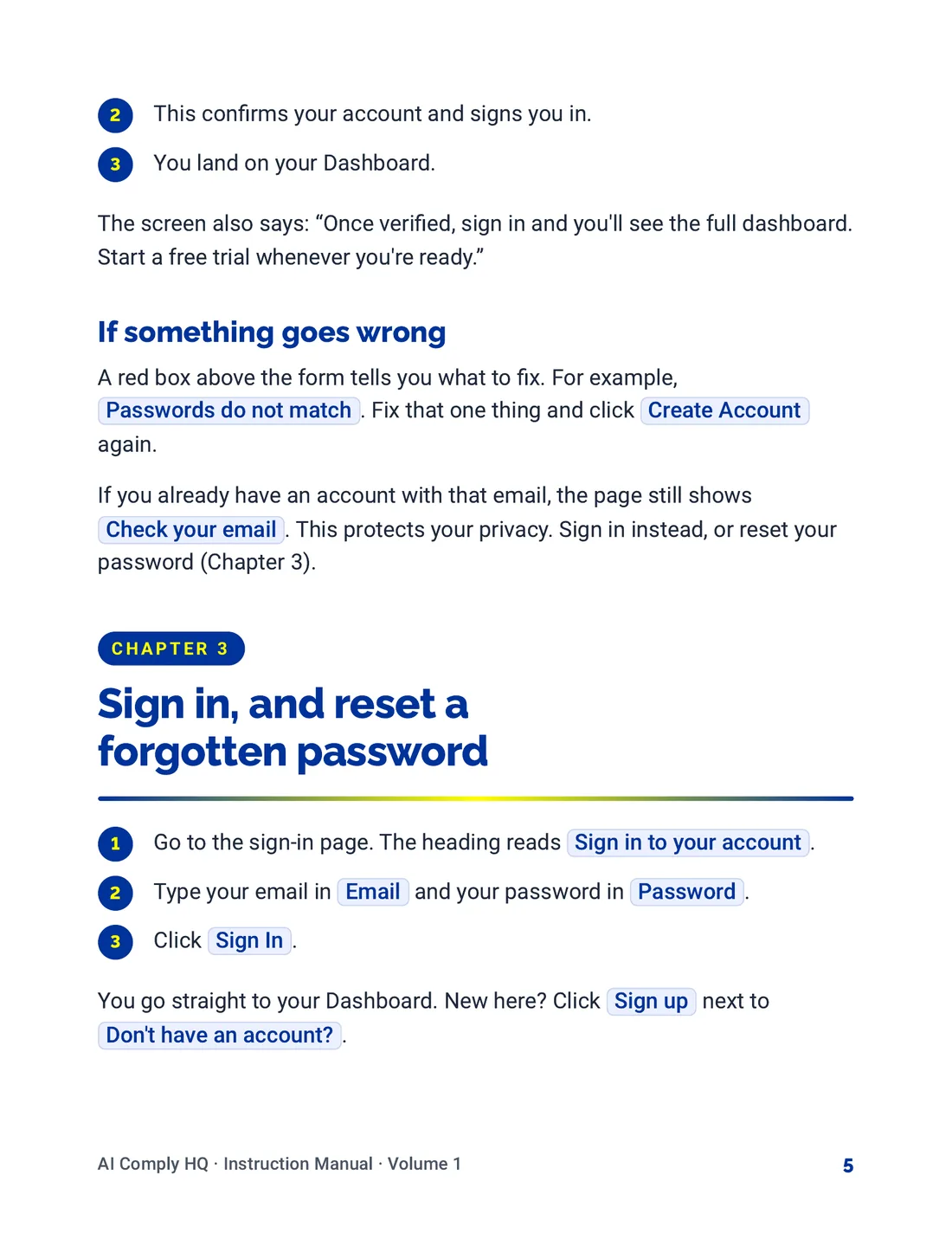
Instruction Manual, Getting Started, page 5
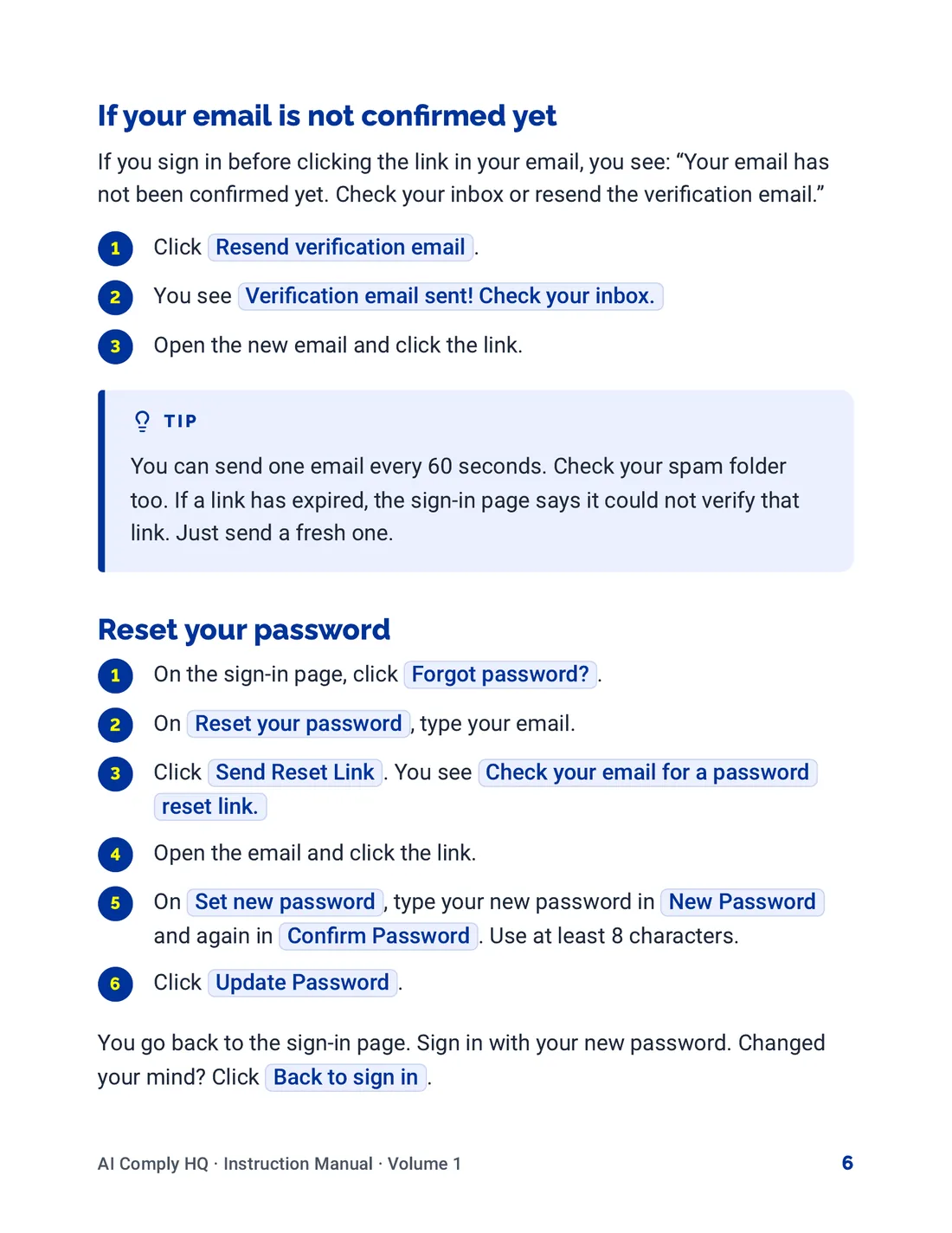
Instruction Manual, Getting Started, page 6
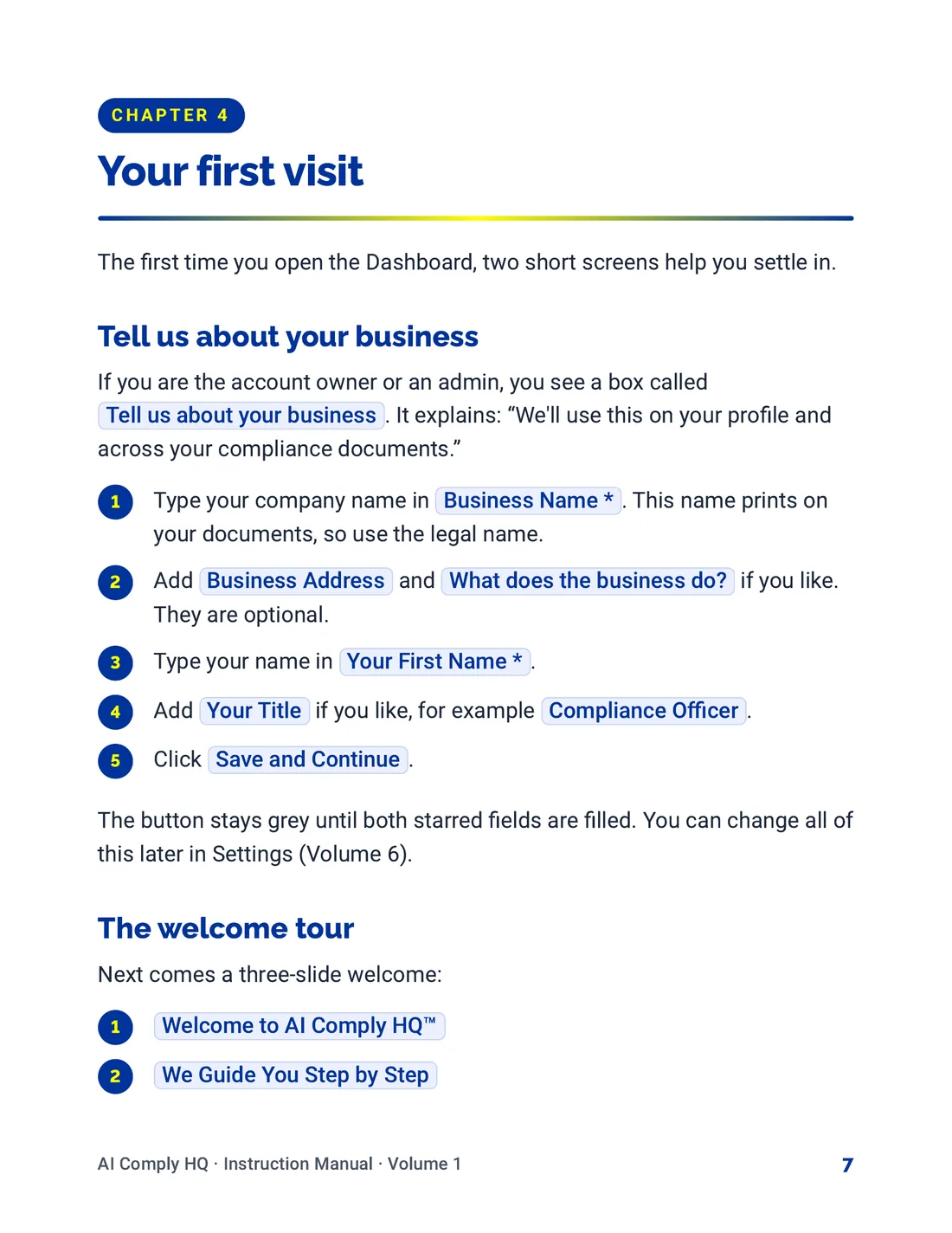
Instruction Manual, Getting Started, page 7
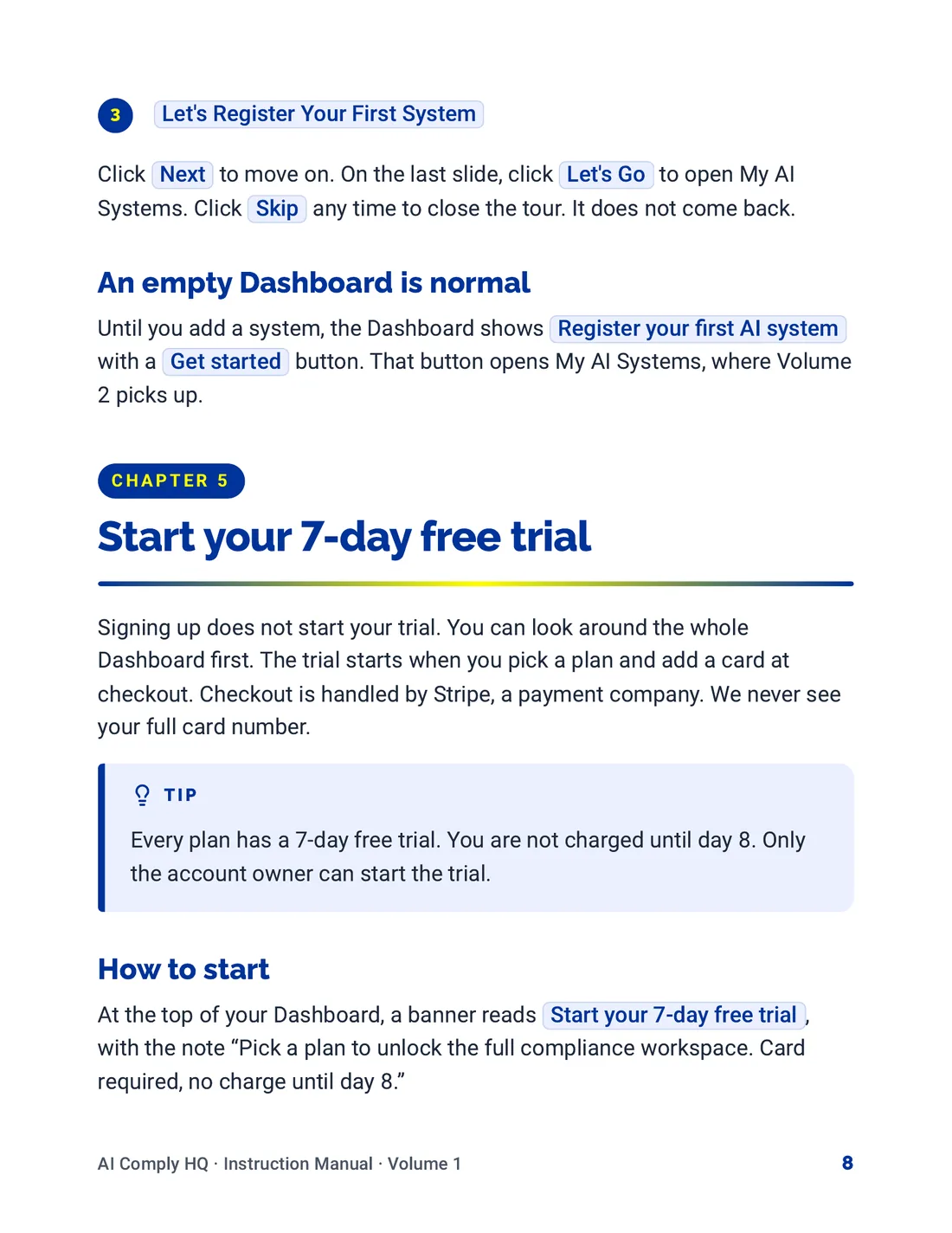
Instruction Manual, Getting Started, page 8
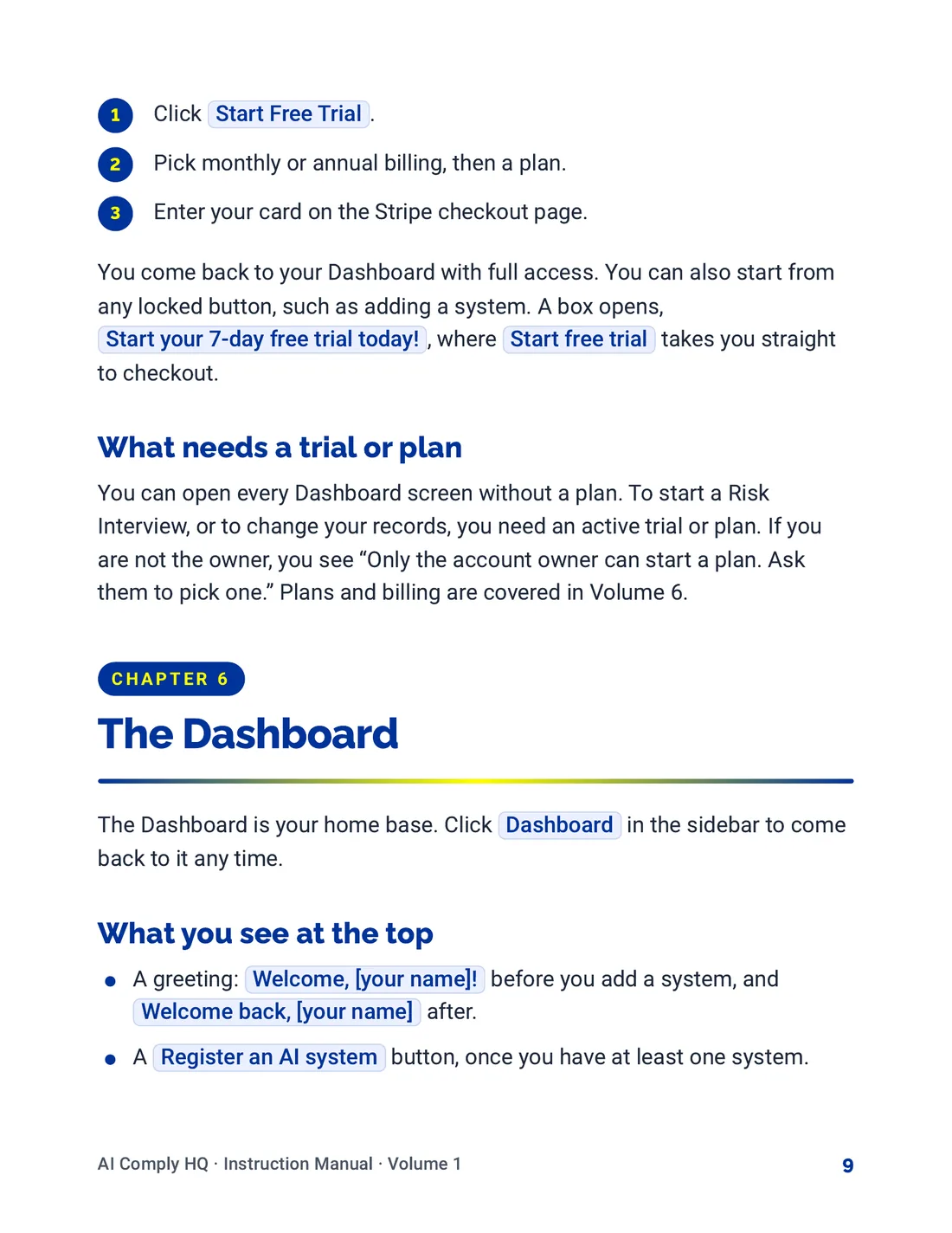
Instruction Manual, Getting Started, page 9
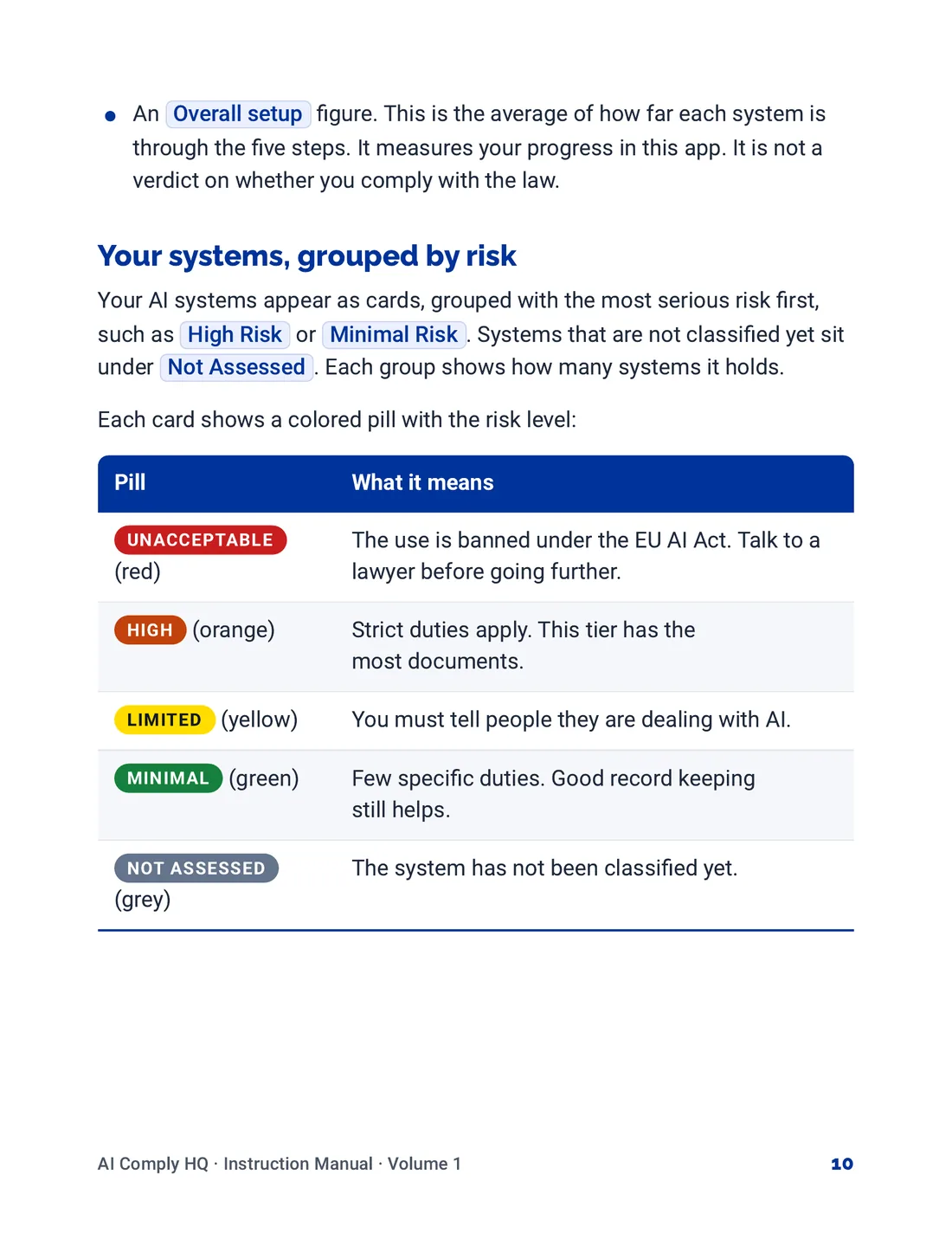
Instruction Manual, Getting Started, page 10
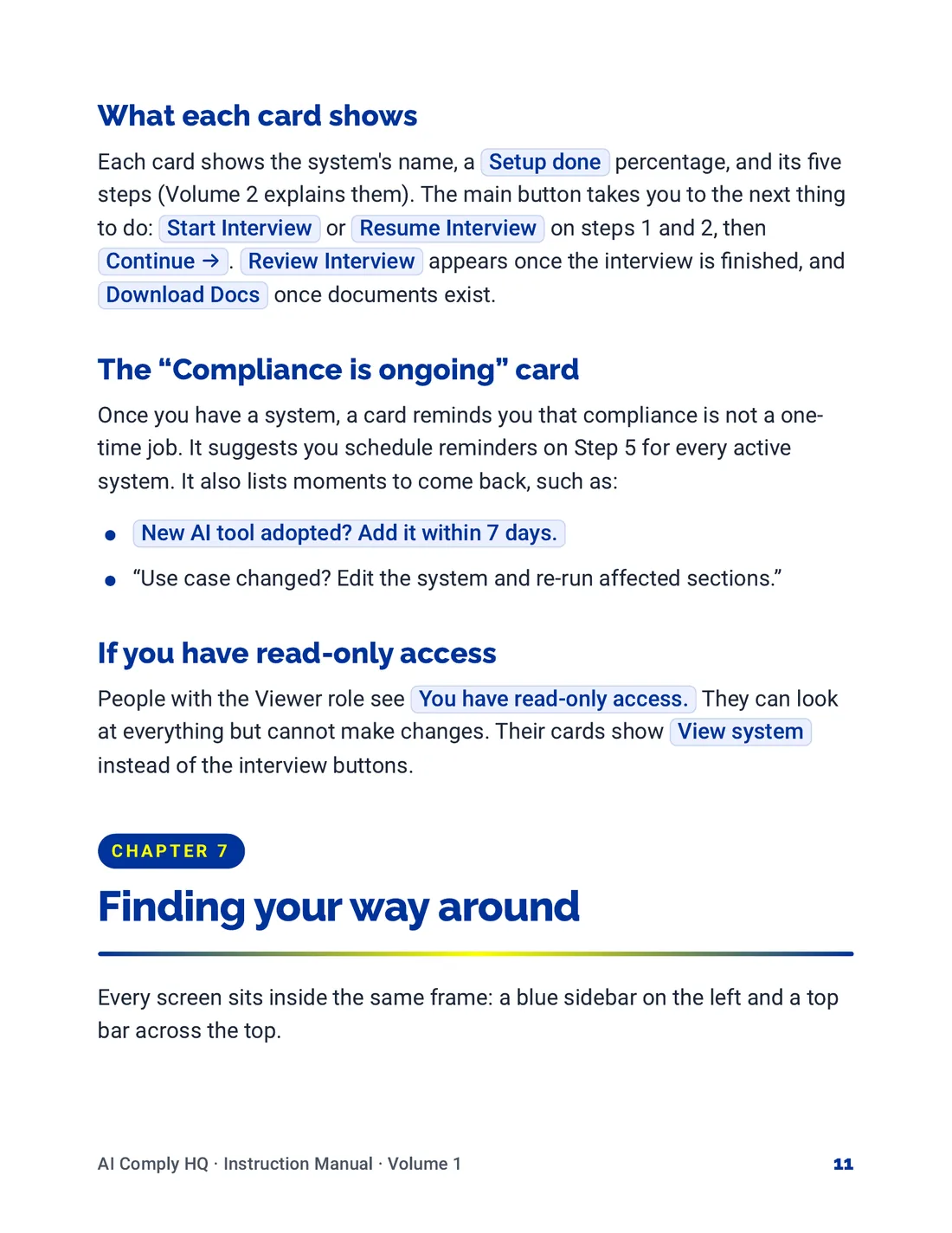
Instruction Manual, Getting Started, page 11
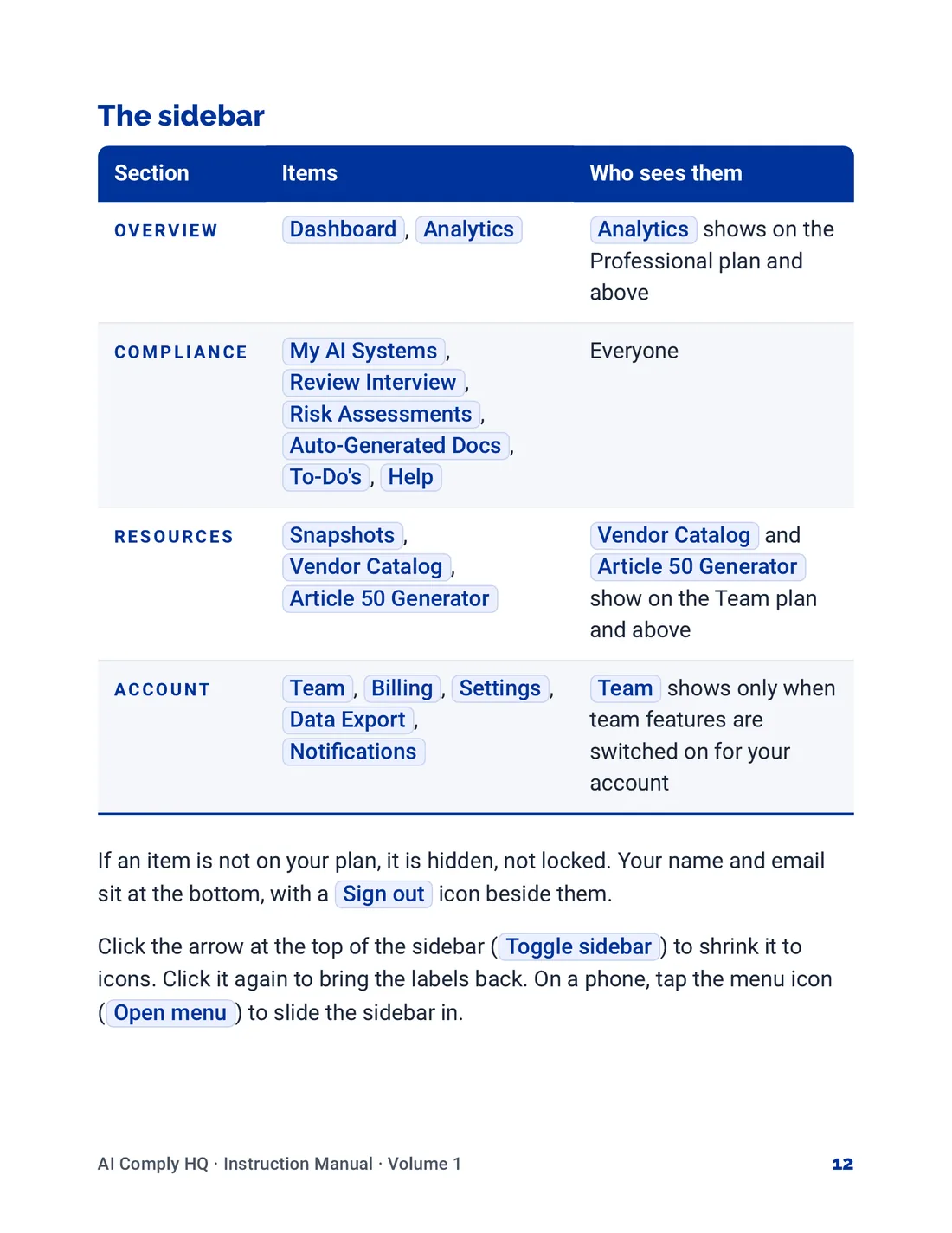
Instruction Manual, Getting Started, page 12
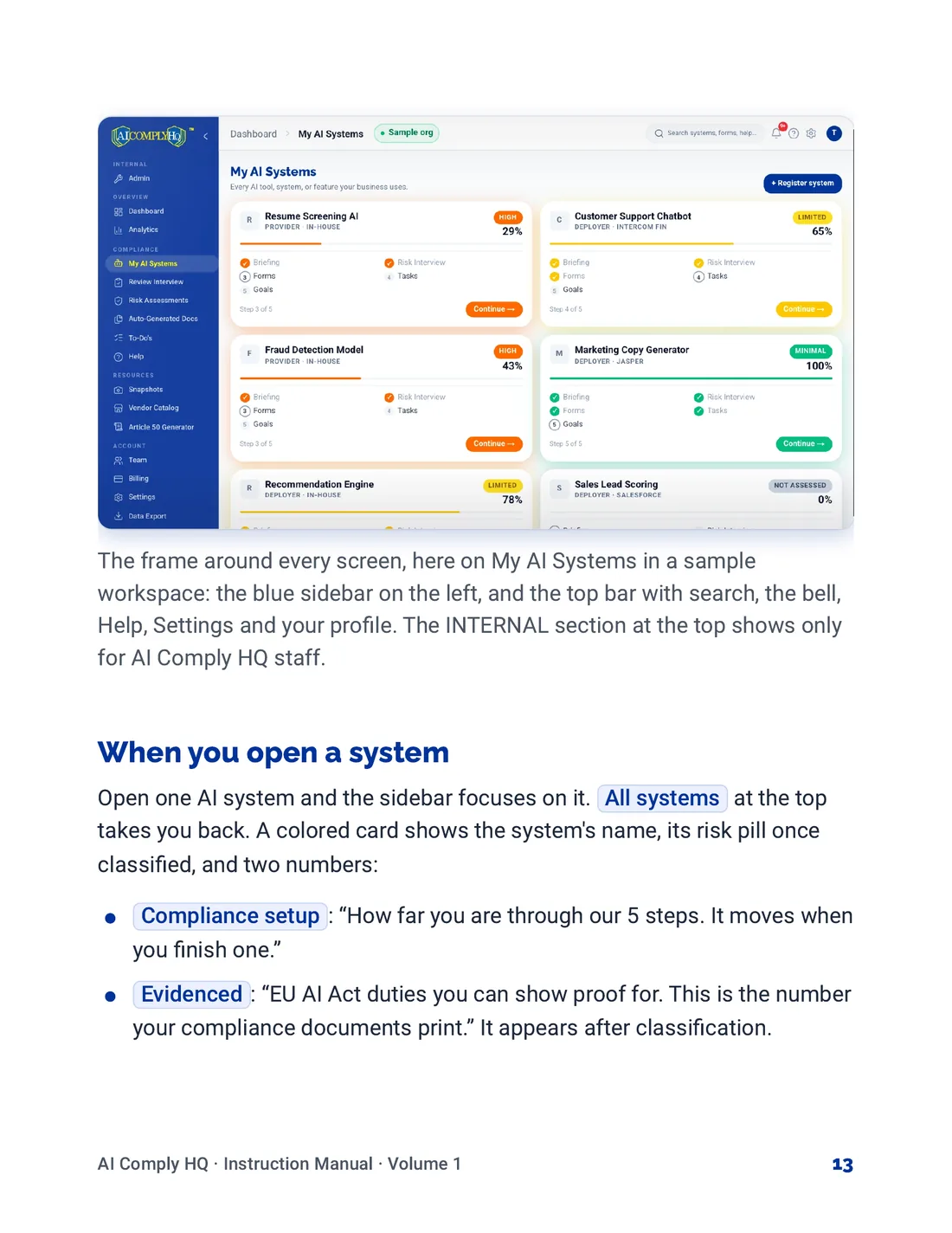
Instruction Manual, Getting Started, page 13
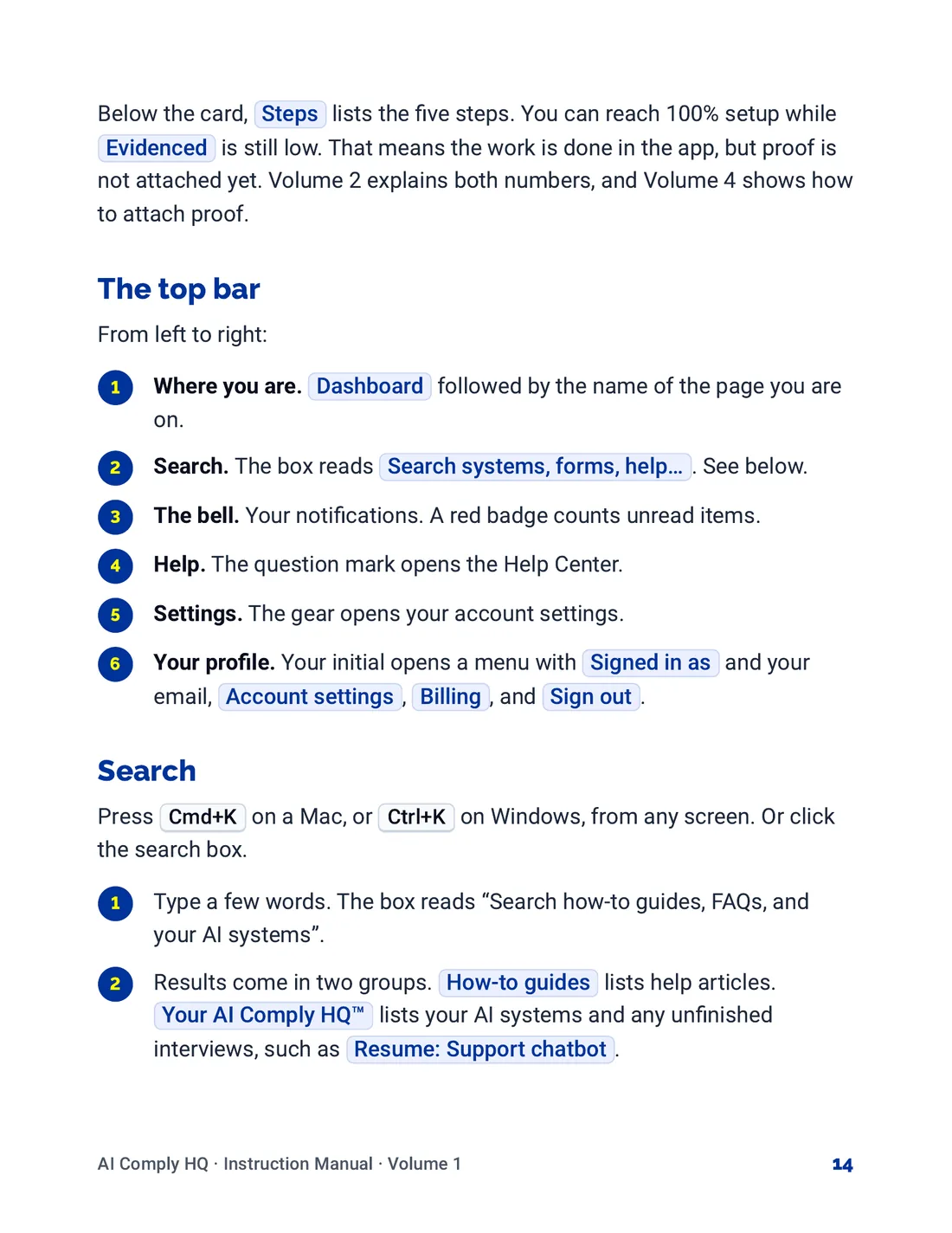
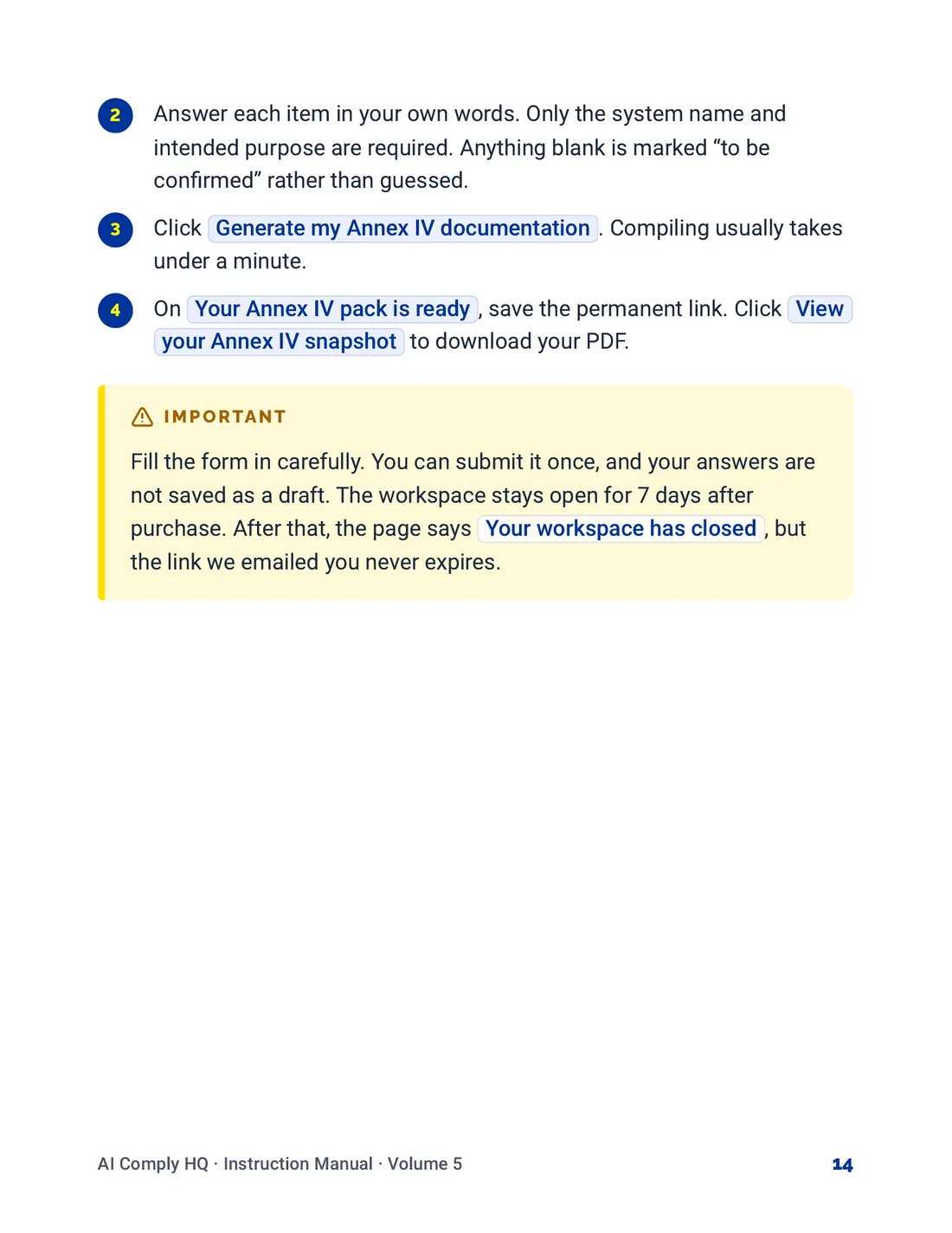
Instruction Manual, Getting Started, page 14
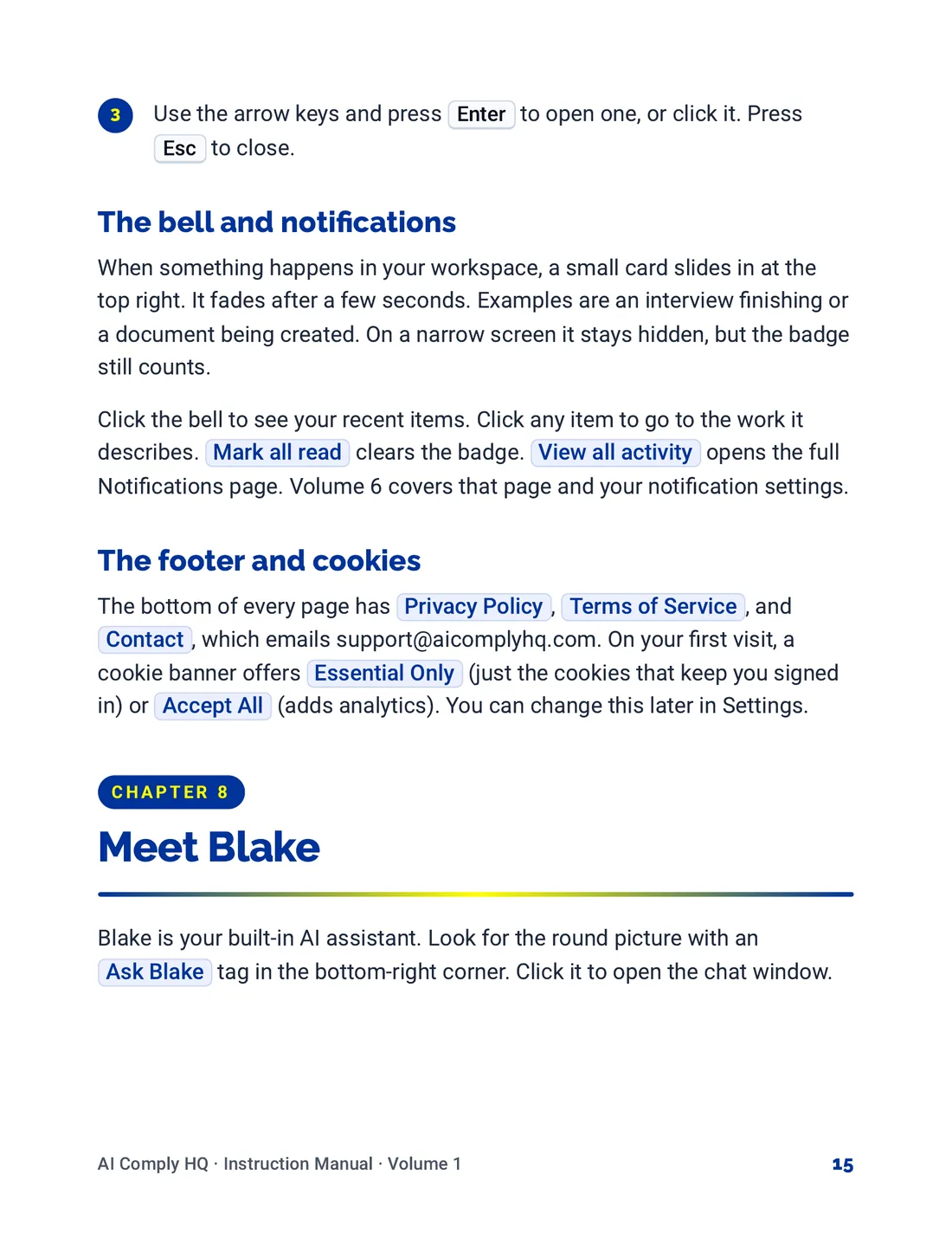
Instruction Manual, Getting Started, page 15
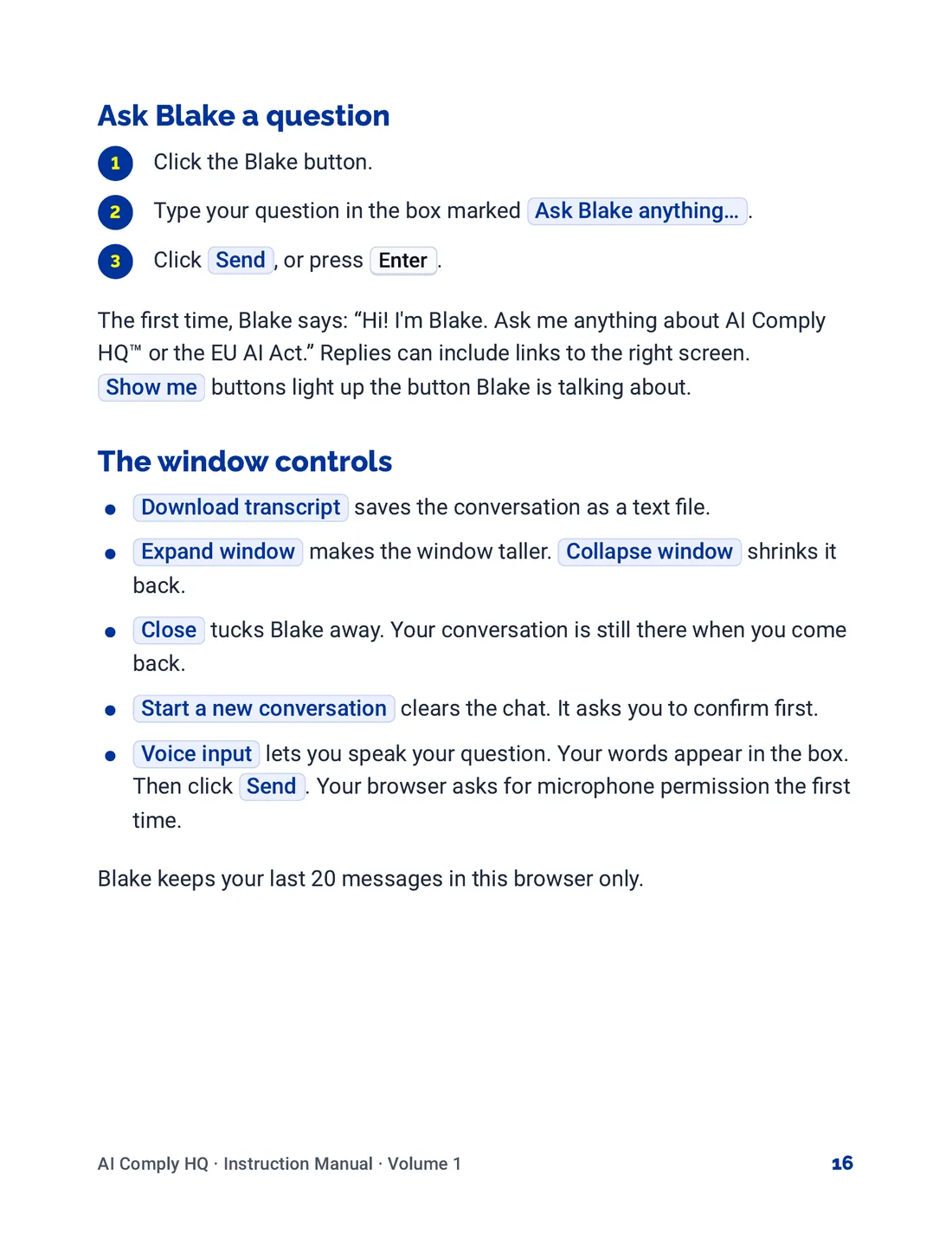
Instruction Manual, Getting Started, page 16
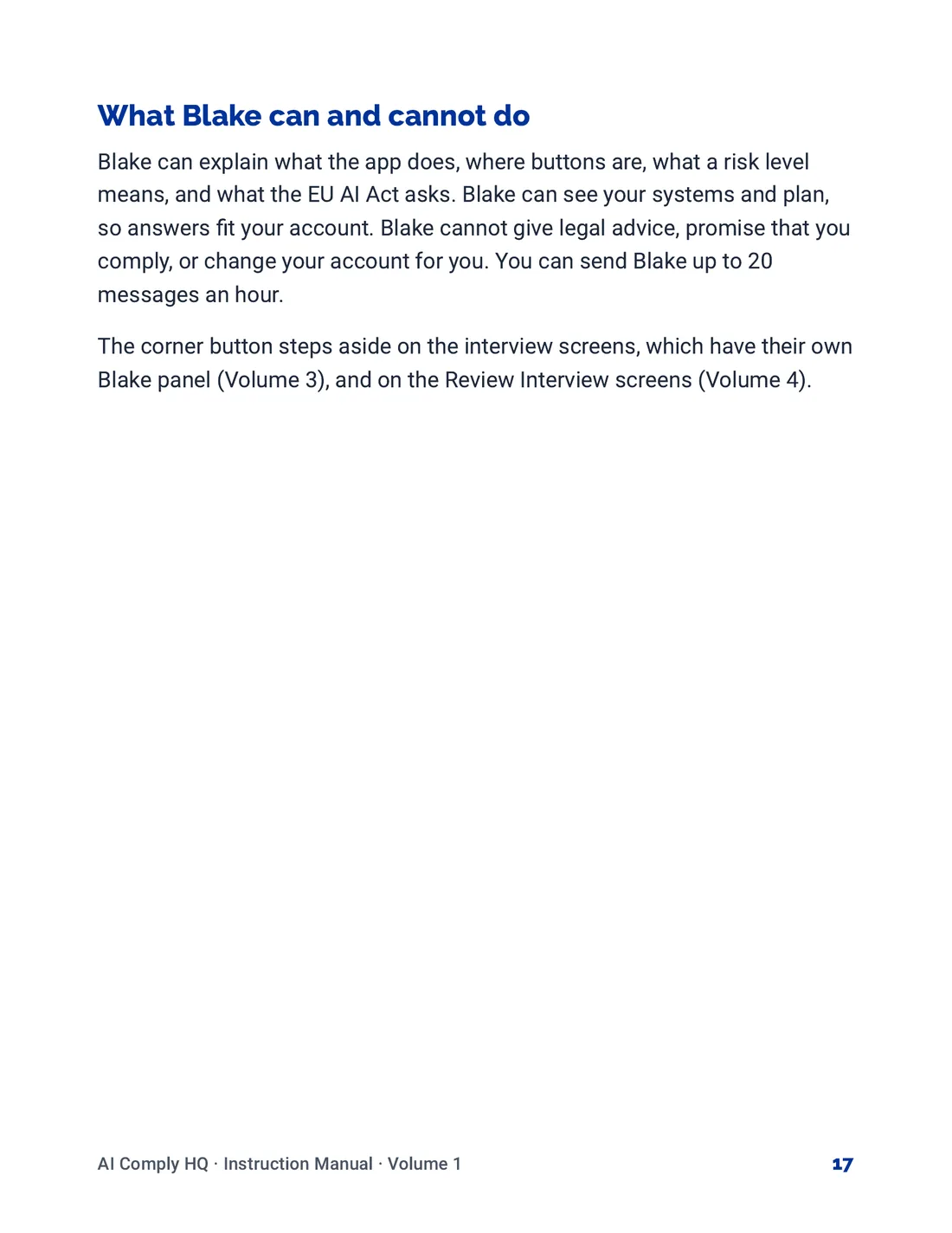
Instruction Manual, Getting Started, page 17
Volume 2: Your AI Systems
Instruction Manual, Your AI Systems, cover
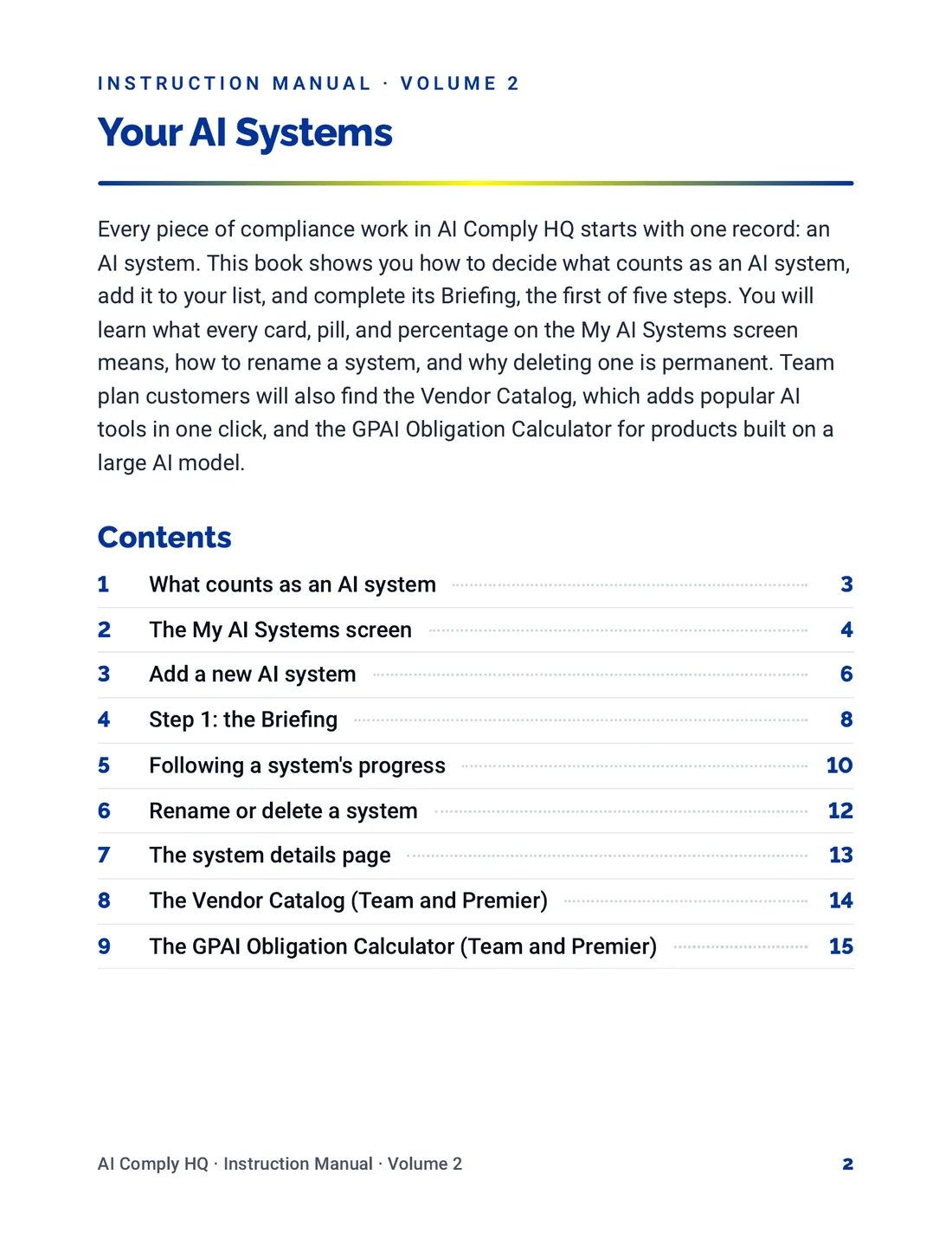
Instruction Manual, Your AI Systems, page 2
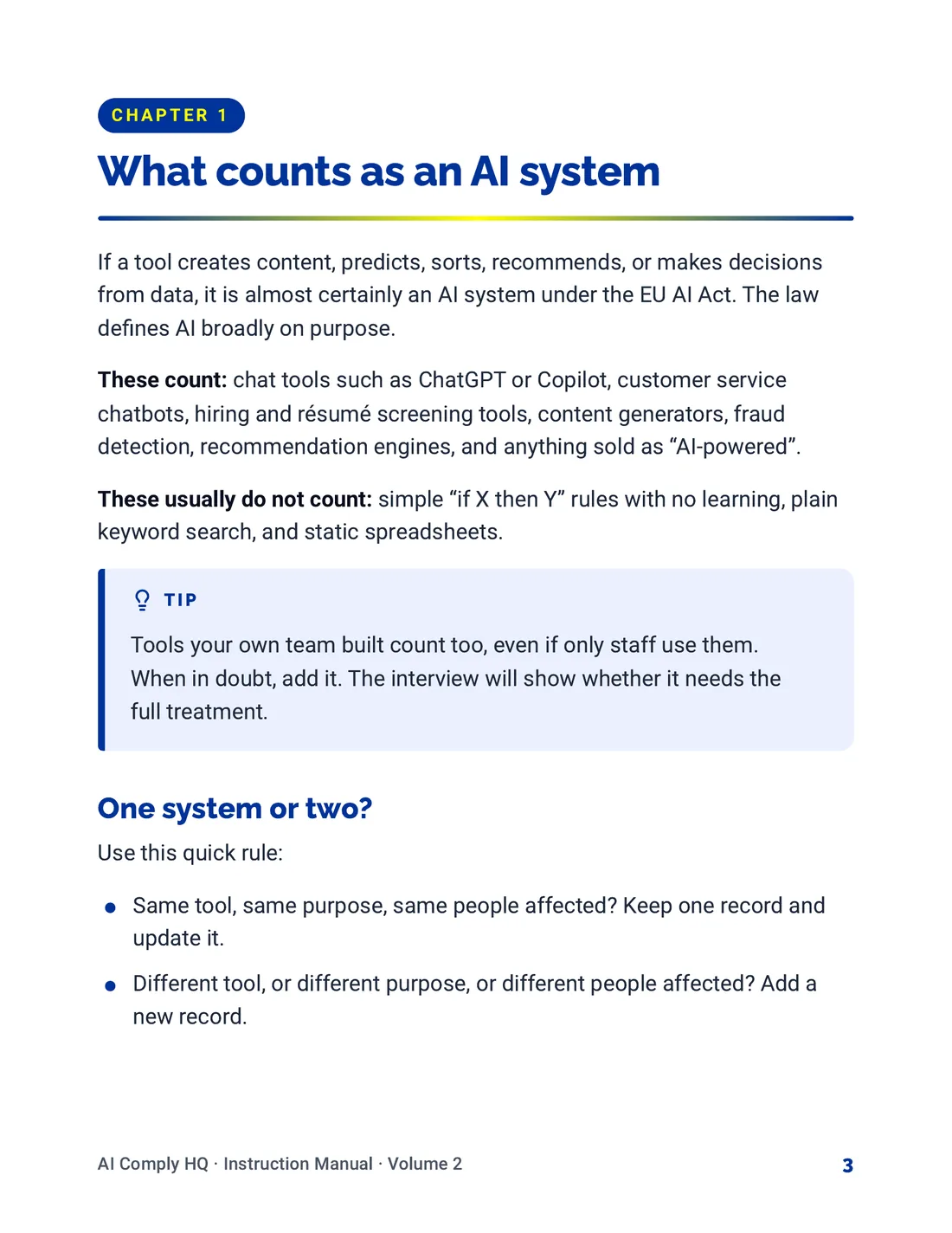
Instruction Manual, Your AI Systems, page 3
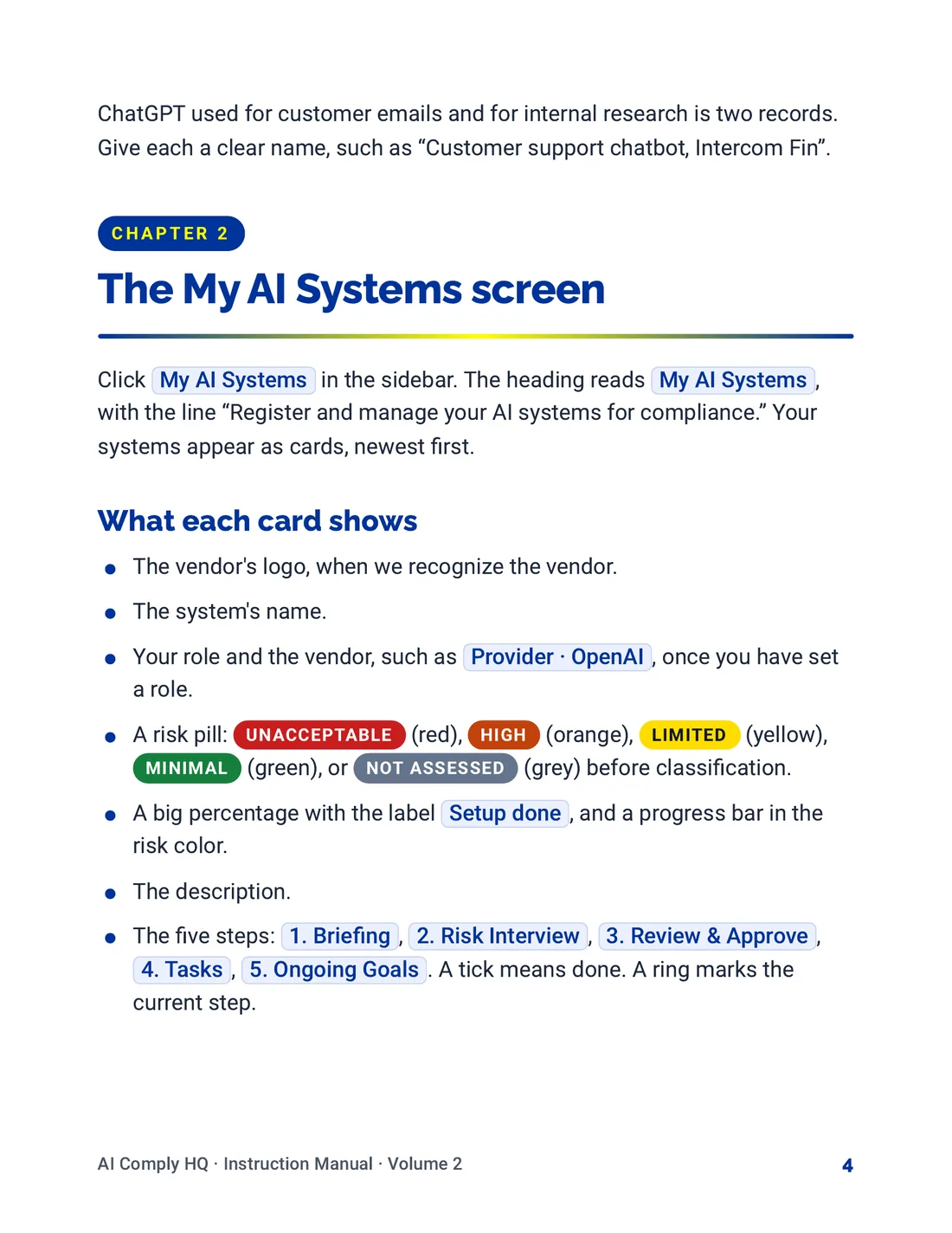
Instruction Manual, Your AI Systems, page 4
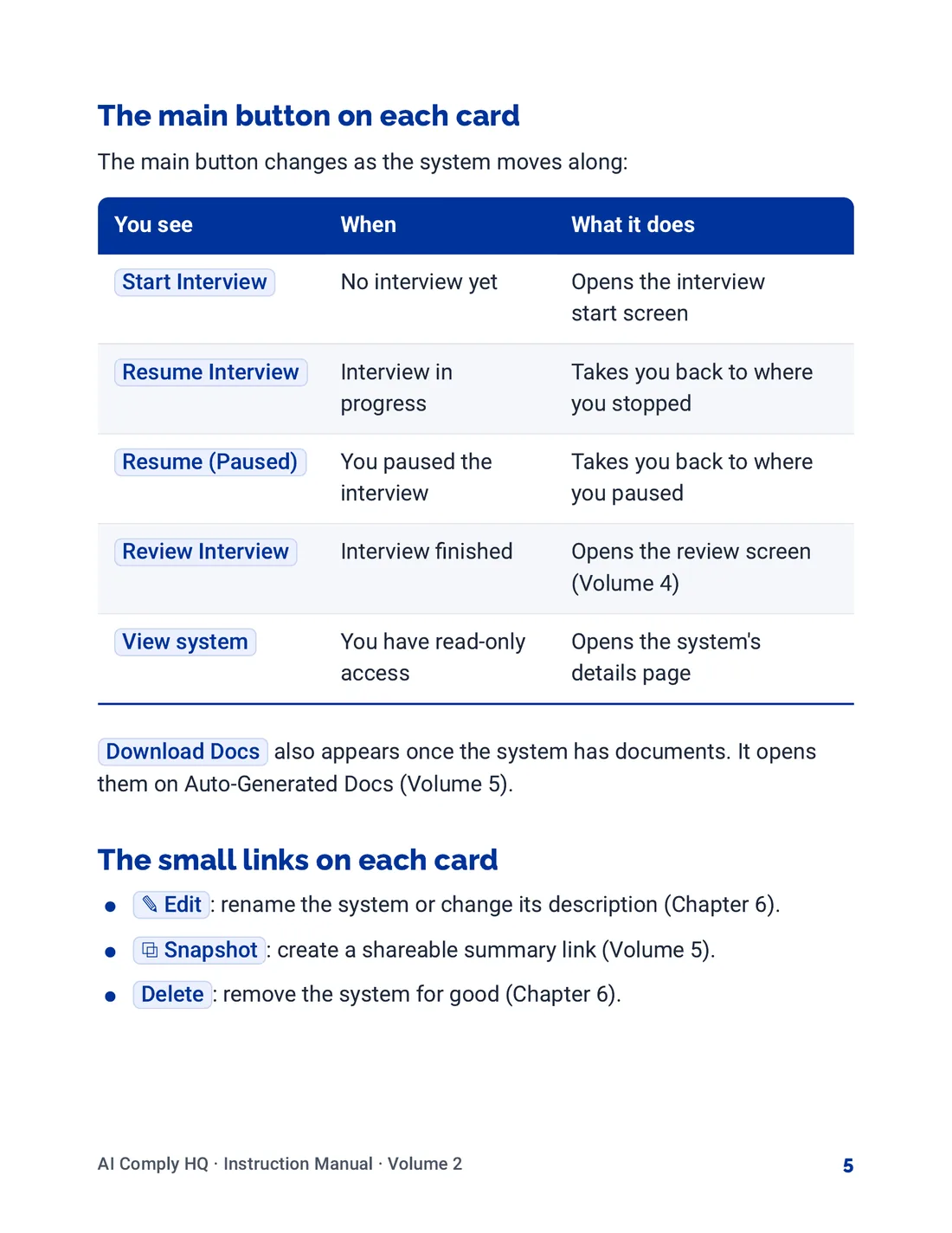
Instruction Manual, Your AI Systems, page 5
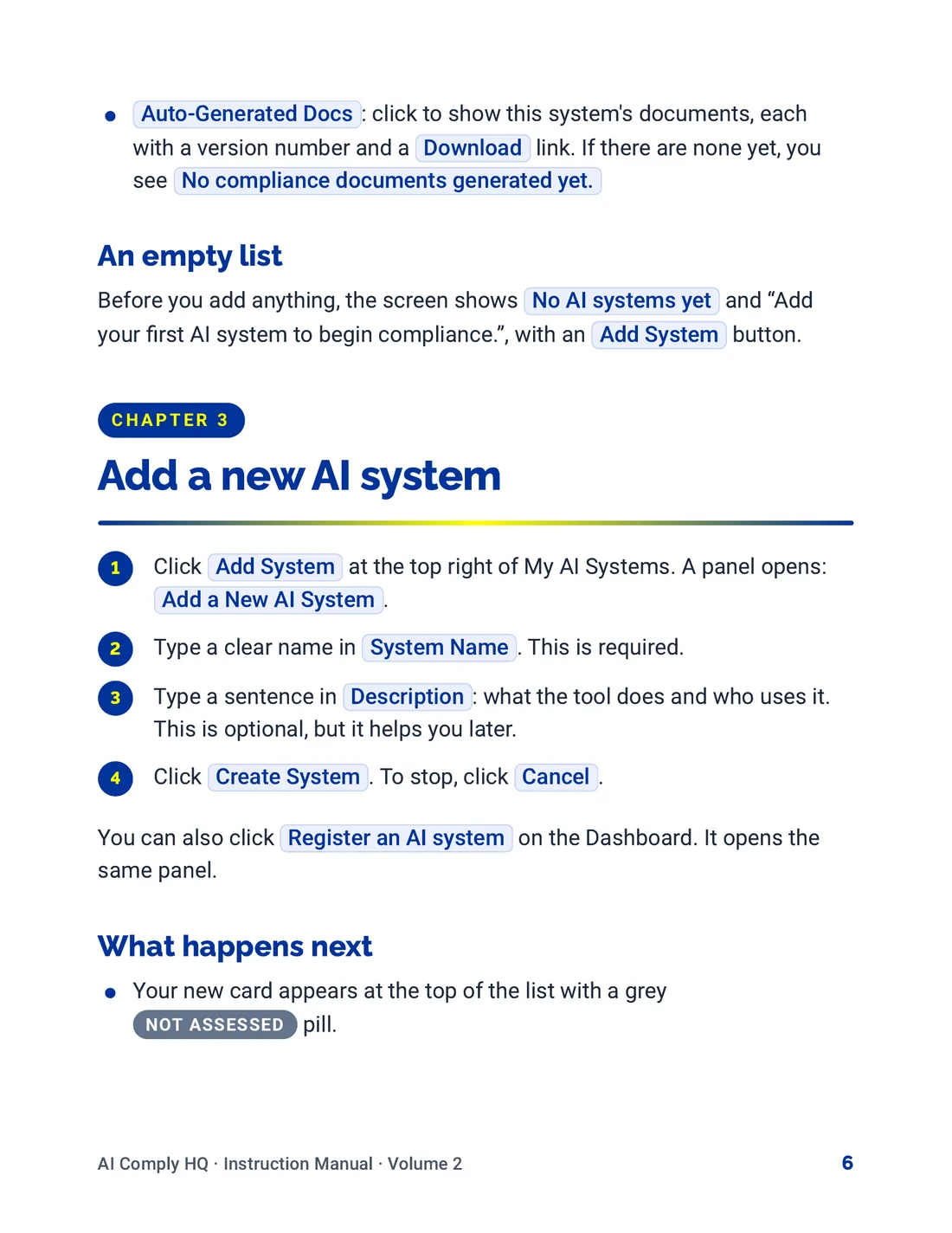
Instruction Manual, Your AI Systems, page 6
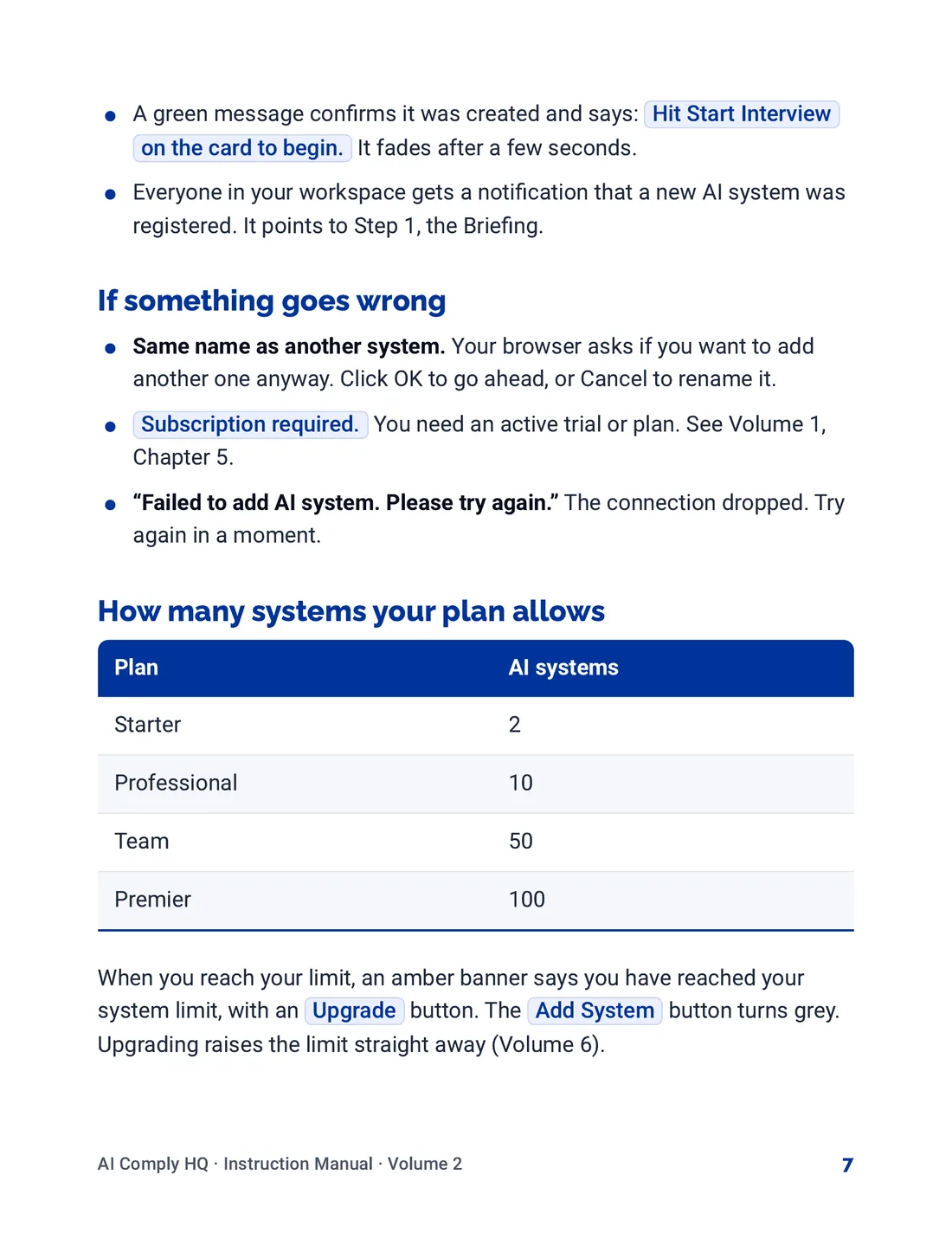
Instruction Manual, Your AI Systems, page 7
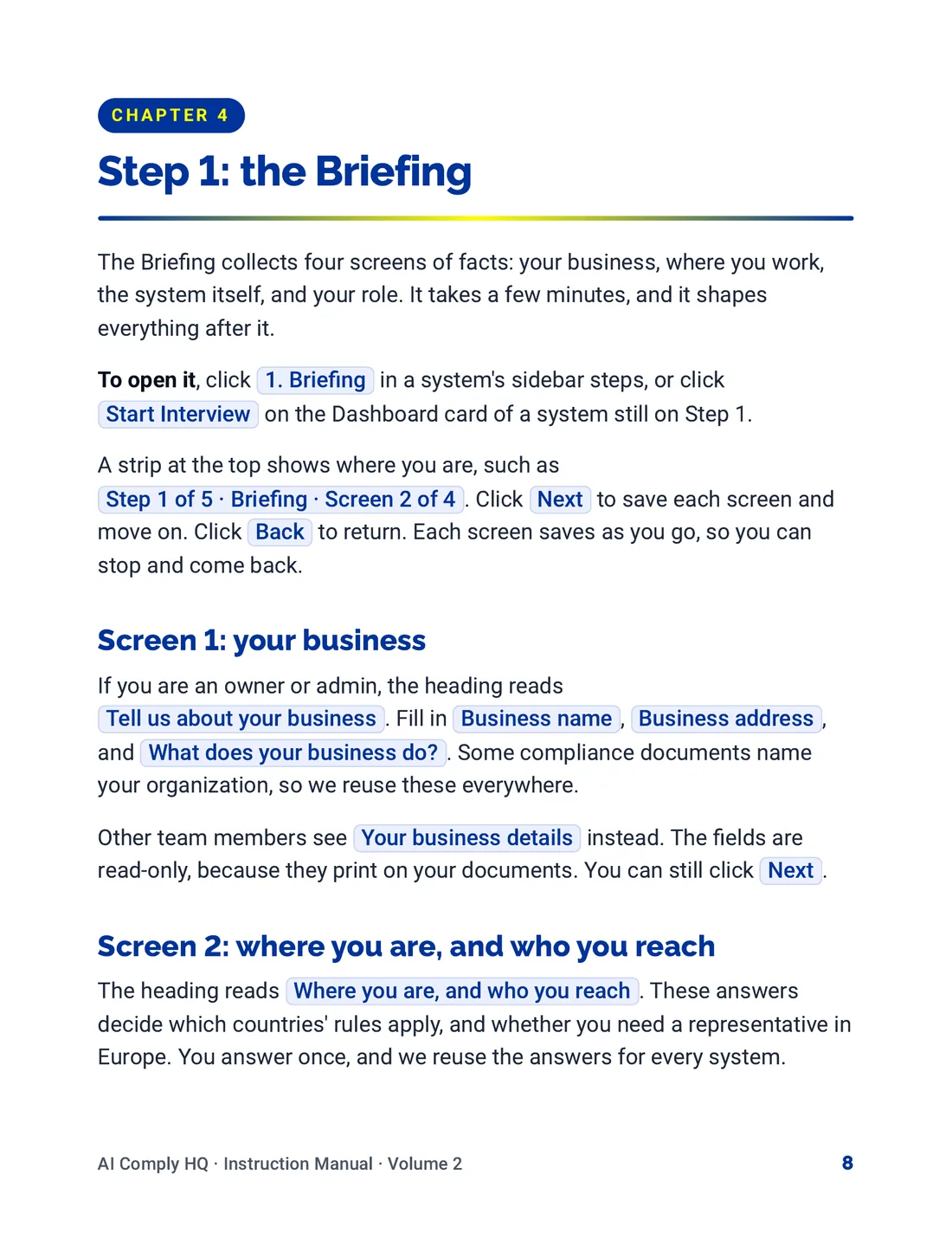
Instruction Manual, Your AI Systems, page 8
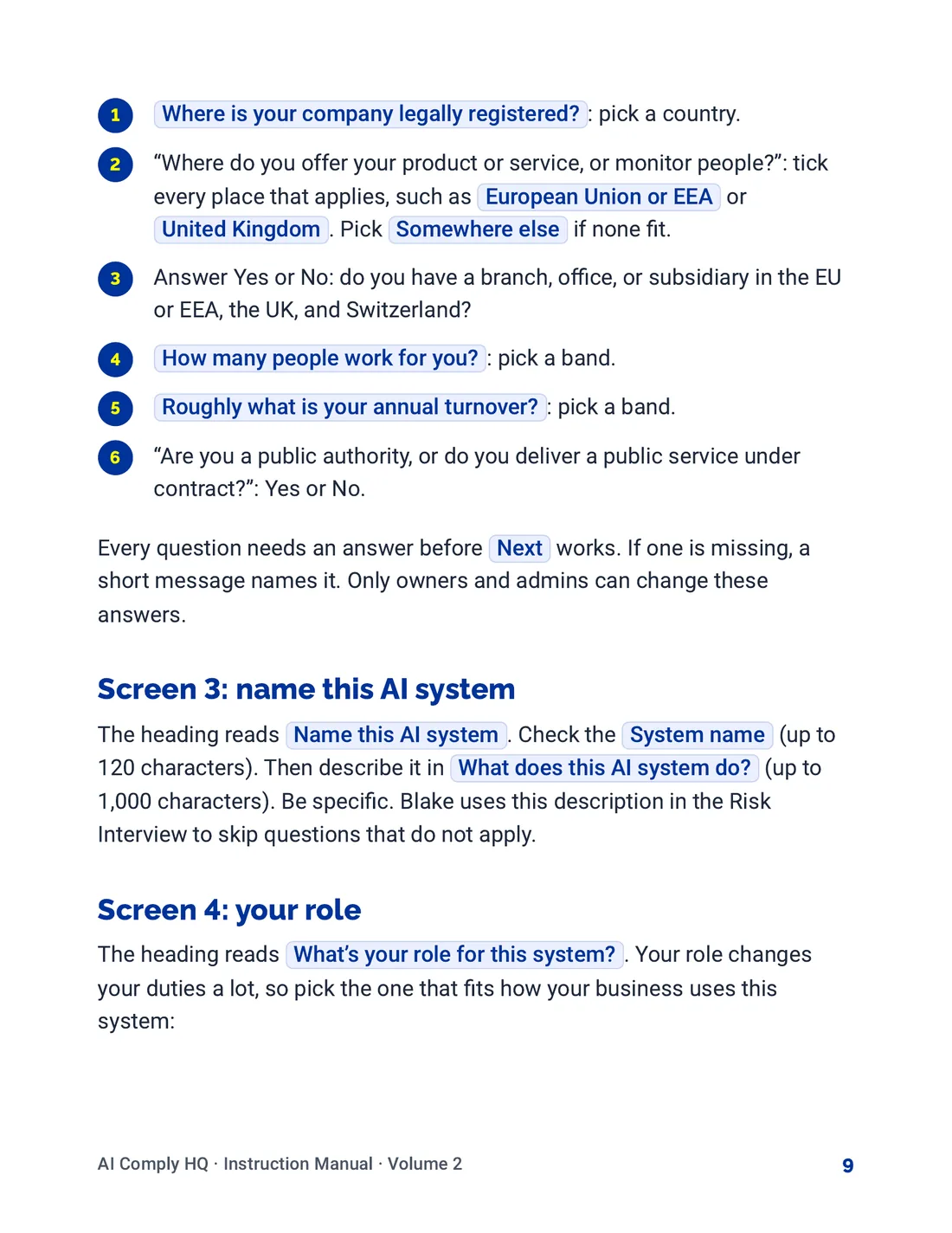
Instruction Manual, Your AI Systems, page 9
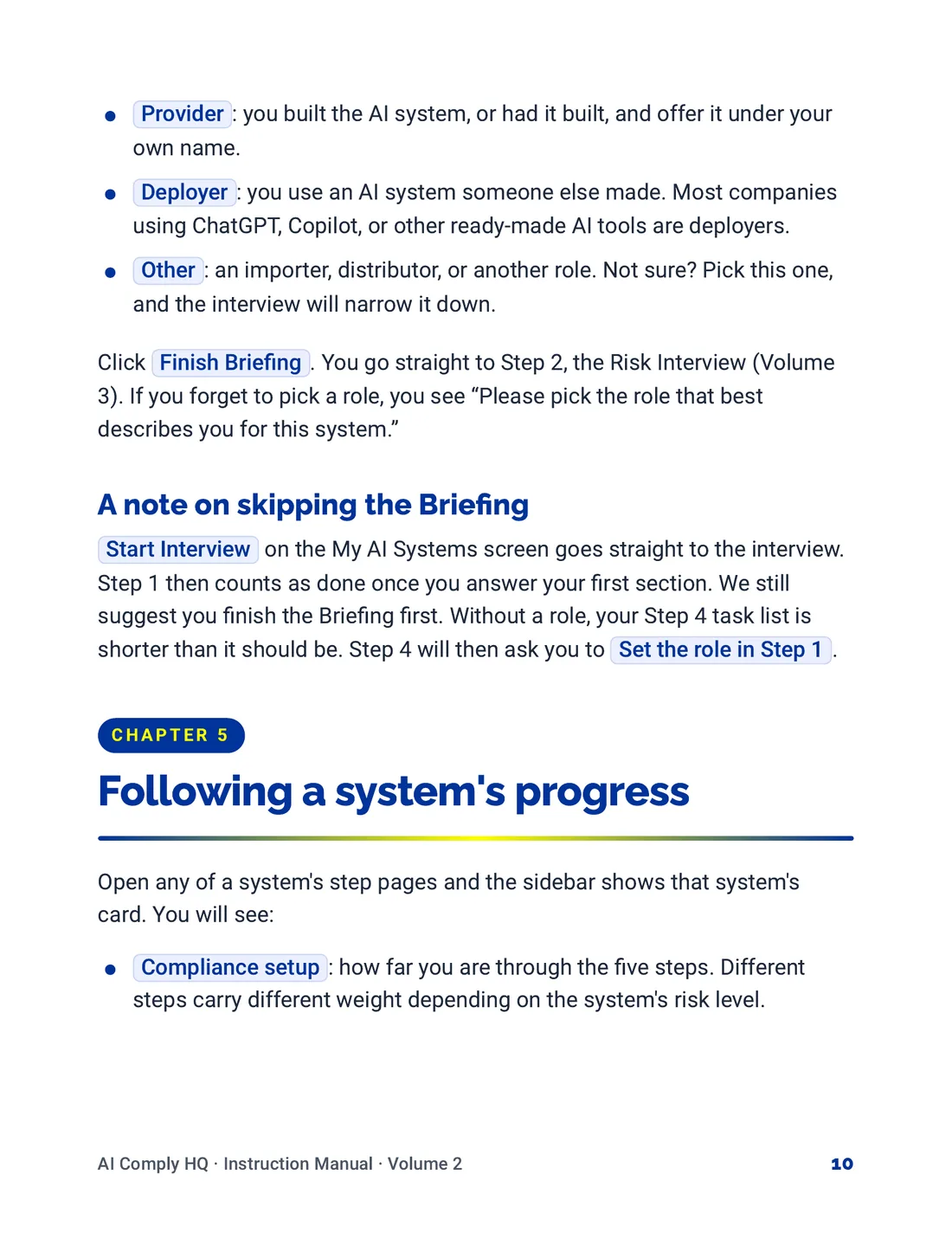
Instruction Manual, Your AI Systems, page 10
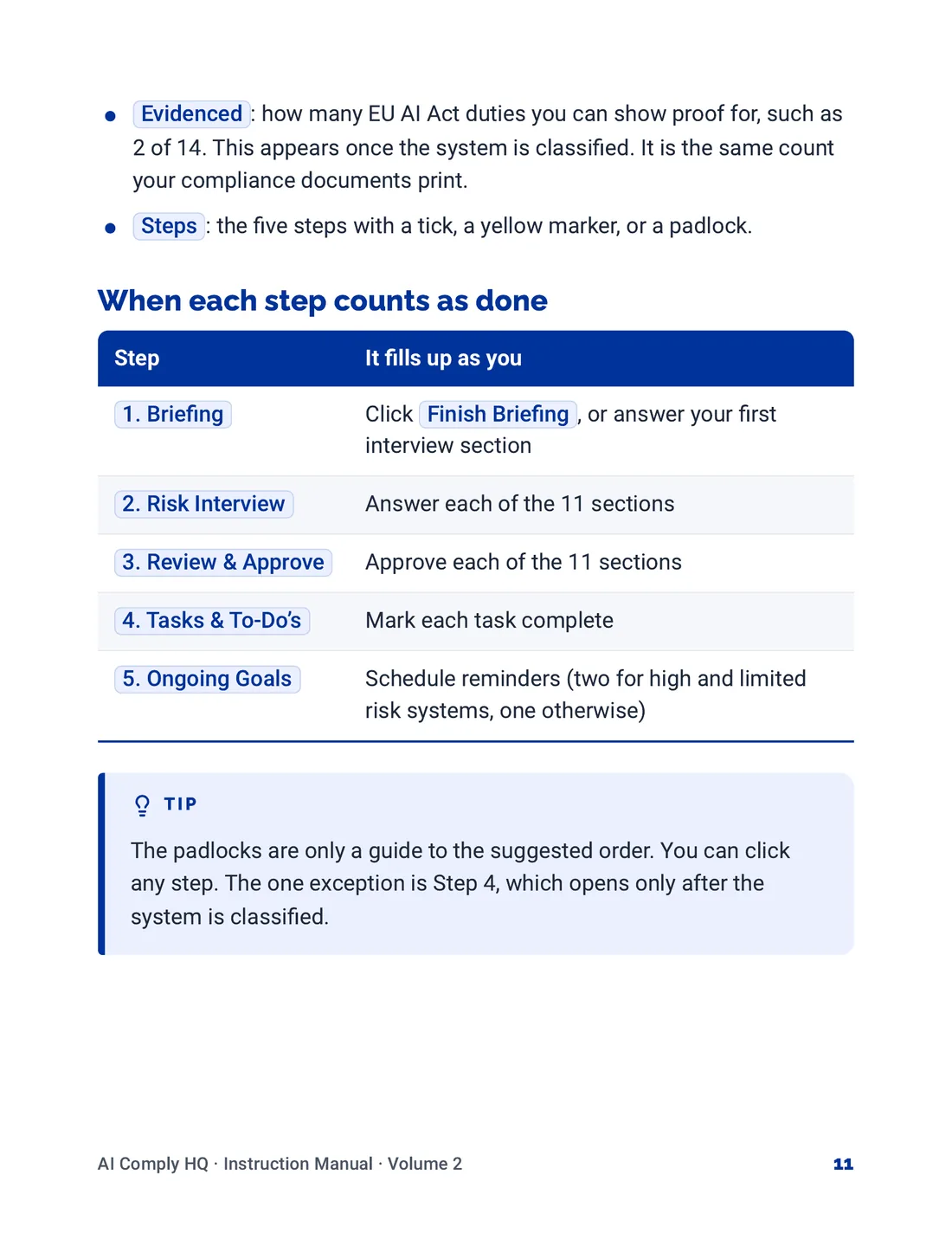
Instruction Manual, Your AI Systems, page 11
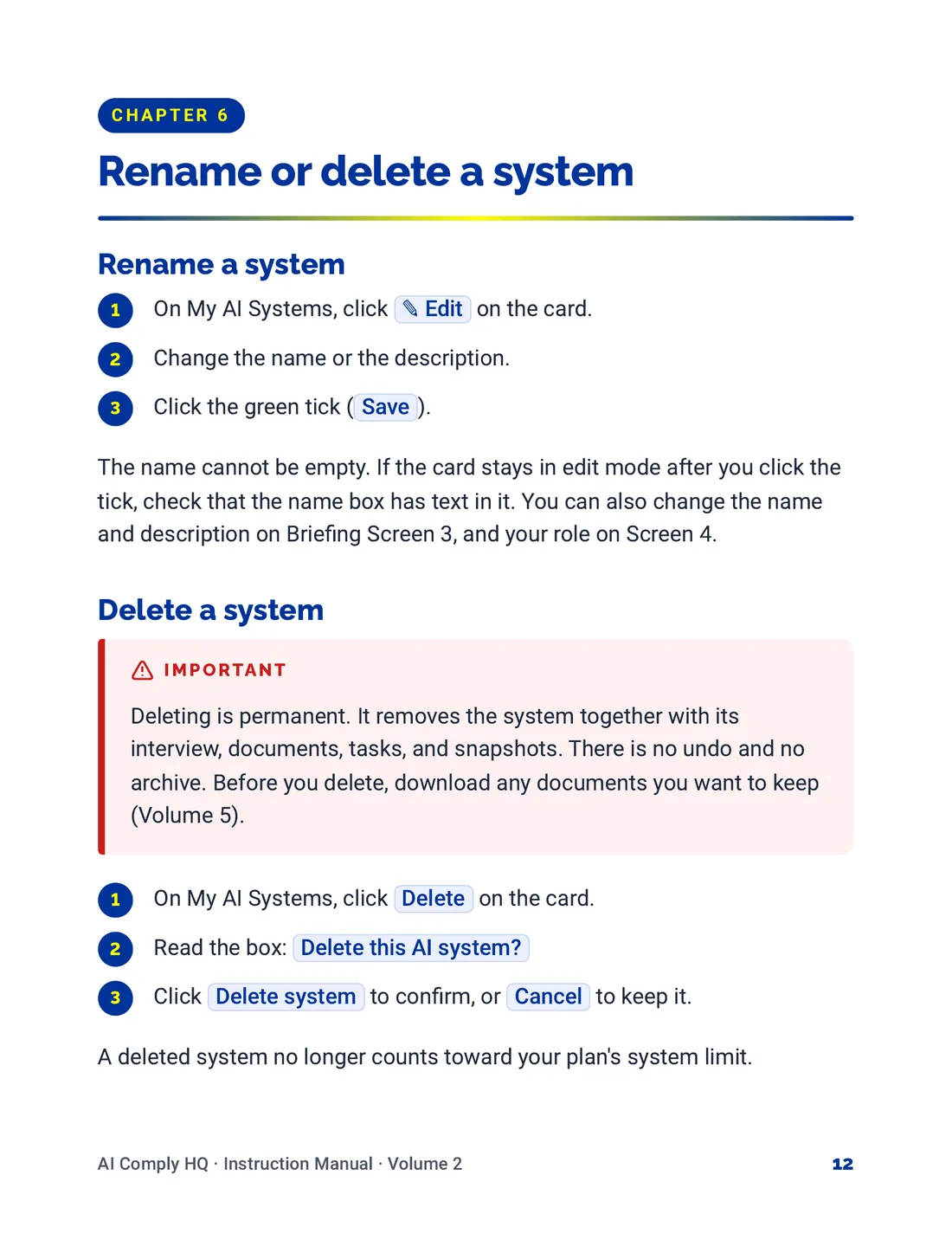
Instruction Manual, Your AI Systems, page 12
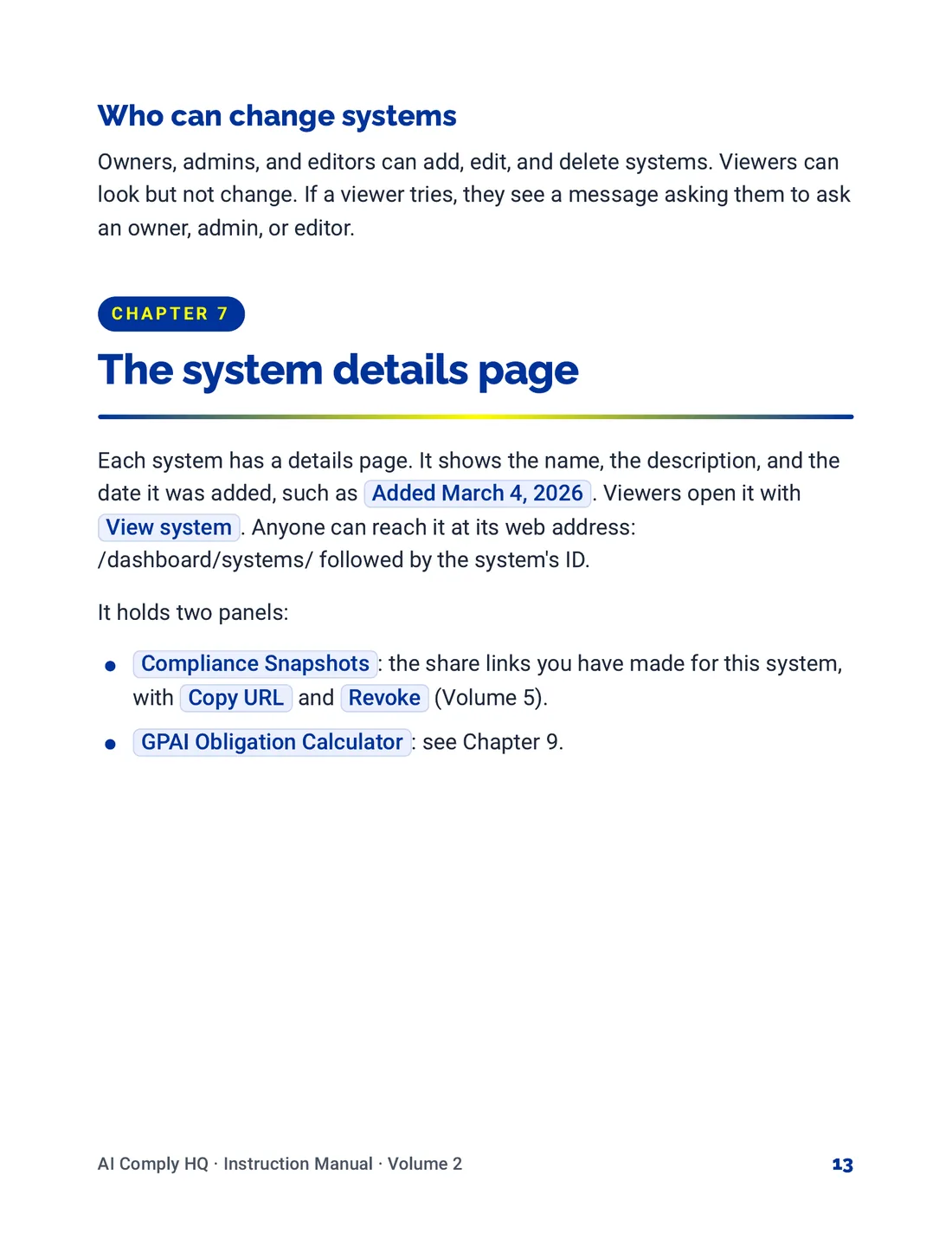
Instruction Manual, Your AI Systems, page 13
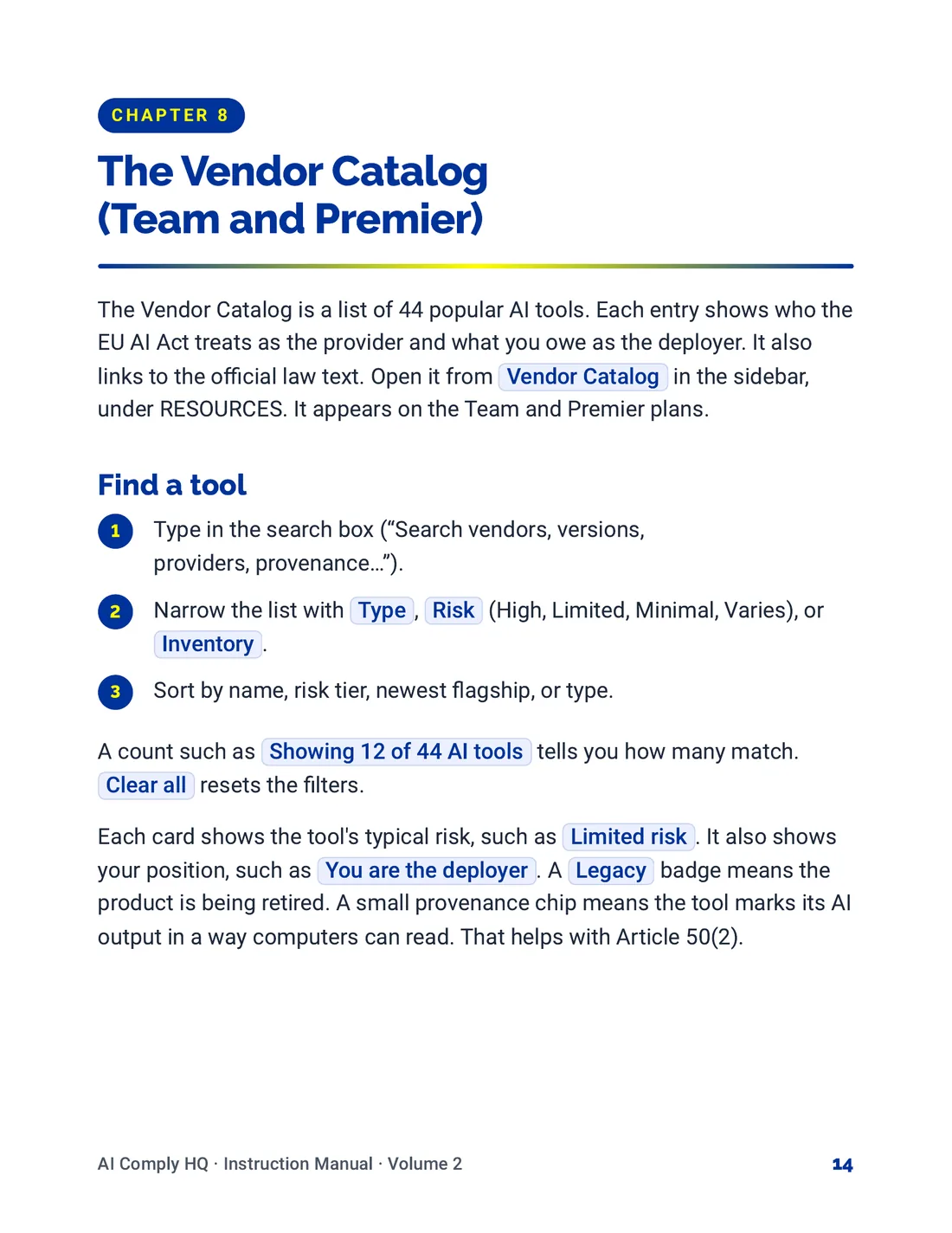
Instruction Manual, Your AI Systems, page 14
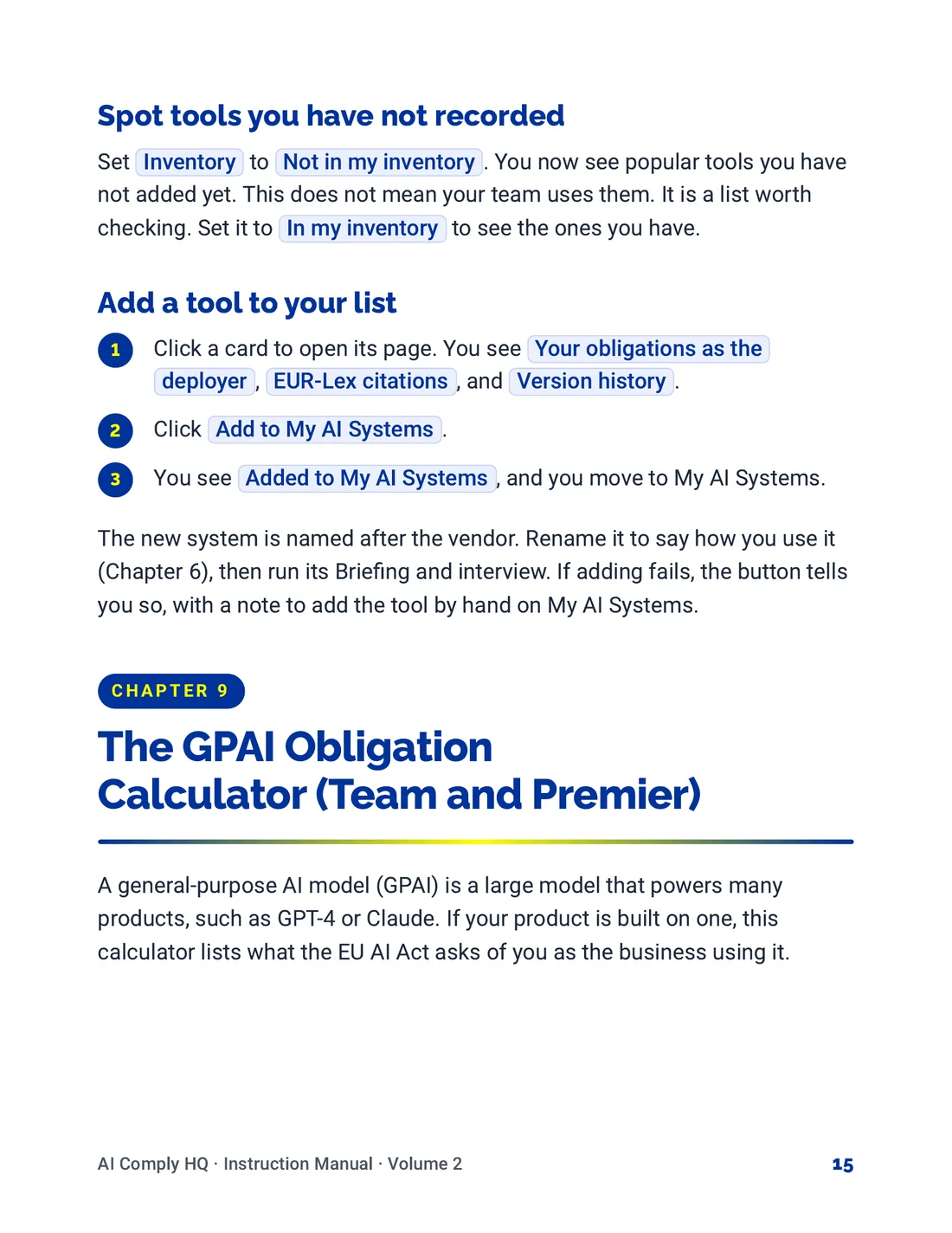
Instruction Manual, Your AI Systems, page 15
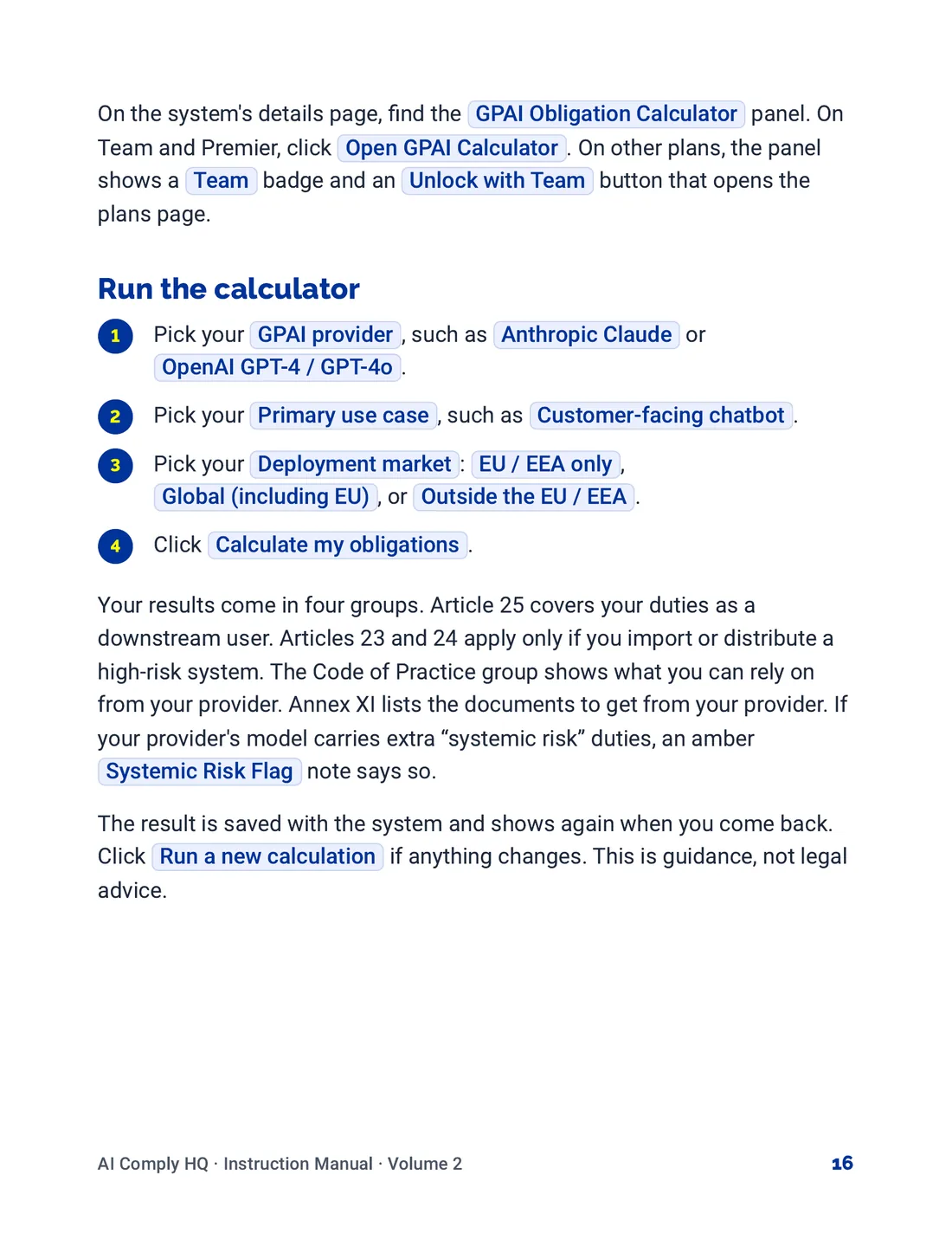
Instruction Manual, Your AI Systems, page 16
Volume 3: The Risk Interview
Instruction Manual, The Risk Interview, cover
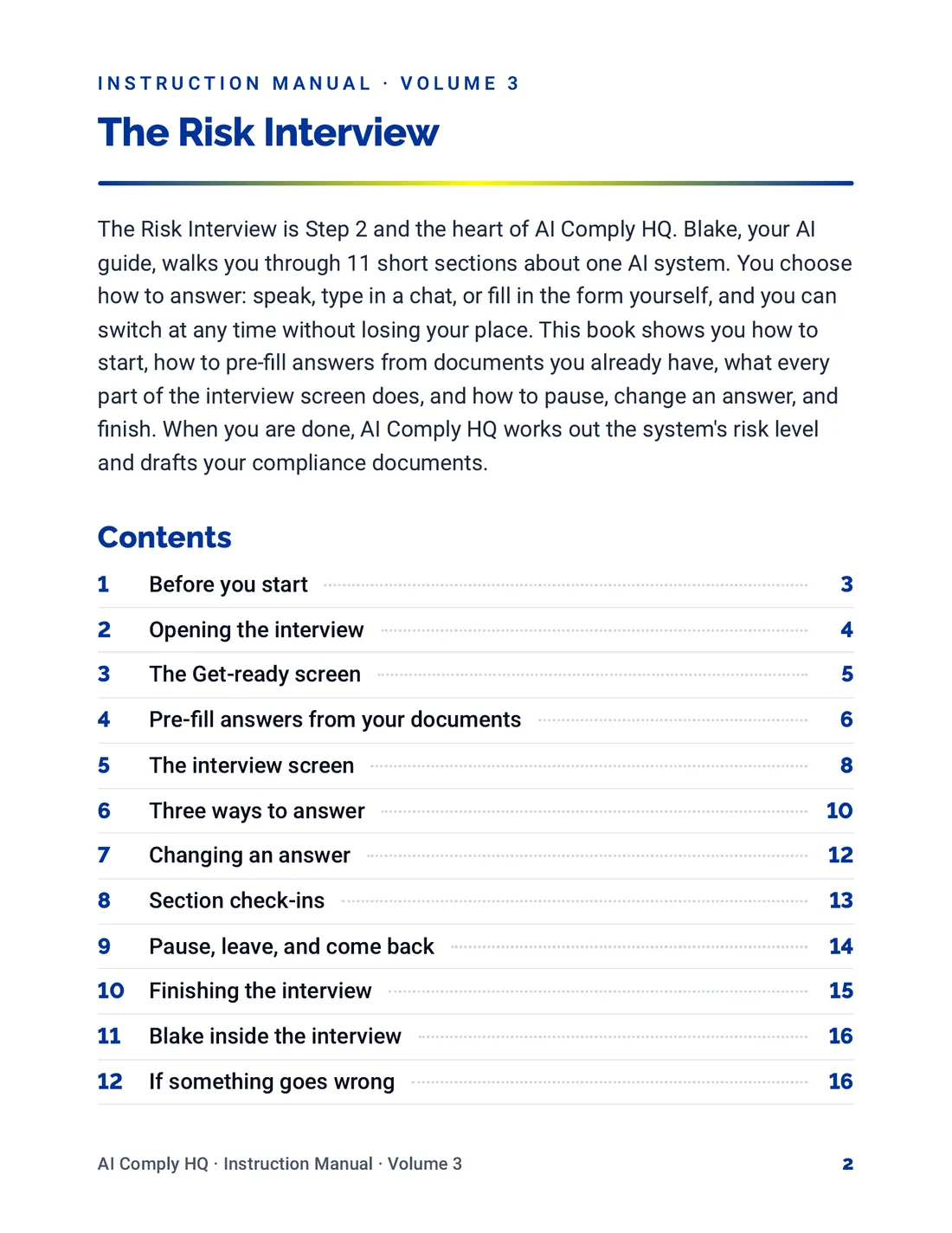
Instruction Manual, The Risk Interview, page 2
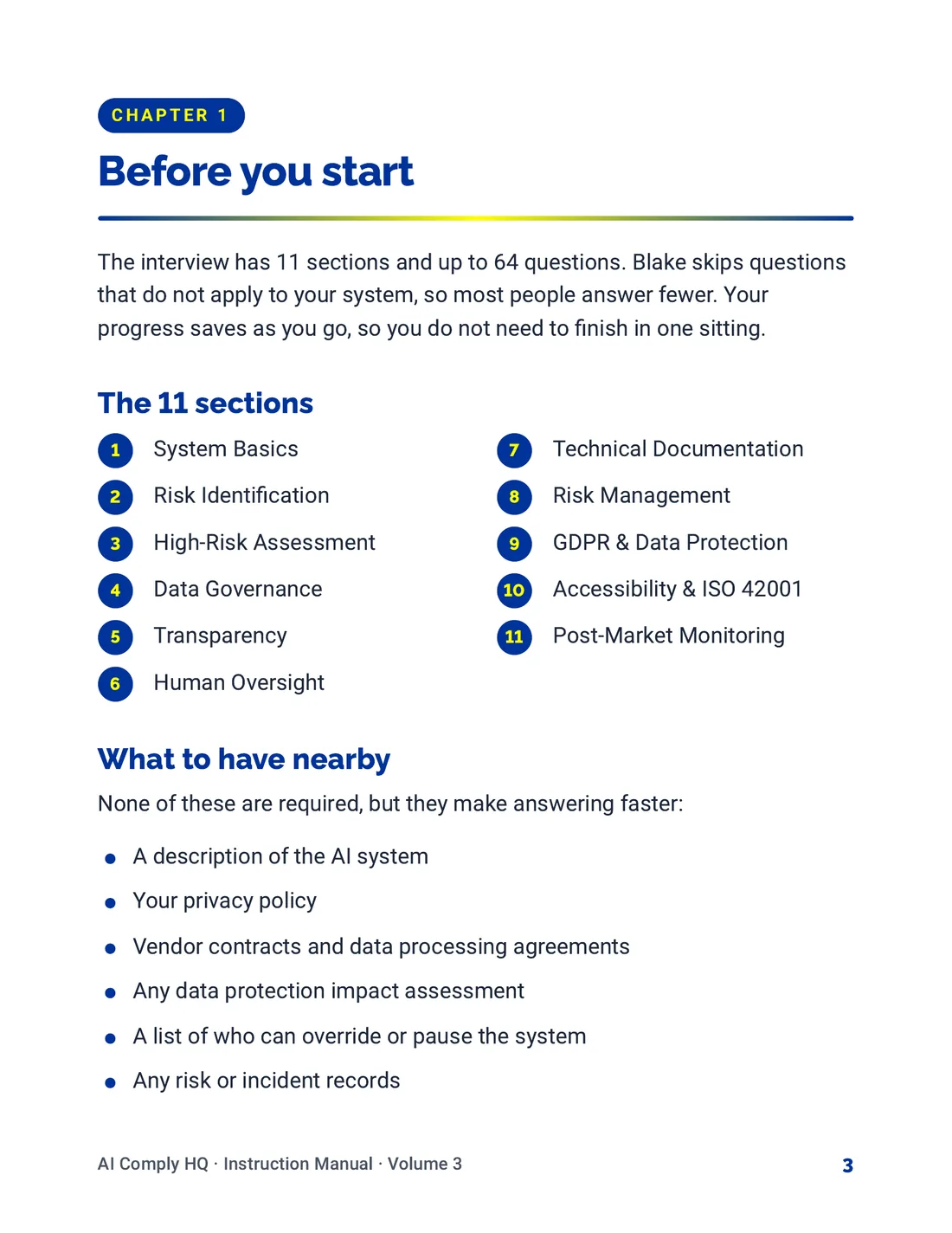
Instruction Manual, The Risk Interview, page 3
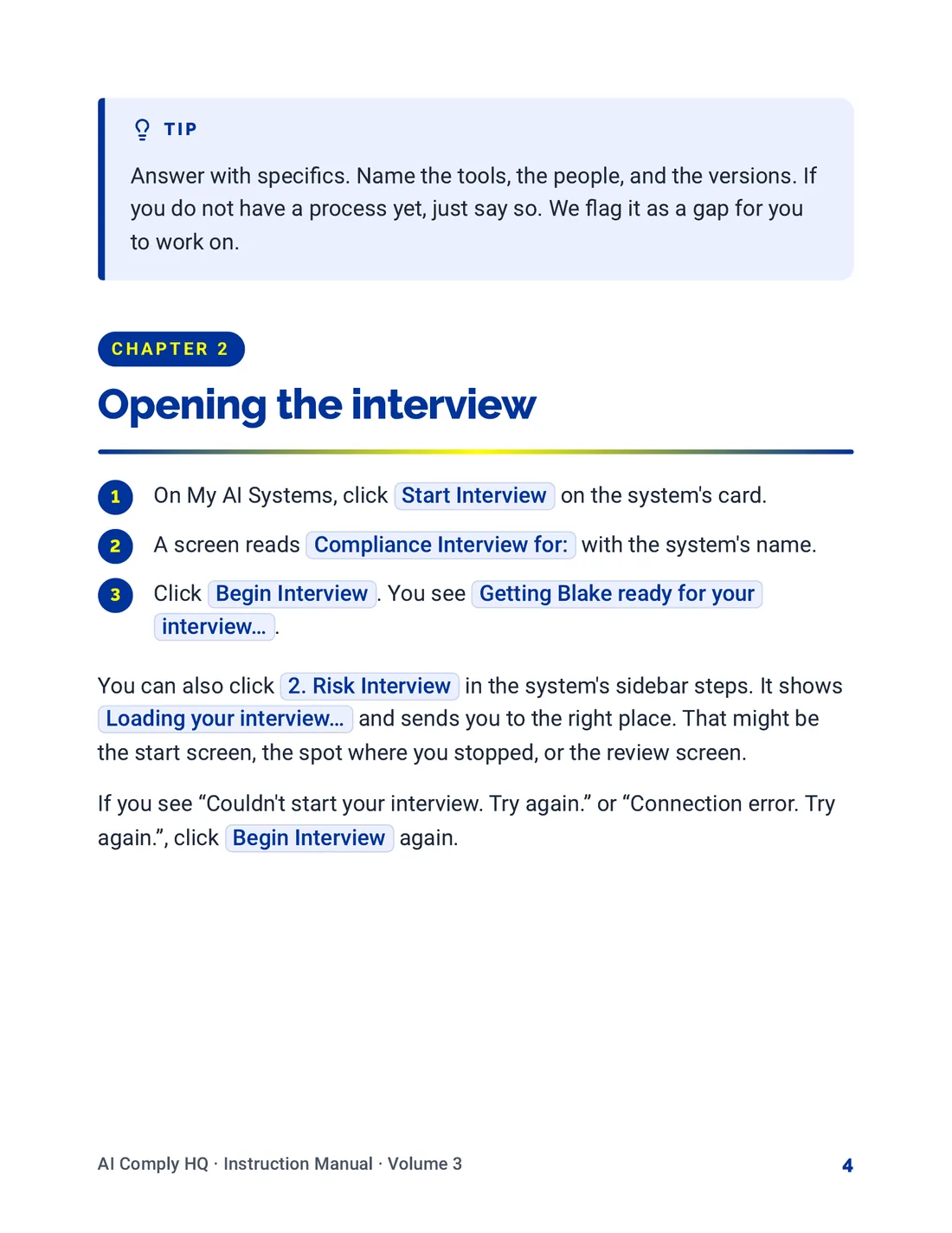
Instruction Manual, The Risk Interview, page 4
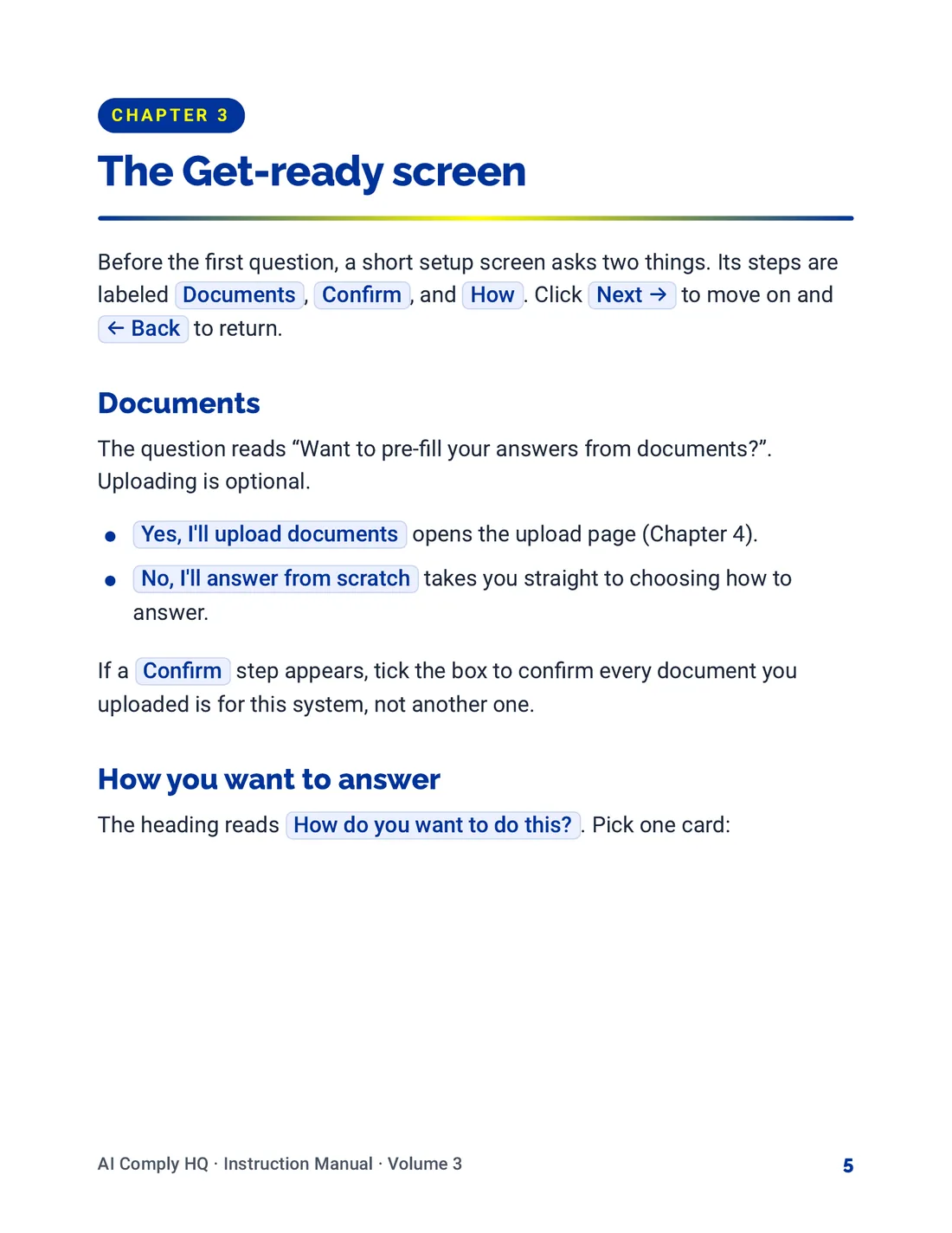
Instruction Manual, The Risk Interview, page 5
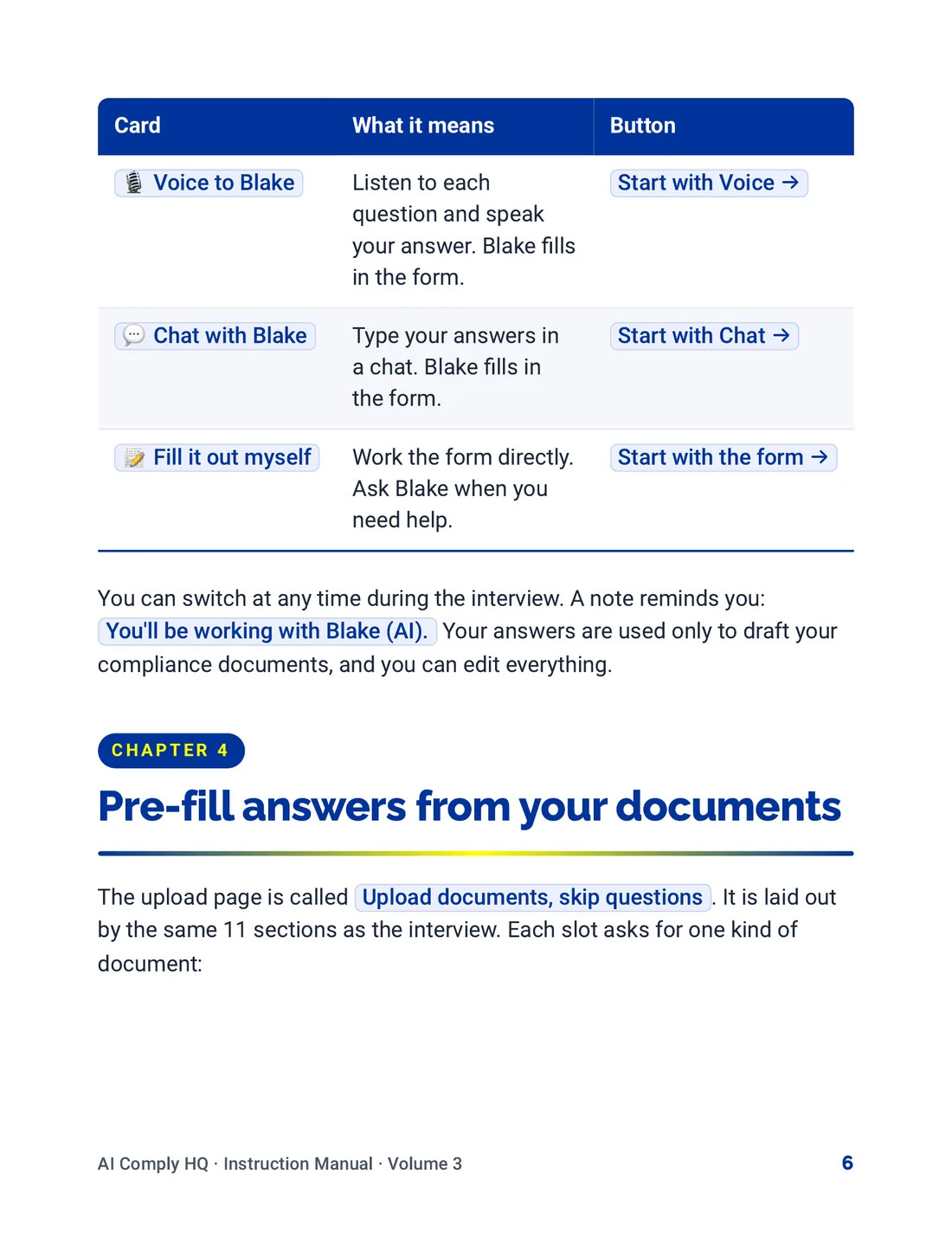
Instruction Manual, The Risk Interview, page 6
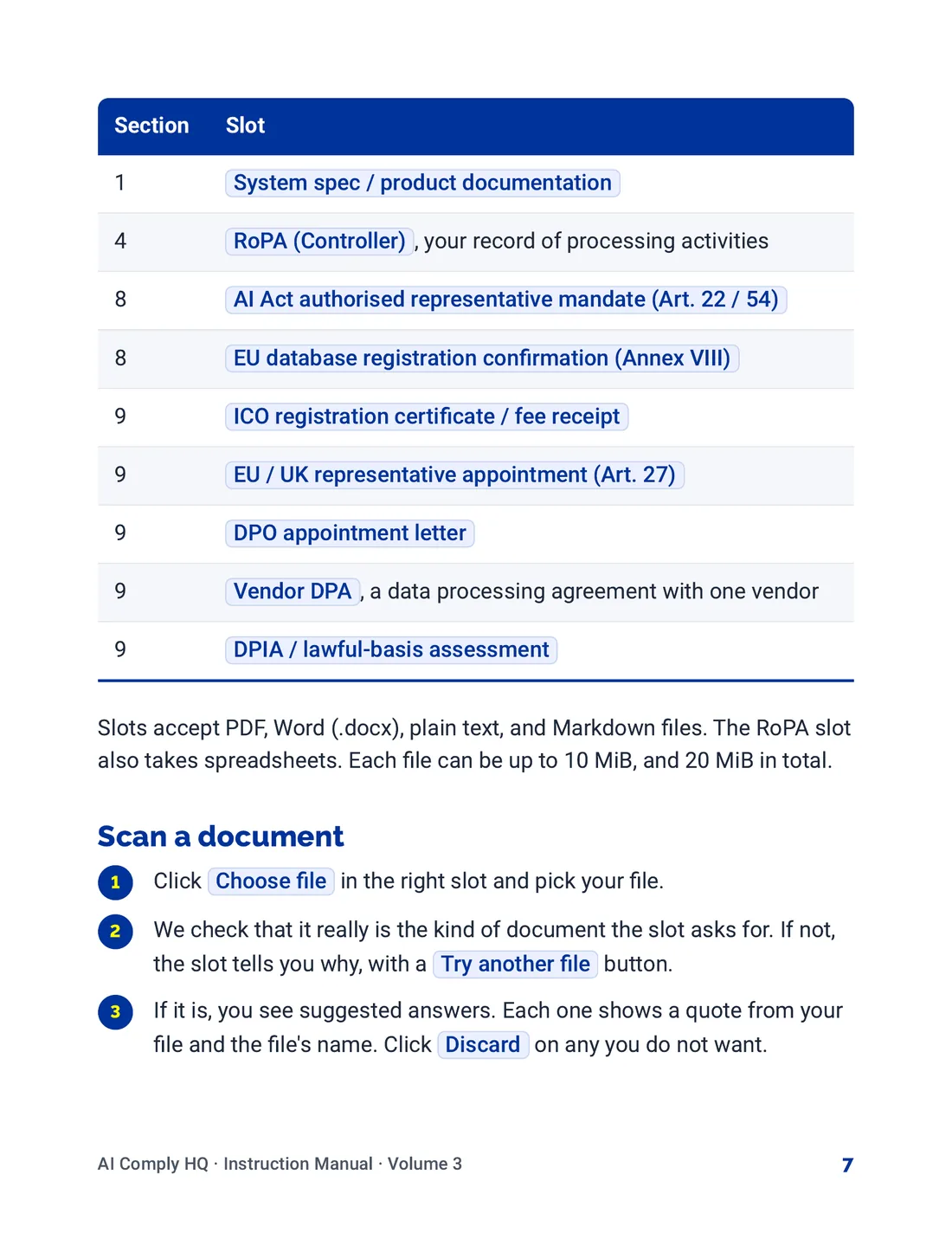
Instruction Manual, The Risk Interview, page 7
Instruction Manual, The Risk Interview, page 8
Instruction Manual, The Risk Interview, page 9
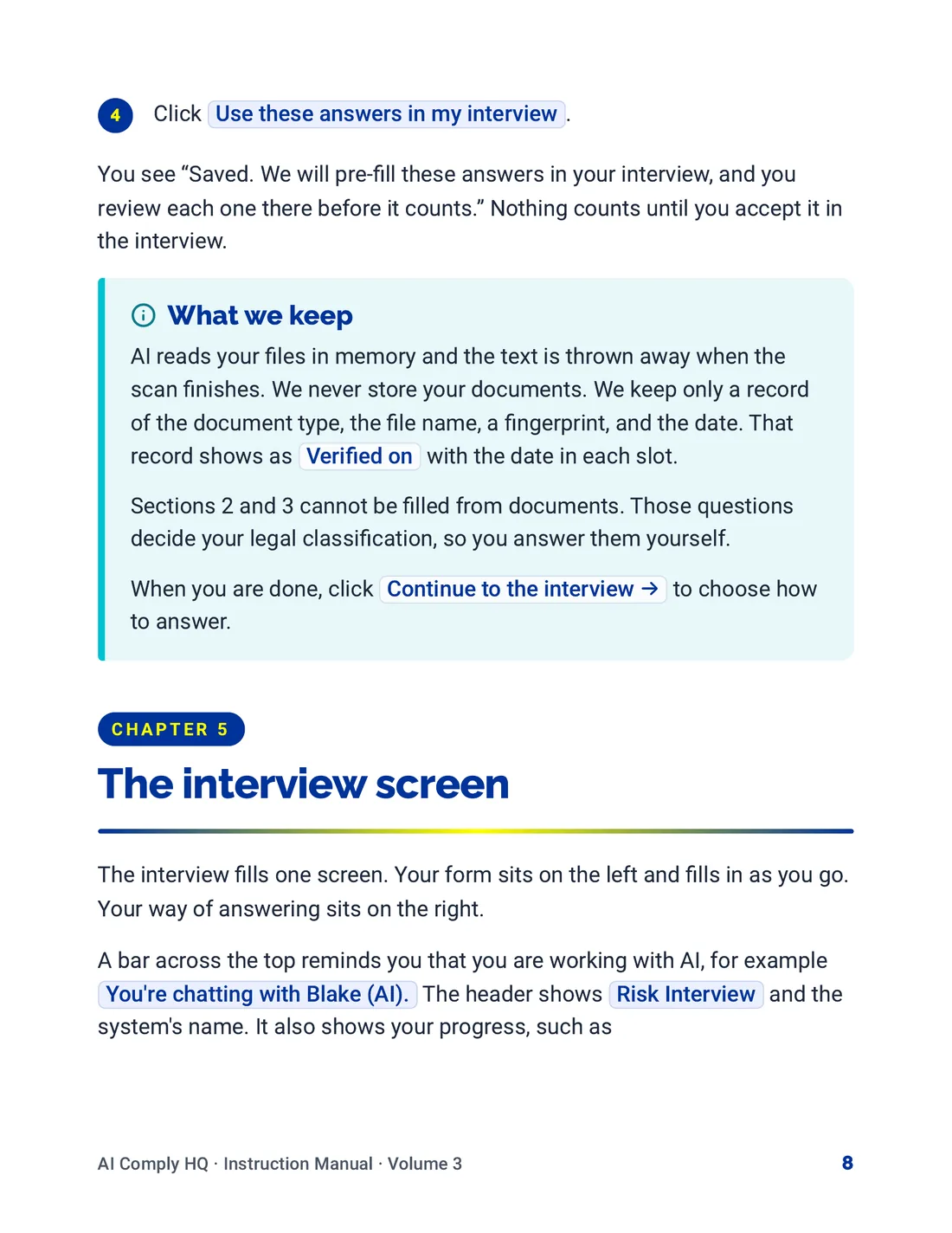
Instruction Manual, The Risk Interview, page 10
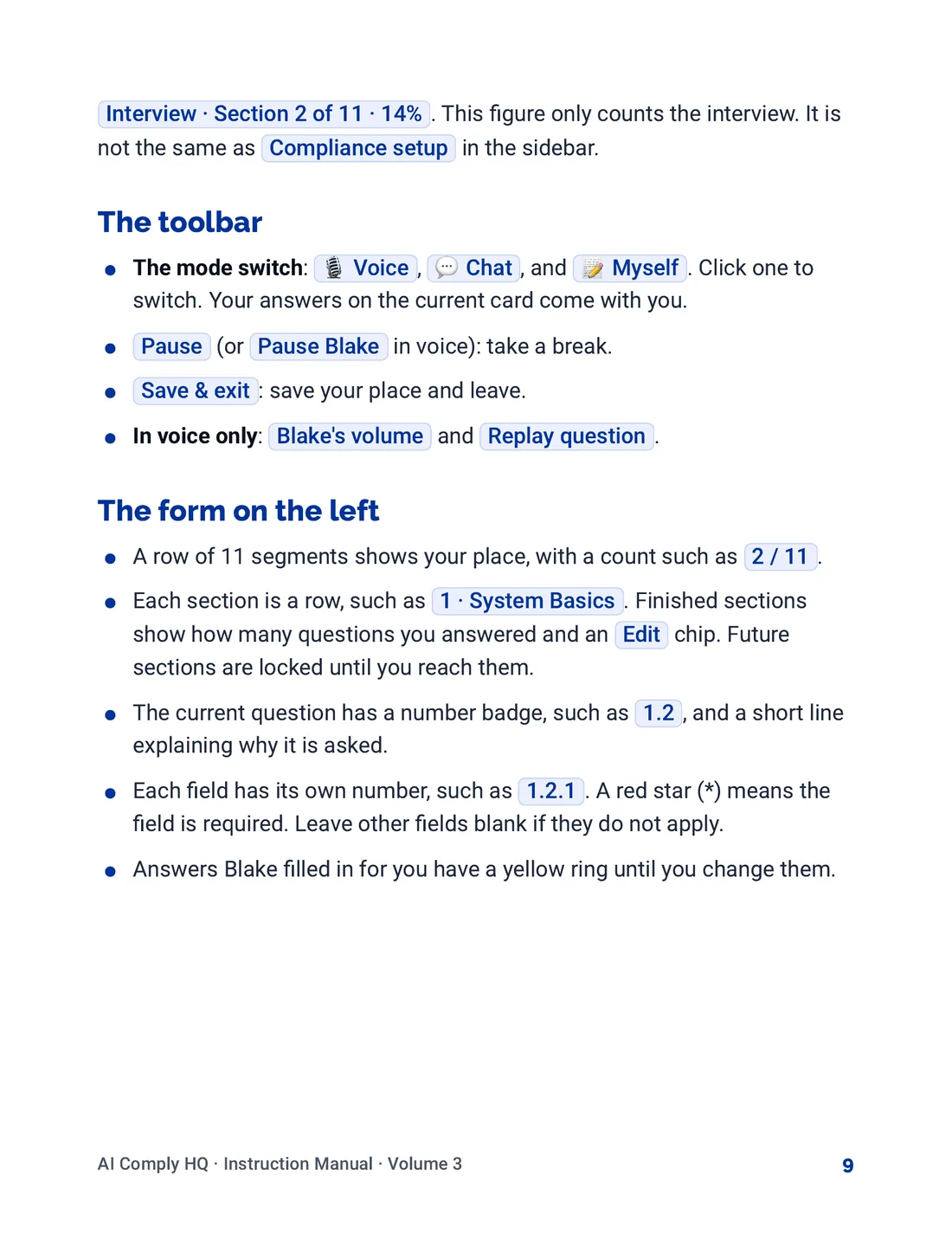
Instruction Manual, The Risk Interview, page 11
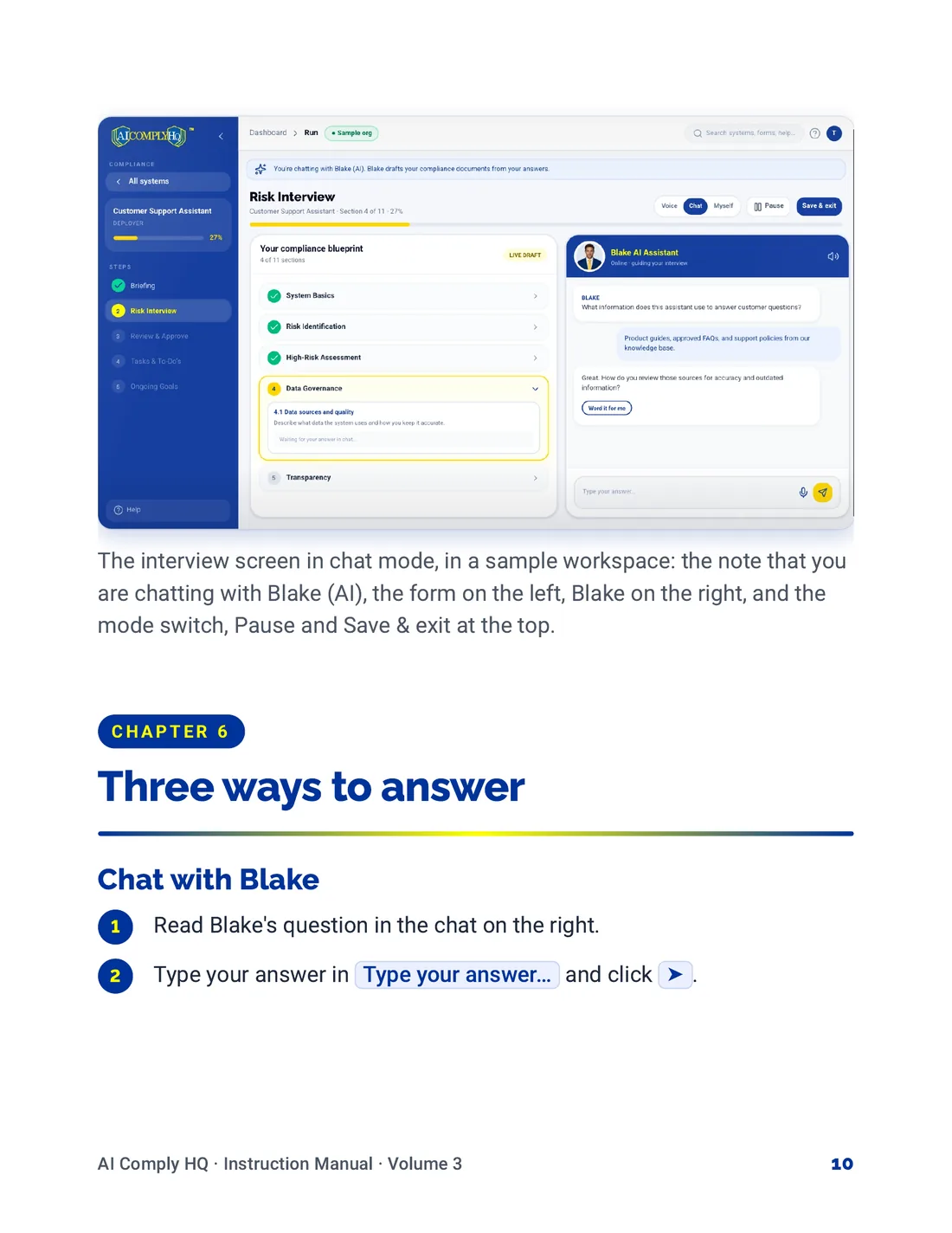
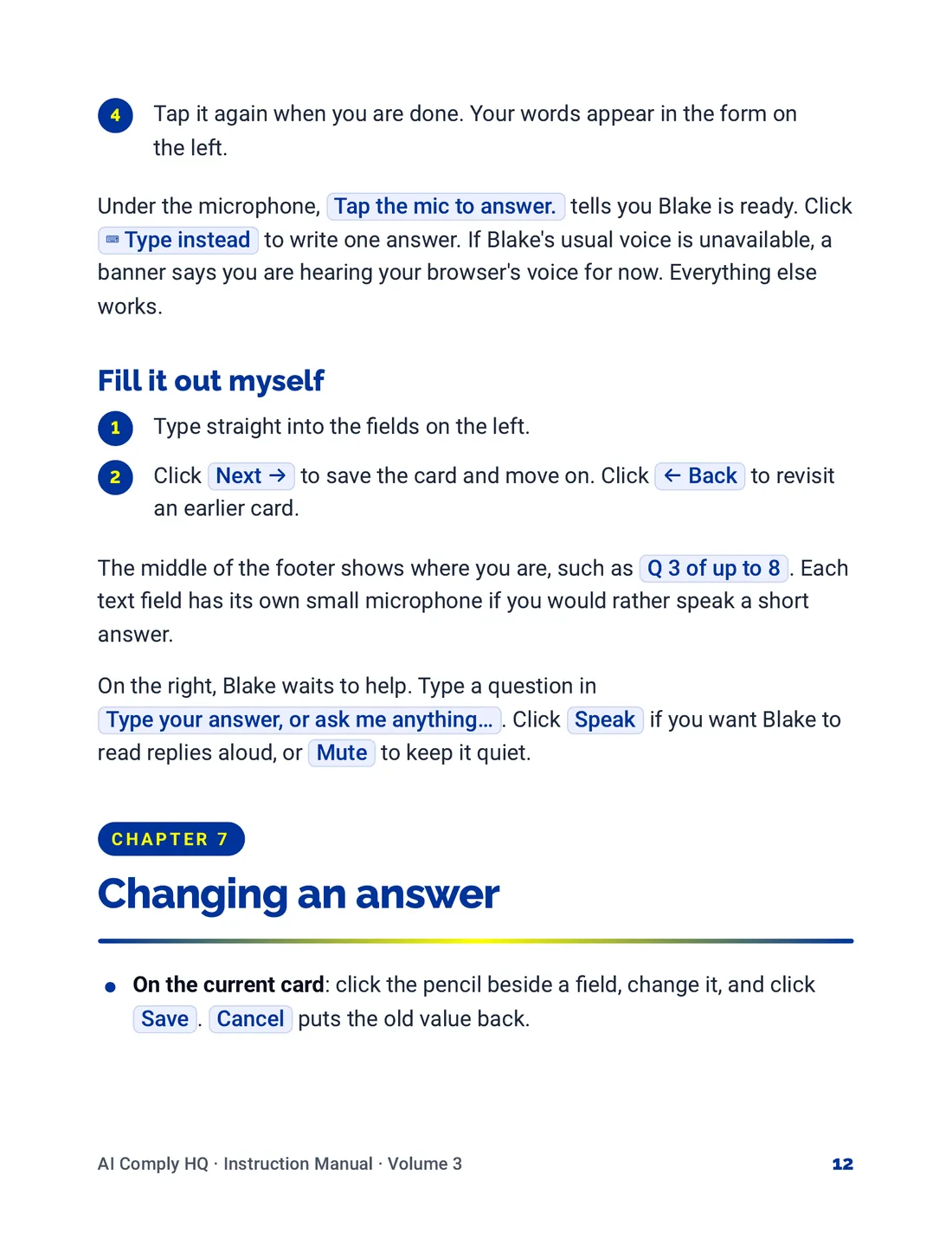
Instruction Manual, The Risk Interview, page 12
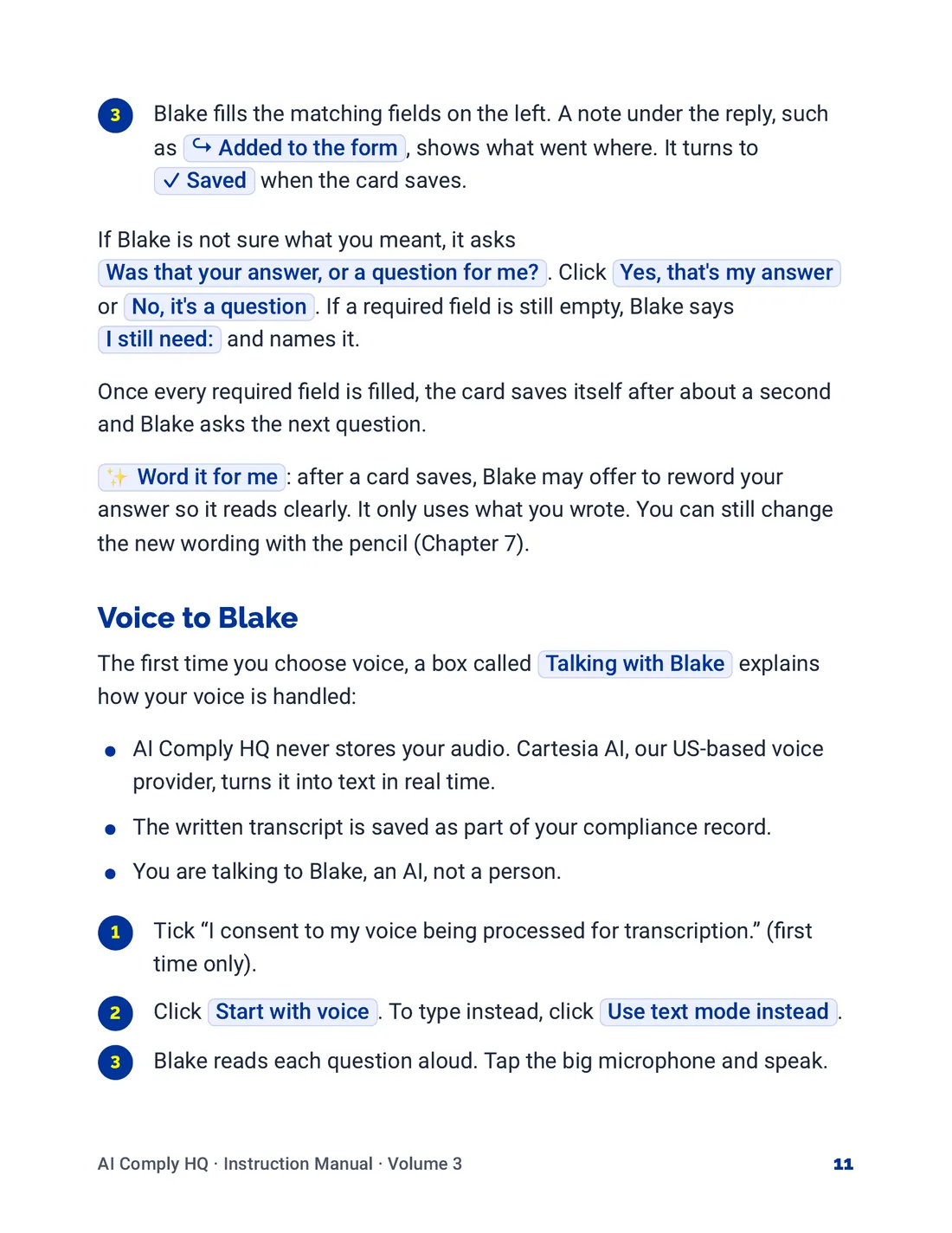
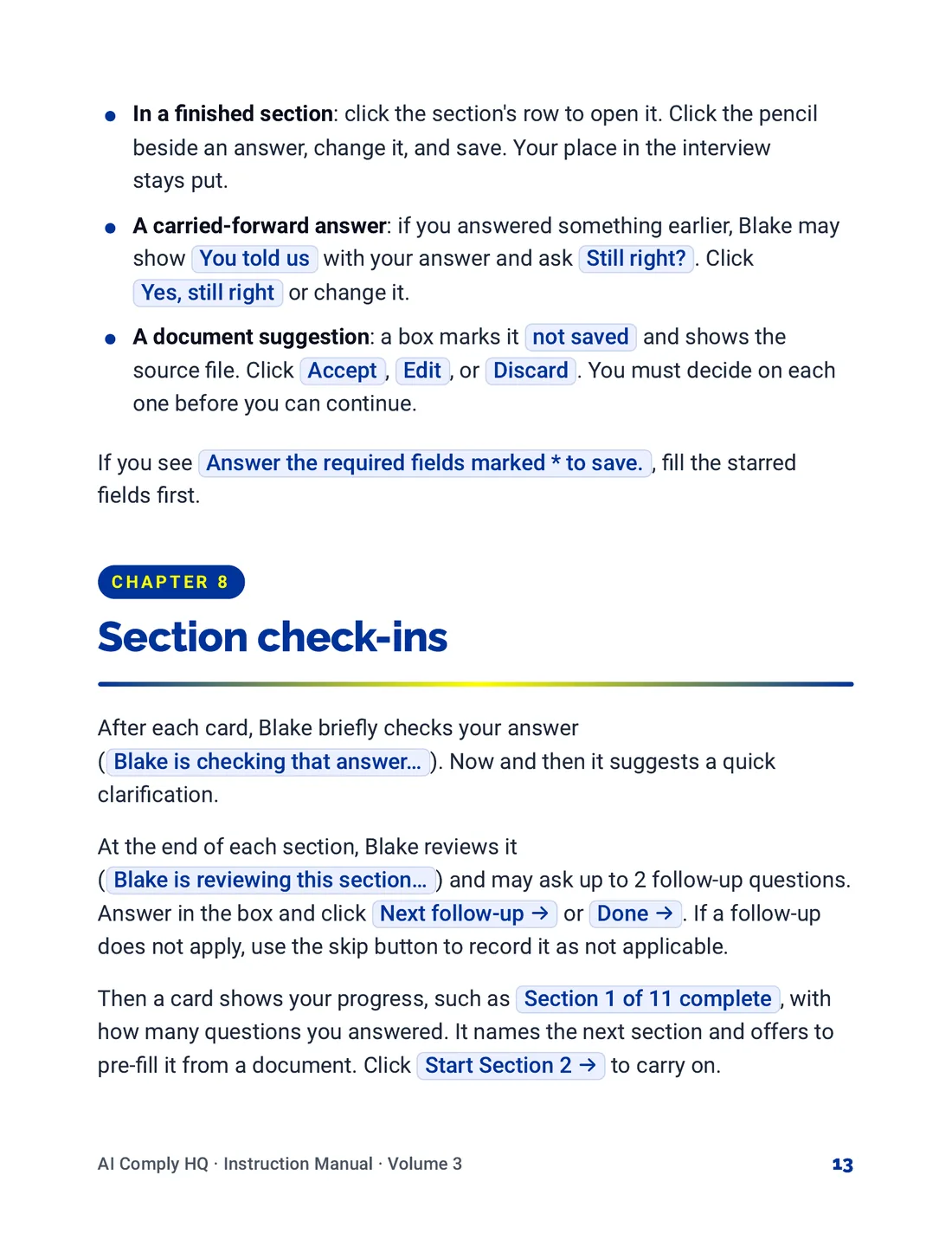
Instruction Manual, The Risk Interview, page 13
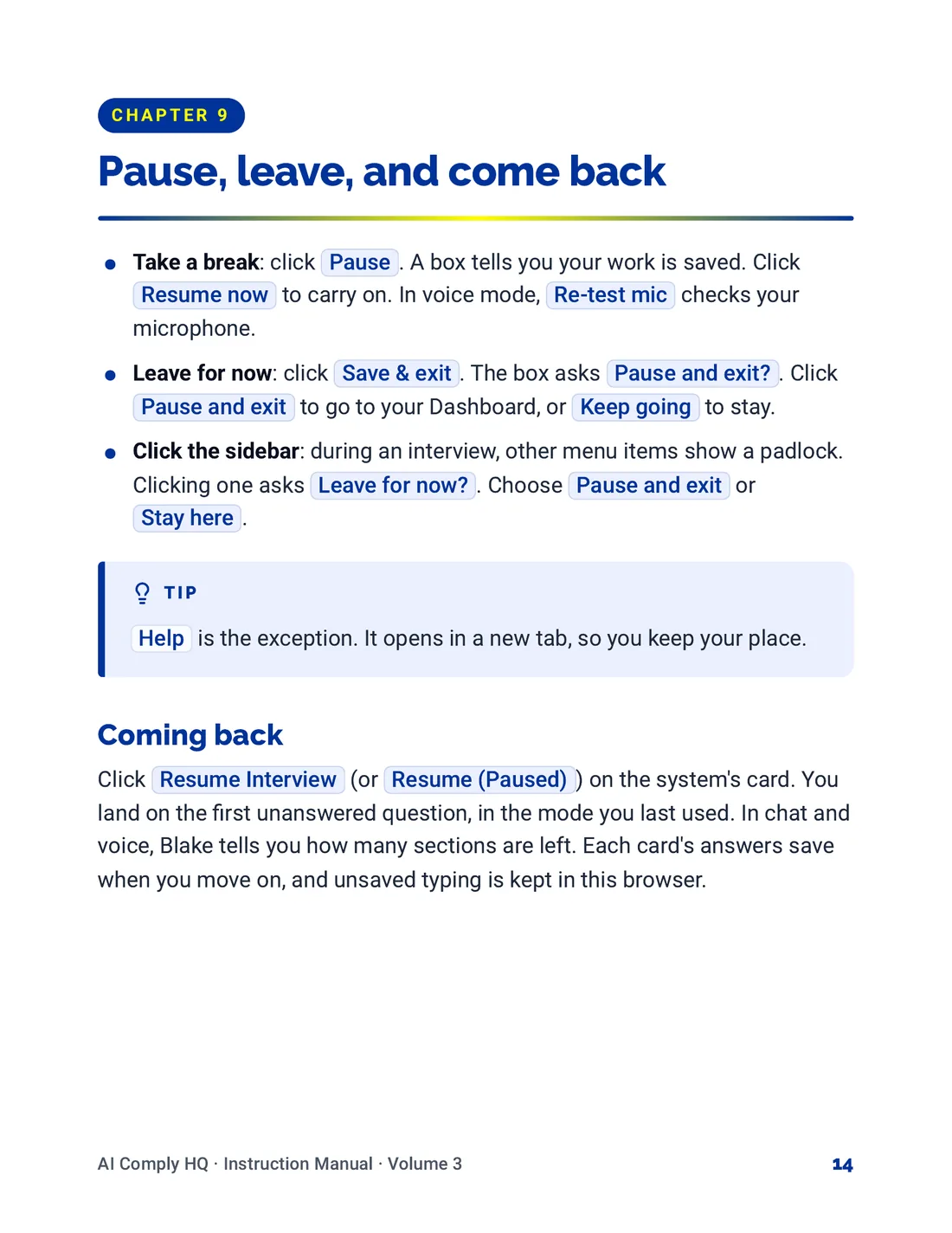
Instruction Manual, The Risk Interview, page 14
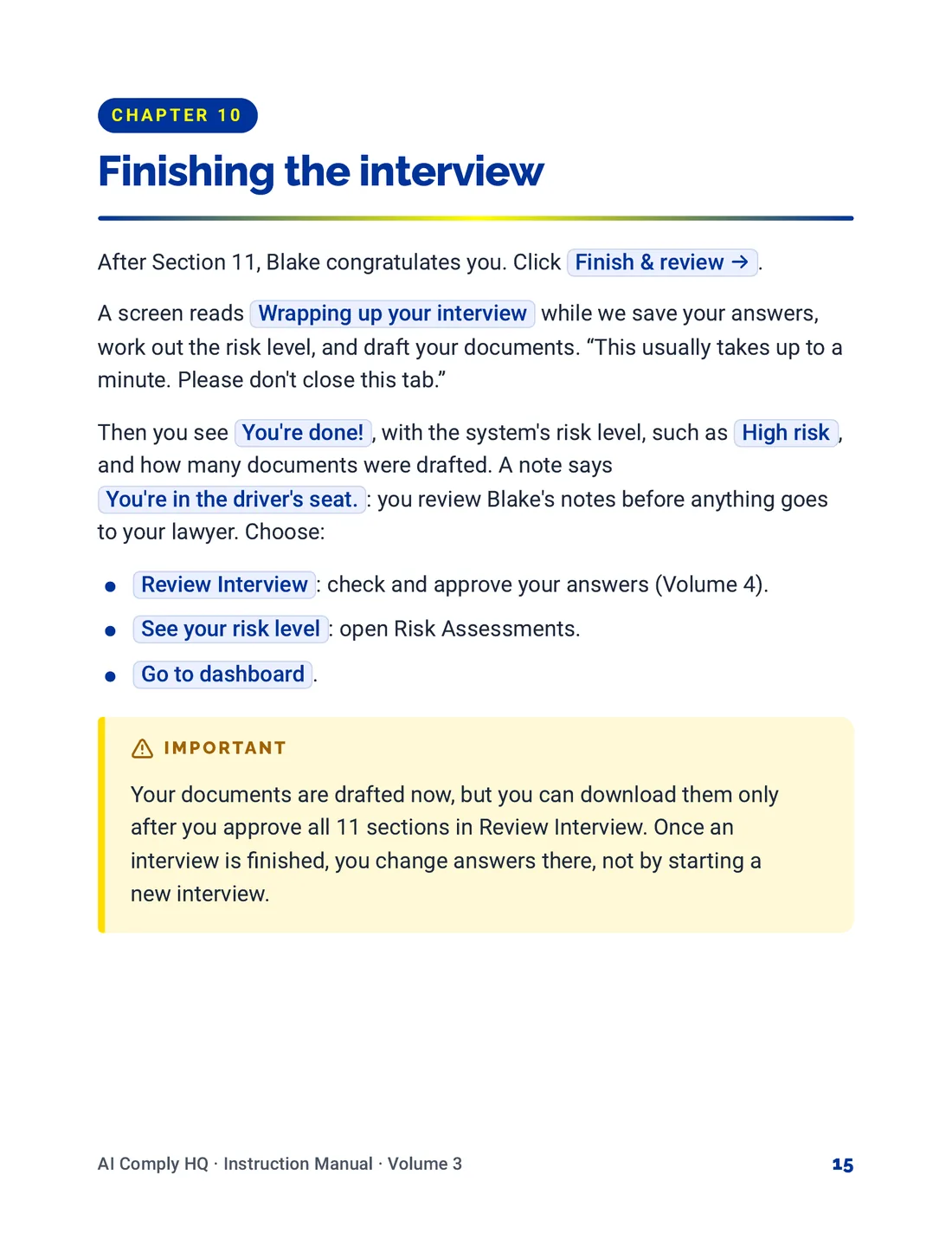
Instruction Manual, The Risk Interview, page 15
Instruction Manual, The Risk Interview, page 16
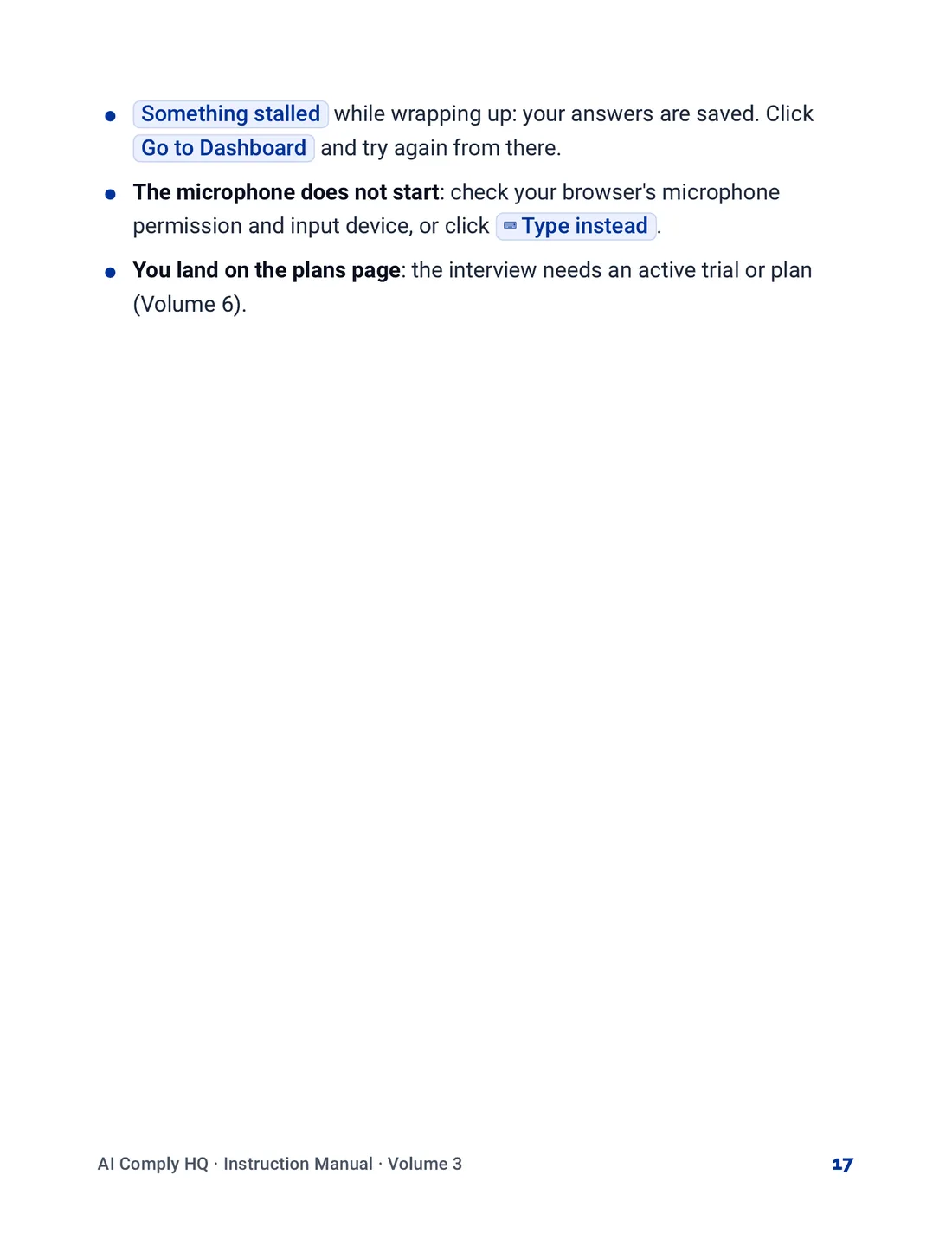
Instruction Manual, The Risk Interview, page 17
Volume 4: Review, Risk Levels and To-Do's
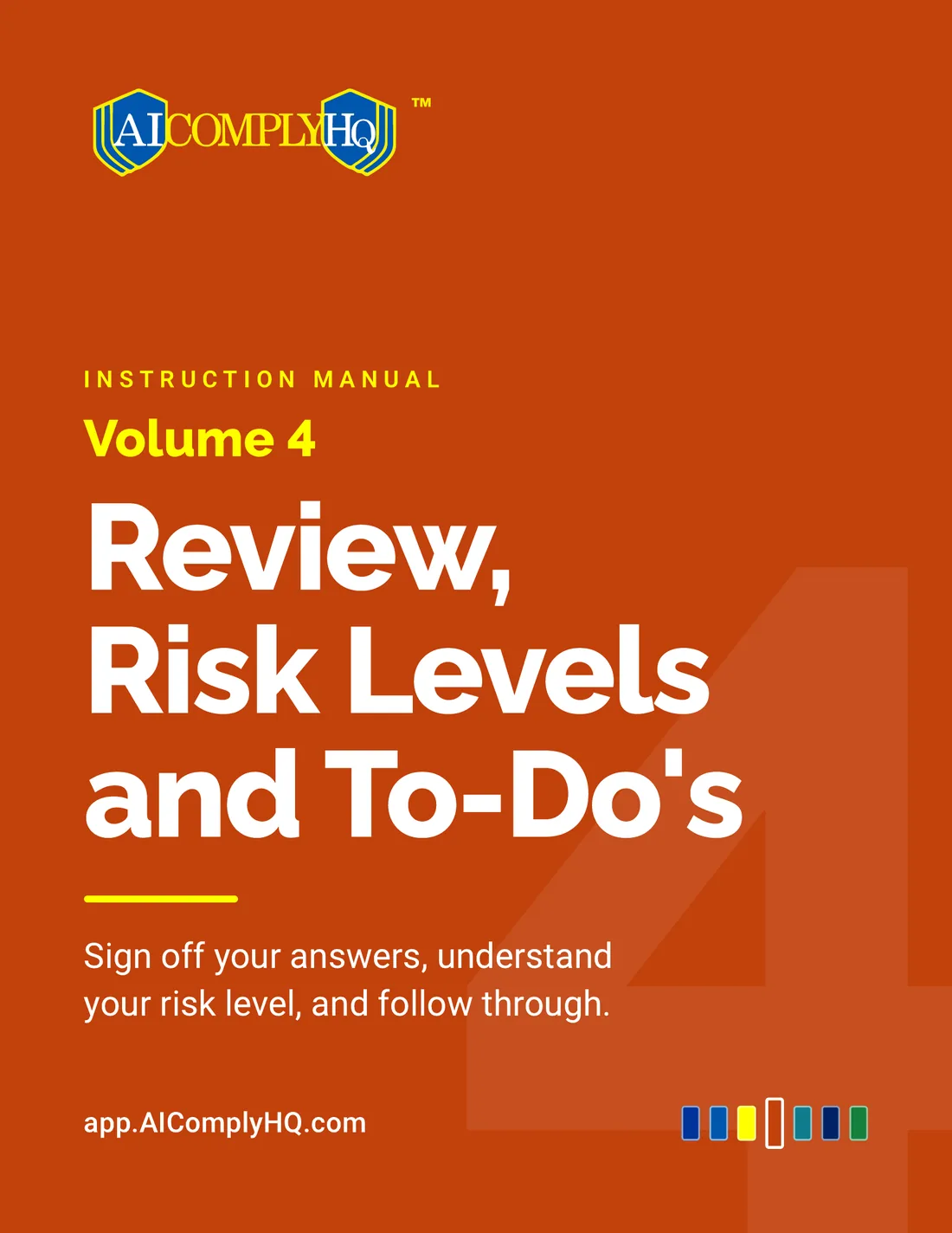
Instruction Manual, Review, Risk Levels and To-Do's, cover
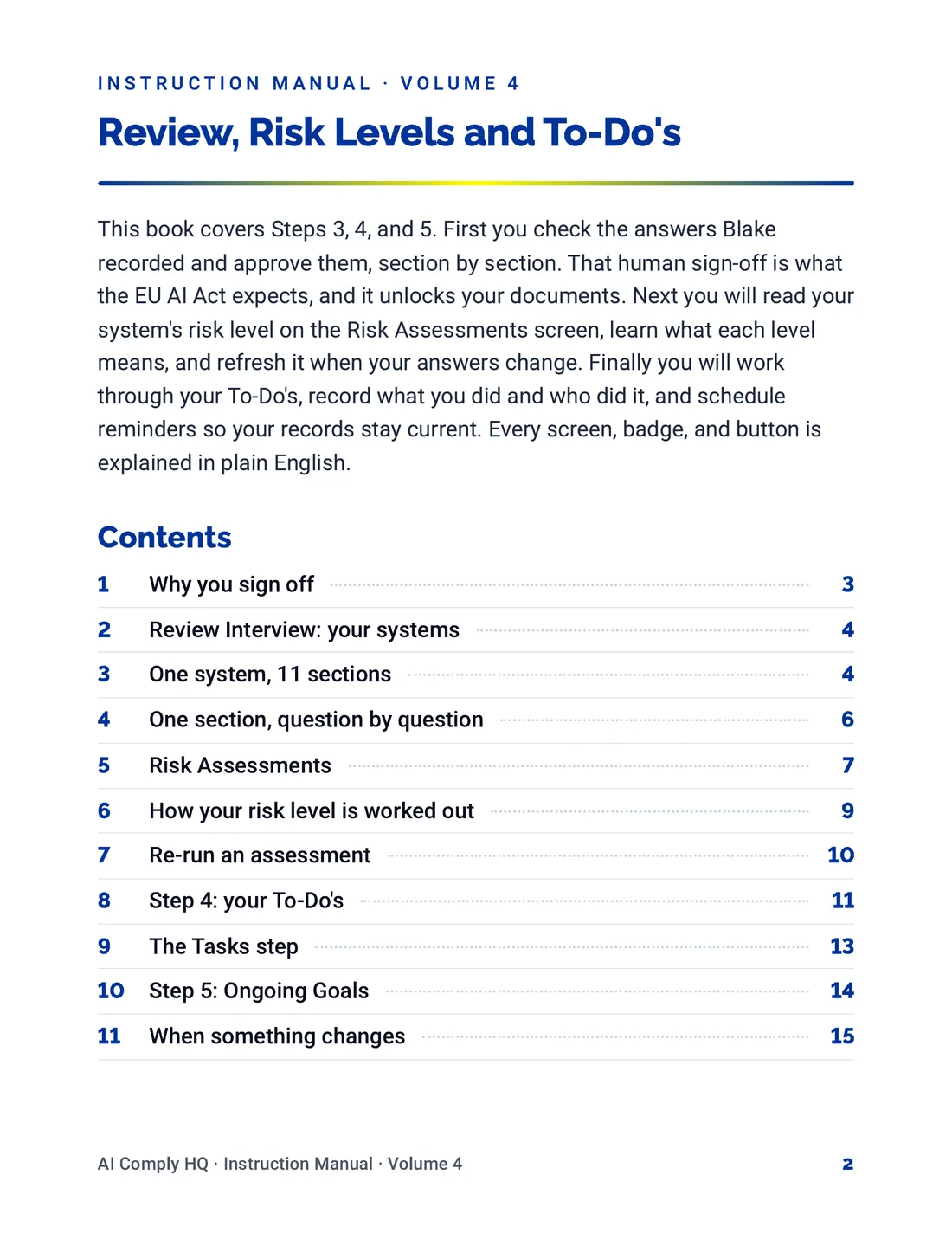
Instruction Manual, Review, Risk Levels and To-Do's, page 2
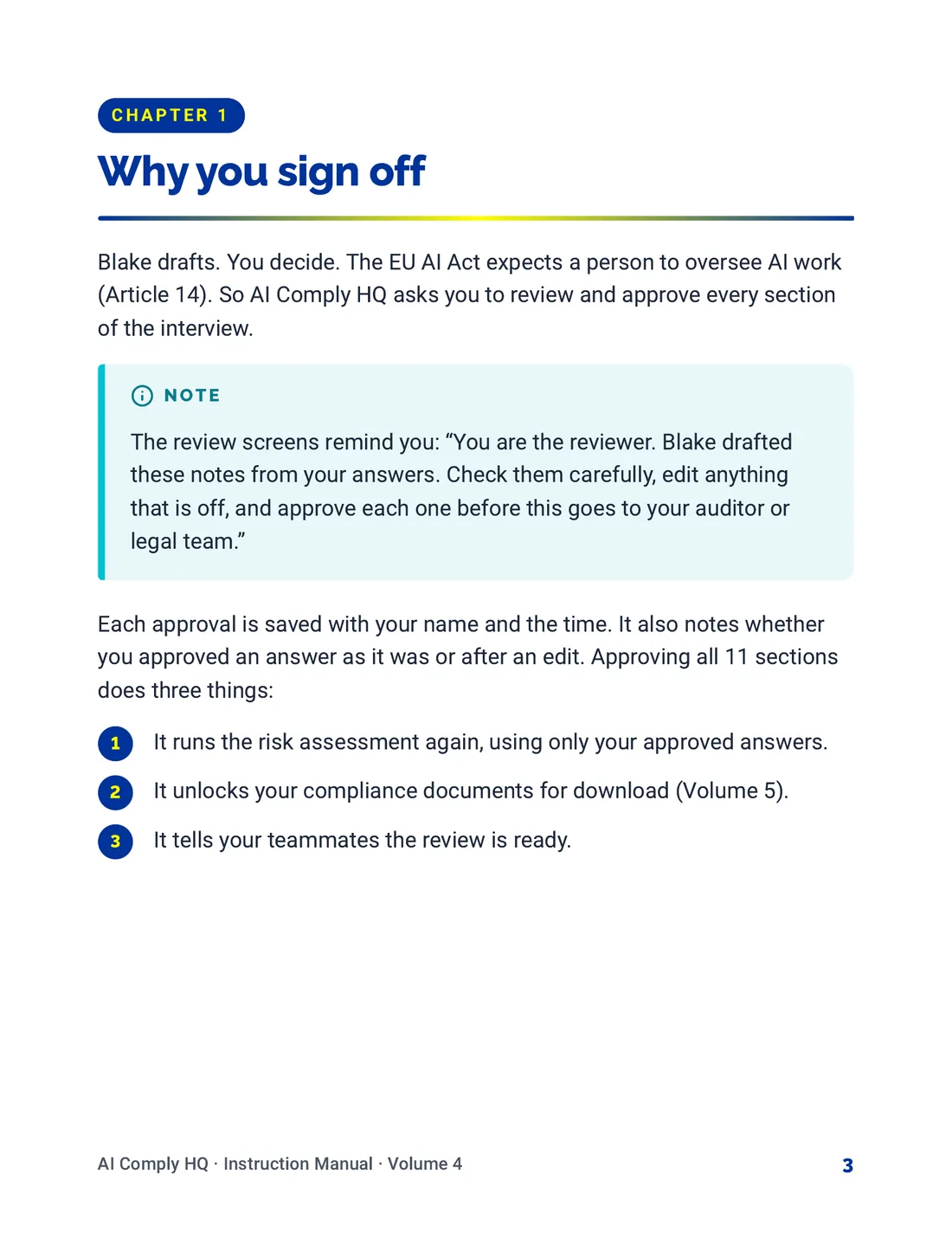
Instruction Manual, Review, Risk Levels and To-Do's, page 3
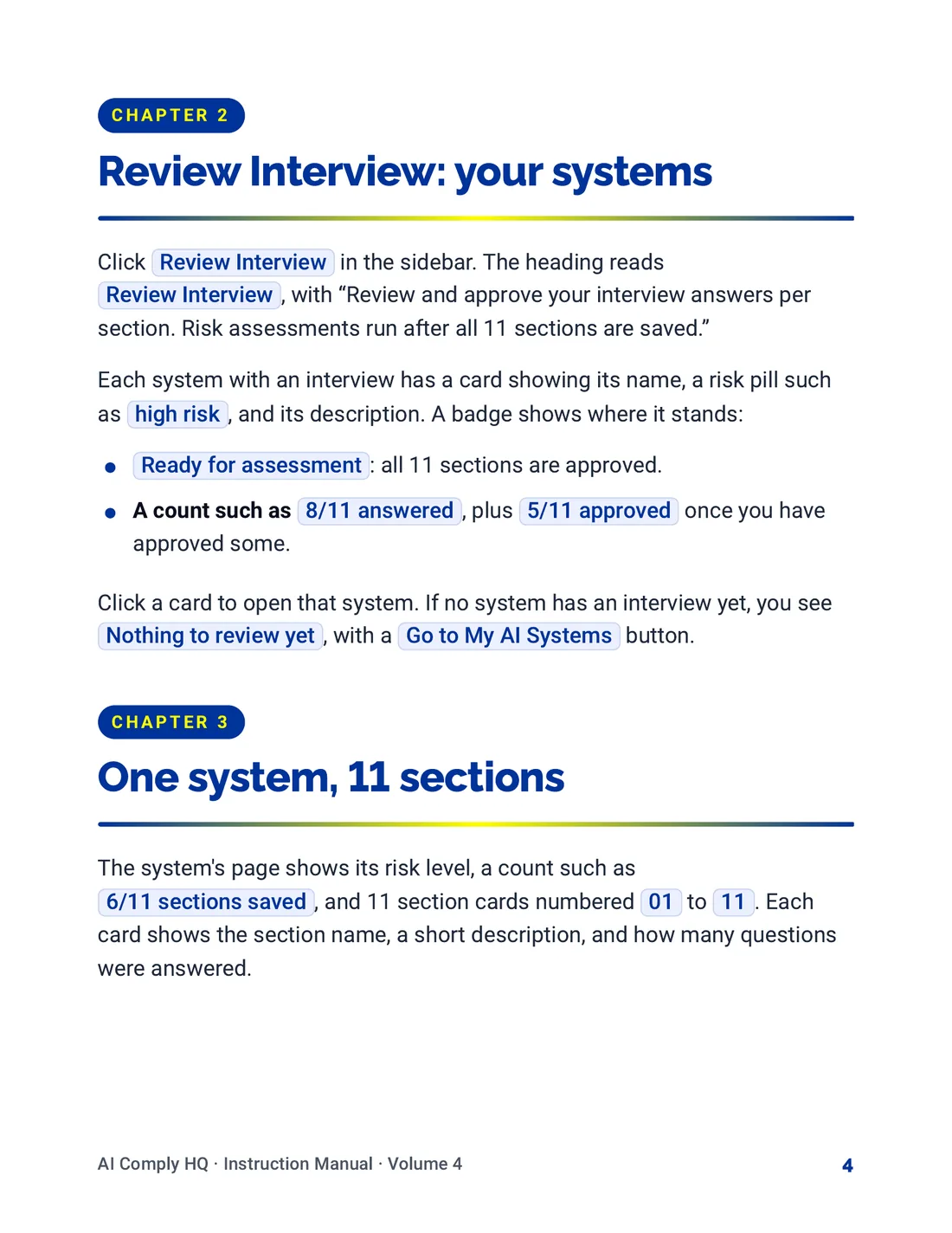
Instruction Manual, Review, Risk Levels and To-Do's, page 4
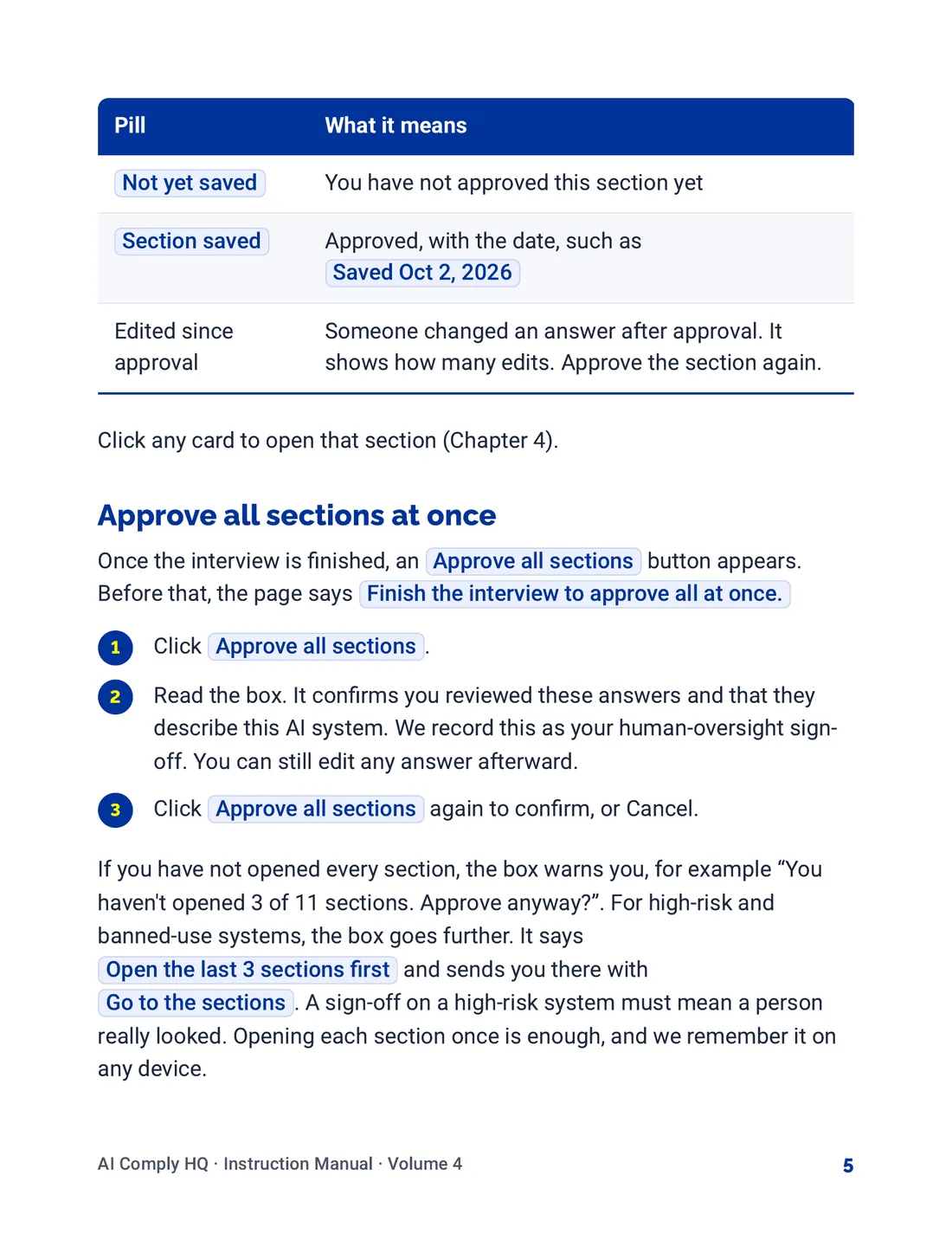
Instruction Manual, Review, Risk Levels and To-Do's, page 5
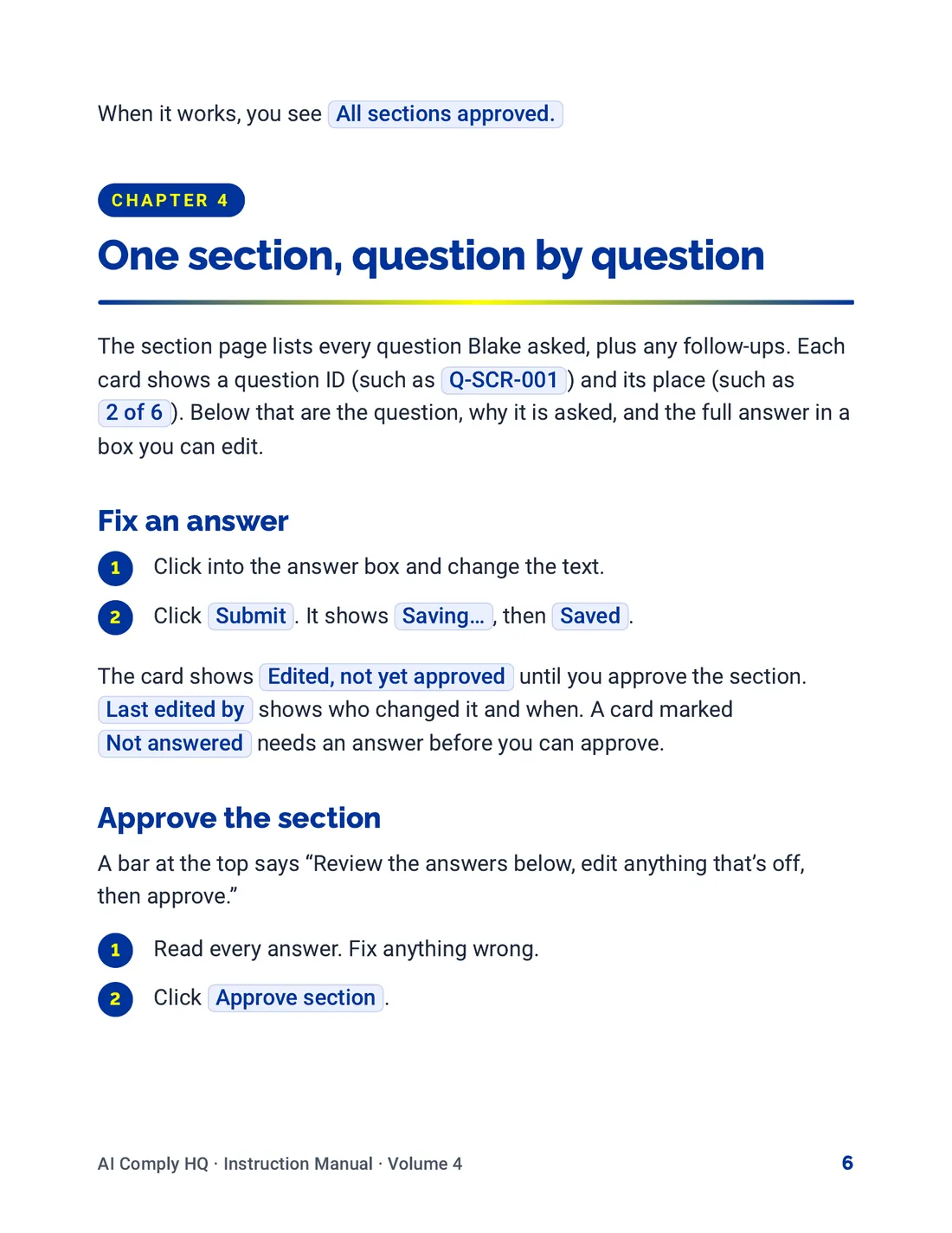
Instruction Manual, Review, Risk Levels and To-Do's, page 6
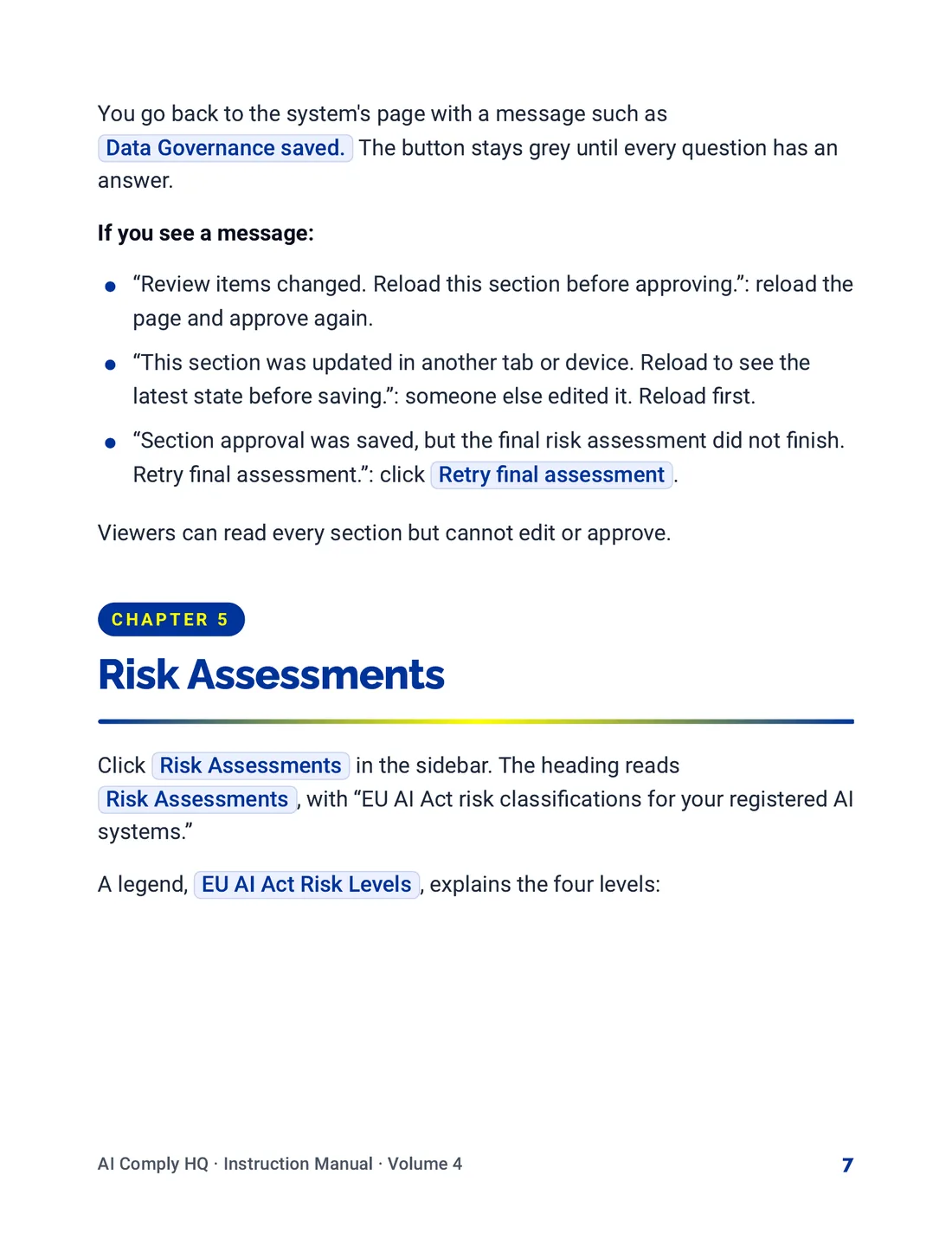
Instruction Manual, Review, Risk Levels and To-Do's, page 7
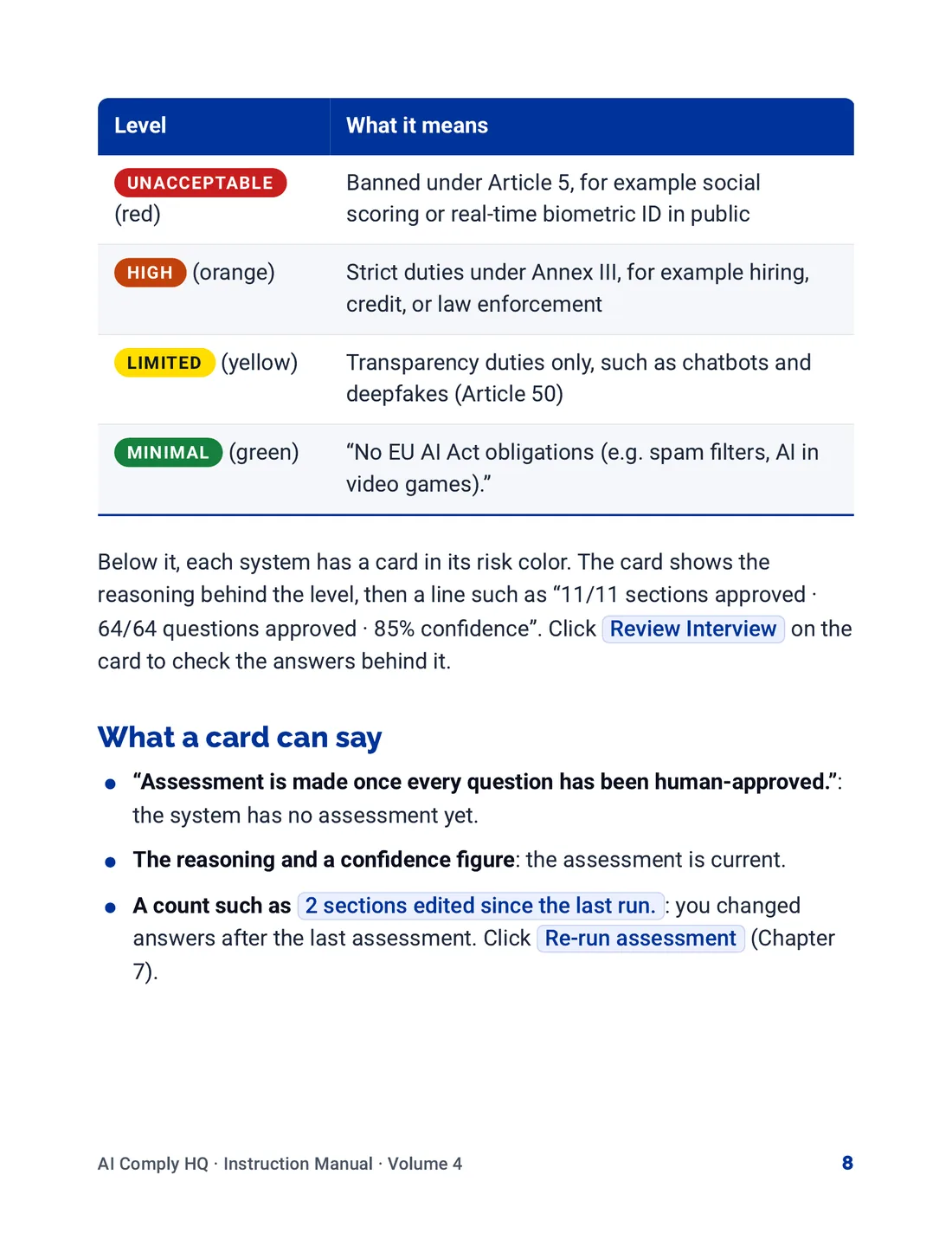
Instruction Manual, Review, Risk Levels and To-Do's, page 8
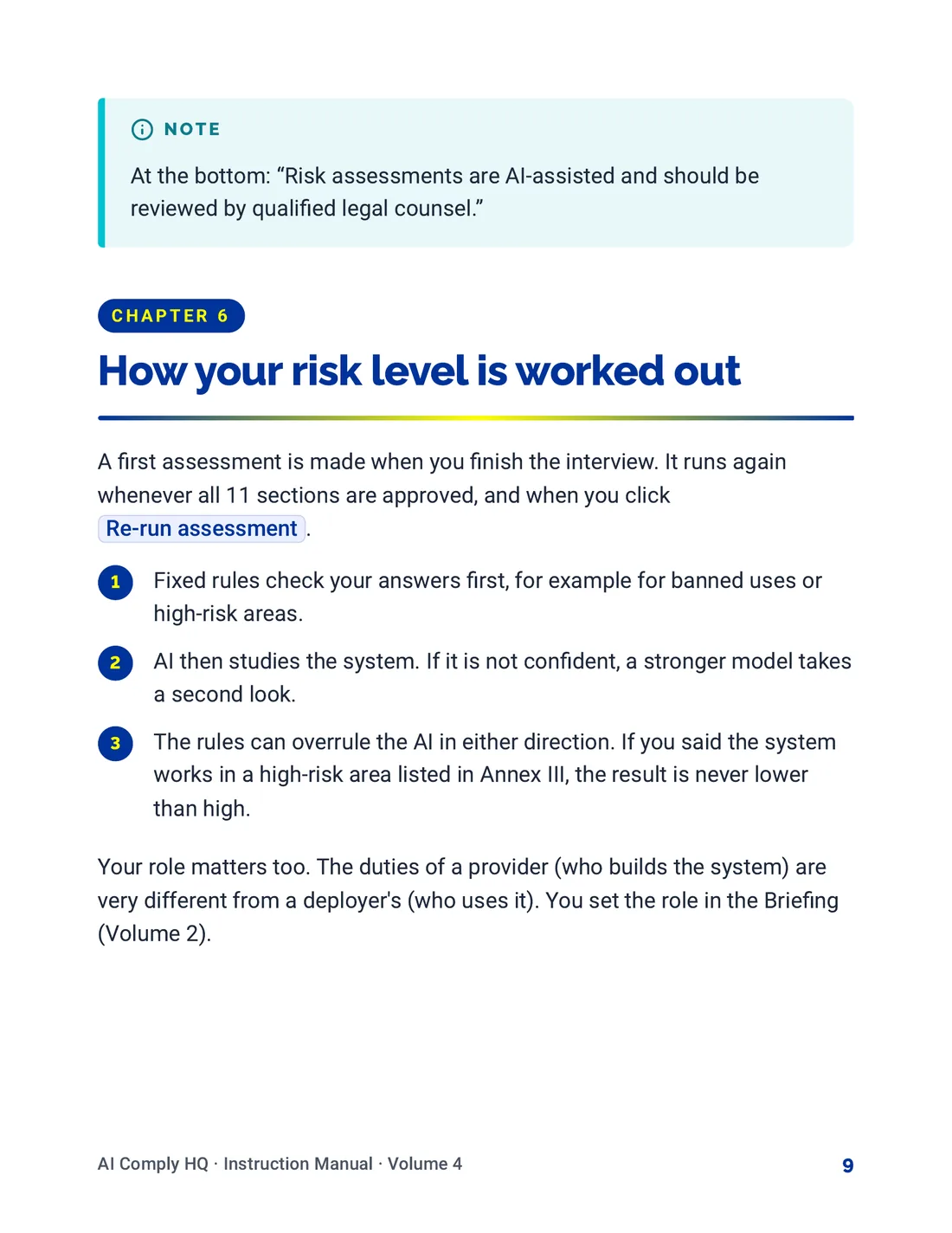
Instruction Manual, Review, Risk Levels and To-Do's, page 9
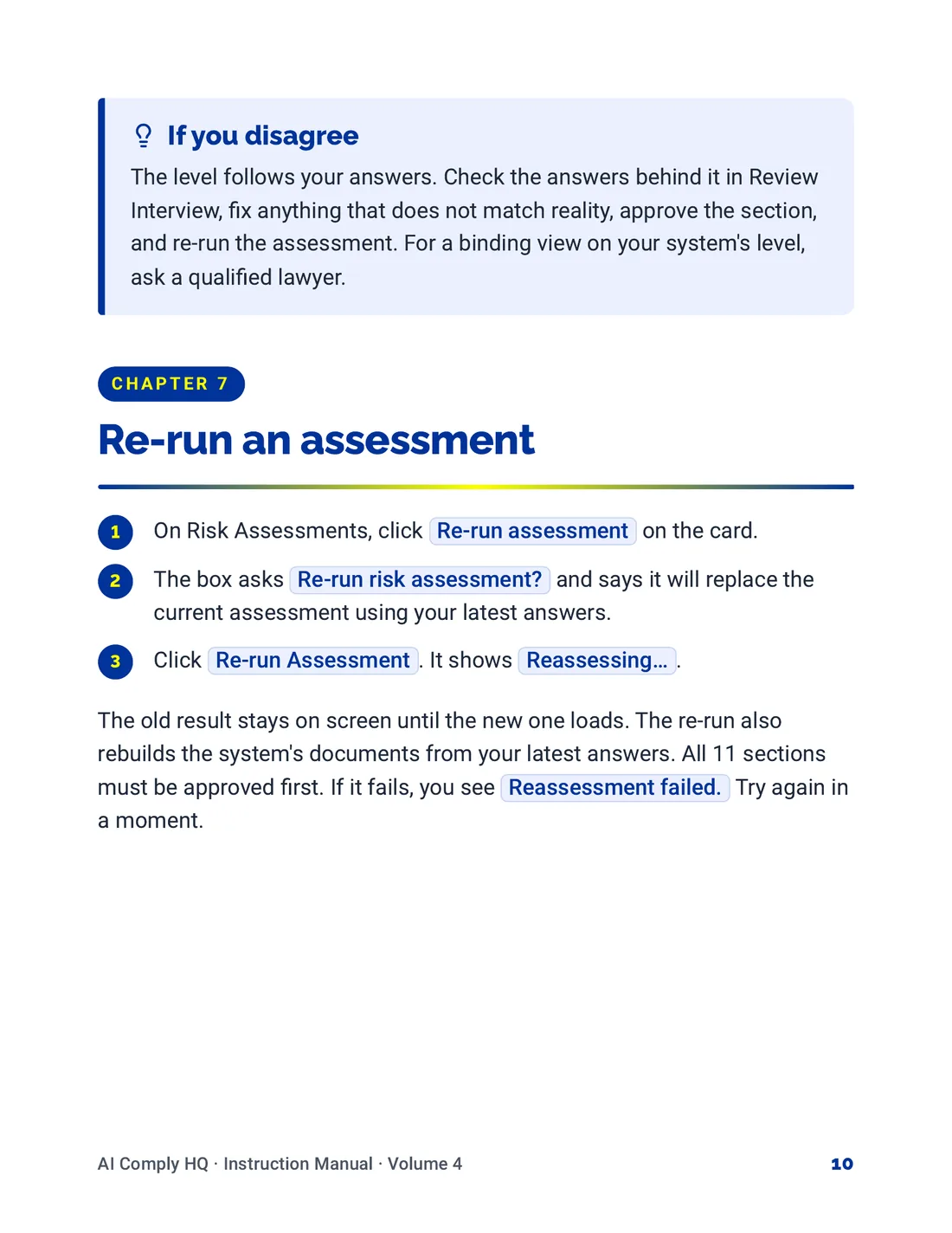
Instruction Manual, Review, Risk Levels and To-Do's, page 10
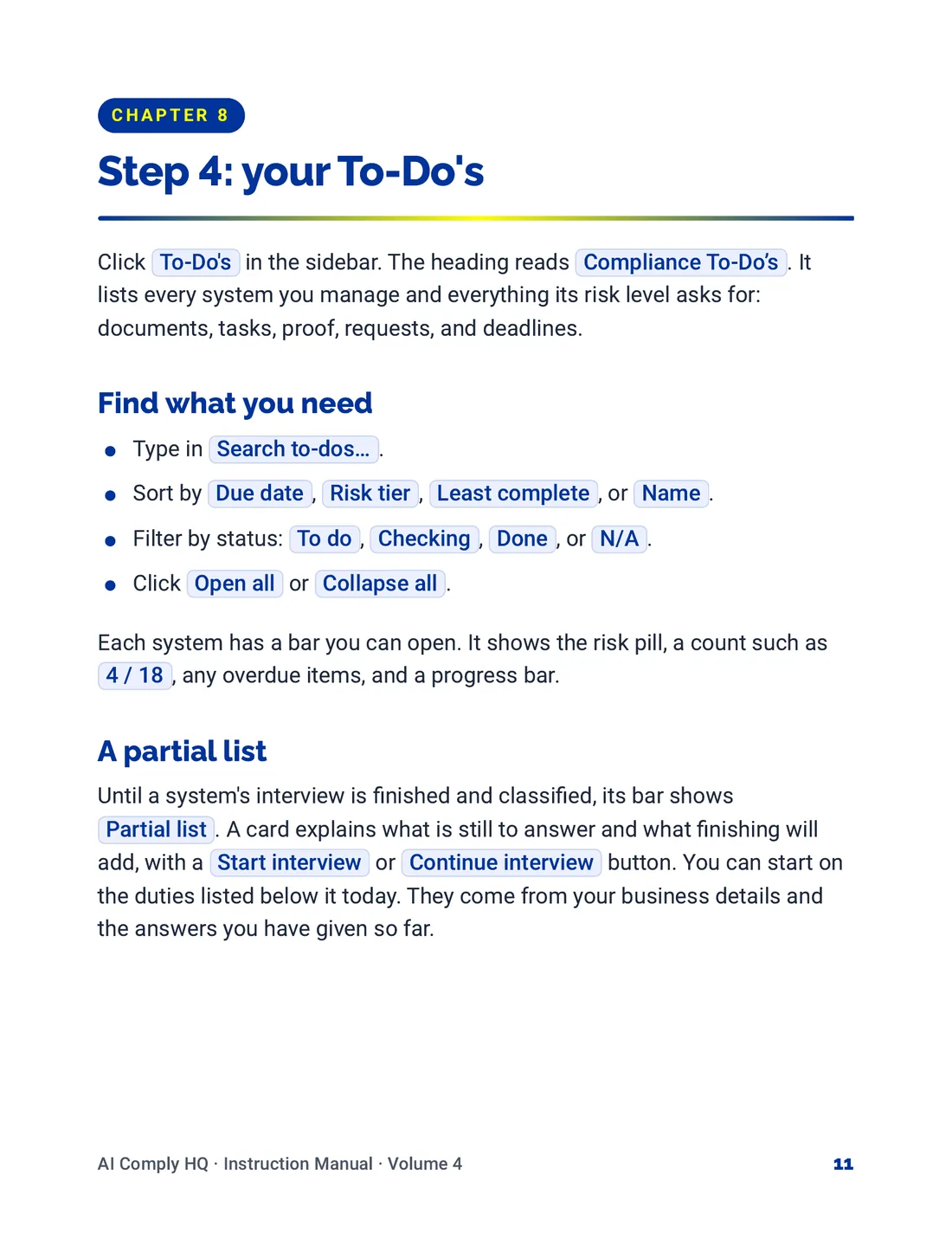
Instruction Manual, Review, Risk Levels and To-Do's, page 11
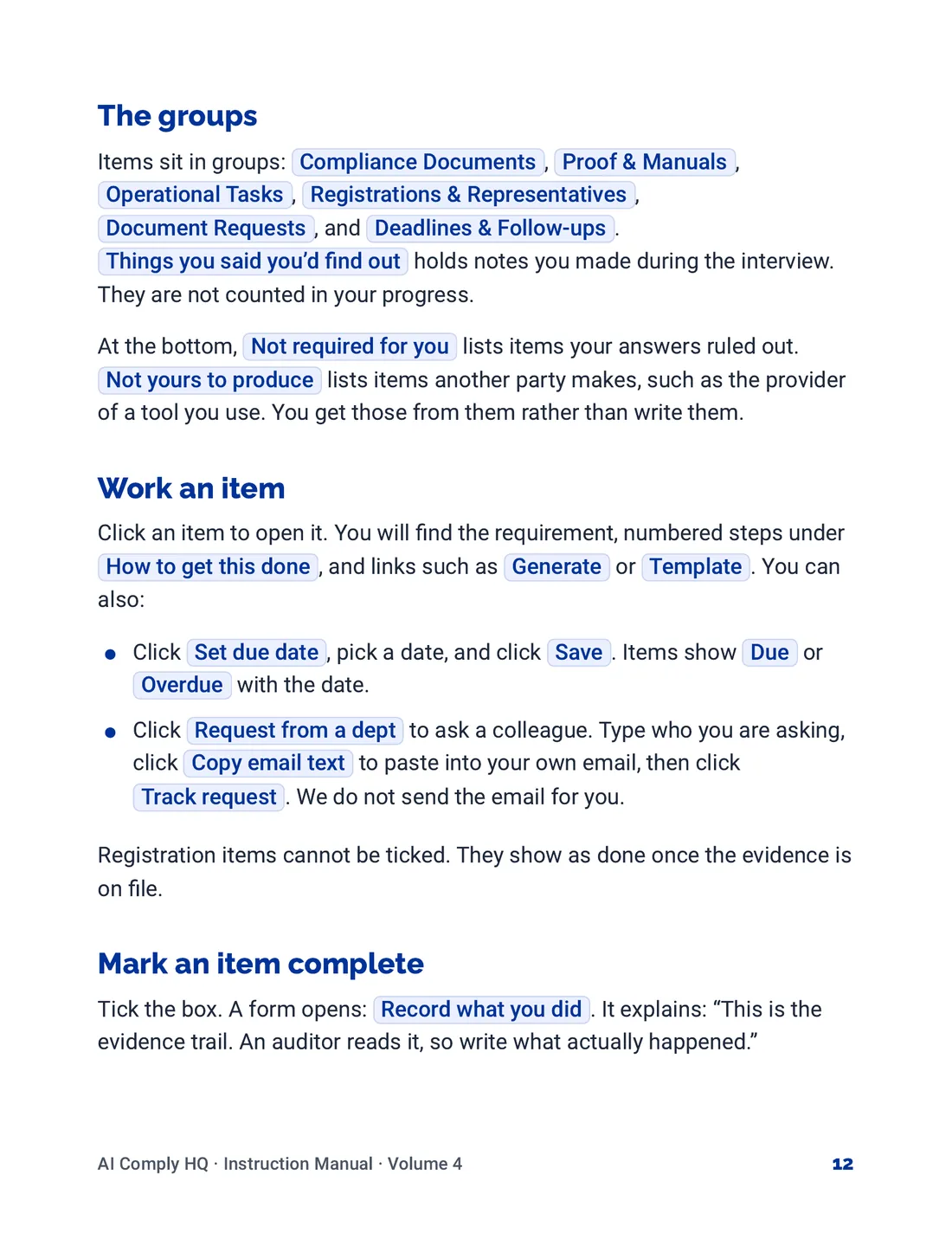
Instruction Manual, Review, Risk Levels and To-Do's, page 12
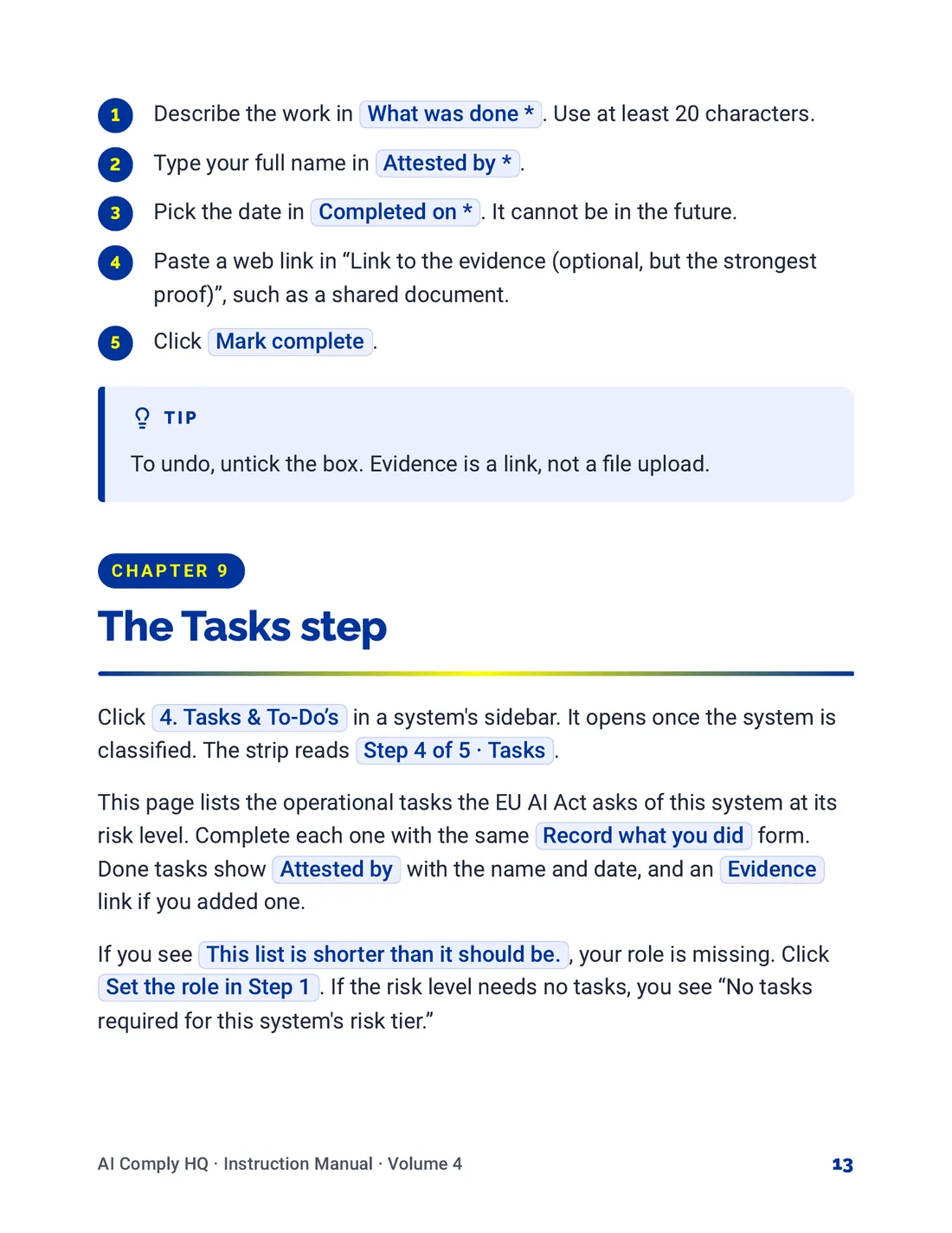
Instruction Manual, Review, Risk Levels and To-Do's, page 13
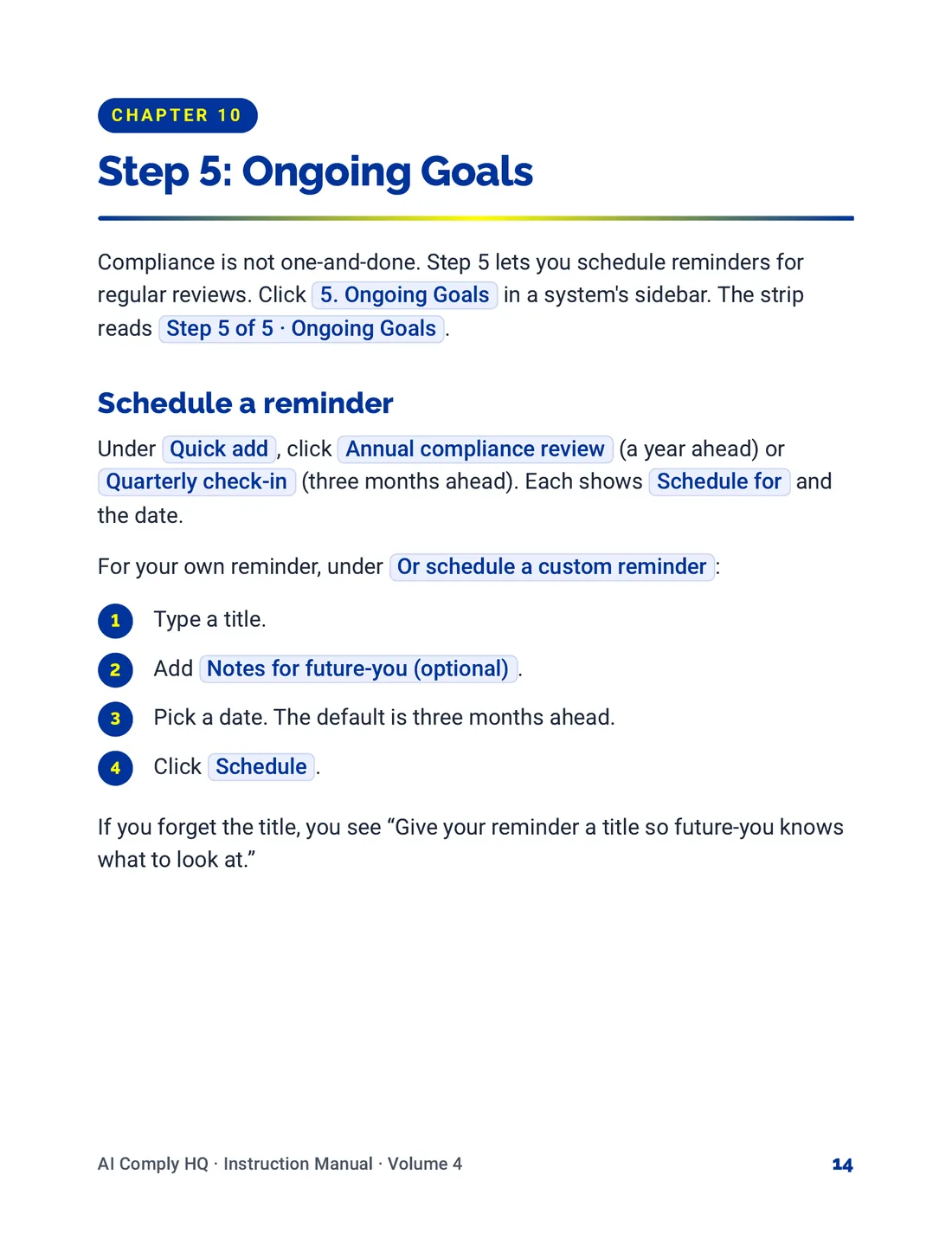
Instruction Manual, Review, Risk Levels and To-Do's, page 14
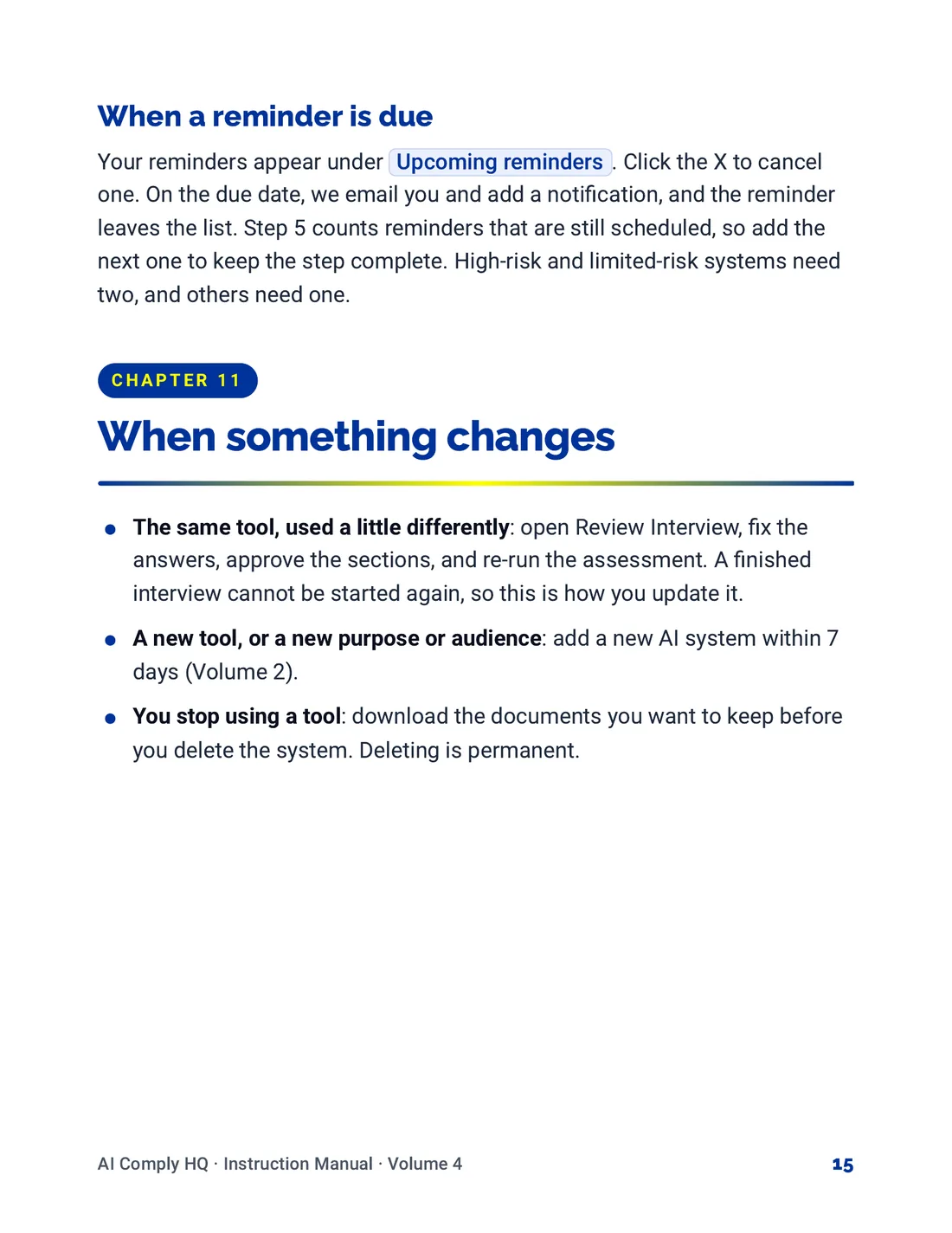
Instruction Manual, Review, Risk Levels and To-Do's, page 15
Volume 5: Documents, Snapshots and Reports
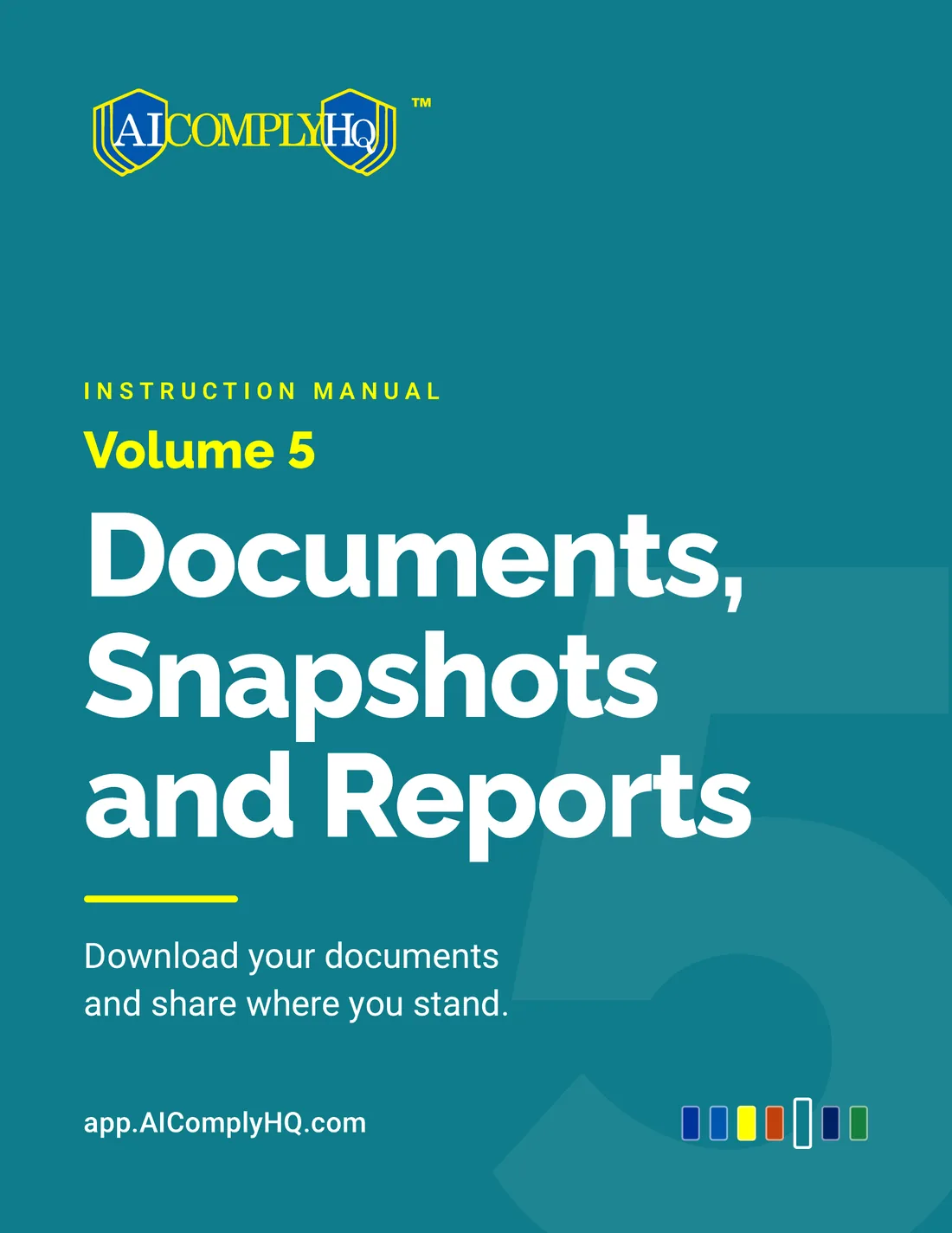
Instruction Manual, Documents, Snapshots and Reports, cover
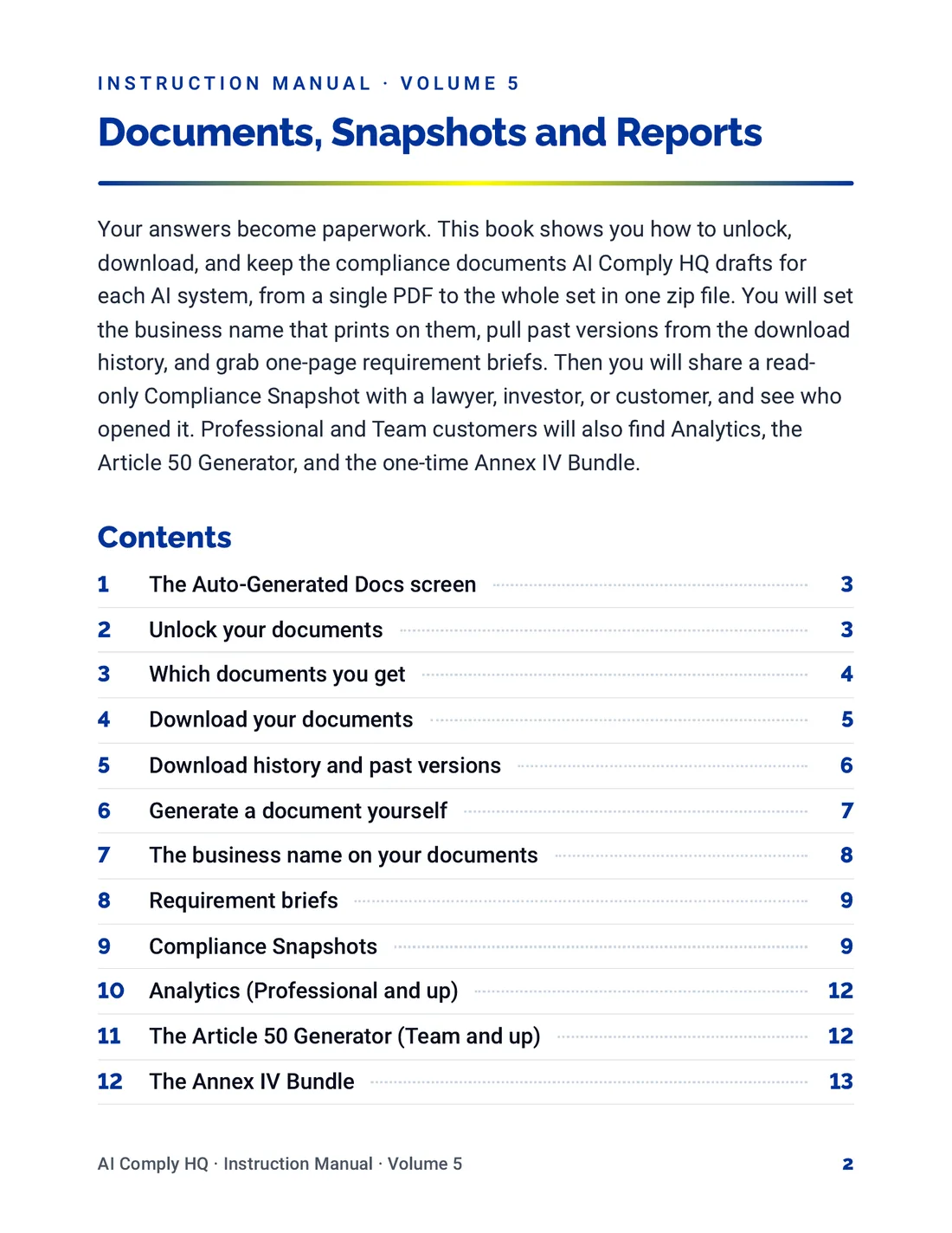
Instruction Manual, Documents, Snapshots and Reports, page 2
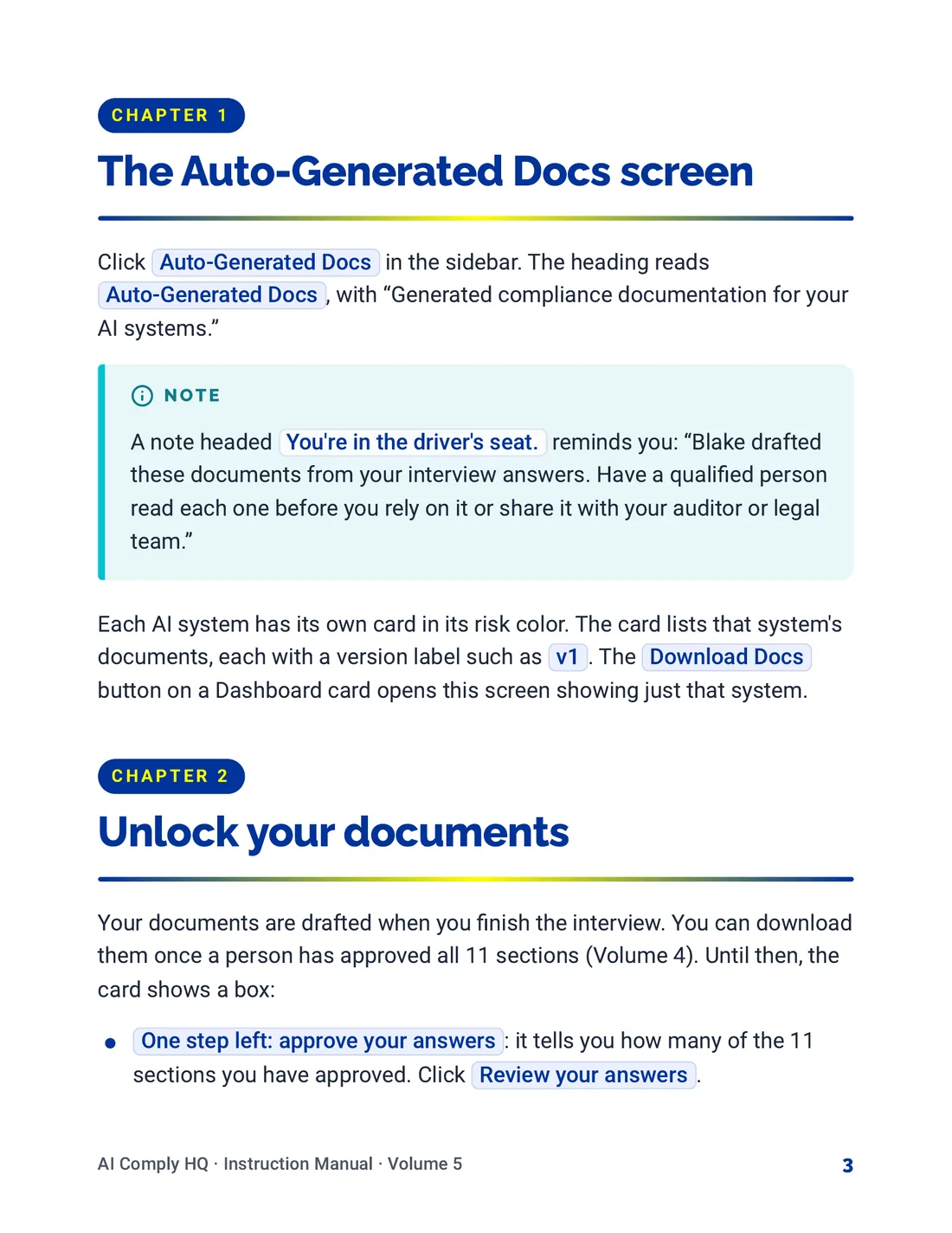
Instruction Manual, Documents, Snapshots and Reports, page 3
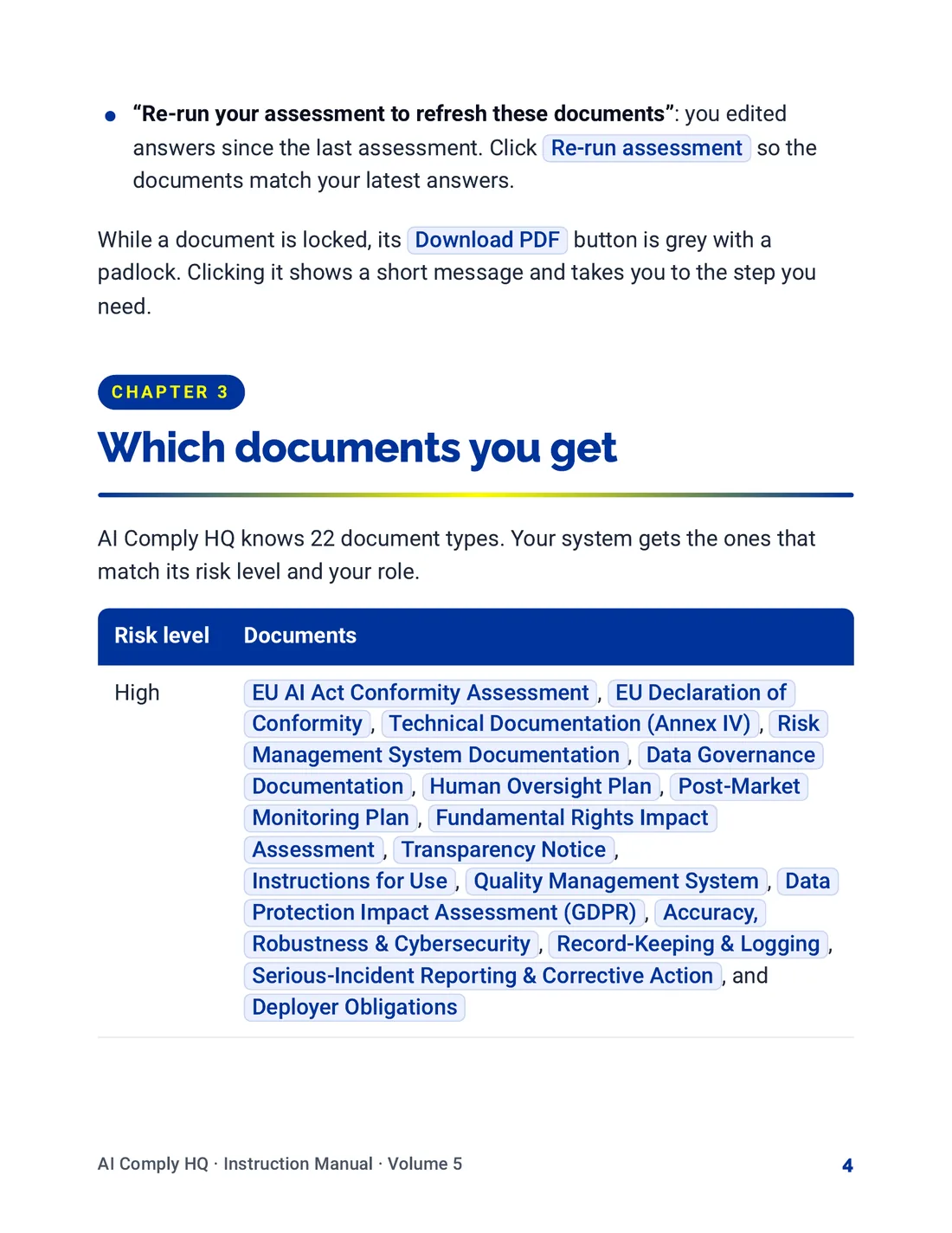
Instruction Manual, Documents, Snapshots and Reports, page 4
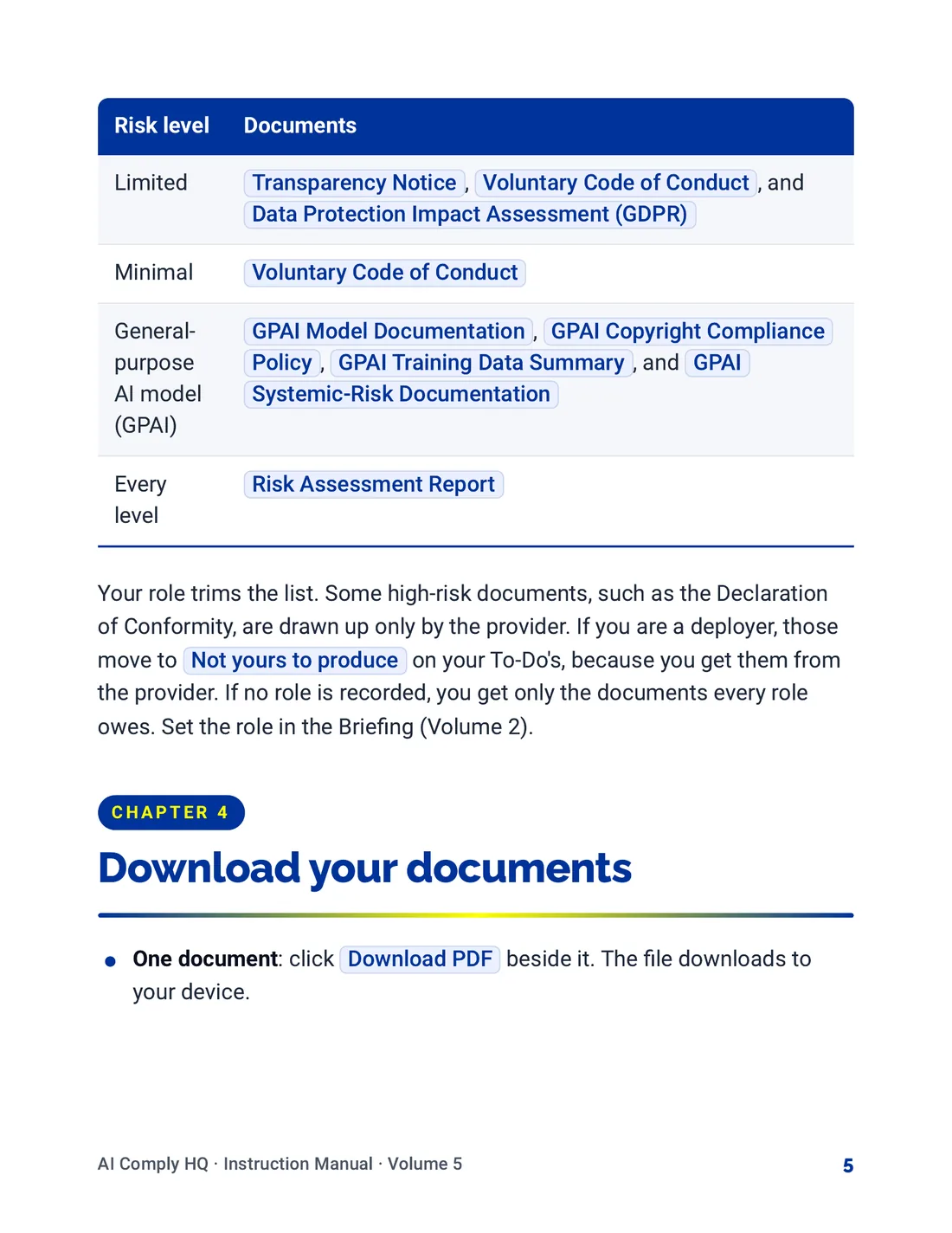
Instruction Manual, Documents, Snapshots and Reports, page 5
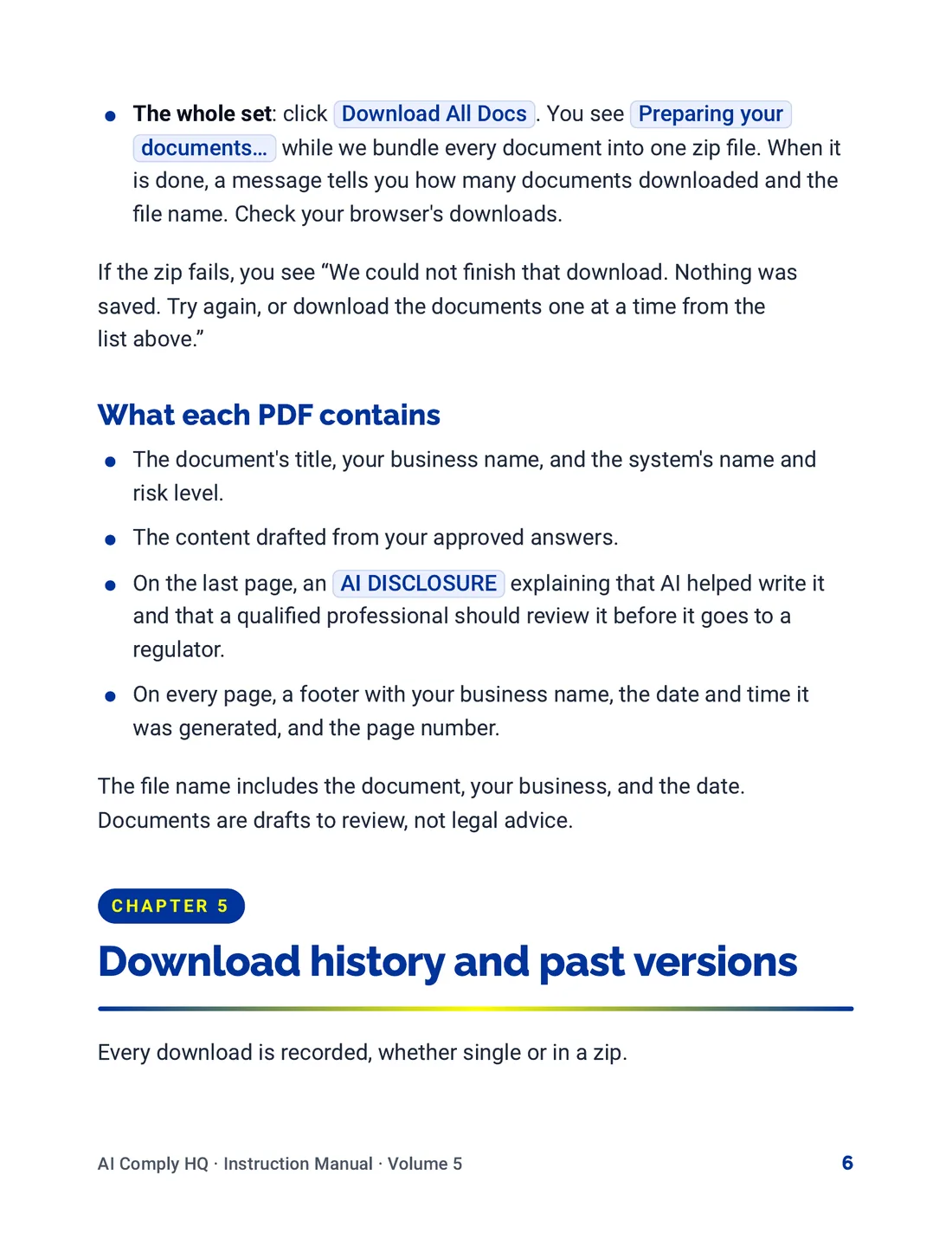
Instruction Manual, Documents, Snapshots and Reports, page 6
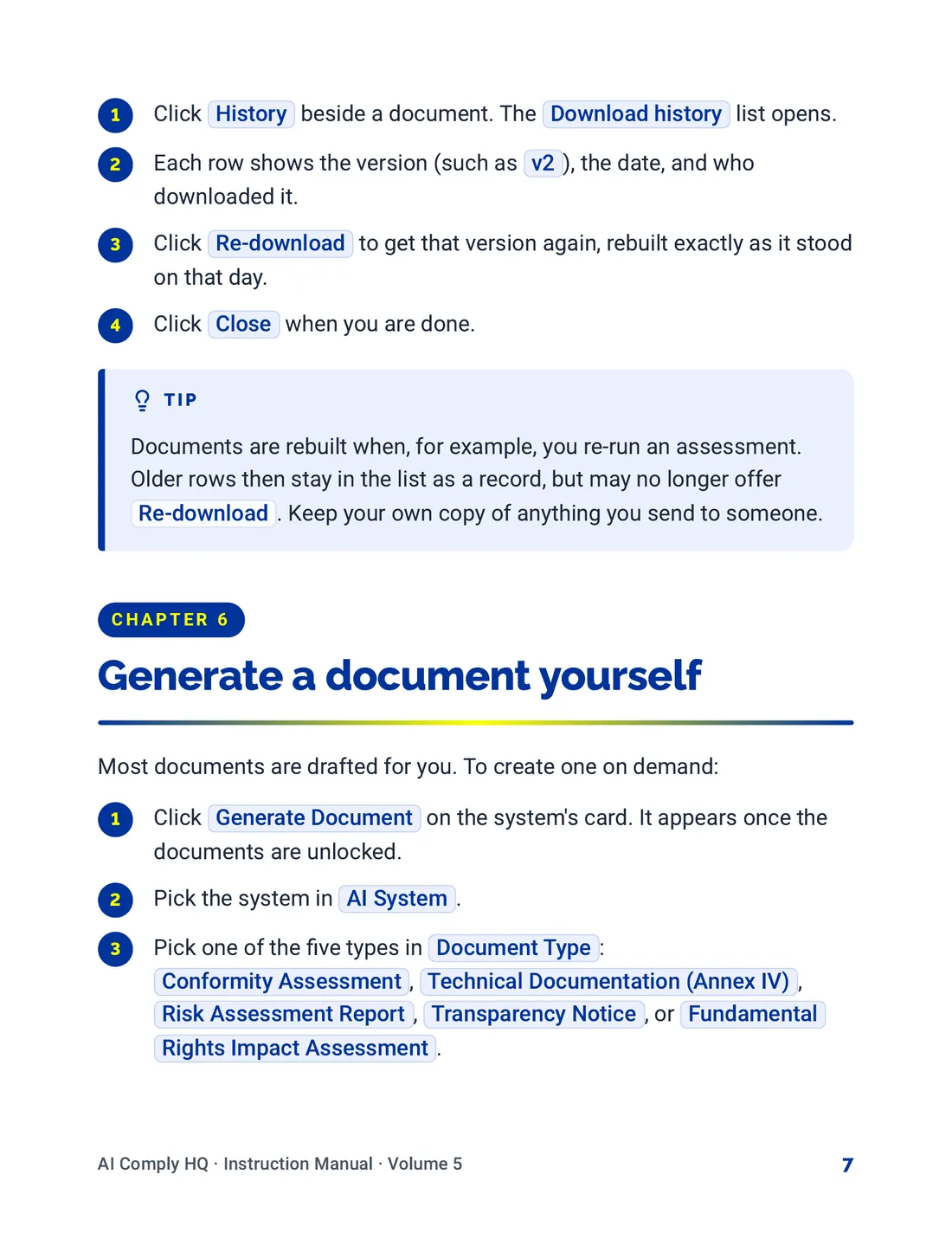
Instruction Manual, Documents, Snapshots and Reports, page 7
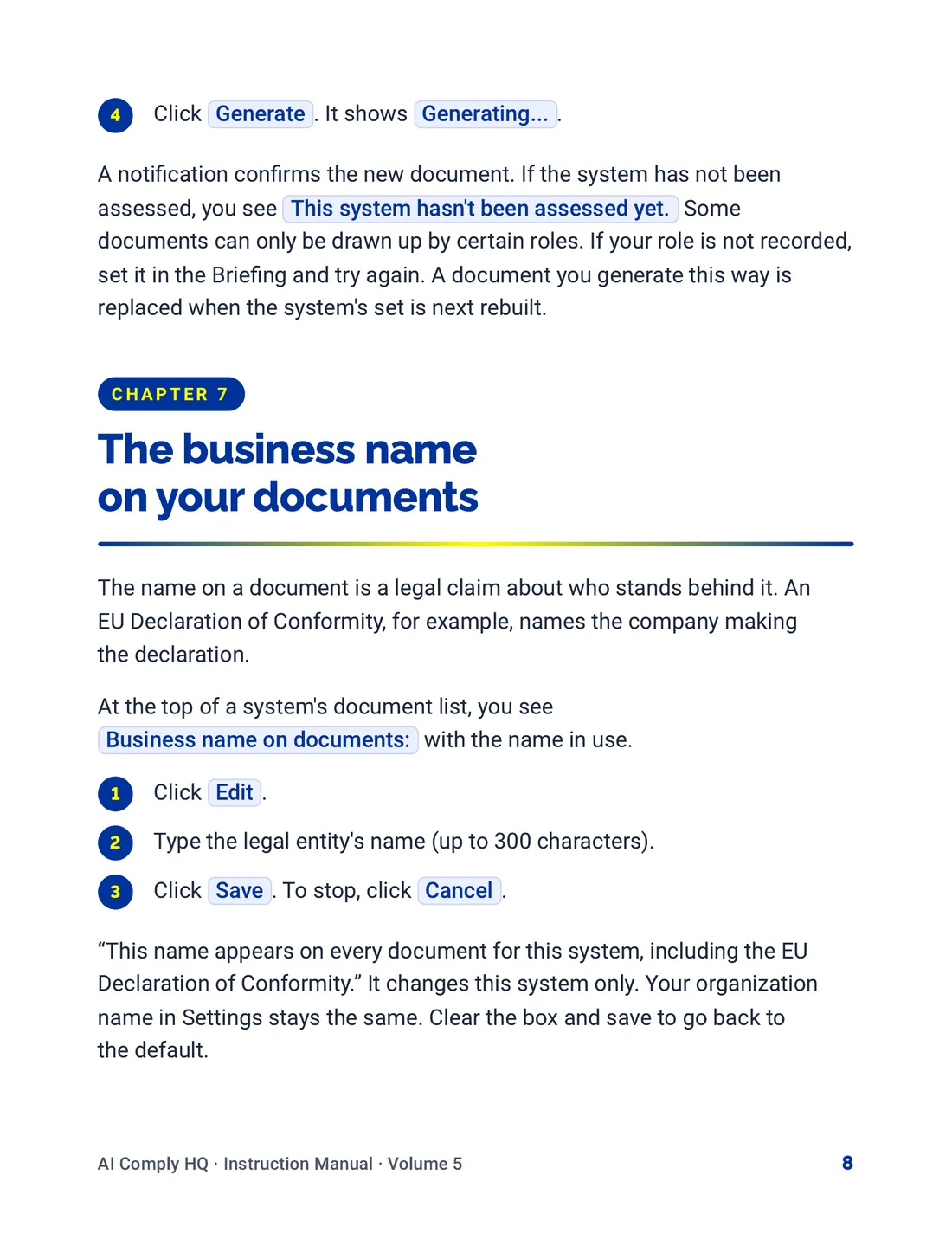
Instruction Manual, Documents, Snapshots and Reports, page 8
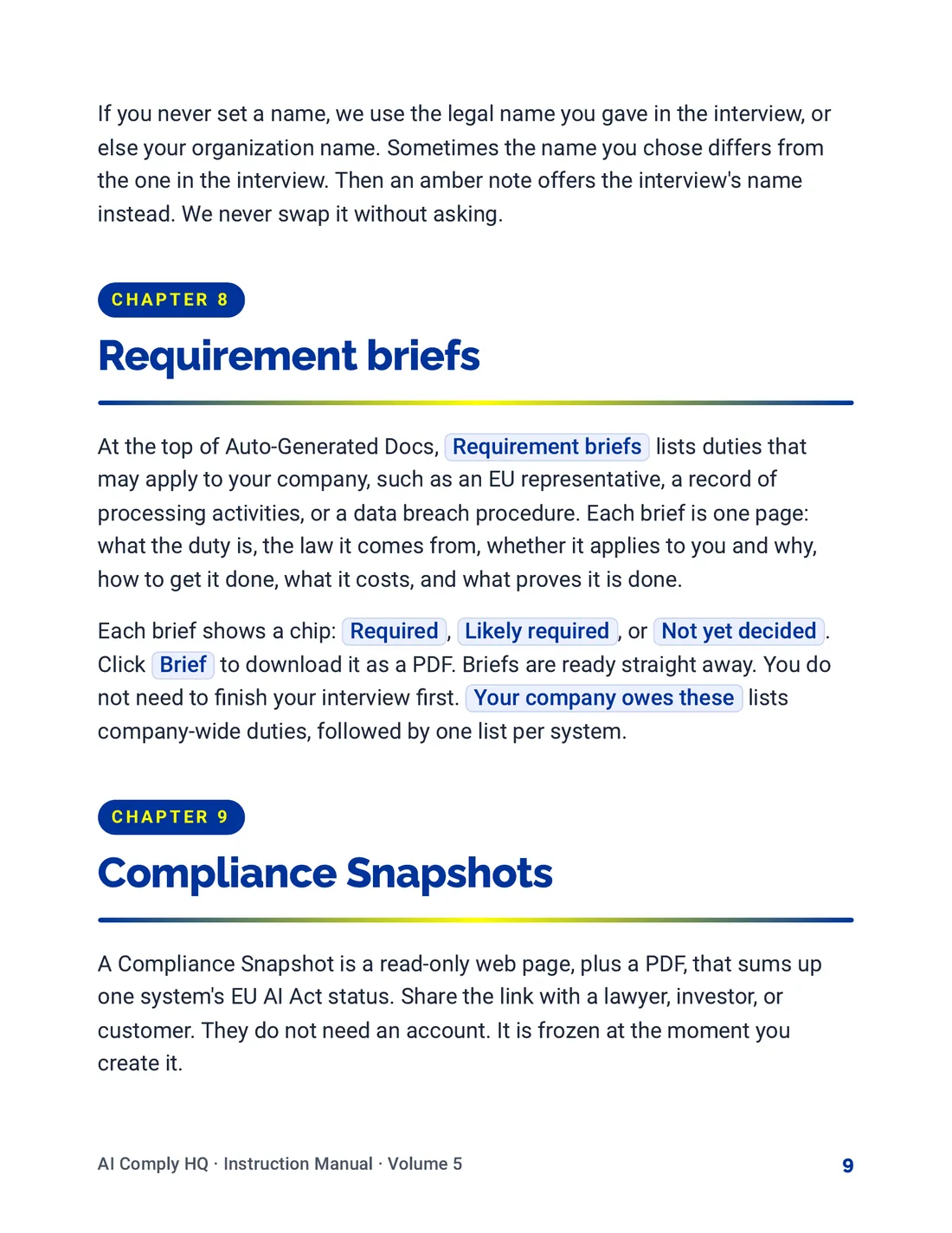
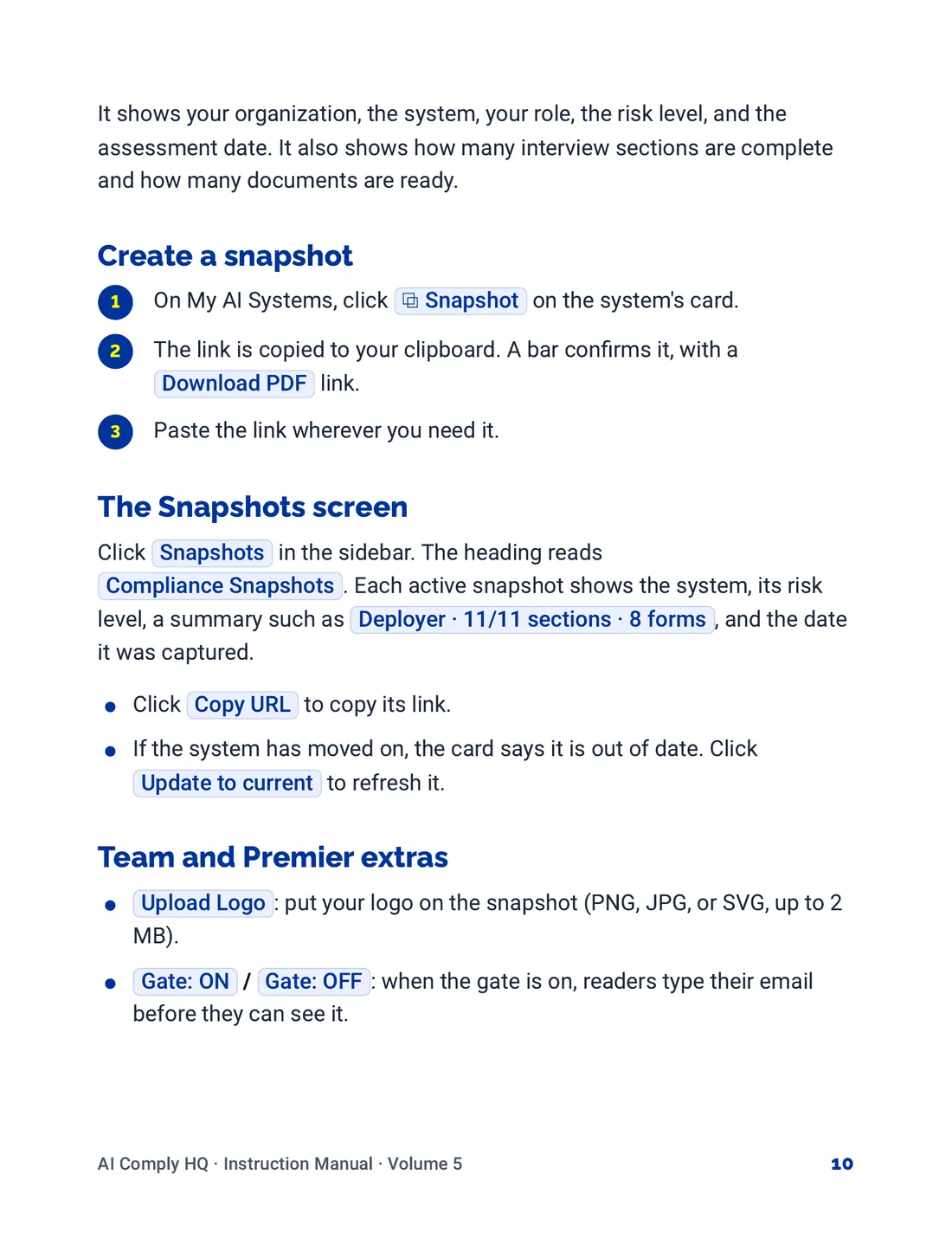
Instruction Manual, Documents, Snapshots and Reports, page 9
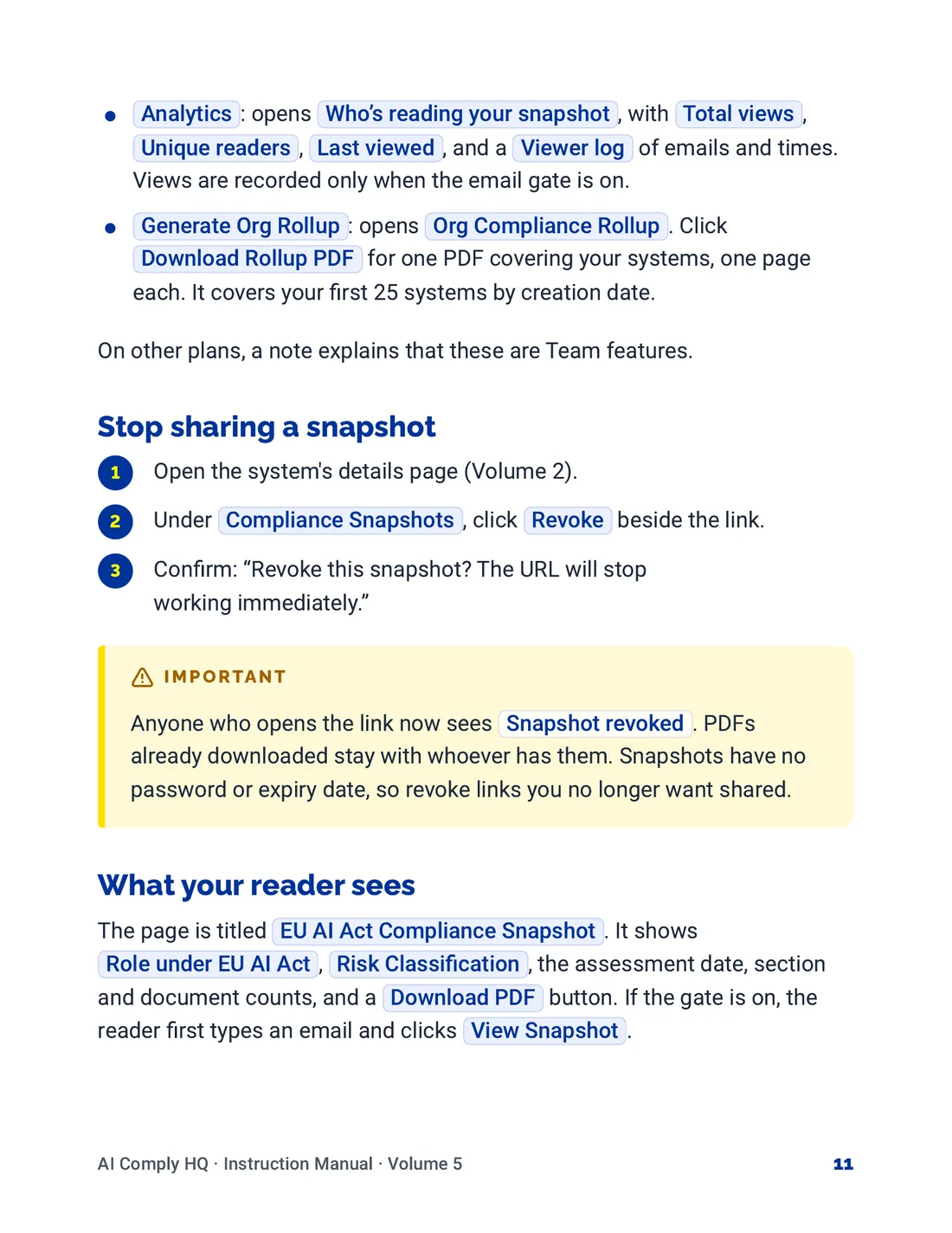
Instruction Manual, Documents, Snapshots and Reports, page 10
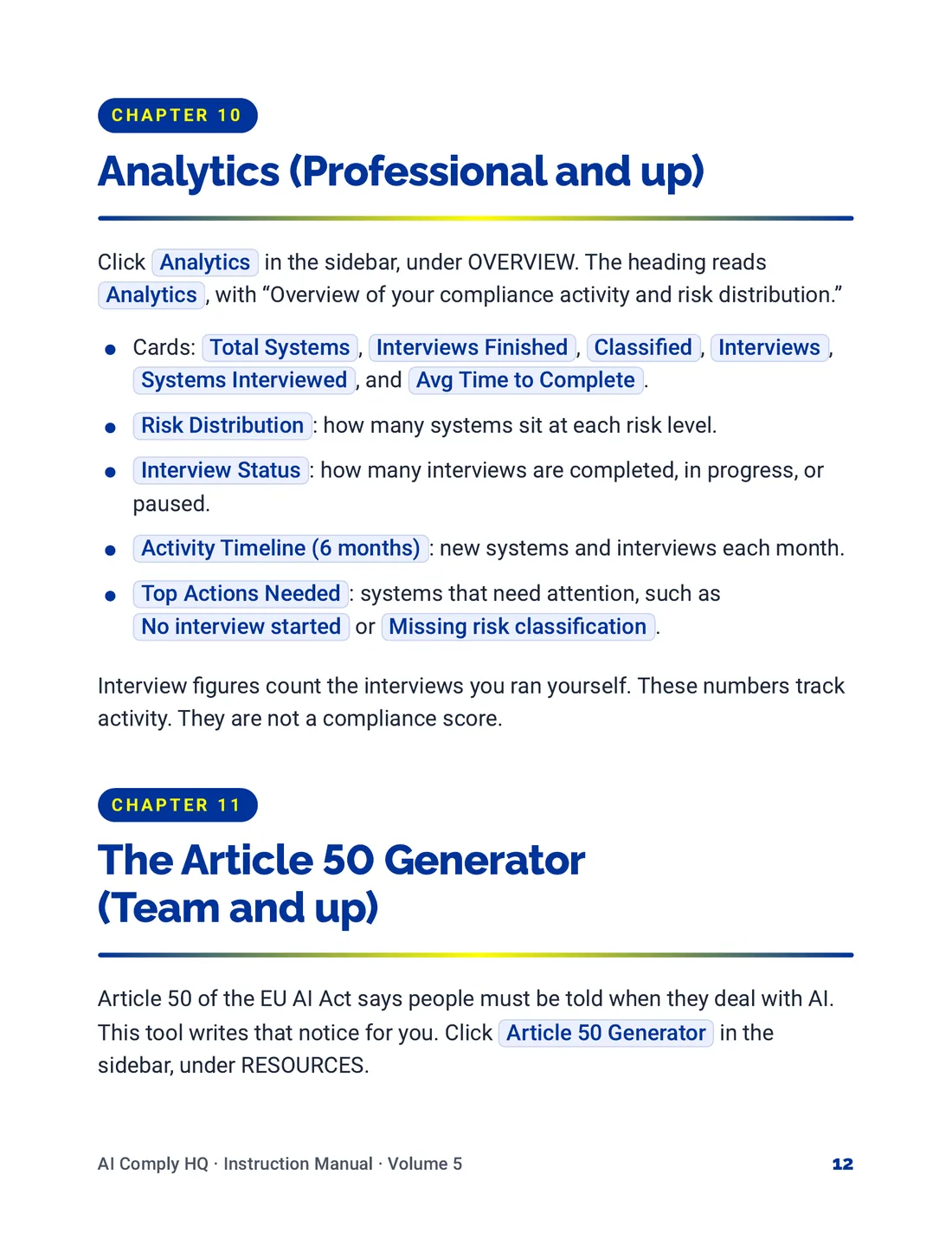
Instruction Manual, Documents, Snapshots and Reports, page 11
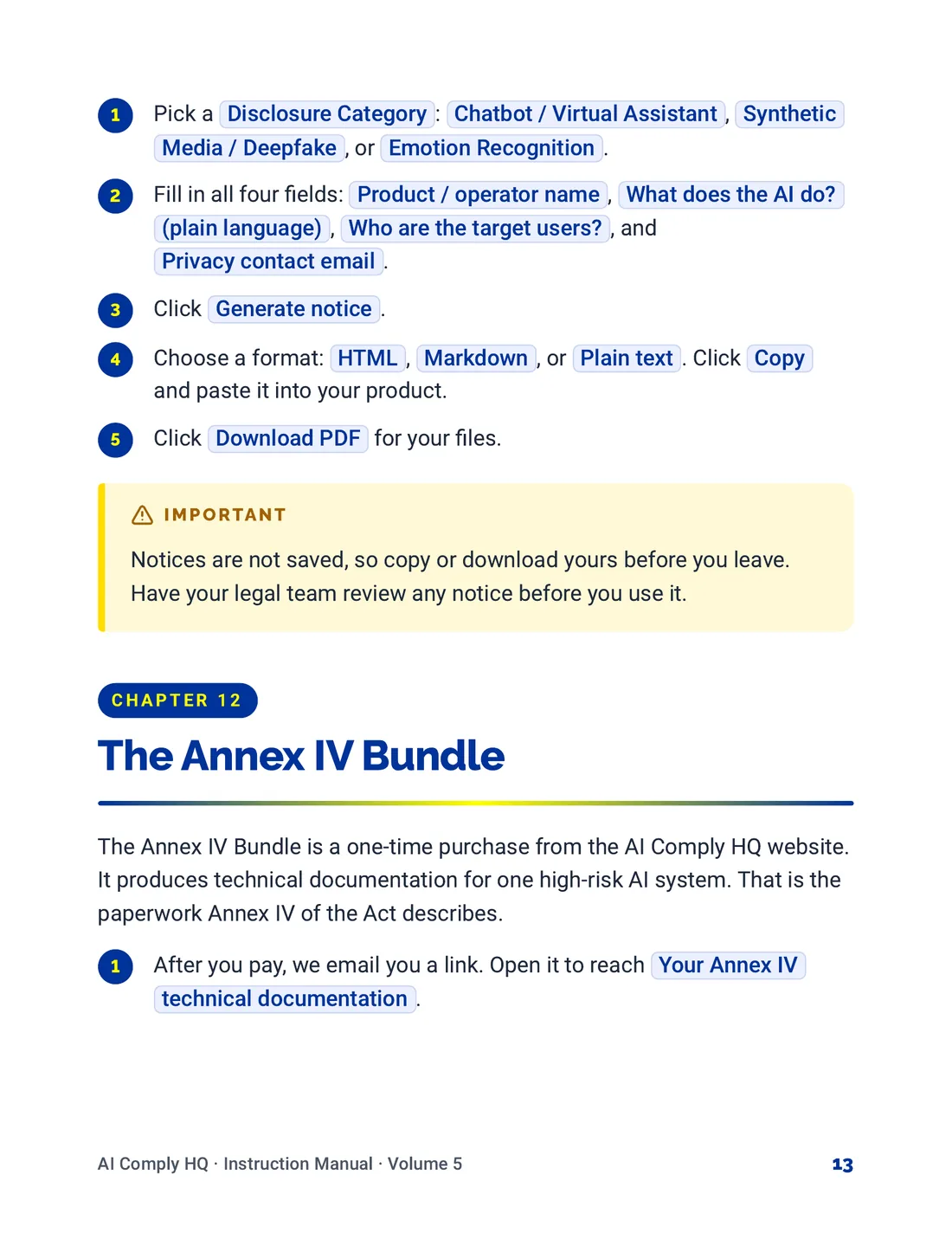
Instruction Manual, Documents, Snapshots and Reports, page 12
Instruction Manual, Documents, Snapshots and Reports, page 13
Instruction Manual, Documents, Snapshots and Reports, page 14
Volume 6: Team, Billing and Settings
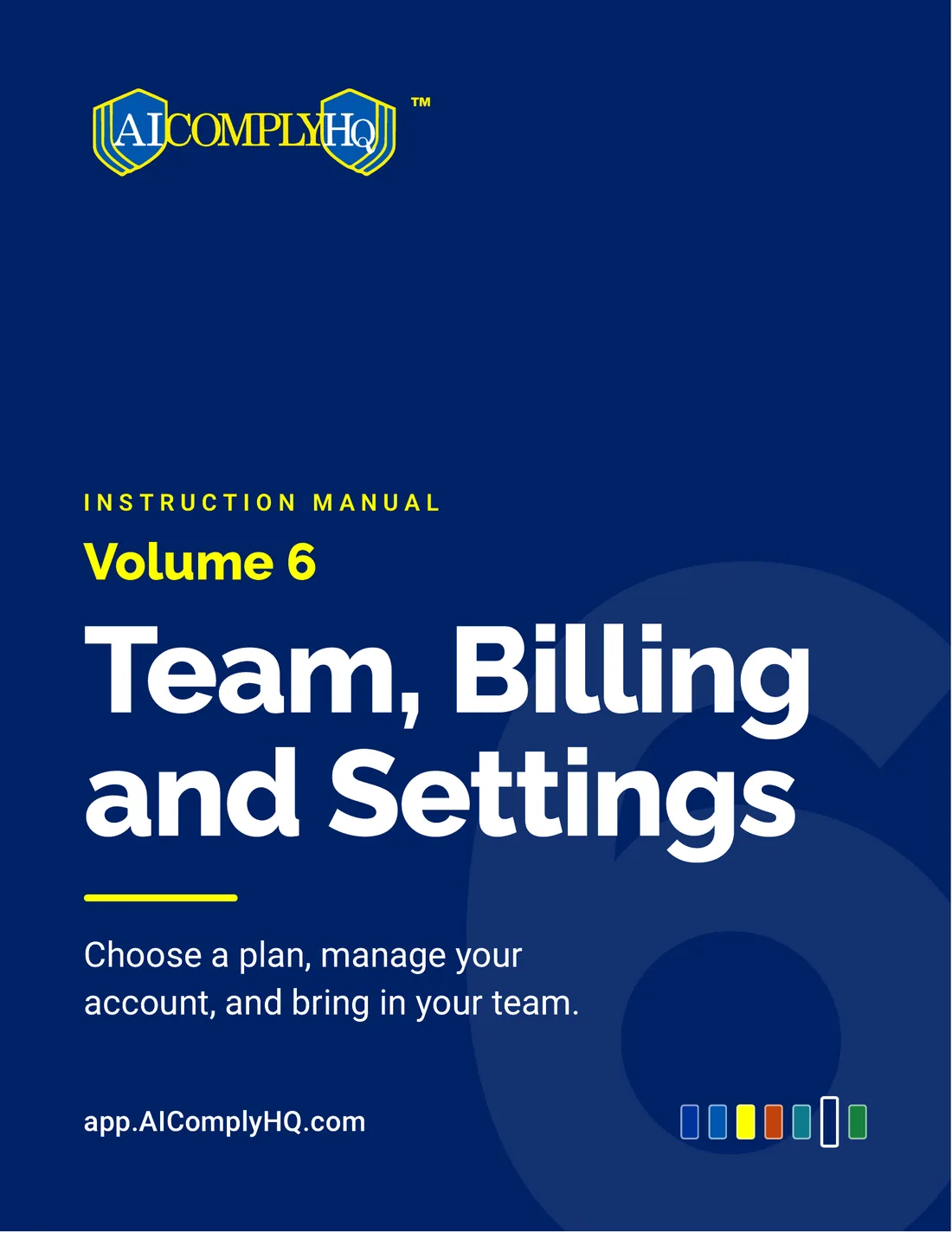
Instruction Manual, Team, Billing and Settings, cover
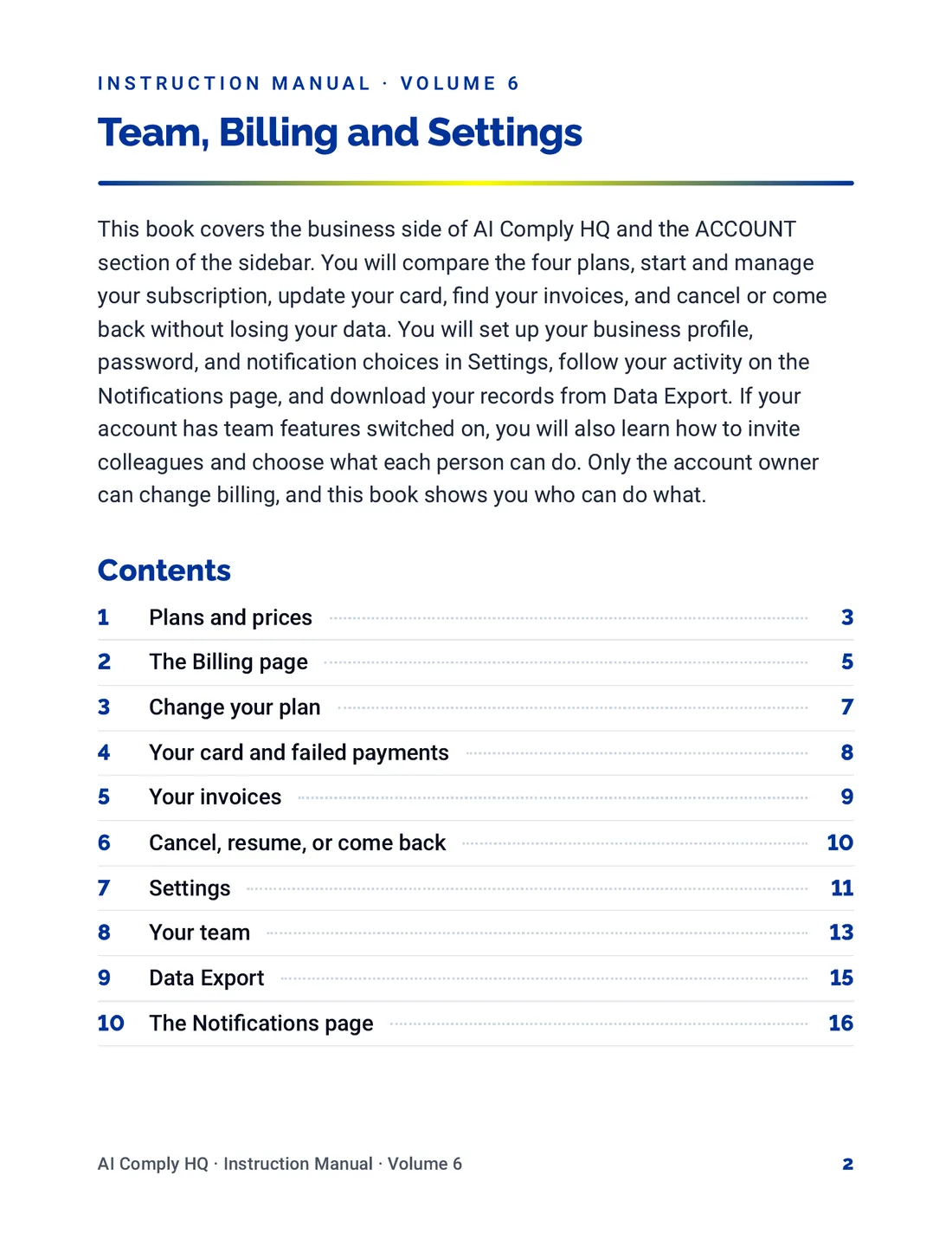
Instruction Manual, Team, Billing and Settings, page 2
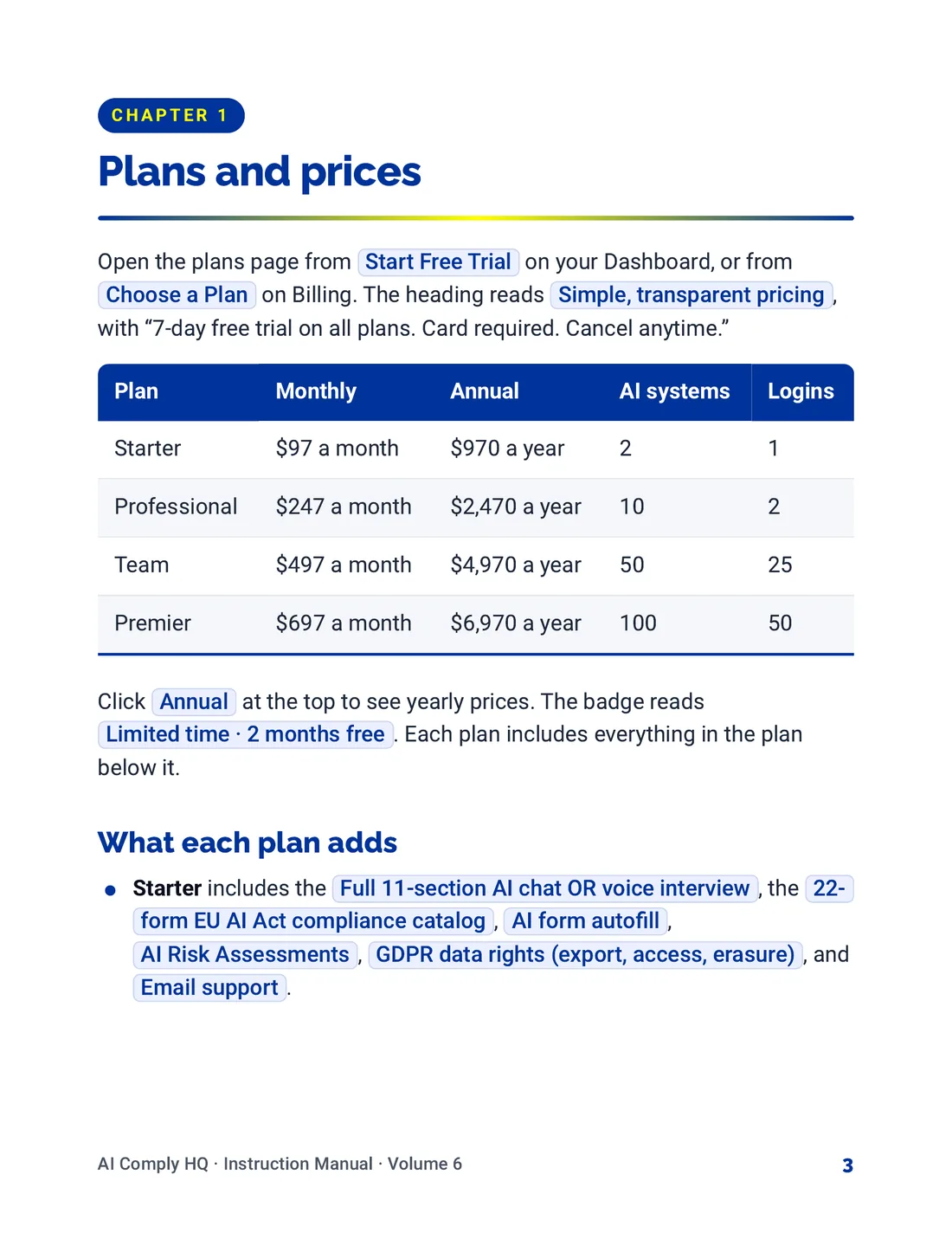
Instruction Manual, Team, Billing and Settings, page 3
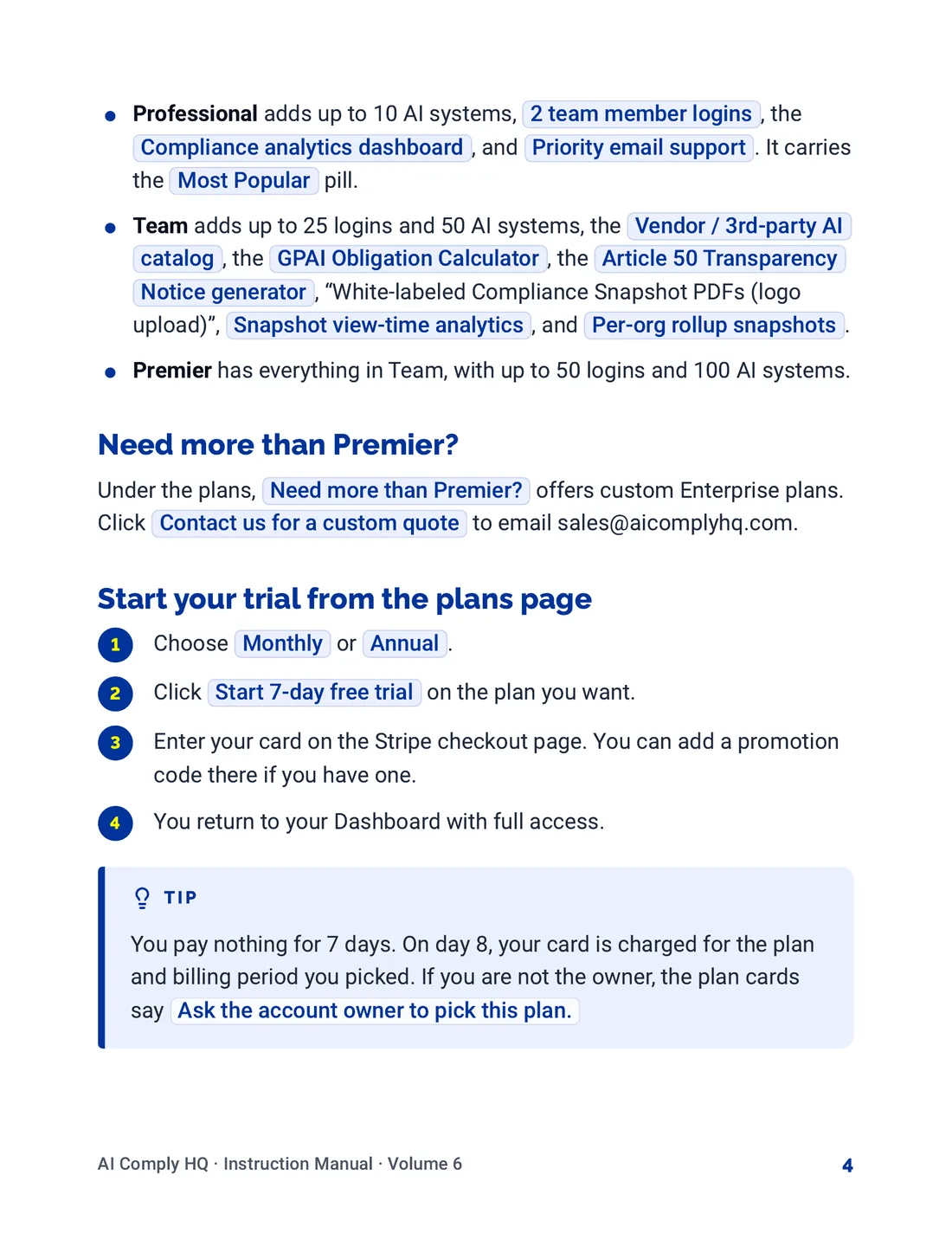
Instruction Manual, Team, Billing and Settings, page 4
Instruction Manual, Team, Billing and Settings, page 5
Instruction Manual, Team, Billing and Settings, page 6
Instruction Manual, Team, Billing and Settings, page 7
Instruction Manual, Team, Billing and Settings, page 8
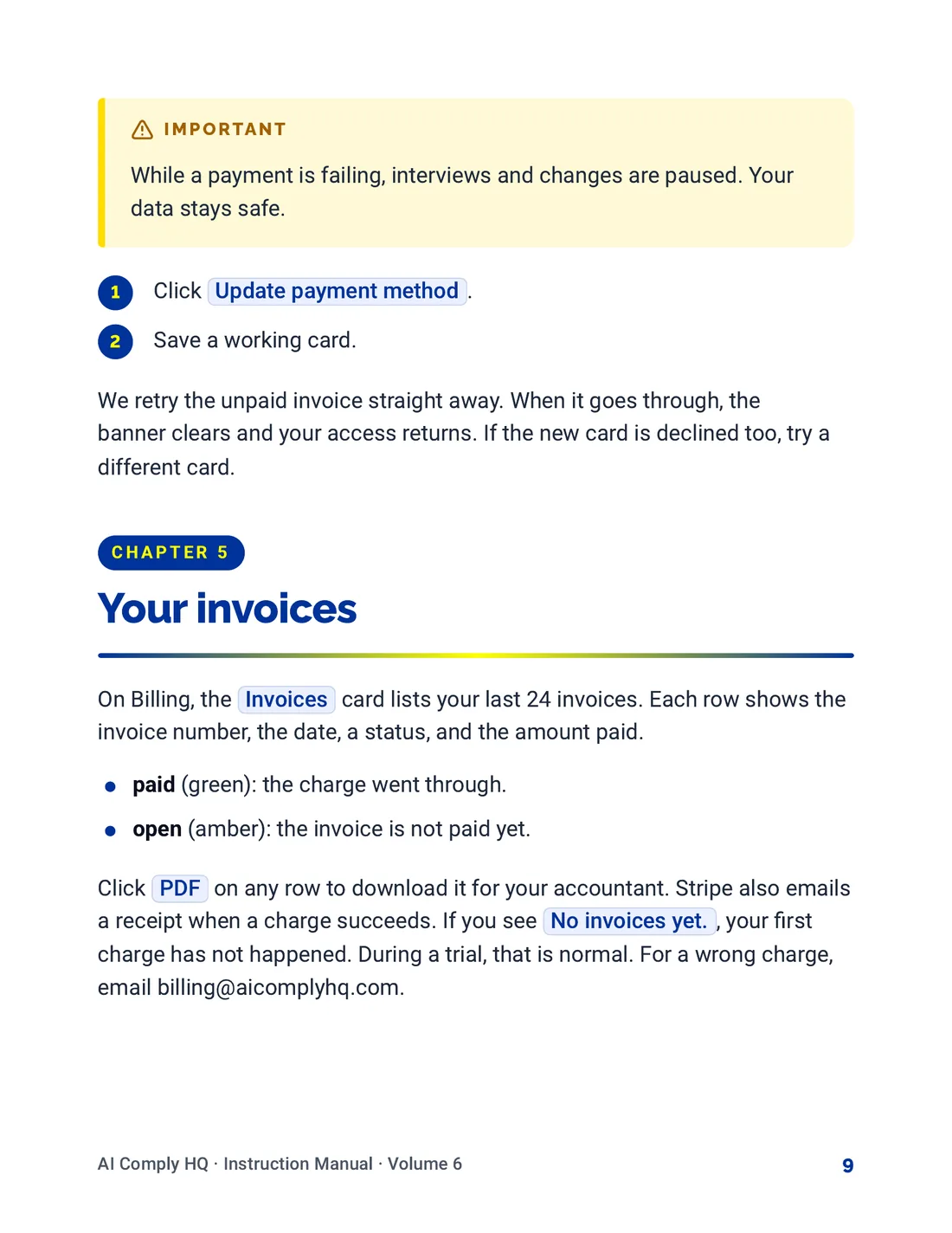
Instruction Manual, Team, Billing and Settings, page 9
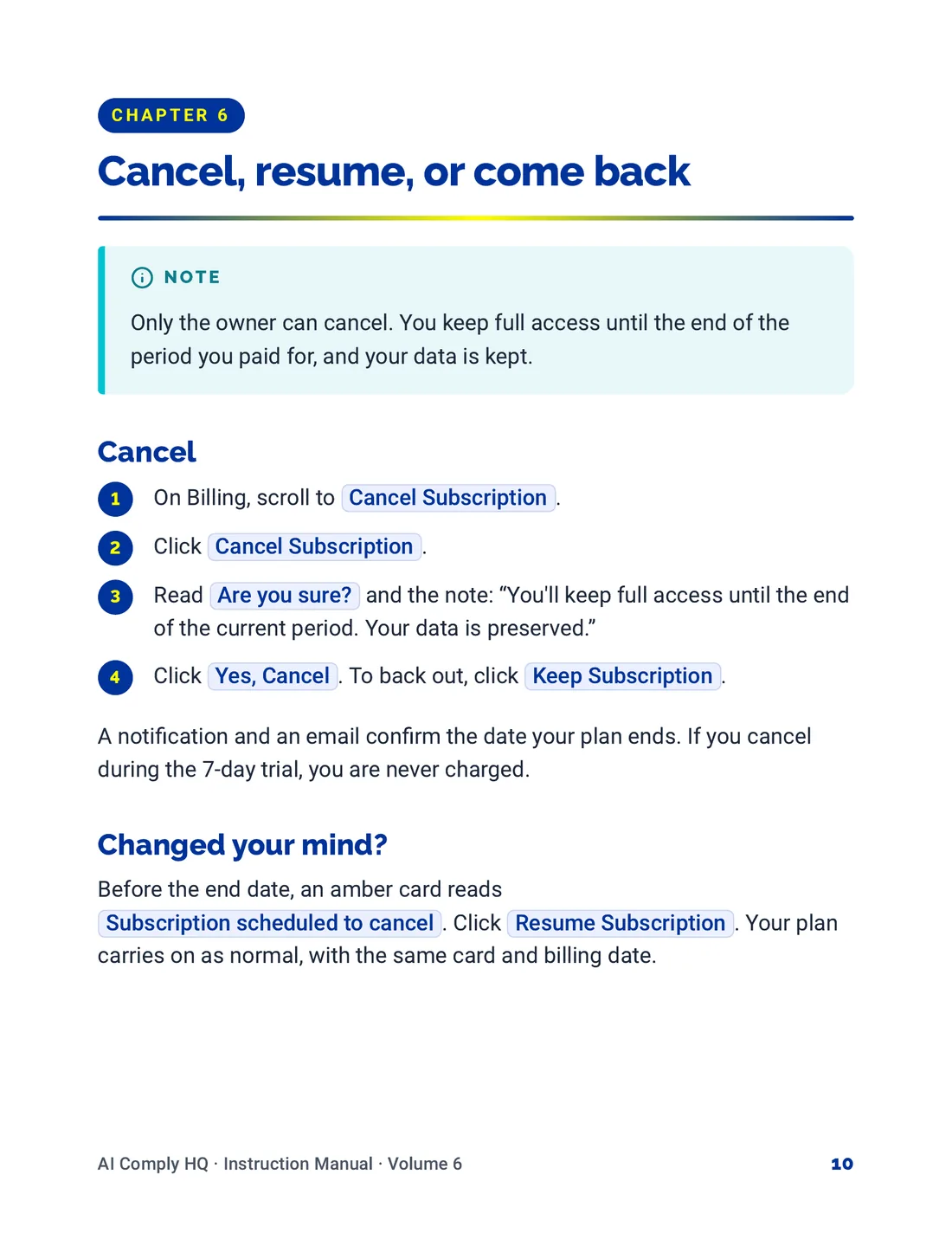
Instruction Manual, Team, Billing and Settings, page 10
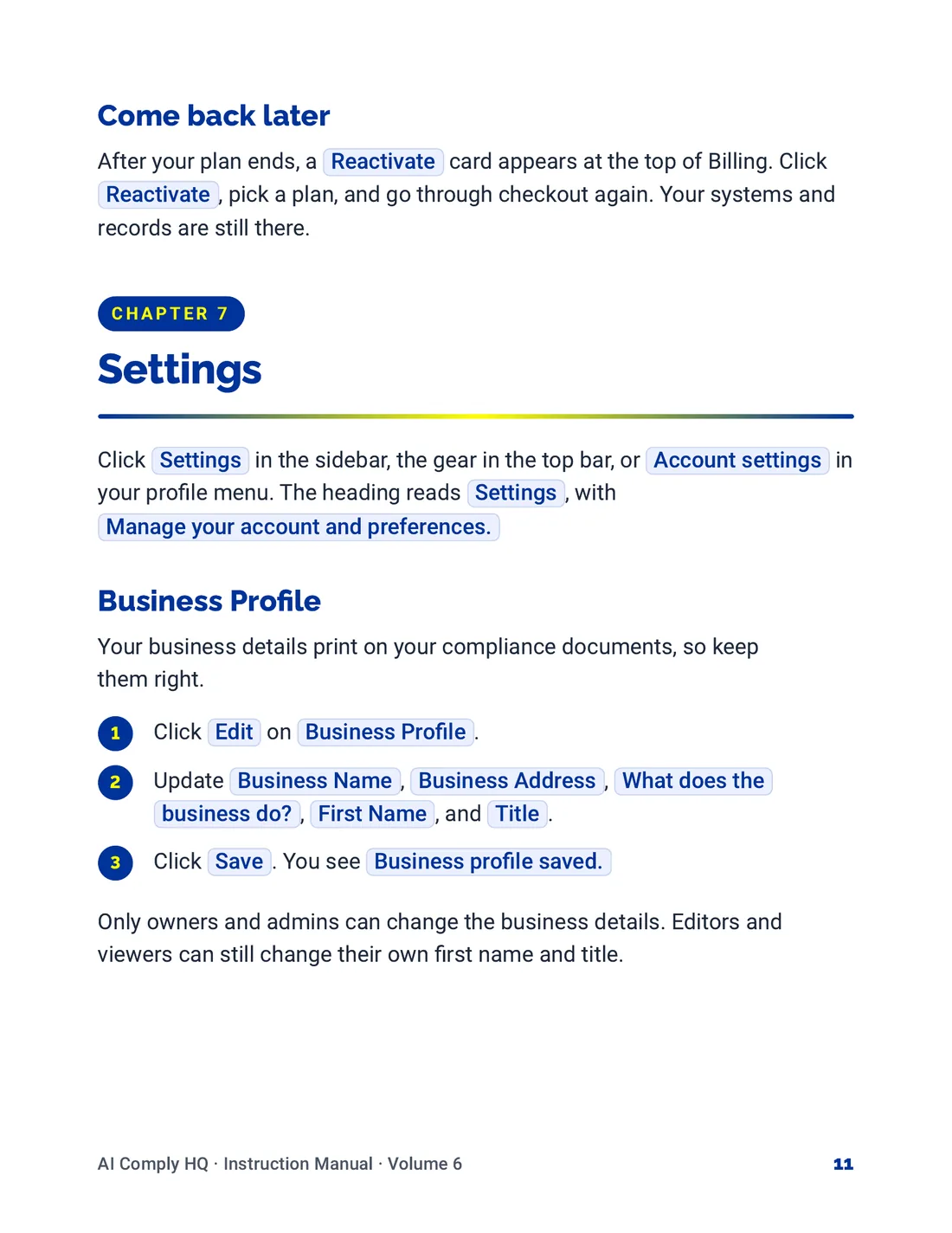
Instruction Manual, Team, Billing and Settings, page 11
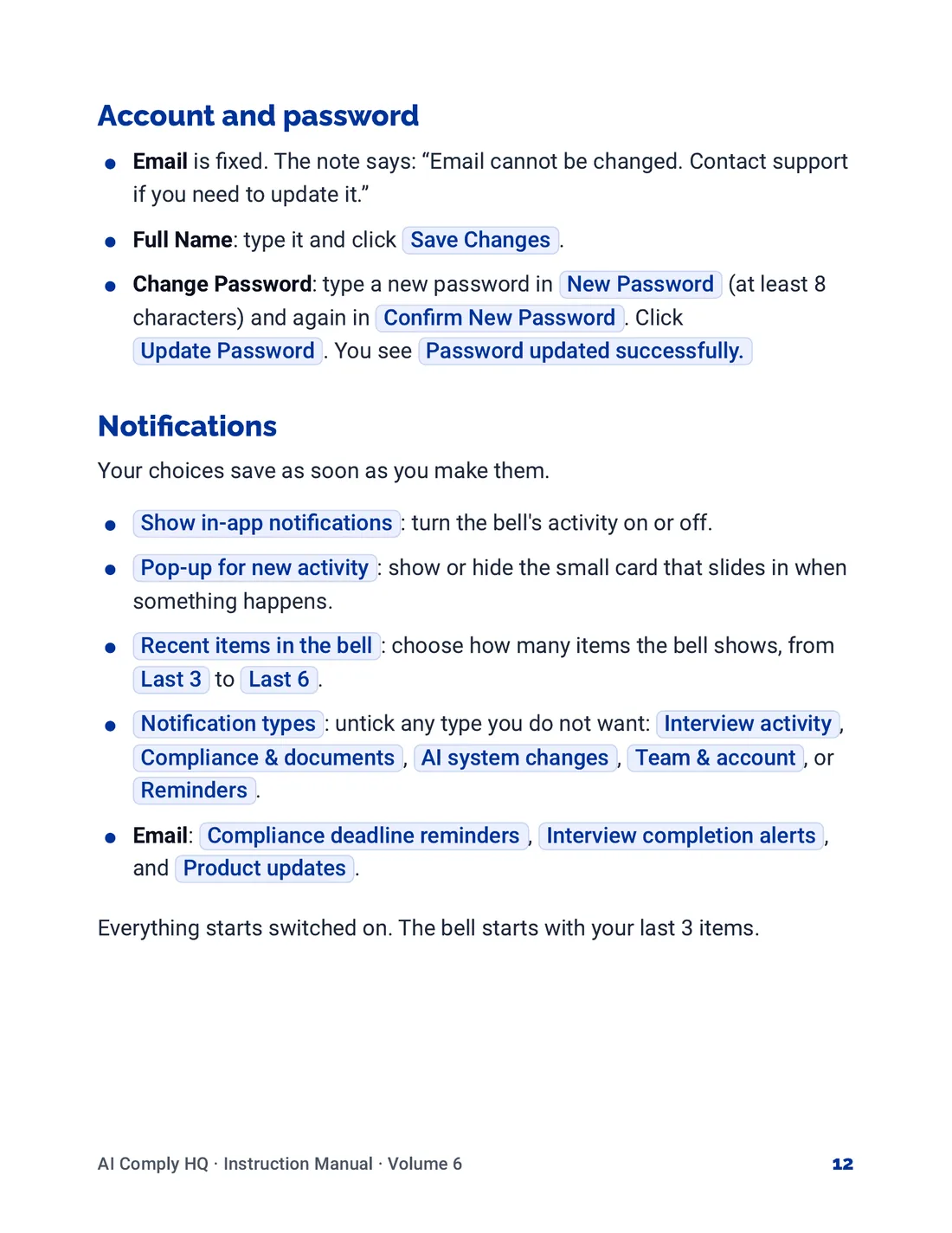
Instruction Manual, Team, Billing and Settings, page 12
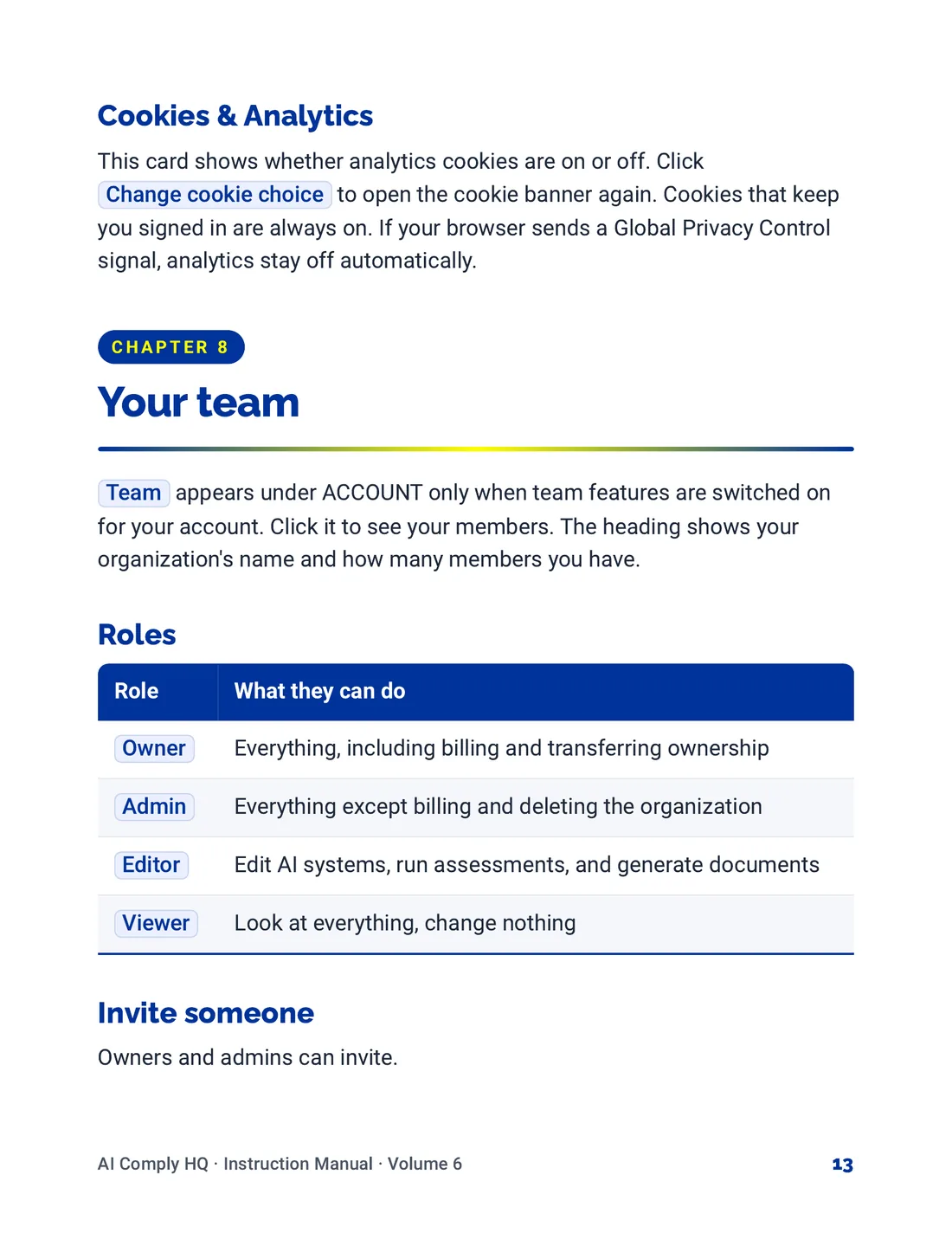
Instruction Manual, Team, Billing and Settings, page 13
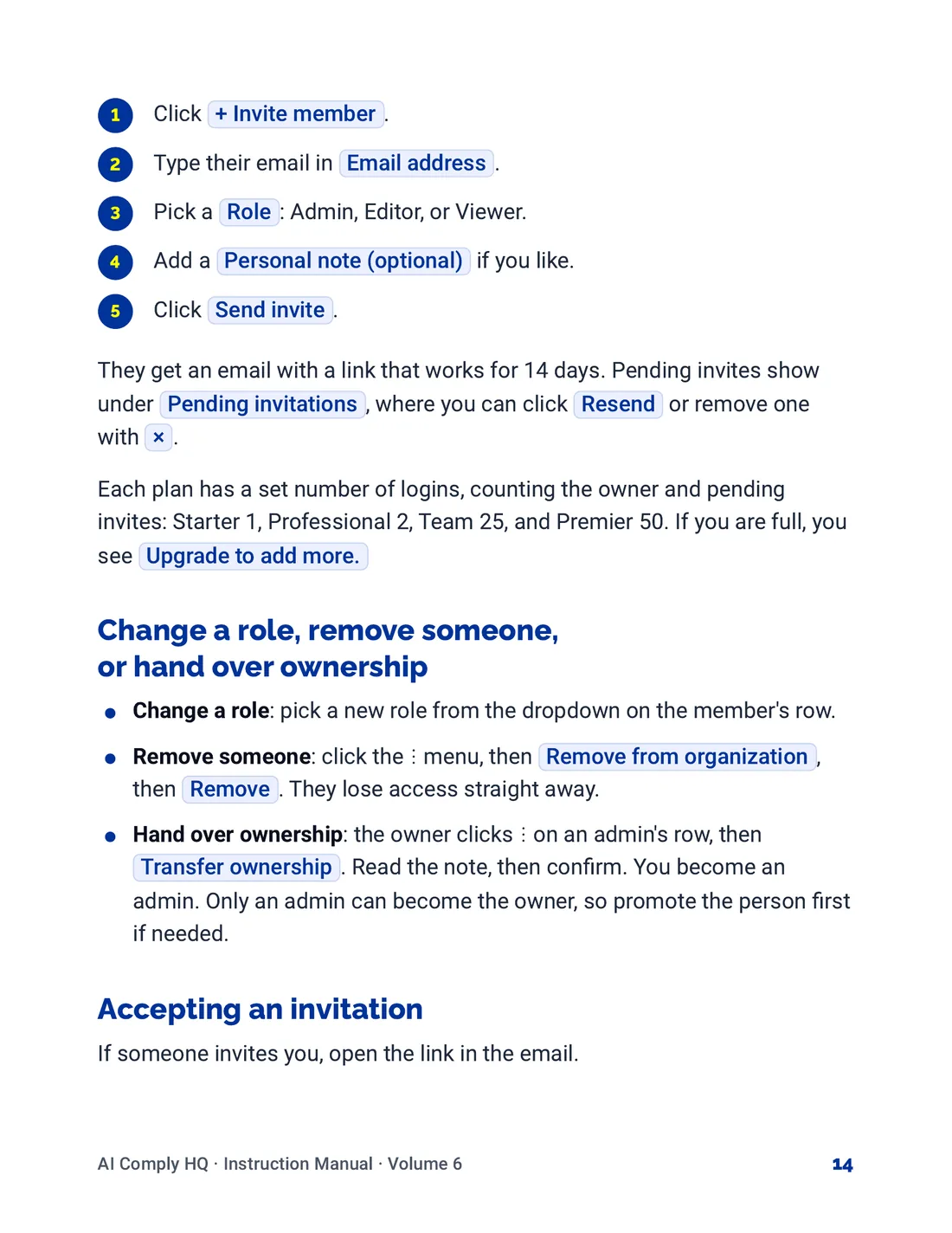
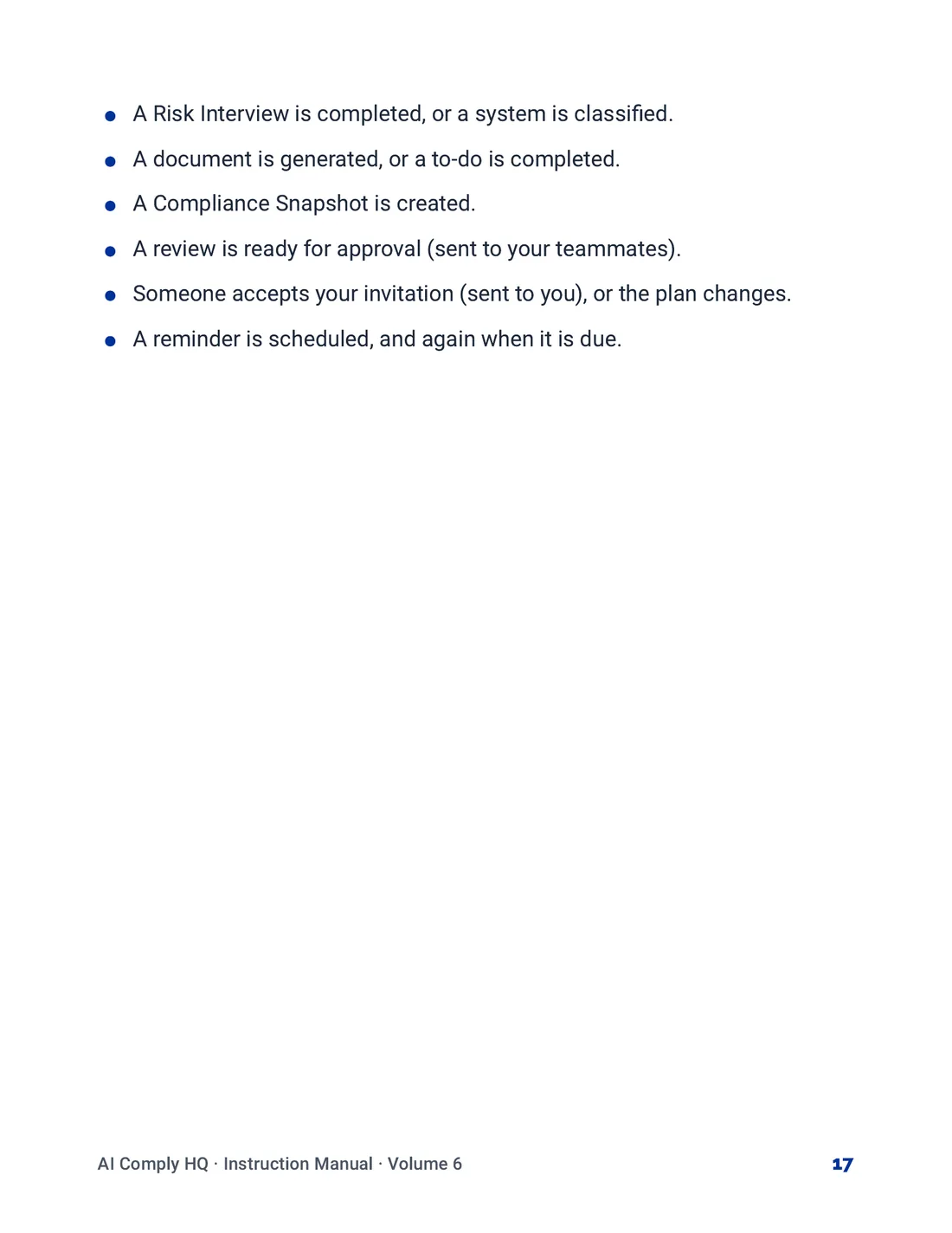
Instruction Manual, Team, Billing and Settings, page 14
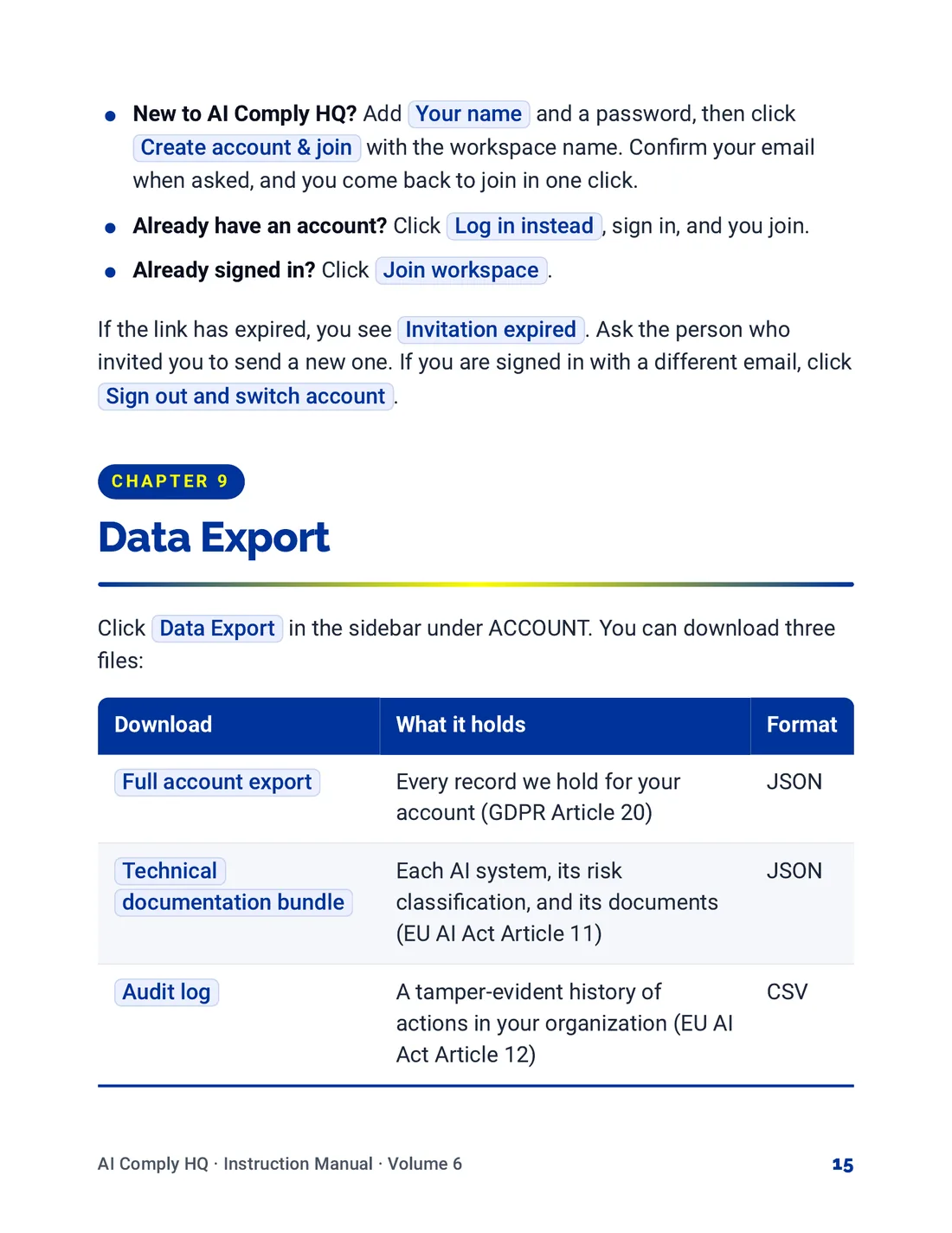
Instruction Manual, Team, Billing and Settings, page 15
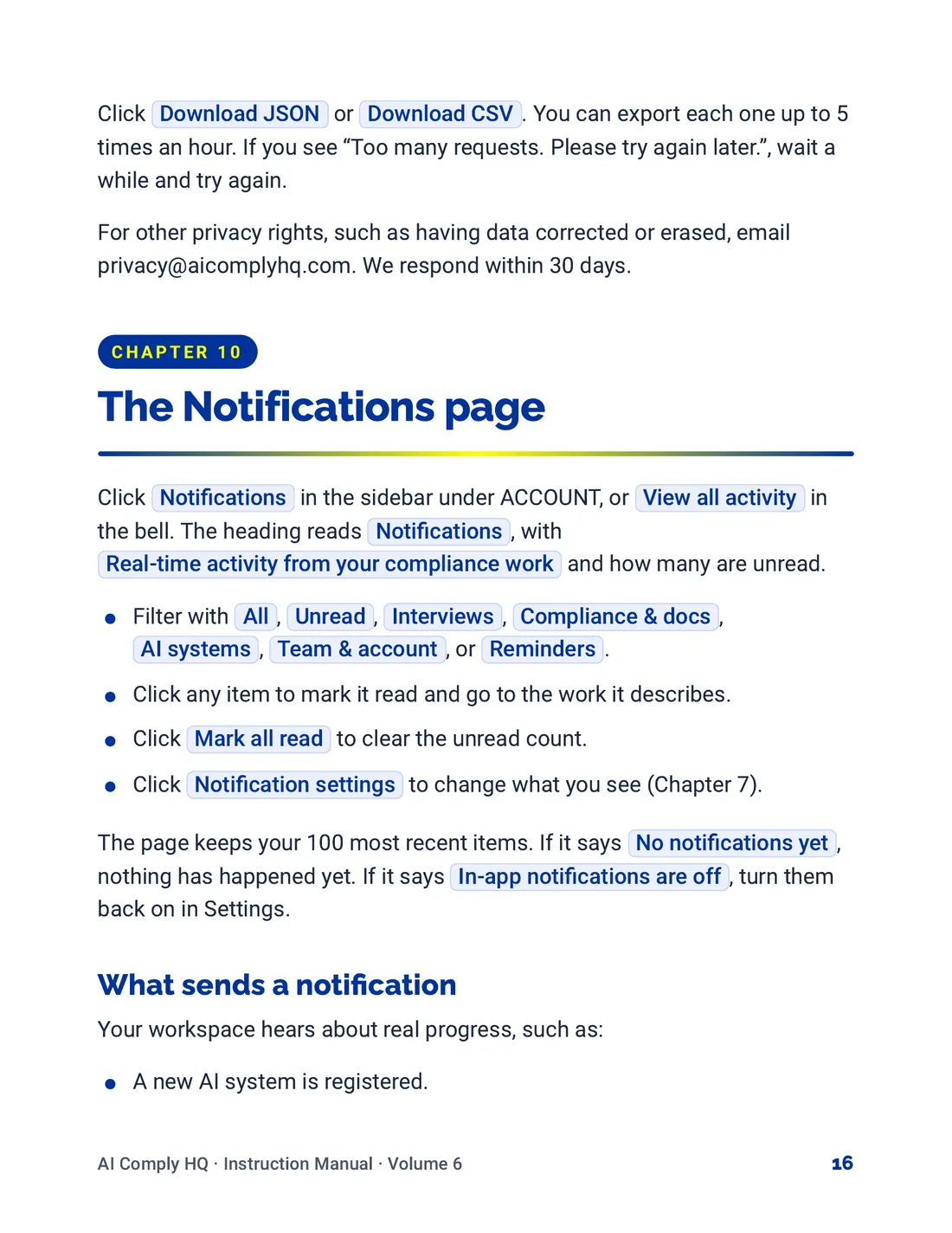
Instruction Manual, Team, Billing and Settings, page 16
Instruction Manual, Team, Billing and Settings, page 17
Volume 7: Help, Glossary and Troubleshooting
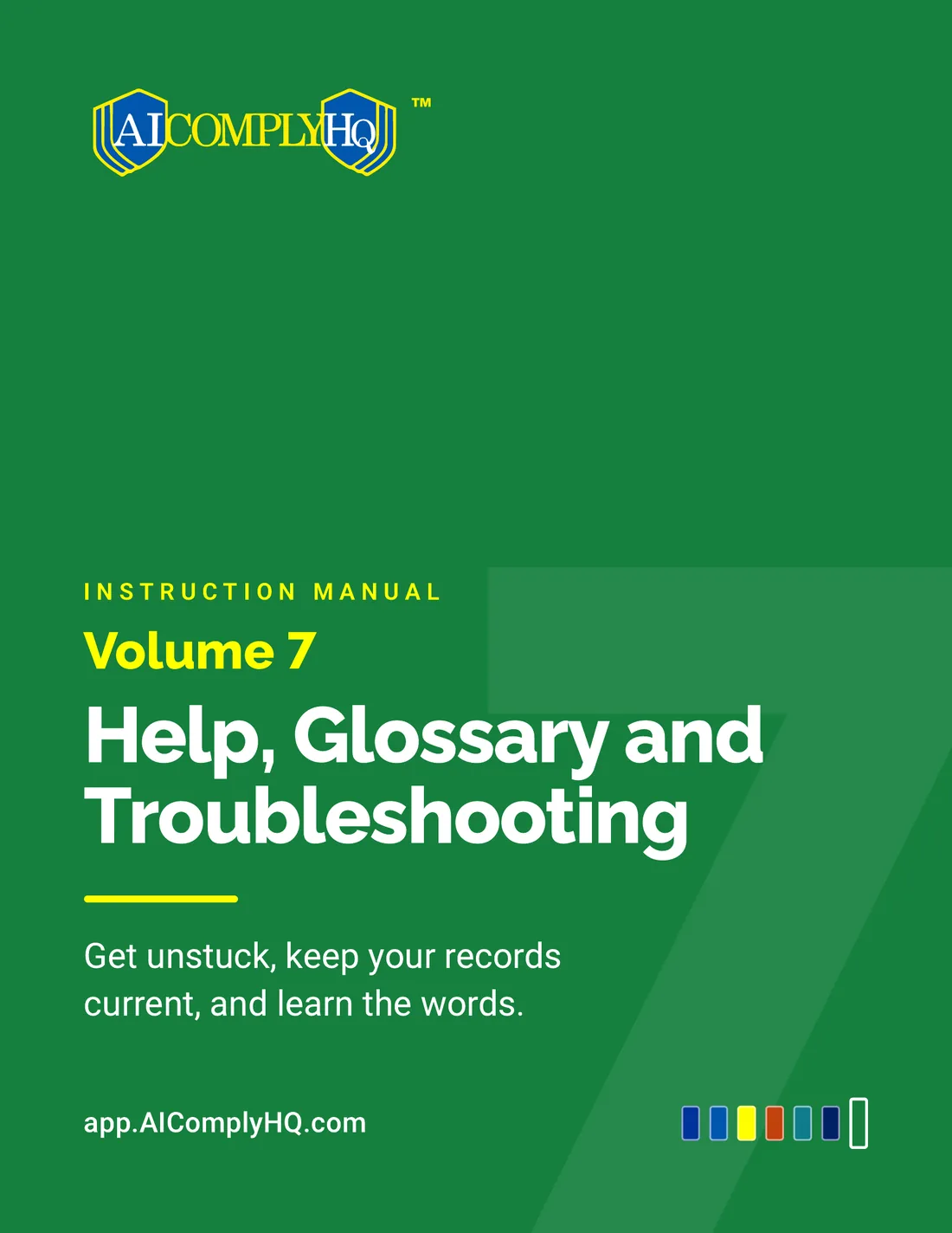
Instruction Manual, Help, Glossary and Troubleshooting, cover
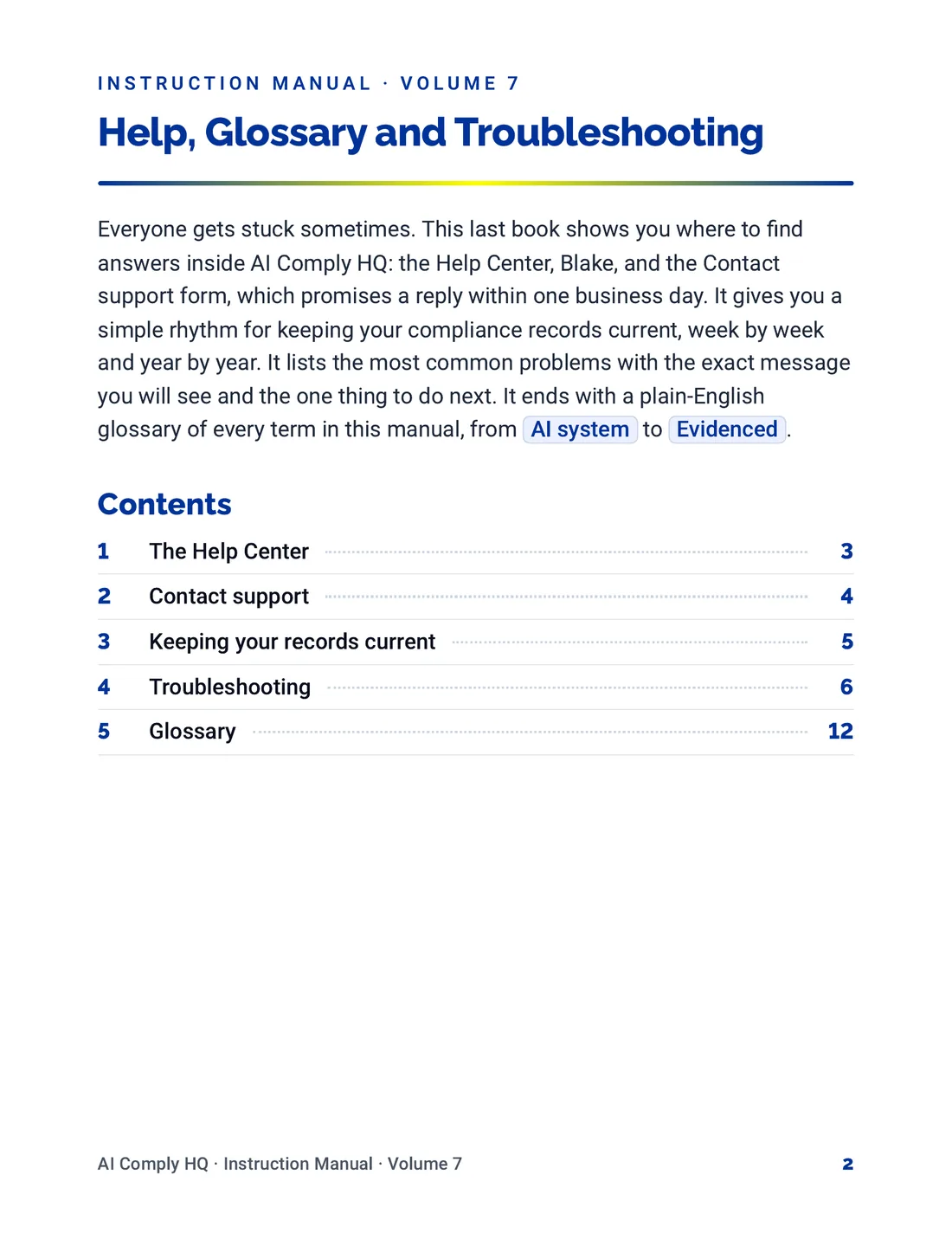
Instruction Manual, Help, Glossary and Troubleshooting, page 2
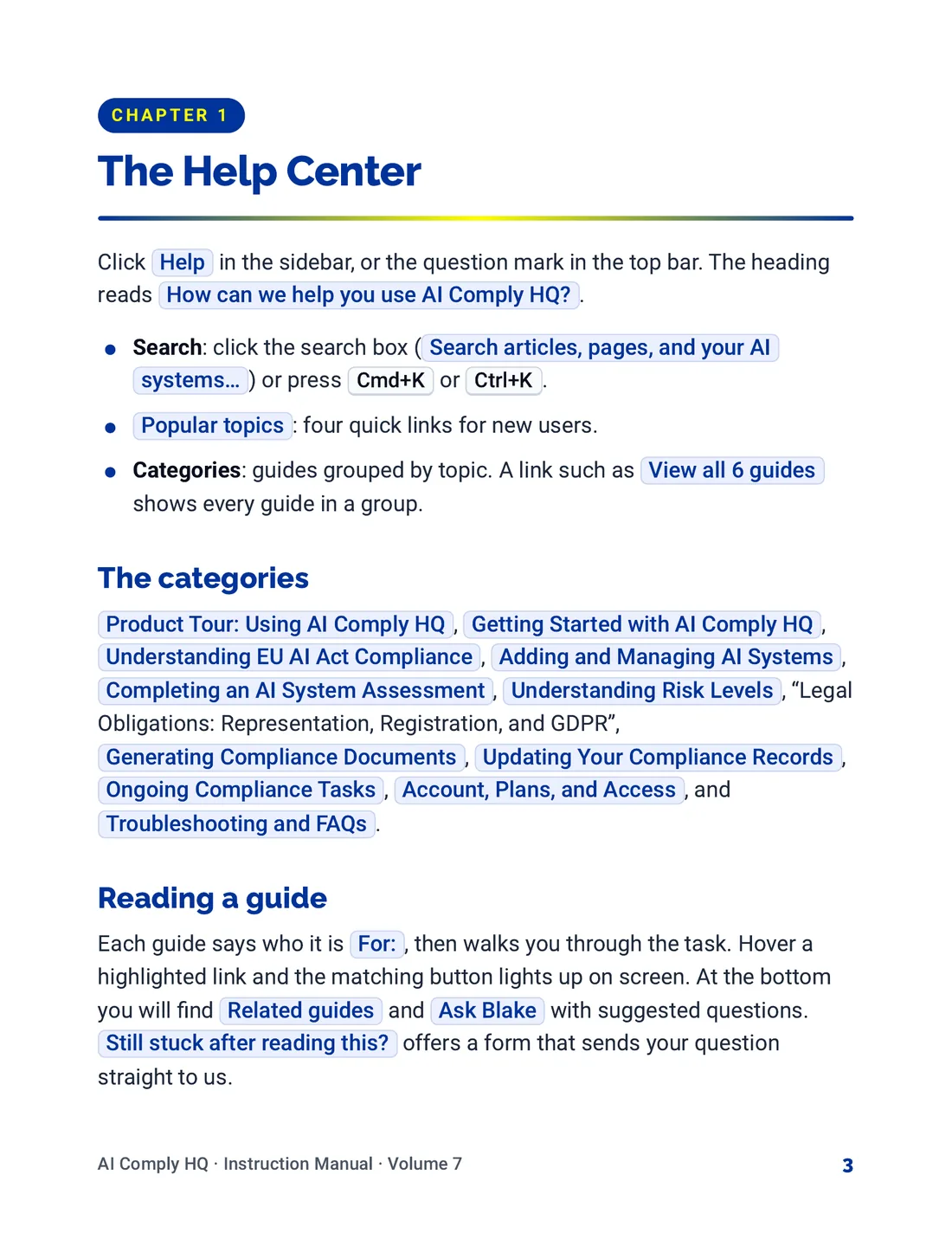
Instruction Manual, Help, Glossary and Troubleshooting, page 3
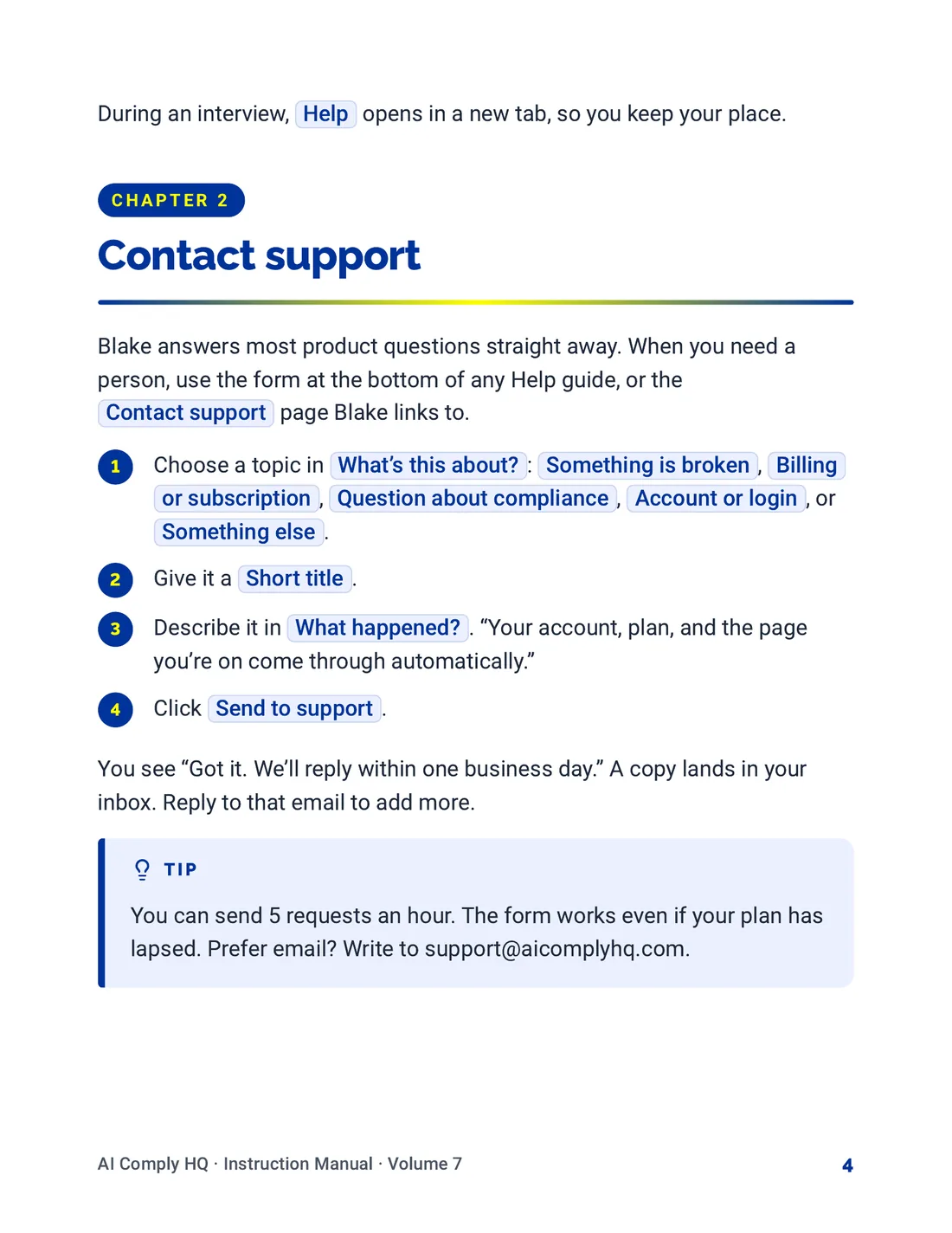
Instruction Manual, Help, Glossary and Troubleshooting, page 4
Instruction Manual, Help, Glossary and Troubleshooting, page 5
Instruction Manual, Help, Glossary and Troubleshooting, page 6
Instruction Manual, Help, Glossary and Troubleshooting, page 7
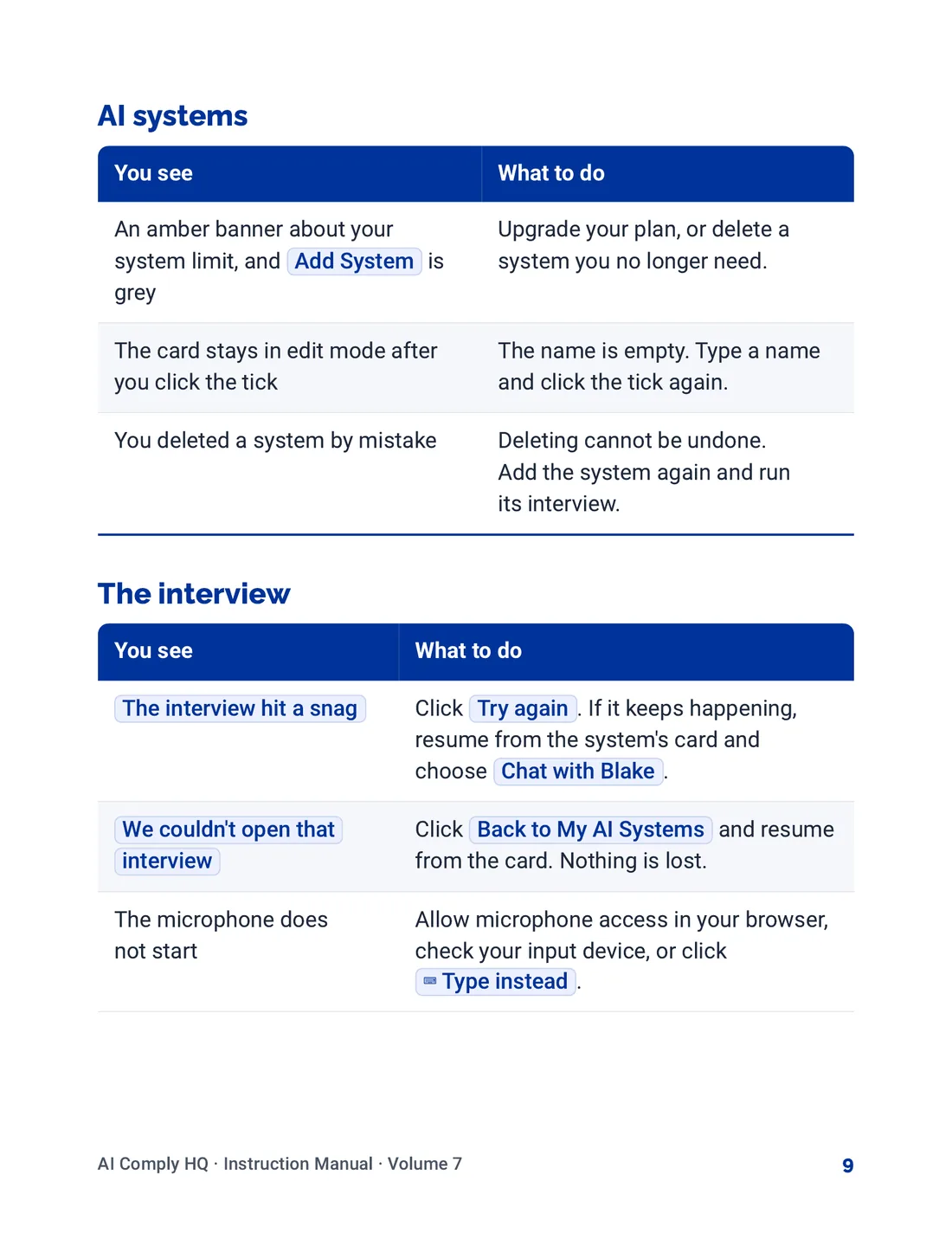
Instruction Manual, Help, Glossary and Troubleshooting, page 8
Instruction Manual, Help, Glossary and Troubleshooting, page 9
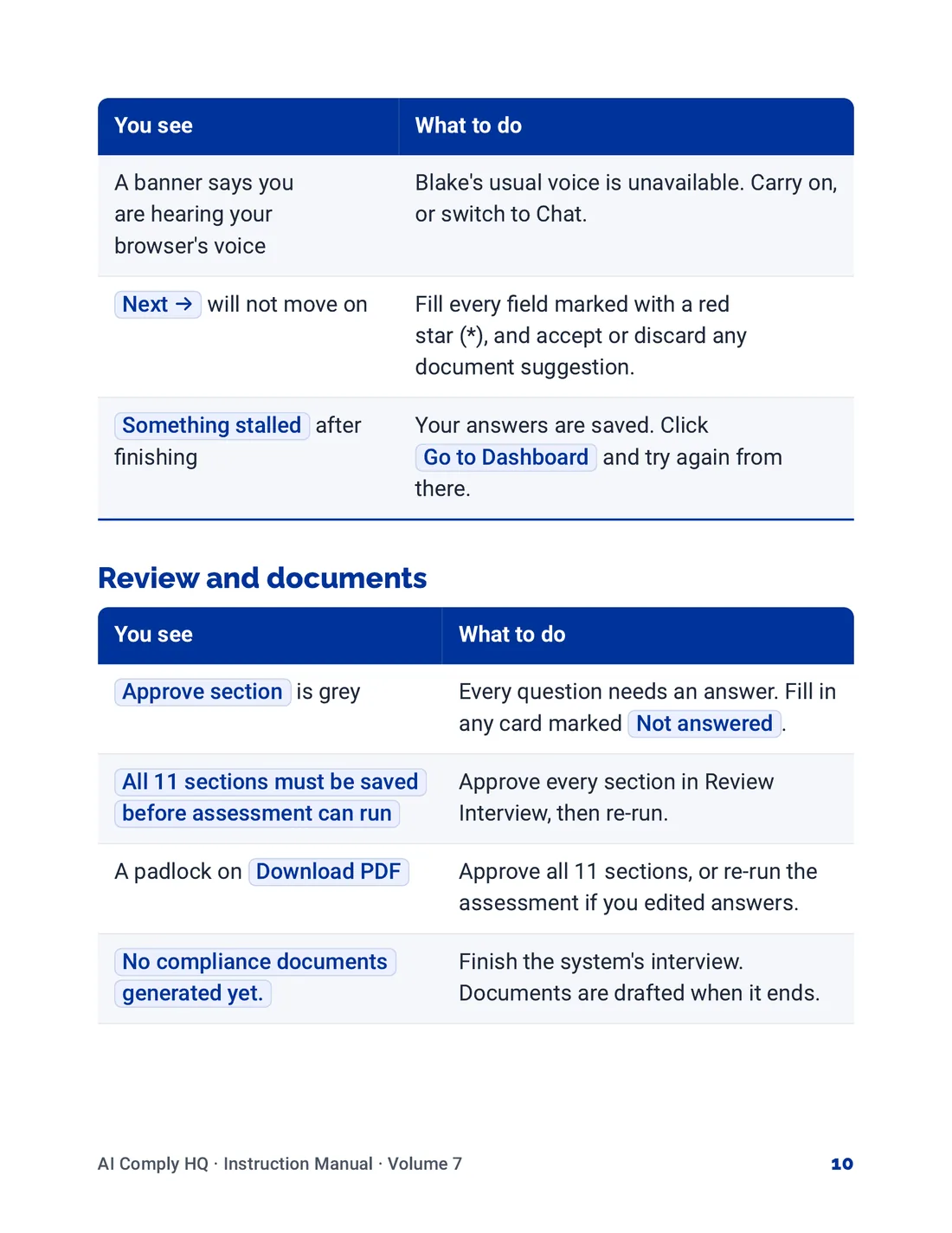
Instruction Manual, Help, Glossary and Troubleshooting, page 10
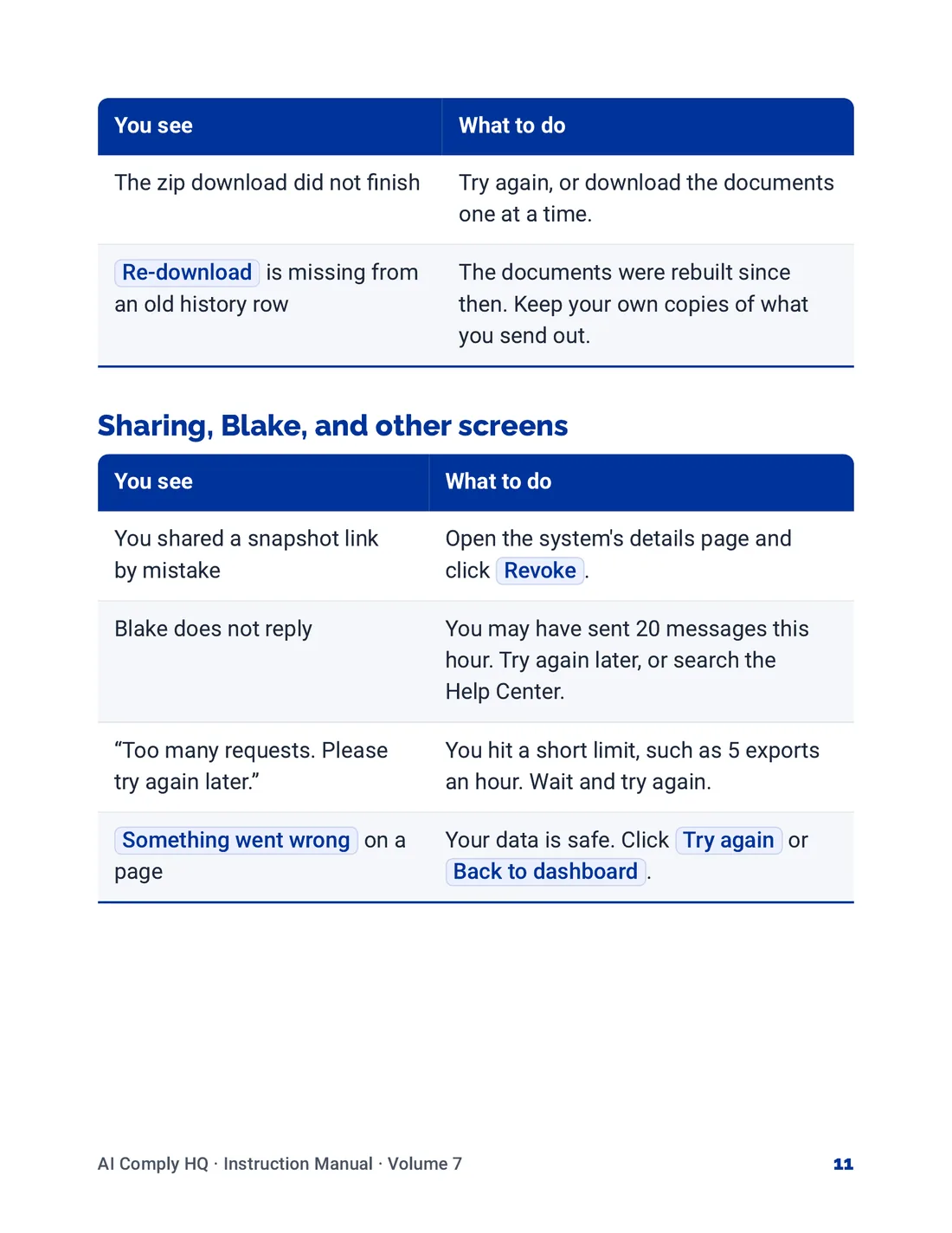
Instruction Manual, Help, Glossary and Troubleshooting, page 11
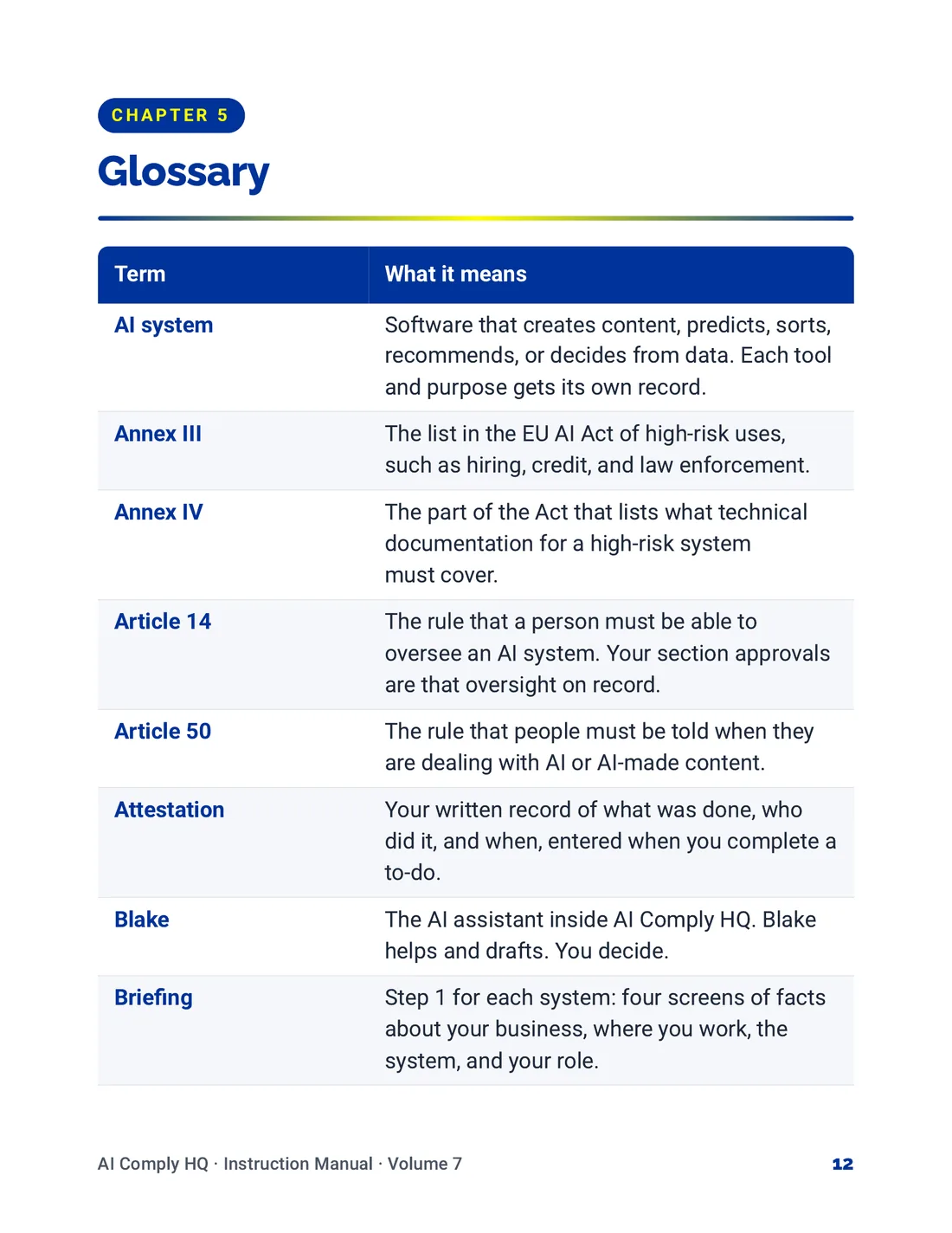
Instruction Manual, Help, Glossary and Troubleshooting, page 12
Instruction Manual, Help, Glossary and Troubleshooting, page 13
Instruction Manual, Help, Glossary and Troubleshooting, page 14